
foo.iv
FOO language support that makes sentence-like systems code feel at home in Visual Studio Code.
Read FOO as clearly as you write it.
FOO replaces dense punctuation with readable, sentence-like syntax. Your editor
should understand that syntax too, without replacing your favorite theme or
changing how the rest of your workspace looks.
foo.iv brings FOO into focus.
Open any .iv file for expressive syntax highlighting, live compiler
diagnostics, checked hover information, go-to-definition, distinct file icons,
smart brackets and indentation, comment shortcuts, and ready-made snippets.
The extension also colors configuration sources (.ivc), generated
capability definitions (.cap), and JSON lockfiles (.ivl). Configuration
comments, fields, and values have distinct scopes.
The file icons retain the FOO mark: .ivc adds a gear and .ivl adds a
dependency-lock badge, with light and dark variants.
See FOO Clearly
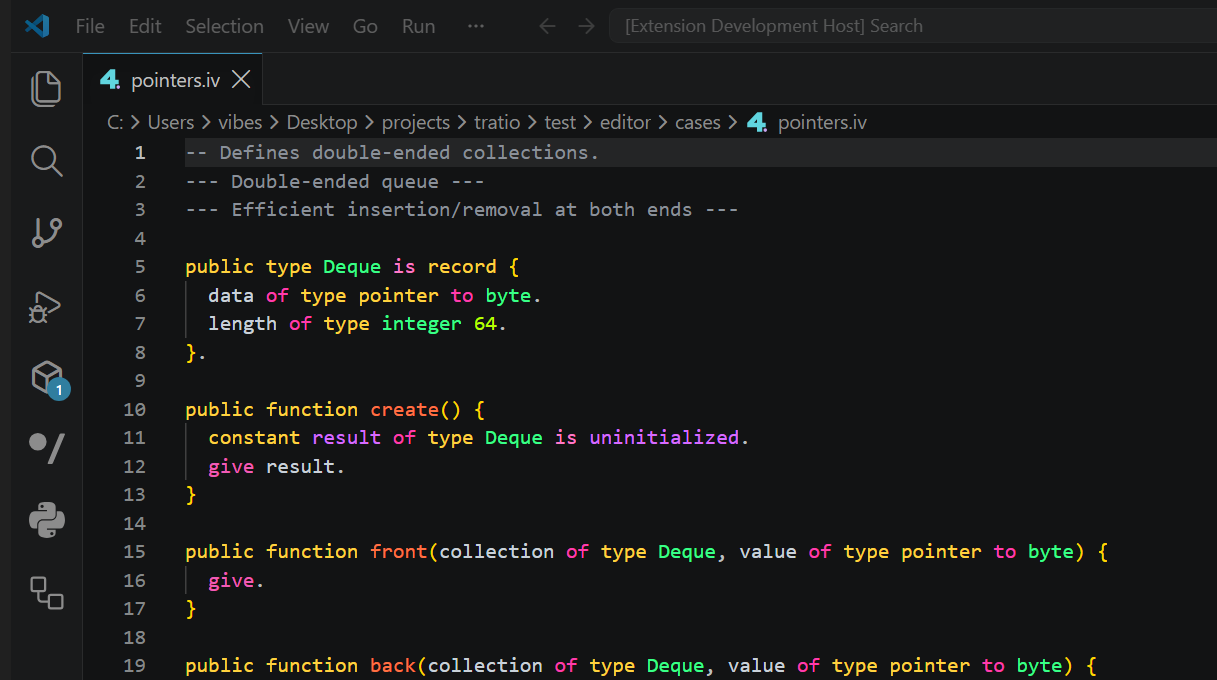
The extension recognizes declarations, control flow, types, functions,
constants, strings, numbers, comments, properties, attributes, native blocks,
and invalid syntax. Its FOO-specific accents work alongside your selected VS
Code theme.
function greet name text punctuation text default "!" giving text {
  give "Hello, " plus name plus punctuation.
}

display(greet("world")).
Why foo.iv?
Syntax That Follows the Language
FOO words are highlighted by purpose, so types, functions, control flow, and
operators remain easy to scan even when code reads like prose. Invalid syntax
stands apart before it gets lost in a larger file.
Your Theme, With FOO Accents
foo.iv adds an Ultraviolet / Acid palette to FOO tokens while leaving your
chosen VS Code theme in control of the editor, interface, and other languages.
Editing That Feels Native
Quotes, brackets, and braces close automatically. Indentation follows FOO
blocks, line and block comments use the right delimiters, and .iv files carry
recognizable icons in tabs and the Explorer.
Snippets for Everyday Code
Start typing a prefix and select the FOO suggestion:
| Prefix |
Inserts |
function |
Function declaration |
test |
Test block |
when |
Conditional block |
for each |
Collection loop |
while |
Conditional loop |
constant |
Constant declaration |
increase |
Intentional mutation |
try |
Failure propagation |
fallback |
Failure recovery |
Use -- for line comments and --- ... --- for block comments.
Quick Start
- Open Extensions in Visual Studio Code.
- Search for foo.iv and choose the extension published by radiiplus.
- Select Install, make sure the
foo command is installed, then open any
.iv file.
FOO appears as the active language in the status bar. The extension starts
foo lsp automatically and refreshes diagnostics as you type; it does not need
foo watch for editor feedback. Use FOO: Watch Project from the Command
Palette when you also want a terminal build after each saved change.
If foo is not on PATH, set FOO: Server Path to the compiler executable.
Use FOO: Restart Language Server after changing toolchains.
To install a downloaded
package instead, choose Install from VSIX in the Extensions view and select
foo.iv-2.8.0.vsix.
Mixed .iv Projects
If another extension also claims .iv files, open the language selector in the
status bar and choose FOO. Keep that choice for a workspace with a file
association:
{
  "files.associations": {
    "*.iv": "foo"
  }
}
Documentation
Learn the language in the FOO documentation,
begin with the getting-started guide,
or keep the syntax reference
nearby while you work.
Found an editor issue? Report it on GitHub.
foo.iv is available under the MIT License.

