llvm-analyzer
An LSP for LLVM IR (.ll) files.
| Definition Jump & View |
Document Preview |
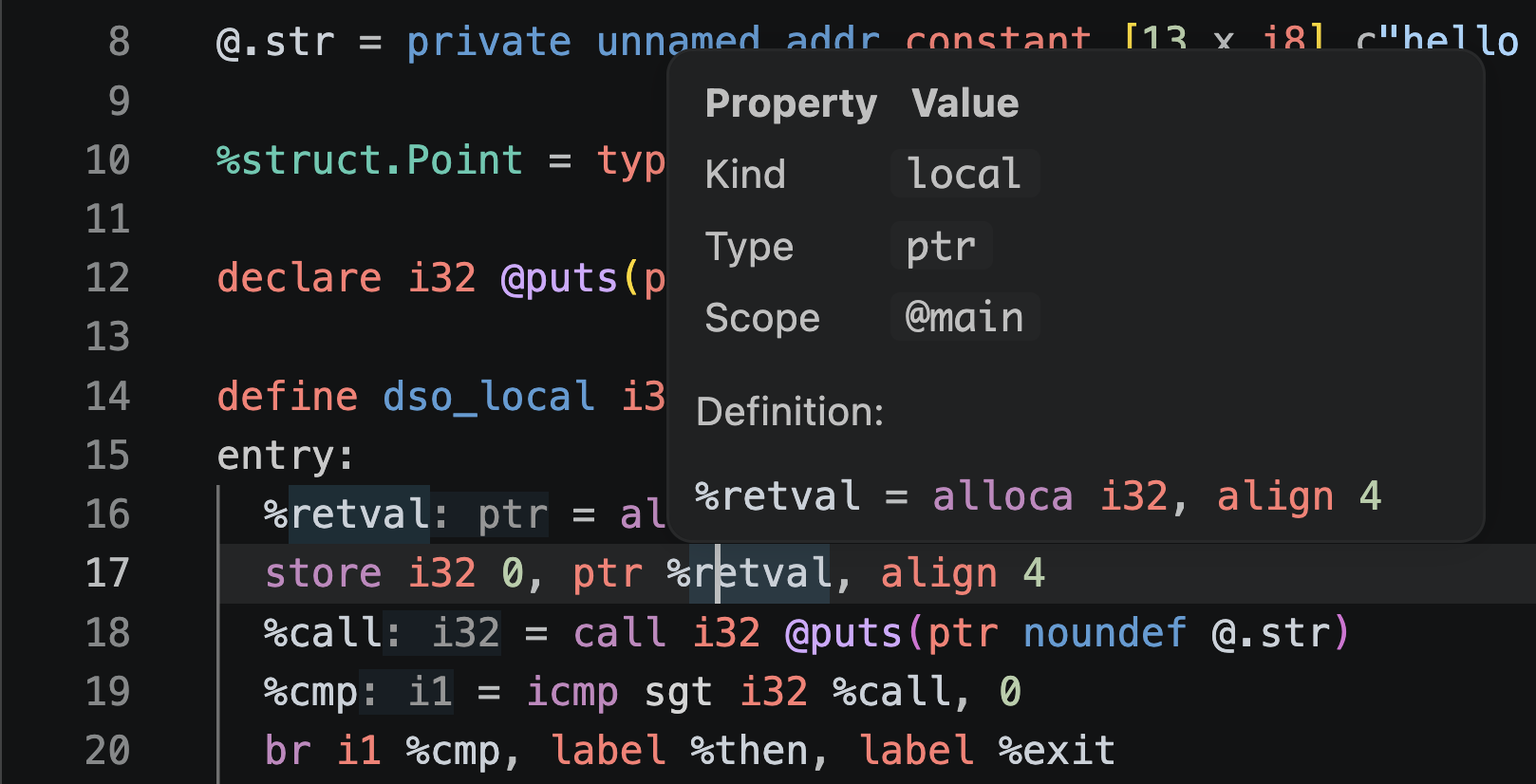 |
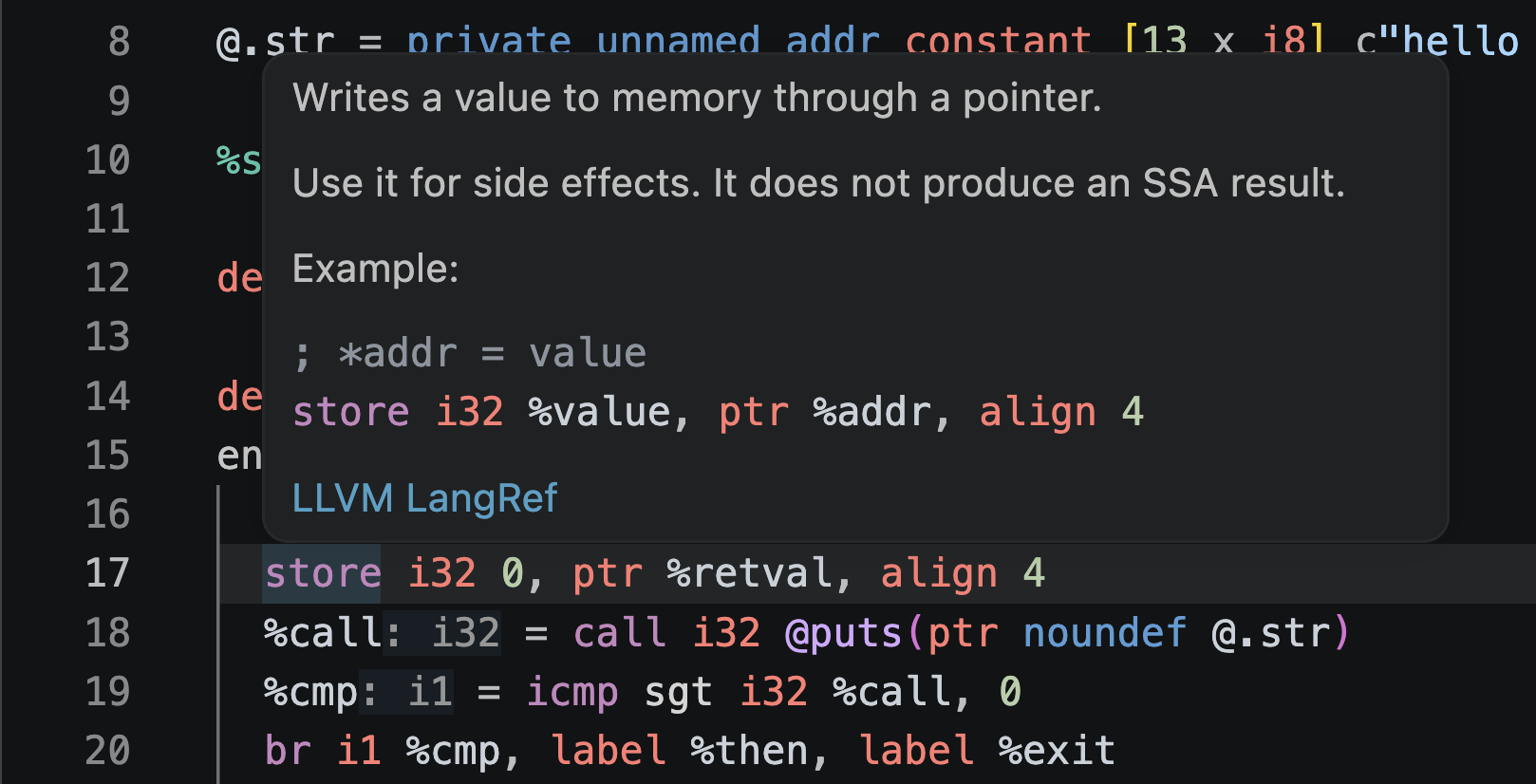 |
Features
| Category |
Feature |
| Display |
Syntax highlighting, Semantic Tokens, Folding Range |
| Navigation |
Declarative hover, opcode, type, attribute hover, go to definition, find references, Document Symbol, Workspace Symbol |
| Editing |
Completion, Rename, Format, Range Format |
| Diagnostics |
Parser diagnostics, analyzer diagnostics, external LLVM verifier diagnostics |
| Inlay Hints |
Shows inferred types for SSA values |
| File Links |
Document Link to open real files from source_filename and !DIFile |
| Call Hierarchy |
Traces direct calls via call, invoke, and callbr |
| Control Flow |
Command to display the current function's Control Flow Graph as Mermaid |
| Quick Fix |
Replace with nearby undefined global/label names, delete instructions after terminators |
Coverage
llvm-analyzer treats opaque pointer ptr as the standard.
Older typed pointer notation is also parsed leniently.
Type syntax covers scalar, pointer, vector, array, struct, function type, named type, and opaque struct.
ptrtoaddr, byte type bN, debug record, comdat, use-list order, and ptr addrspace(N) arguments are also analyzed.
Diagnostics are limited to lightweight structural analysis and name resolution that work during editing.
Undefined references, duplicate definitions, self-references within the same instruction, and normal instructions after terminators are detected.
Type checking dependent on target datalayout and full verification equivalent to the LLVM verifier are not covered.
LLVM Verifier Integration
External verifier diagnostics use llvm-as found on PATH.
The default command is:
llvm-as -o {devNull} -
If llvm-as is not available, only external verifier diagnostics are suppressed.
Parser diagnostics and analyzer diagnostics continue to work.
You can replace the verifier command with something like opt -passes=verify -disable-output - by changing llvm-analyzer.verifier.command and llvm-analyzer.verifier.args.
Because these settings can execute external tools, the extension requires a trusted VS Code workspace.
Configuration
| Setting |
Description |
llvm-analyzer.verifier.enabled |
Enable external verifier integration. |
llvm-analyzer.verifier.command |
Command to run as the verifier. |
llvm-analyzer.verifier.args |
Arguments to pass to the verifier command. |
llvm-analyzer.verifier.debounceMs |
Wait time before starting the verifier after editing stops. |
llvm-analyzer.verifier.timeoutMs |
Time before the verifier execution is killed. |
llvm-analyzer.verifier.maxFileBytes |
Maximum file size for automatic verifier execution. |
llvm-analyzer.diagnostics.parser.enabled |
Enable parser-based syntax diagnostics. |
llvm-analyzer.diagnostics.parser.severity |
Severity of parser-based syntax diagnostics. |
llvm-analyzer.diagnostics.analyzer.enabled |
Enable analyzer-based semantic diagnostics. |
llvm-analyzer.diagnostics.analyzer.severity |
Severity of analyzer-based semantic diagnostics. |
llvm-analyzer.diagnostics.verifier.enabled |
Enable external verifier diagnostics. |
llvm-analyzer.diagnostics.verifier.severity |
Severity of external verifier diagnostics. |
llvm-analyzer.inlayHints.types.enabled |
Show inferred type Inlay Hints for SSA values. |
License
This repository is published under the MIT License.
For developer information, see docs/development.md.


