Skip to content
| Marketplace
Sign in
Visual Studio Code>Testing>QuadrastackNew to Visual Studio Code? Get it now.
Quadrastack

Quadrastack

quadrastack

| (0) | Free
Quadrastack playbook runner VS Code extension.
Installation
Launch VS Code Quick Open (Ctrl+P), paste the following command, and press enter.
Copied to clipboard
More Info

Quadrastack VSCode Extension

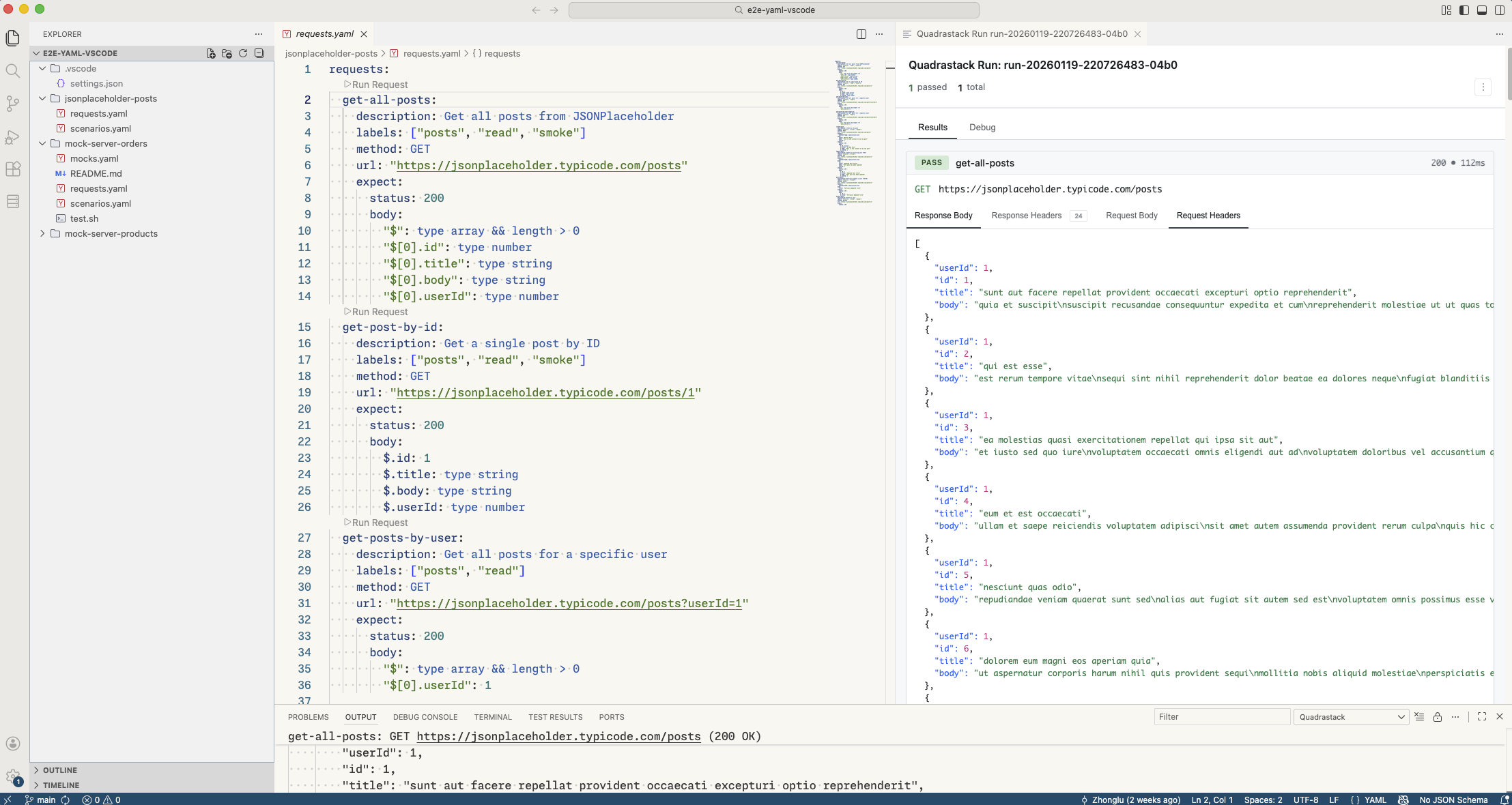
The official VSCode extension for Quadrastack, providing seamless integration for managing HTTP requests, test scenarios, and mock servers directly within your editor.

Run requests from YAML

📚 Documentation: https://quadrastack.com/docs

Prerequisites

⚠️ Important: You must have the Quadrastack CLI installed to use this extension.

Download the CLI: Quadrastack Releases

Features

  • Run Requests & Scenarios: Execute HTTP requests and test scenarios directly from YAML files with CodeLens controls
  • Mock Server Management: Start, stop, and manage mock servers from the sidebar or inline controls
  • Results Viewer: View detailed request/response data with syntax highlighting
  • Playbook Folder: Configure and visually identify your playbook root folder

Settings

Setting Default Description
quadrastack.playbookRoot "" Playbook folder path (relative to workspace root)
quadrastack.showRunWebviewOnRun true Show results webview after each run
quadrastack.cliPath "" Custom path to CLI executable

Support

  • Documentation: https://quadrastack.com/docs
  • Issues: https://github.com/quadrastack/quadrastack/issues
  • Email: support@quadrastack.com
  • Contact us
  • Jobs
  • Privacy
  • Manage cookies
  • Terms of use
  • Trademarks
© 2026 Microsoft