Skip to content
| Marketplace
Sign in
Visual Studio Code>Education>CodeArena — coding games for classNew to Visual Studio Code? Get it now.
CodeArena — coding games for class

CodeArena — coding games for class

Preview

q-werty452

|
5 installs
| (0) | Free
Kahoot + Codewars inside VS Code: tug of war, quiz, Codewars, race and find-the-bug games for programming lessons.
Installation
Launch VS Code Quick Open (Ctrl+P), paste the following command, and press enter.
Copied to clipboard
More Info

CodeArena — coding games for class

Kahoot + Codewars inside VS Code. Run your programming lesson in the editor your students already use: see who is done and who is stuck, show your code live, and switch to a coding game in one click.

Free and open source. No accounts for students — a 6-digit code or a link is enough.

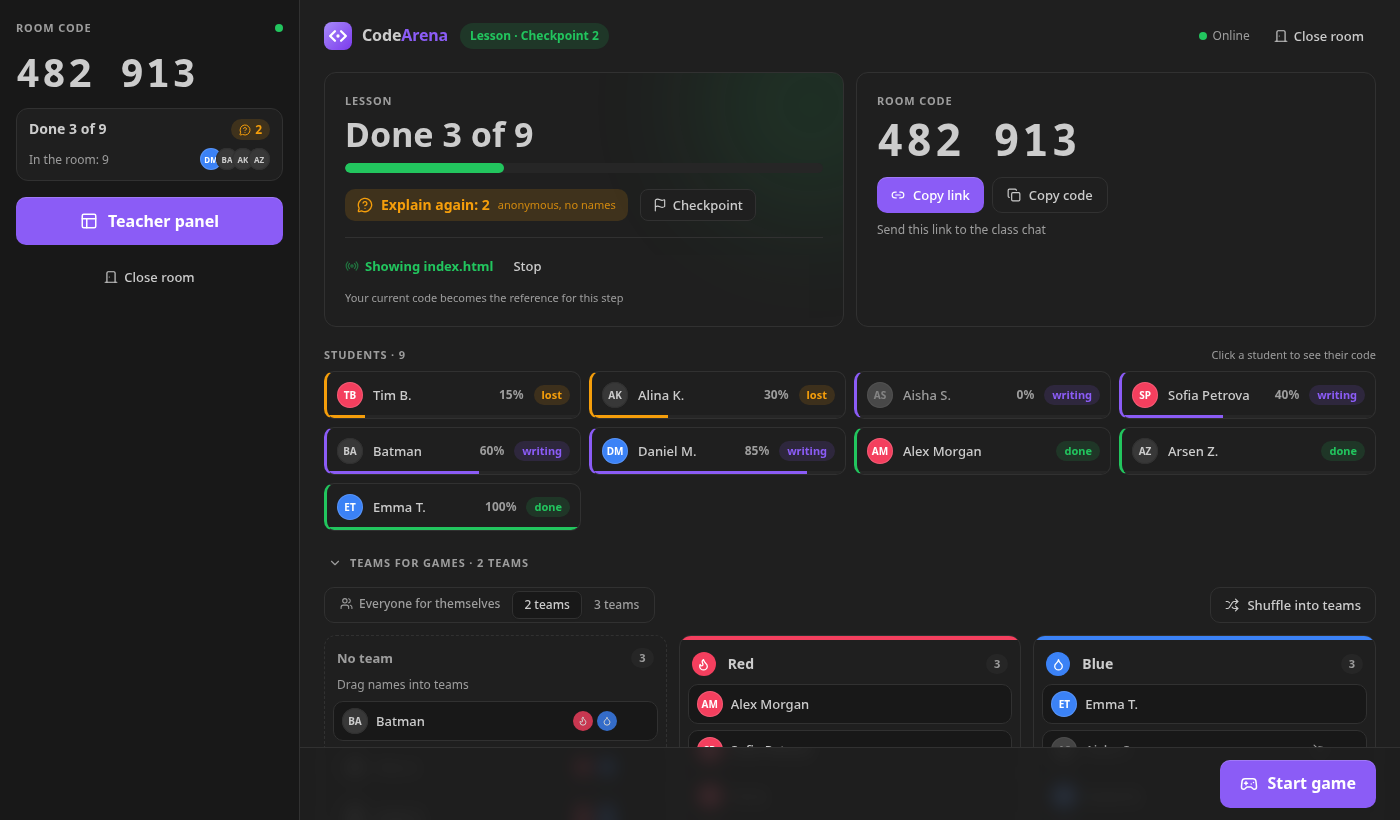
Lesson mode: who is done, who is lost, live progress for every student

Lesson mode

The room opens in Lesson mode:

  • Students mark Done / Still writing / Lost from the status bar (Ctrl+Alt+1…3) and can ask «Explain again» anonymously — you only see the count.
  • Show your file: students get your code next to theirs, read-only, and can follow your cursor.
  • Checkpoints: your current code becomes the reference for the step; each student's progress is computed from their own file (whitespace and blank lines don't matter).
  • «Done 7 of 24», students who are behind on top, click anyone to see their code.

Games

Start a game on top of the lesson — everyone returns to the lesson when it ends.

Game What students do
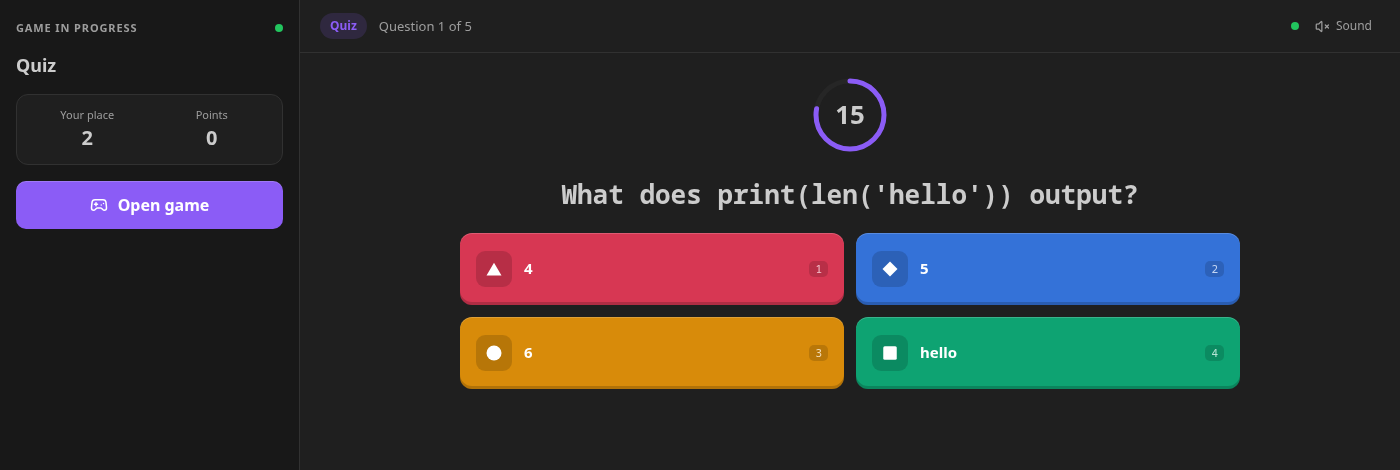
🎯 Quiz Questions with 2–4 colored options, faster = more points
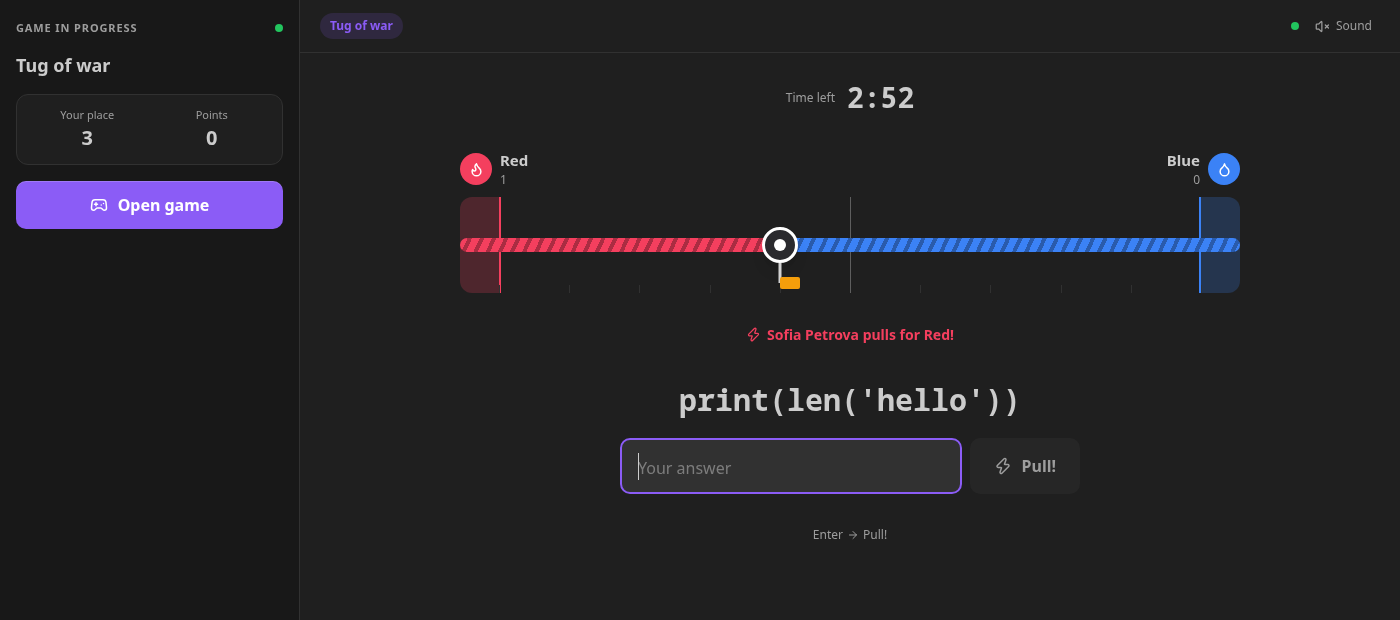
🪢 Tug of war Two teams answer short questions; every right answer pulls the rope
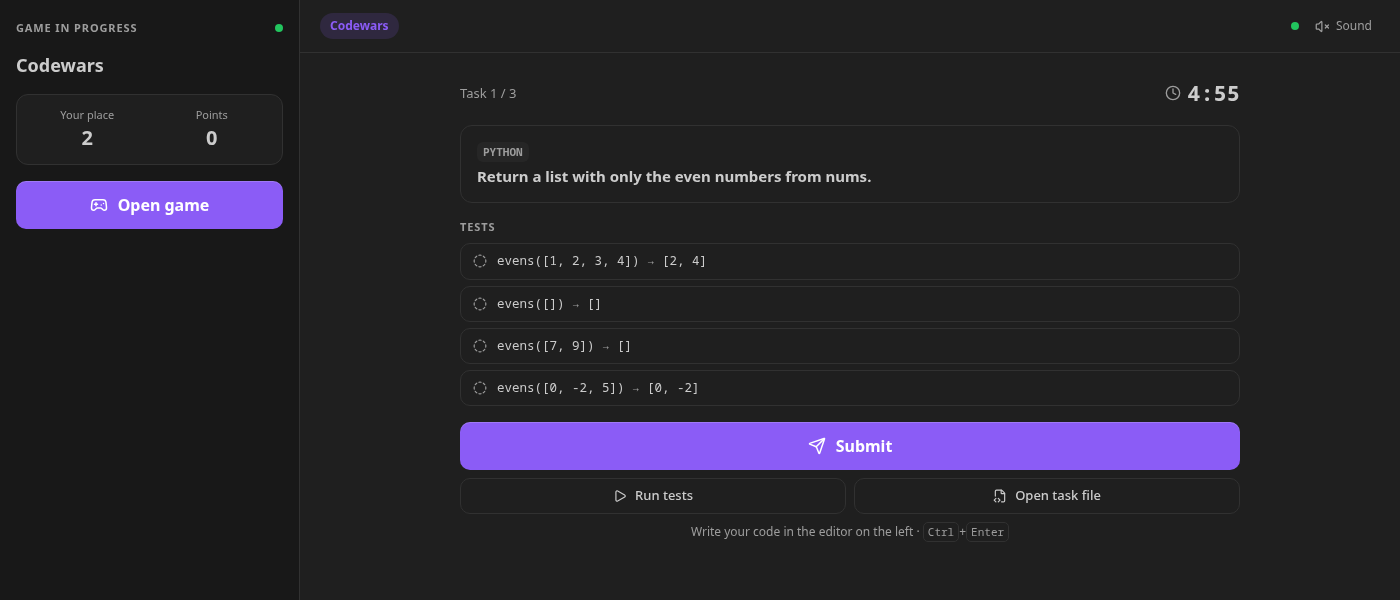
🥋 Codewars Write a function or markup in the editor; tests run on the student's computer
🏁 Race A series of tasks — first to the finish wins
🐞 Find the bug Click the buggy line, fix broken code or pick the better variant

Quiz

Codewars: the task file opens in the editor, tests run locally

Tug of war

Tasks in HTML/CSS, JavaScript, Python and Dart (HTML/CSS is checked with selector and CSS rules). A built-in task bank has about 470 tasks in two levels — basic and medium, with tricky «what will this print?» questions.

Your own tasks and AI

  • Import a JSON, text or Word file, or paste questions — every task goes to the game it fits (options → Quiz, short answer → Tug of war, code → Codewars, bugs → Find the bug).
  • Generate with AI using your own free Gemini key. Code tasks are verified before the lesson: the reference solution must pass, the starter must not.

Simple text format:

1. Which tag creates a link?
- <div>
+ <a>

2. Which property sets the text color?
= color

Fair play

Optional anti-cheat for games: paste guard in task files, focus tracking, a check for AI extensions, plus a live table and CSV export for the teacher. Everything is off in Lesson mode.

How to start

  1. Teacher: open the CodeArena view in the Activity Bar → I'm a teacher — create a room.
  2. Send the link or the 6-digit code to the class chat.
  3. Students: CodeArena view → enter the code and their name → Join.

Python tasks need Python 3 on the student's computer, Dart tasks need the Dart SDK (or Flutter); JavaScript and HTML/CSS need nothing.

Privacy

Students only enter a display name. Student code runs locally; the server only relays game messages and forgets a room 6 hours after it goes quiet. The Gemini key is stored in VS Code's secret storage and sent only to Google's API. Schools can host their own server.

По-русски

CodeArena — уроки и игры по программированию прямо в VS Code: режим урока (статусы учеников, показ кода, чекпоинты с процентом), викторина, перетягивание каната, Codewars, гонка и «Найди баг». Банк из ~470 заданий по HTML/CSS, JavaScript, Python и Dart (базовый и средний уровень). Свои задания из файла или Word, генерация заданий с ИИ. Интерфейс на русском включается сам при русском VS Code.

Author

Made by q-werty452 · MIT license · source code · report a problem

  • Contact us
  • Jobs
  • Privacy
  • Manage cookies
  • Terms of use
  • Trademarks
  • Your Privacy Choices
  • Consumer Health Privacy
© 2026 Microsoft