PyNotiPreviewSemantic notes and foldable blocks for Python, TypeScript, and C/C++ source files. Installation Launch VS Code Quick Open ( Ctrl+P), paste the following command, and press enter.Copied to clipboard |

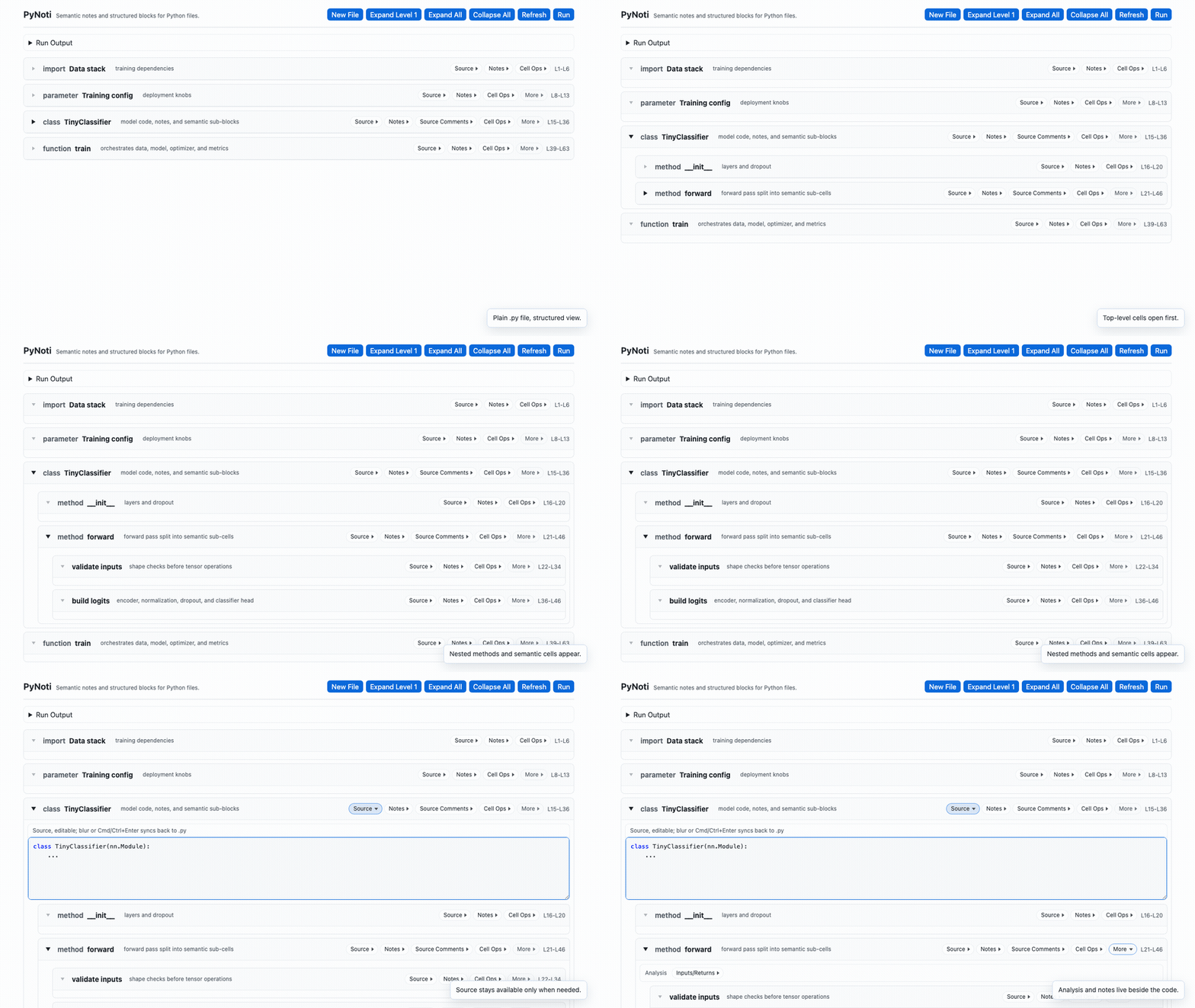
PyNotiSemantic notes, foldable cells, and Markdown explanations for Python, TypeScript, and C/C++ source files. 中文说明在本文底部,内容与英文版保持一致。 PyNoti is a VS Code extension that opens standard Python, TypeScript, and C/C++ files as a structured reading and annotation surface. It does not turn your code into a notebook, does not require a separate frontend, and does not introduce a new source format like The GIFs below are captured from the actual PyNoti webview UI. OverviewOpen a supported source file with PyNoti and it becomes a tree of language-aware cells: imports/includes, classes/structs, namespaces, interfaces/types, enums, functions, methods, Markdown notes, source panels, and summaries.
This gives a plain source repository a notebook-like reading surface while keeping the codebase unchanged. Python, TypeScript, and C/C++ use language-specific structural parsers and cell templates; the shared review layers remain consistent across languages. Built for Maintainable Vibe CodingVibe coding is fast, but a growing project can branch into too many implementation paths for both people and agents to review. PyNoti adds lightweight boundaries that make that complexity easier to follow:
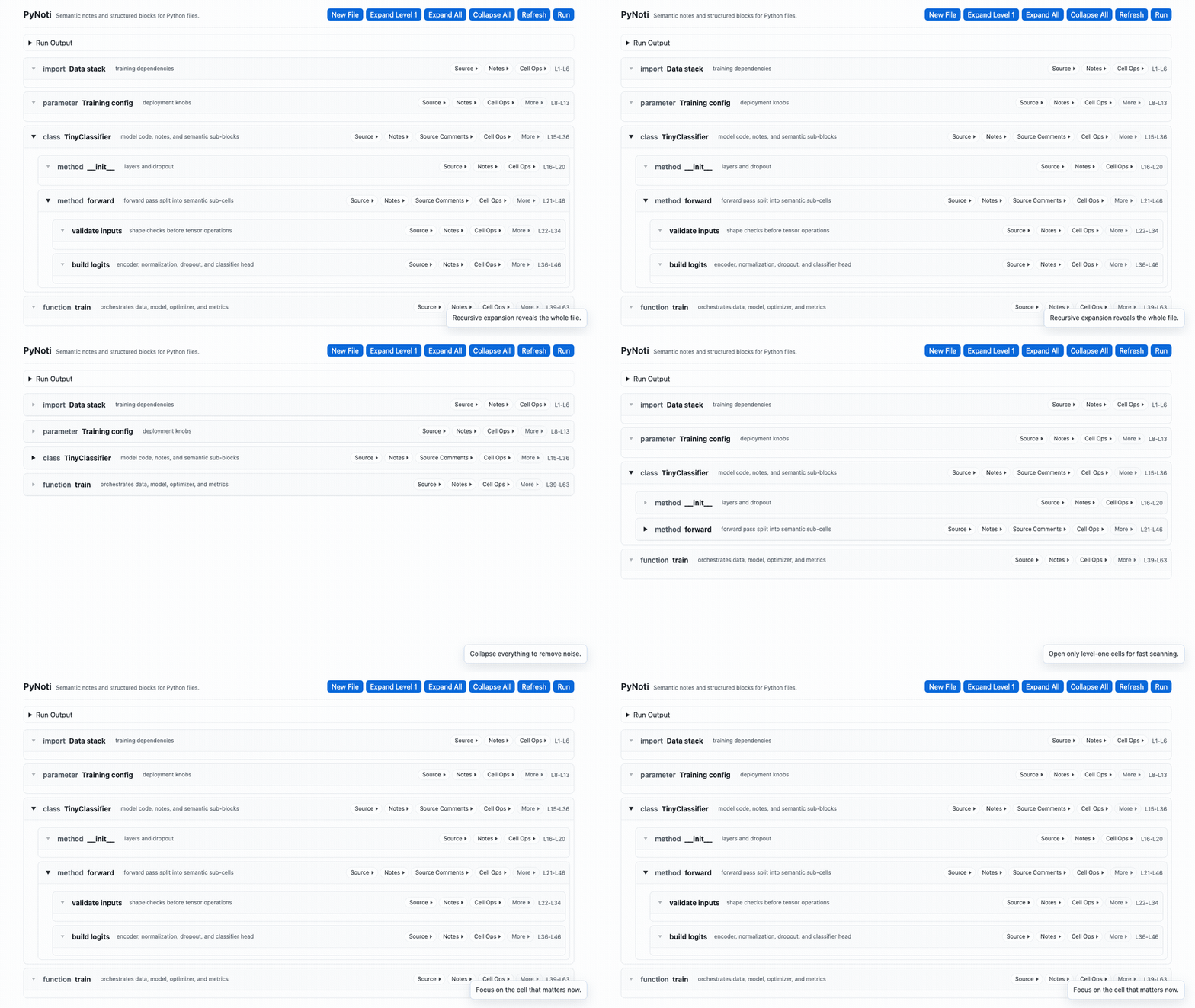
All of these layers are stored in the project-level Fold Fast, Read FasterLarge Python files are often hard to read because every implementation detail competes for attention. PyNoti cells can be collapsed at the file level, expanded one layer at a time, or expanded recursively.
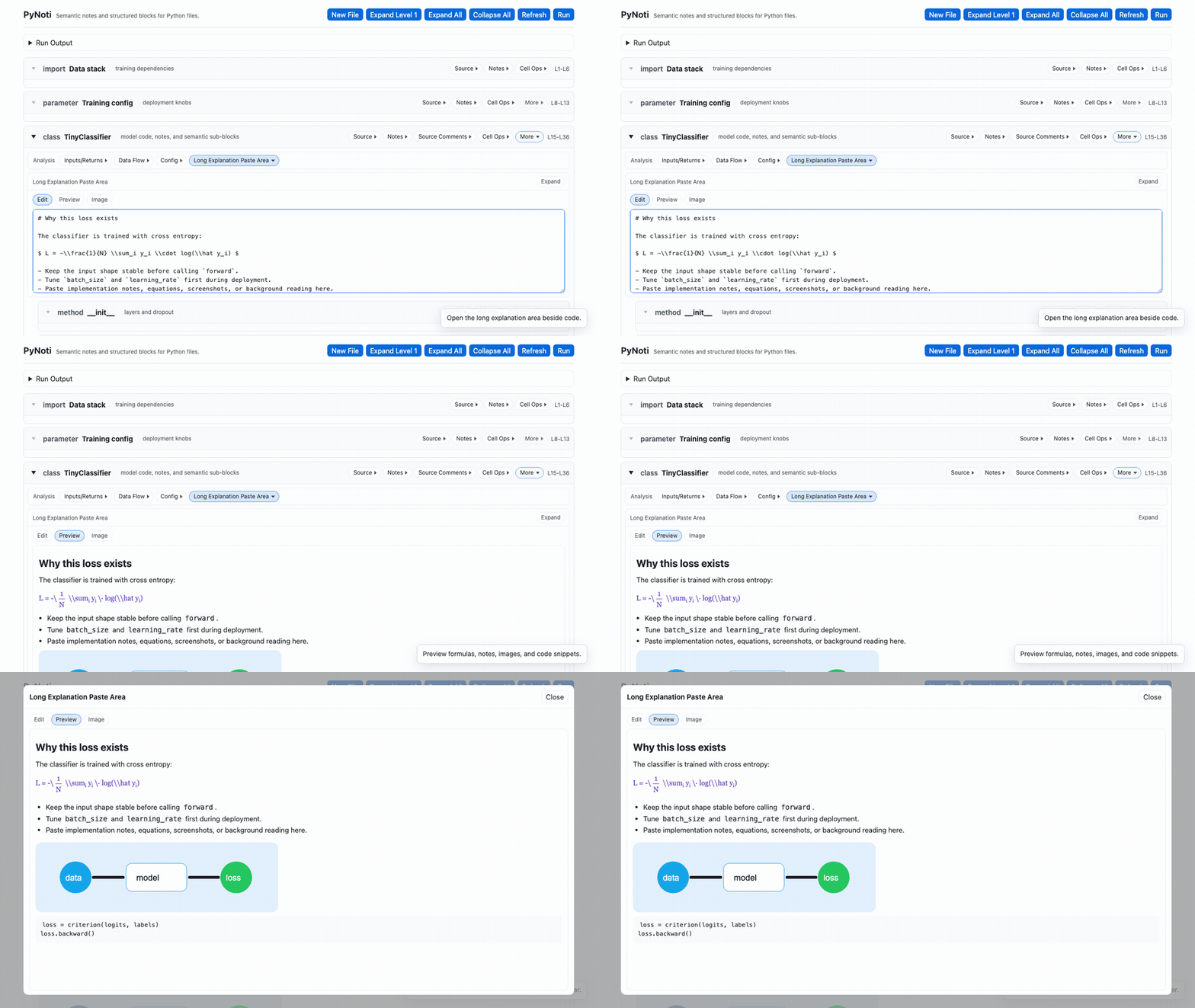
The practical benefit is focus: quickly locate the relevant class, function, parameter group, or method; hide cells that do not matter for the current task; and keep only the useful summary visible while reading. Notes, Long Explanations, Formulas, and ImagesPyNoti gives each cell a place for annotations and long-form explanations. Use it for formulas, implementation notes, background theory, screenshots, diagrams, and reasoning that should stay next to the code.
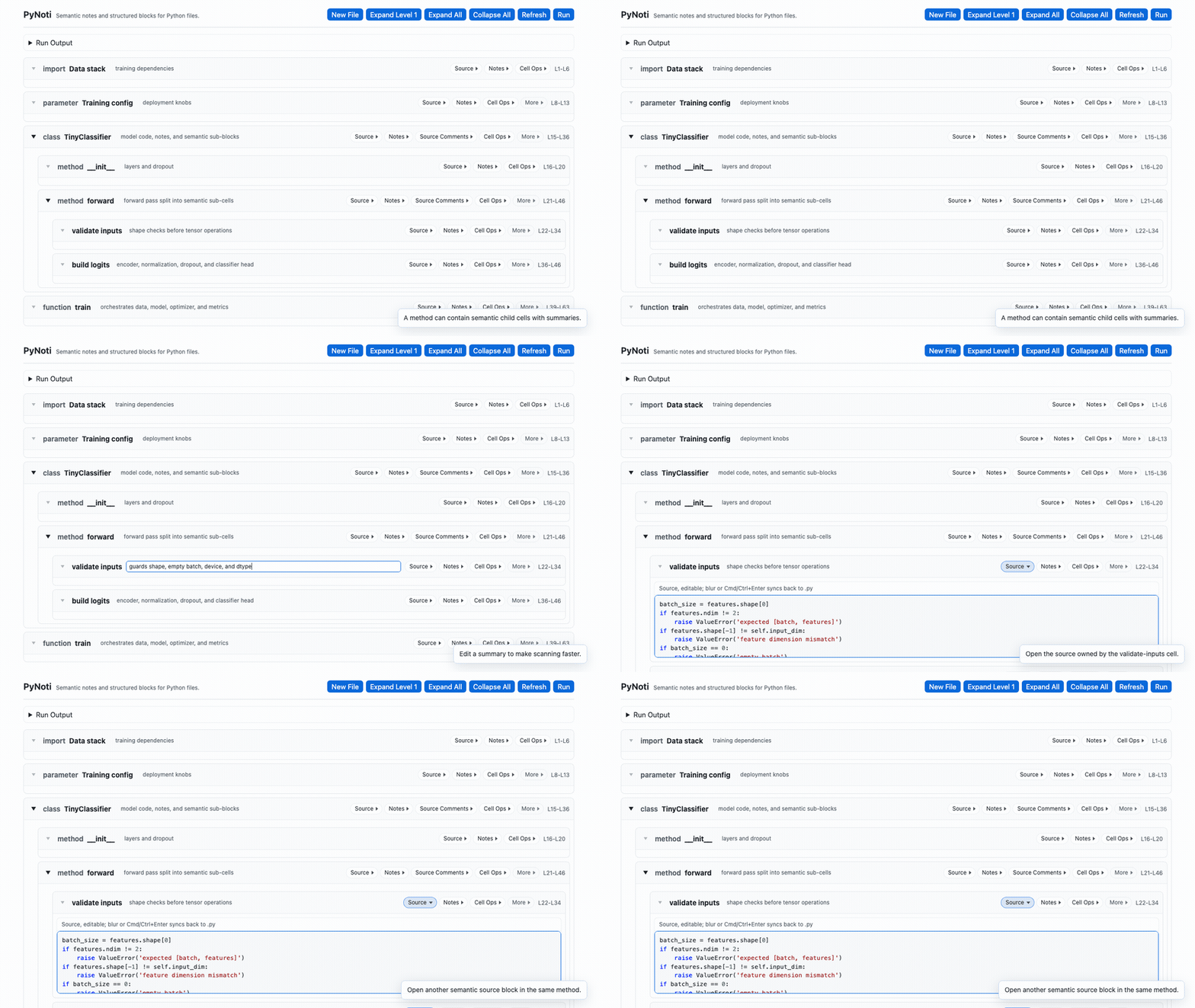
The long explanation paste area supports Markdown preview, code snippets, simple formula rendering, images, and a larger reading window. This is useful when a function needs context that would be too noisy inside the source file itself. Semantic Cells Inside Functions and ClassesPyNoti cells are not limited to Python syntax boundaries. A class or function can contain smaller semantic cells whose boundaries follow purpose, workflow, or meaning. Each cell can also have a short summary, so readers can quickly scan and skip blocks that are irrelevant to the current task.
For example, one method can be split into "validate inputs" and "build logits" cells even though both sections live inside the same function. The same review surface can show a C++ class with inherited behavior or a TypeScript interface and generic function. Read the structure first, then open the exact source block when the implementation matters. Clean Python Files, Portable PyNoti MetadataPyNoti keeps your
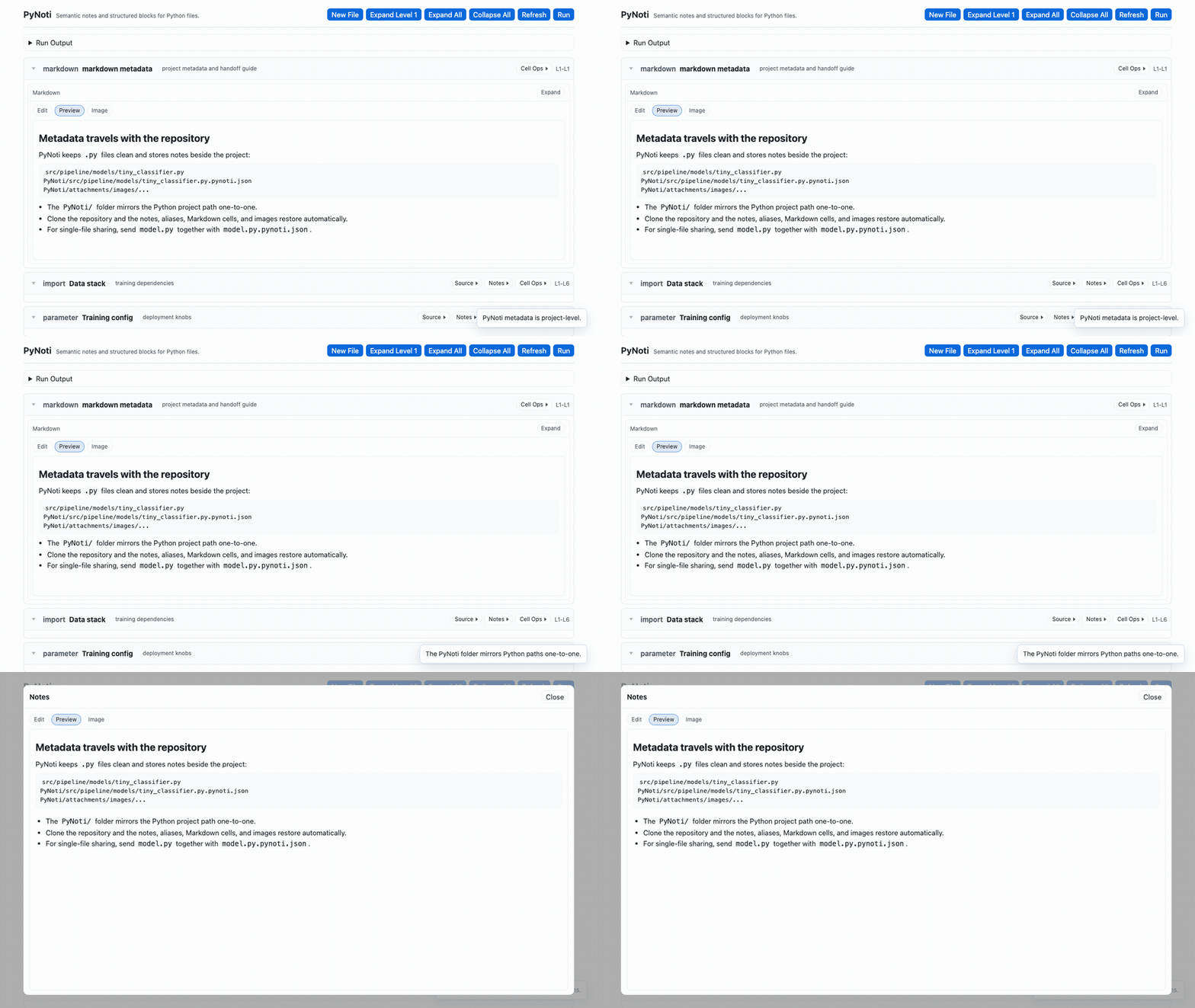
Example: When the repository is cloned or pulled with Git, the recorded notes travel with the root For simple one-file transfer, send the Python file together with its sidecar metadata file: PyNoti will load the sidecar file too. The same project-level mapping is used for TypeScript and C/C++ files. If both the project-level metadata and the sidecar file exist, the project-level What You Can Do
Quick Start
For agent-assisted workflows, explicitly ask the agent to use PyNoti and list the exact supported source files. Use the file overview for a whole-file purpose, an interface contract for developer-defined behavior, and AI Annotation only when you want a concise agent-generated review description. Settings
Current StatusPyNoti 0.0.4 is an early multilingual preview. Python remains fully supported, while TypeScript and C/C++ focus on structural review, annotations, interface contracts, and language-aware source editing. Extremely advanced syntax and unusual layouts may still reveal parser edge cases. PyNoti 中文说明面向 Python、TypeScript 和 C/C++ 源文件的语义附注、可折叠 cell 与 Markdown 解释层。 PyNoti 是一个 VS Code 插件,可以把标准 Python、TypeScript 和 C/C++ 文件打开为结构化阅读和批注界面。它不会把代码变成 notebook,不需要额外前端,也不会引入 下面的动态图均来自真实的 PyNoti webview 界面。 总览用 PyNoti 打开受支持的源文件后,文件会变成一棵语言感知的 cell 树:imports/includes、class/struct、namespace、interface/type、enum、function、method、Markdown note、源码面板和摘要都会被组织起来。
这让普通源代码仓库获得类似 notebook 的阅读体验,但代码库本身保持不变。Python、TypeScript 和 C/C++ 使用各自的结构解析和 cell 模板,而文件说明、附注、接口规范等 review 层保持一致。 为可维护的 Vibe Coding 设计Vibe coding 的速度很快,但工程变大后,实现路线会不断分岔,人和 agent 都很难快速 review。PyNoti 增加了几层轻量边界,让复杂度更容易被理解和控制:
这些内容全部保存在项目级 快速折叠,快速阅读大型 Python 文件难读,常常是因为每一段实现细节都在争夺注意力。PyNoti 的 cell 可以全局折叠、只展开一级,也可以递归全部展开。
它的实际价值是提升注意力:快速定位相关 class、function、参数组或 method;隐藏当前任务不需要的 cell;阅读时只保留有用的摘要和结构。 附注、长解释、公式和图片PyNoti 给每个 cell 提供附注和长解释区域。你可以把公式、实现思路、背景原理、截图、图示和推理过程写在代码旁边。
长解释粘贴区支持 Markdown 预览、代码片段、简单公式渲染、图片和更大的阅读窗口。当一个函数需要很多背景信息,而这些信息又不适合塞进源码时,这个区域会非常有用。 class 和 function 内部也能按语义分 cellPyNoti 的 cell 不局限于 Python 语法边界。一个 class 或 function 内部也可以继续拆成更小的语义 cell,边界可以按功能、流程或语义来划分。每个 cell 还可以写一个短摘要,方便读者快速扫读并跳过当前任务不重要的模块。
例如,同一个 method 可以拆成 干净的 Python 文件,可传播的 PyNoti 元数据PyNoti 保持
示例: 当仓库通过 Git 克隆或拉取时,记录的笔记会跟随根目录下的 如果只是简单发送单个 Python 文件,也可以把 Python 文件和旁路元数据文件一起发送: PyNoti 也会读取这个旁路文件。TypeScript 和 C/C++ 使用同样的项目级映射规则。如果项目级元数据和旁路文件同时存在,则优先使用项目级 你可以做什么
快速开始
如果要使用 agent 辅助开发,请明确要求 agent 使用 PyNoti,并列出具体的受支持源文件。文件级说明用于描述整个文件的职责,接口规范用于定义开发者要求的输入输出行为,AI 附注只在你需要简洁的 agent review 说明时启用。 设置
当前状态PyNoti 0.0.4 是早期多语言预览版本。Python 仍然完整支持,TypeScript 和 C/C++ 主要支持结构化 review、附注、接口规范和语言感知的源码编辑。极复杂语法和特殊布局仍可能暴露解析边界,欢迎反馈真实项目中的问题。 |