SQLite Viewer & Editor – Fast, Local, Free
Open .db, .sqlite, .sqlite3 and .db3 files directly in VS Code, VSCodium, Cursor and Windsurf.
Viewing, searching, filtering, schema and SQL queries are free, with no file-size limit, no account and no ads.
Why this one
- Honest free tier. Every read feature is free, at any file size. Nothing pops up while you browse.
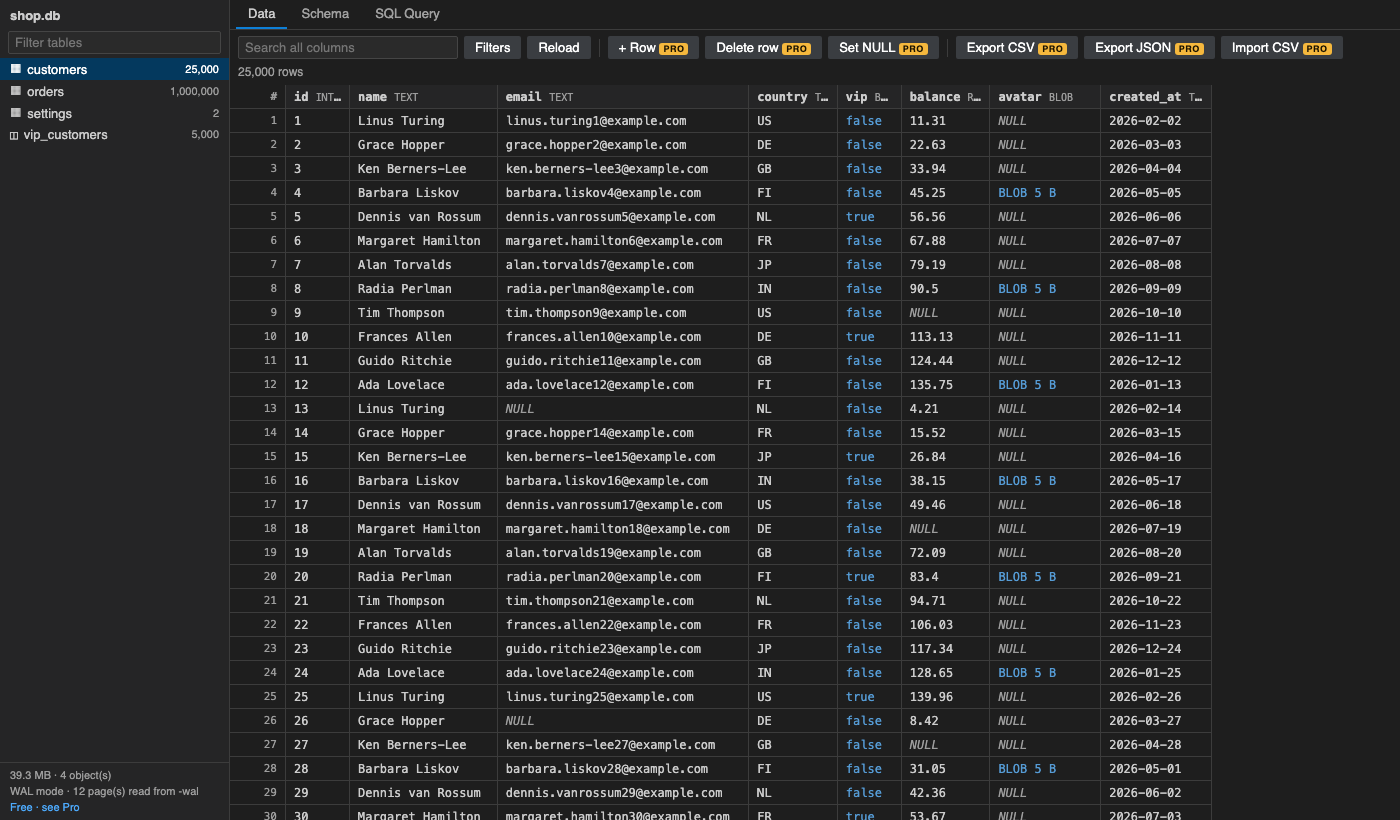
- Fast on big tables. Rows are paged with SQL while you scroll, so a 1,000,000-row table opens instantly and scrolls to the last row.
- Works everywhere. It uses SQLite compiled to WebAssembly (sql.js, SQLite 3.49), so there is no native build and nothing to install. It runs in Remote SSH, WSL, Dev Containers, Codespaces and vscode.dev.
- Reads WAL-mode databases correctly. Data committed to the
-wal file but not yet checkpointed is shown, so you see what the app sees.
- Modern SQLite, correct quoting. Tables named
table, select or order work. So do WITHOUT ROWID tables, views and 64-bit integers, which never get rounded.
- Your clipboard is yours. Ctrl/Cmd+C copies the selected cell and Ctrl/Cmd+Shift+C copies the row. Normal text copy is never hijacked.
Free features
- Table list with row counts, for tables and views.
- Virtual grid that handles millions of rows, with sticky headers and row numbers.
- NULL, empty string, BLOB (size + hex preview) and BOOLEAN columns each look different.
- Sort any column; click the header again to reverse.
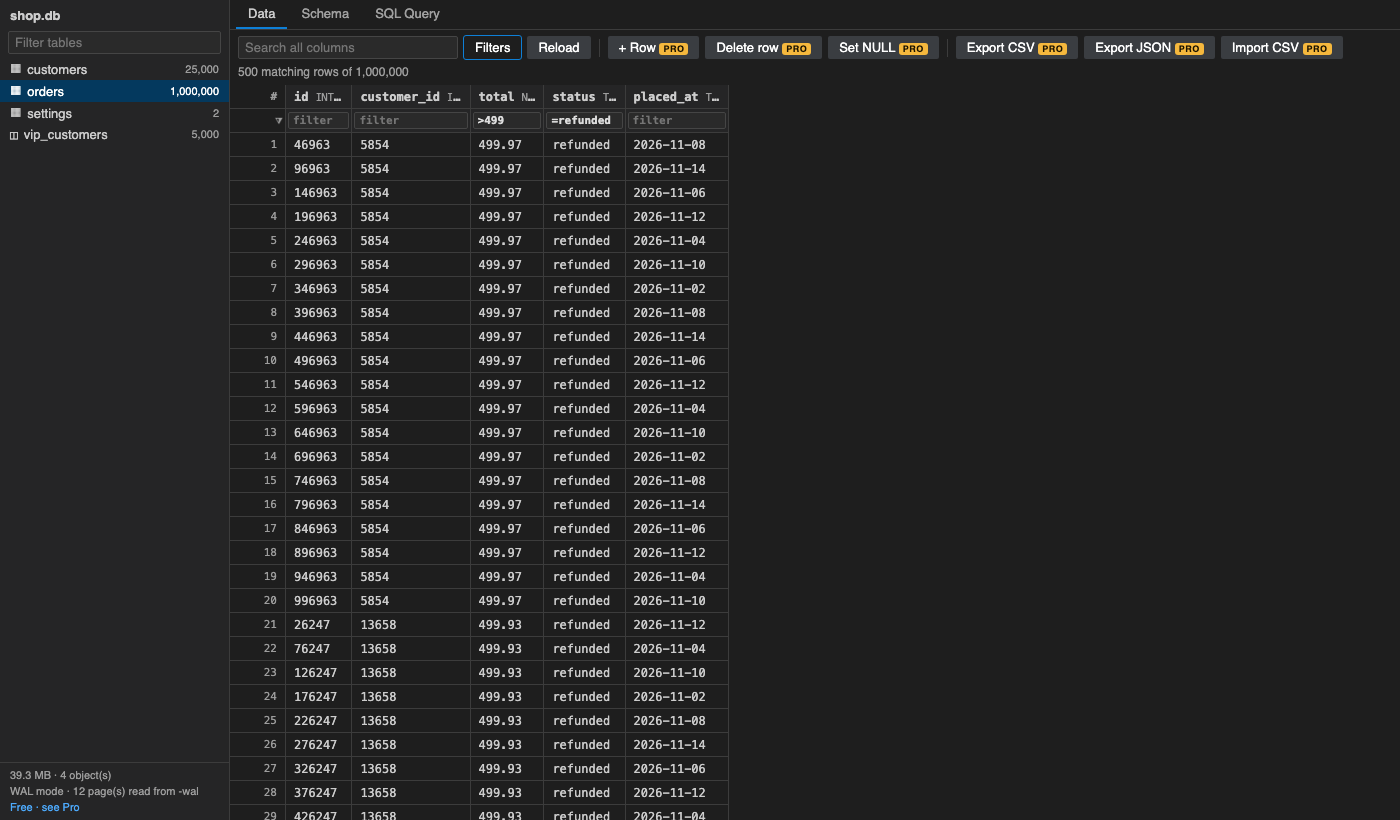
- Search all columns, plus per-column filters:
text matches values that contain it, and =text matches the exact value;>5, <5, >=5, <=5 and !=x compare;NULL and !NULL find empty or non-empty values.
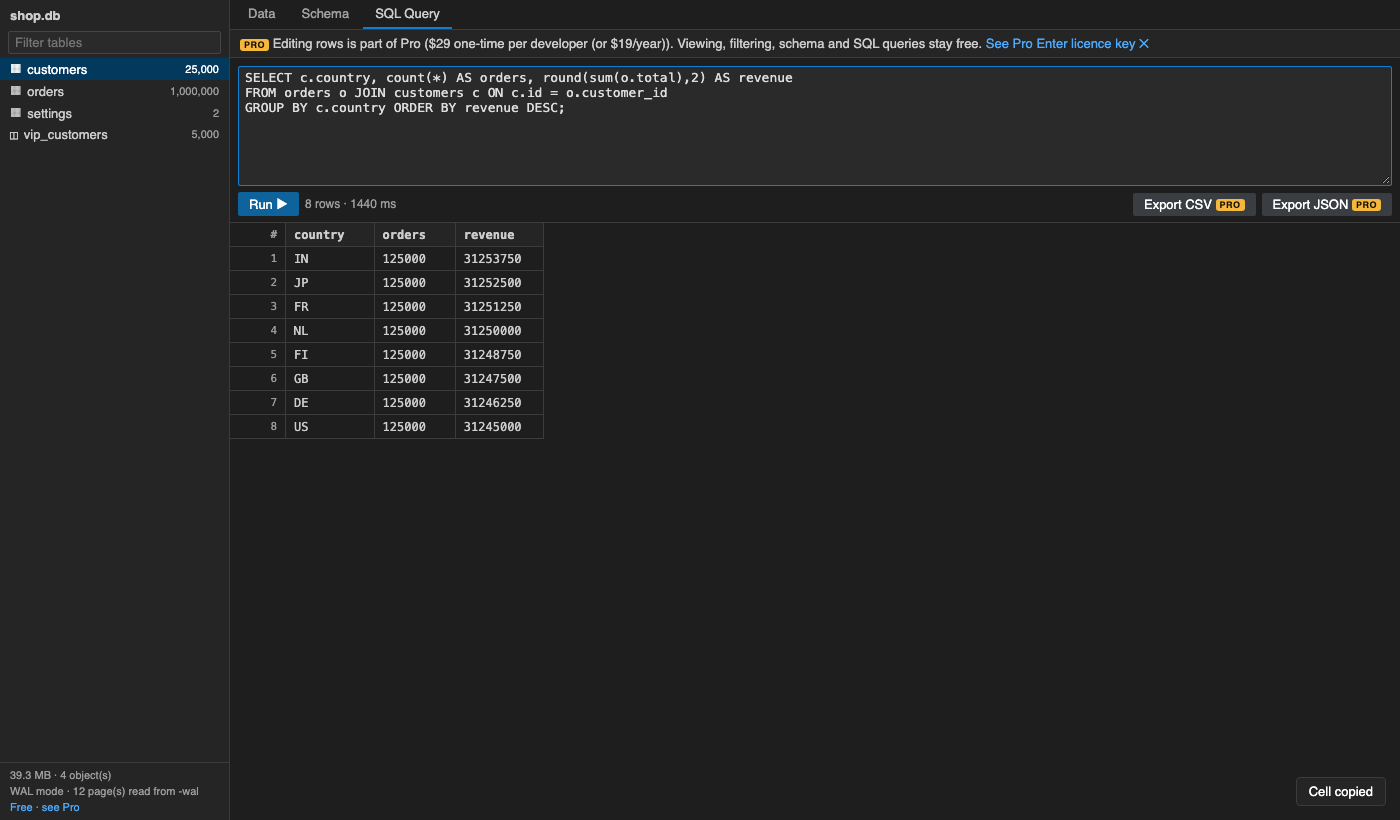
- SQL Query tab: run the selection or everything with Ctrl/Cmd+Enter. Runs multiple statements, shows the row count and timing, sorts results and reports errors inline.
- Schema tab: columns (type, NOT NULL, PK, default), indexes, foreign keys, the CREATE statement, and every view, index and trigger.
- Large files: above 256 MB you are asked before the file is loaded into memory. This is a RAM warning, not a paywall (setting
sqliteViewer.warnSizeMB).
- Live reload when another program changes the file.
Pro (licence key, works offline)
$29 one-time per developer, or $19 a year. Everything above stays free. Pro adds:
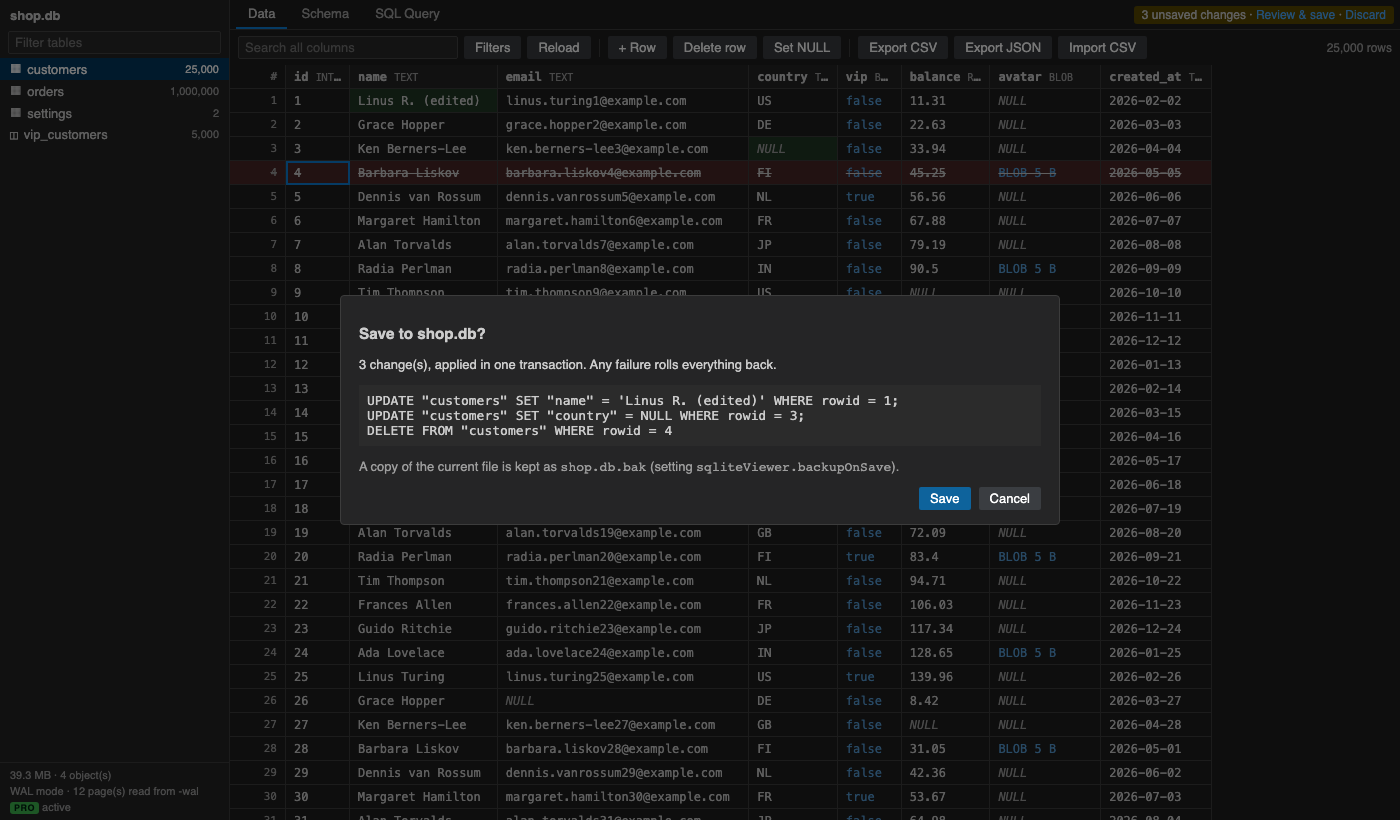
- Editing. Edit cells inline, set NULL, add rows and delete rows. Changes are highlighted until you save.
- Save-changes diff. Review the exact SQL before anything is written. It all runs in one transaction, so a failure rolls everything back.
- Saving is refused if another program changed the file or holds unflushed WAL data, so nothing gets corrupted.
- A
.bak copy of the previous file is kept.
- Save SQL writes.
INSERT/UPDATE/DELETE statements from the query tab can be saved to the file.
- Export tables and query results to CSV or JSON.
- Import CSV into a new or existing table. Comma, semicolon and tab are detected automatically.
- Several databases side by side. The free version shows one database at a time.
Pro features carry a small PRO badge. When you try one, an inline note explains it. There are no timed pop-ups.
Get a key at https://puzaricloud.in/apps/sqlite-viewer/ and run SQLite Viewer: Enter Pro License Key.
Getting started
- Click any
.db, .sqlite or .sqlite3 file. It opens in the viewer.
- For other file extensions, right-click the file → Open With… → SQLite Viewer & Editor, or run SQLite Viewer: Open Database….
Settings
| Setting |
Default |
Meaning |
sqliteViewer.warnSizeMB |
256 |
Ask before loading files bigger than this. The hard limit is 1900 MB, because the file is held in WASM memory. |
sqliteViewer.pageSize |
200 |
Rows fetched per page while scrolling |
sqliteViewer.queryRowLimit |
10000 |
Rows shown for one query result (export gets all rows) |
sqliteViewer.backupOnSave |
true |
Keep <file>.bak when saving edits (Pro) |
Limits
- The database is loaded into memory, so files over about 1.9 GB need the
sqlite3 command-line tool.
- Encrypted databases (SQLCipher) are not supported.
- BLOB cells are shown, but cannot be edited as text.
Privacy
There is no telemetry and no account, and nothing leaves your machine. Licence keys are checked offline. See PRIVACY.md.
Support: support@puzaricloud.in
| |

