SQL Database Client – PostgreSQL, MySQL, SQLite, SQL Server
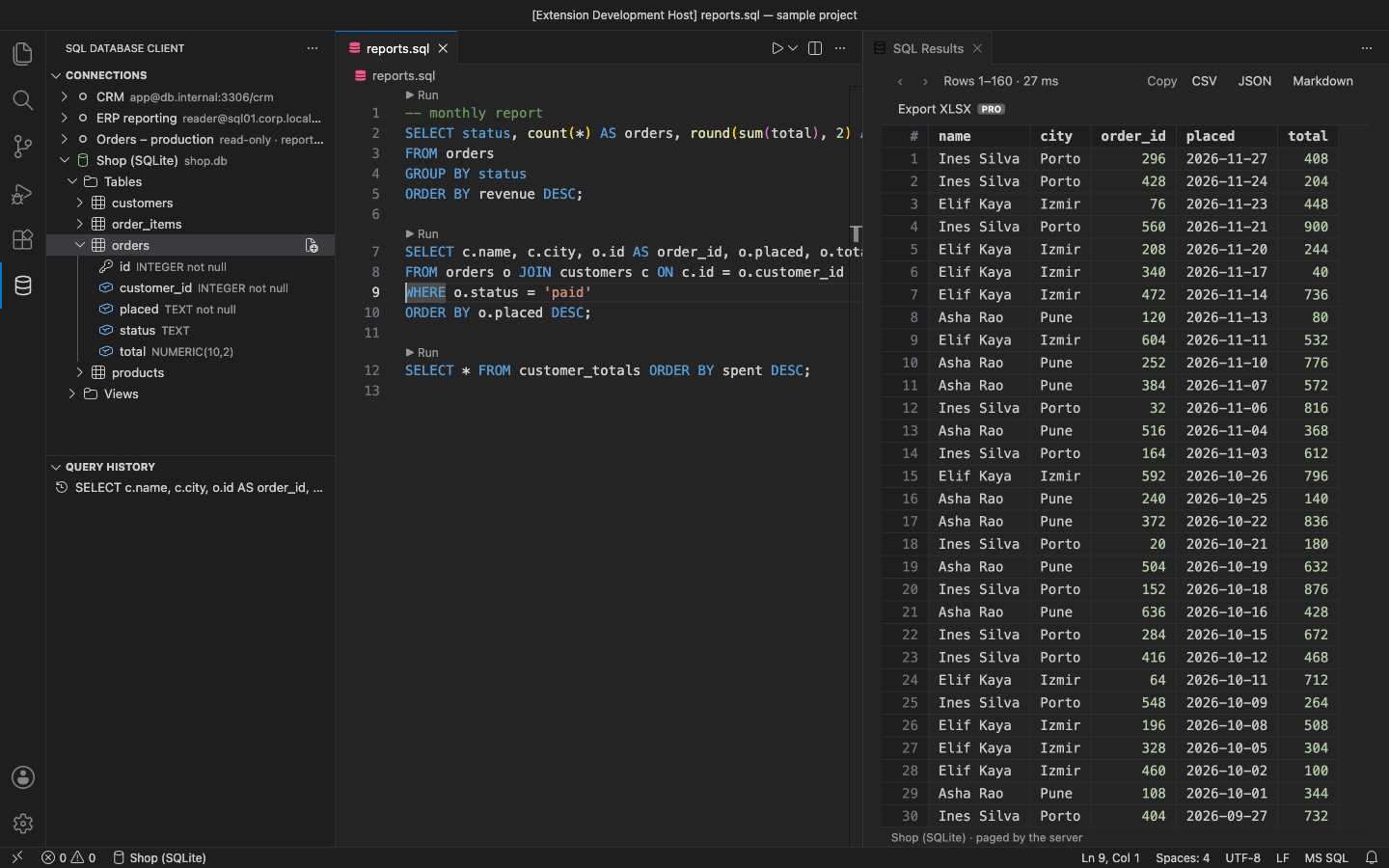
Connect to PostgreSQL, MySQL/MariaDB, SQLite and SQL Server from VS Code. Connections are unlimited and free, and so are SSH tunnels. Run the statement under your cursor and browse the results in a grid that the database server pages for you. Passwords stay in VS Code's secret storage.
Why this one
- No connection limit. Save as many connections as you like. Nothing in the free version expires.
- Everything built in. The four drivers are pure JavaScript and ship inside the extension. There are no driver extensions, native builds or Java to install.
- Runs what you point at. Ctrl/Cmd+Enter runs the statement at the cursor, or the selection. Statements end at
;, at GO (SQL Server), at a DELIMITER (MySQL) or at an empty line, and BEGIN … END / $$ bodies stay whole. A ▶ Run link sits above every statement.
- Safe by default. A read-only switch blocks anything that is not a read and also opens a read-only session on the server. Pro row edits show the exact SQL first and run in one transaction.
Free features
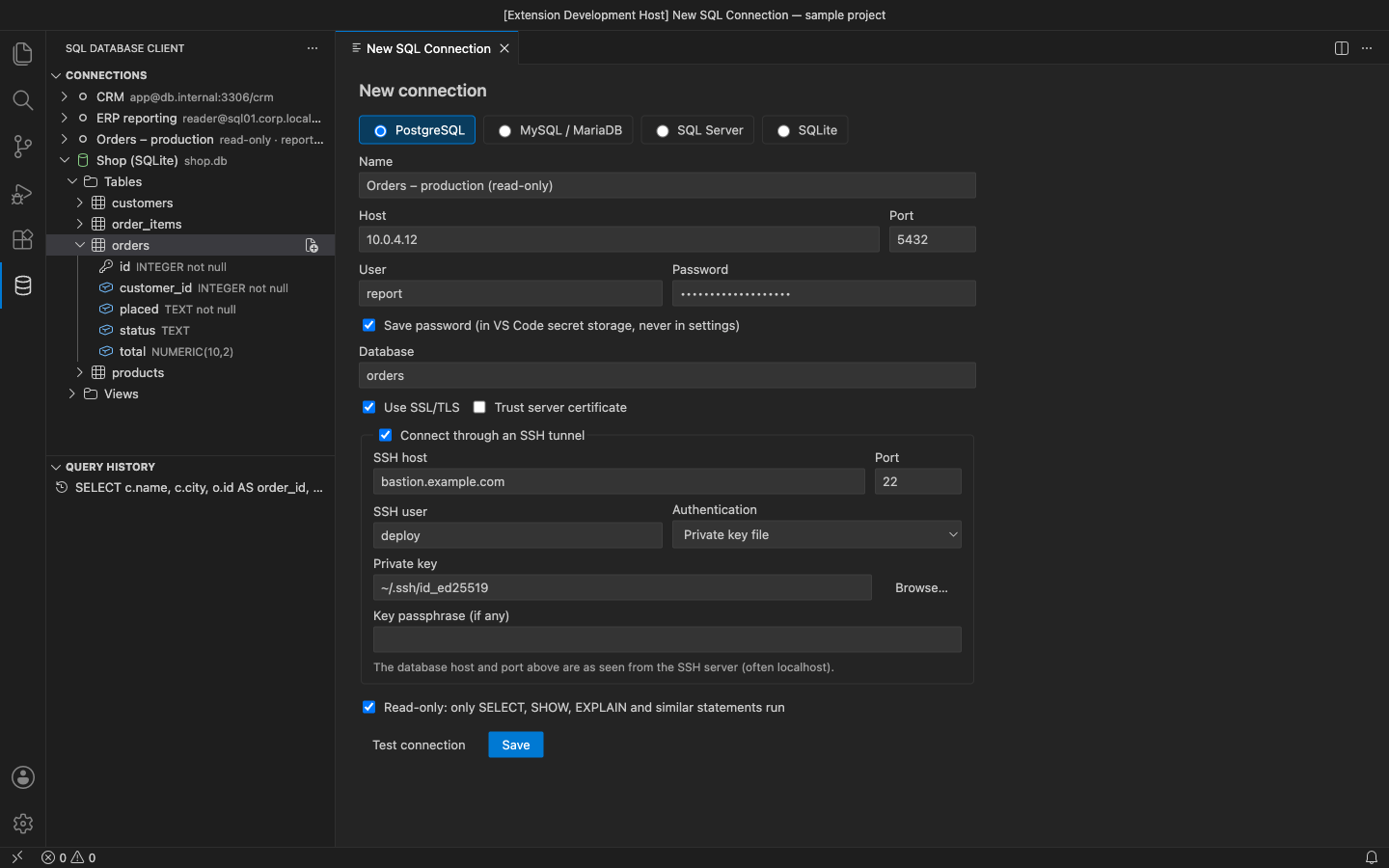
- Connections: PostgreSQL, MySQL/MariaDB, SQLite (a file) and SQL Server. Options are SSL/TLS, a default database and read-only. Use Test connection before you save.
- SSH tunnel: private key (with passphrase), SSH agent or password. The tunnel opens only while the connection is in use.
- Passwords are stored in VS Code SecretStorage, never in settings or the connection list. You can also choose to be asked for the password each time.
- Explorer: connections → databases → schemas → tables and views → columns (type, NOT NULL, key). Each level loads when you open it. Click a table to see its rows.
- Run: statement at the cursor or the selection (Ctrl/Cmd+Enter), or the whole file (Ctrl/Cmd+Shift+Enter). Each SQL file remembers its connection and database, shown in the status bar; click it to change.
- Results grid: the server pages the rows (200 a time by default) and sorts them when you click a column. NULLs are marked. Select rows with click, Shift-click or Ctrl/Cmd-click, then copy as CSV, JSON or Markdown. Running a file gives one tab per statement and stops at the first error.
- Cancel a running query from the status bar or the grid. The server stops the query (PostgreSQL
pg_cancel_backend, MySQL KILL QUERY, SQL Server attention), and a SQLite query runs in its own process so Cancel always works.
- Query history with connection, time, duration and errors. Click an entry to reopen it on the same connection.
Only need to open .sqlite / .db files? Our separate SQLite Viewer & Editor opens them as a custom editor. This extension is the multi-database client.
Pro (licence key, checked offline)
$29 a year, or $87 lifetime, per developer. Everything above stays free. Pro adds:
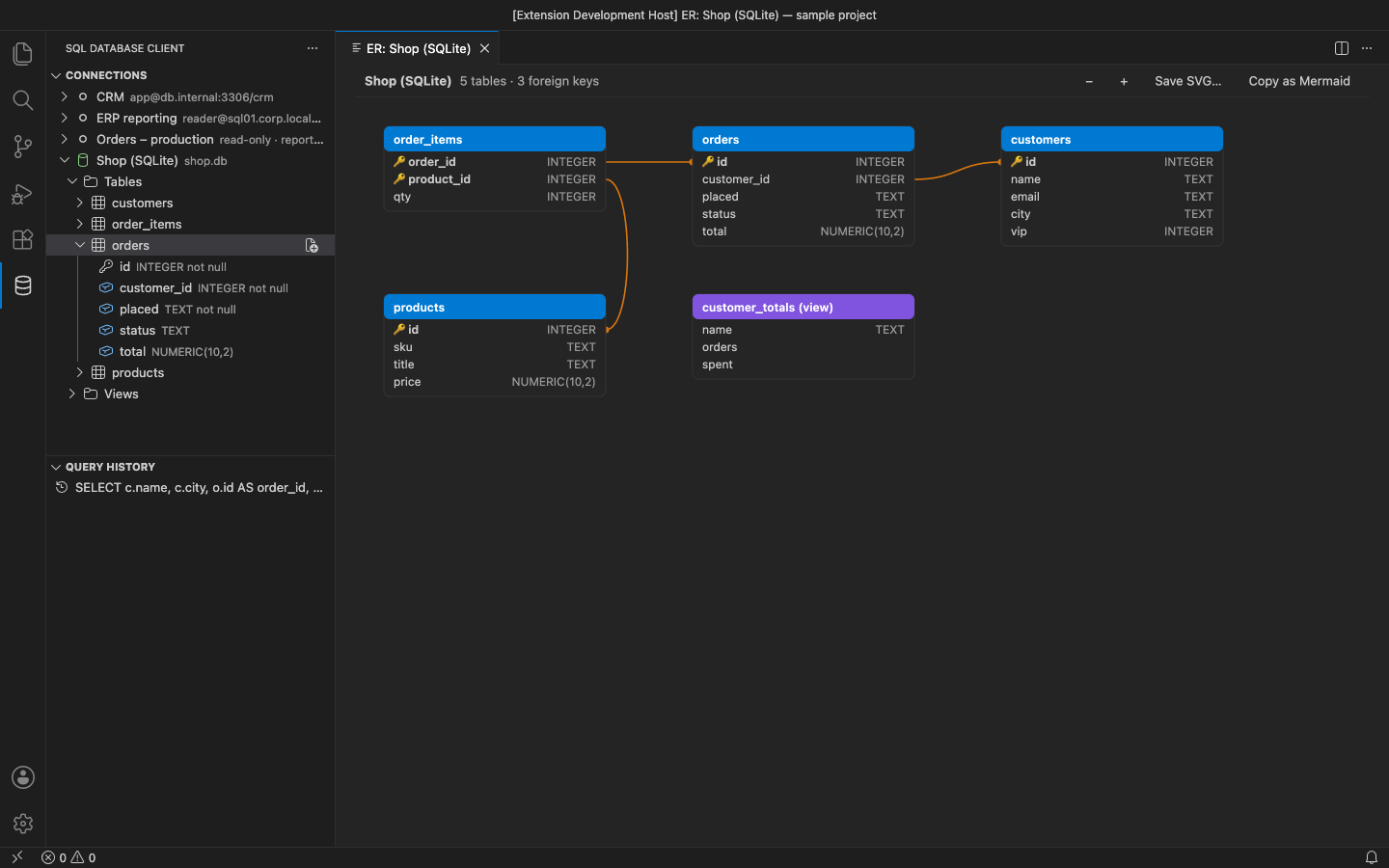
- ER diagram of a database or schema, showing tables, columns, keys and foreign-key lines. Zoom it, save it as SVG, or copy it as a Mermaid
erDiagram for your docs.
- Schema compare between two connections, databases or schemas. It reports tables, columns, types and nullability, and opens a draft migration script (drops are commented out) bound to the target.
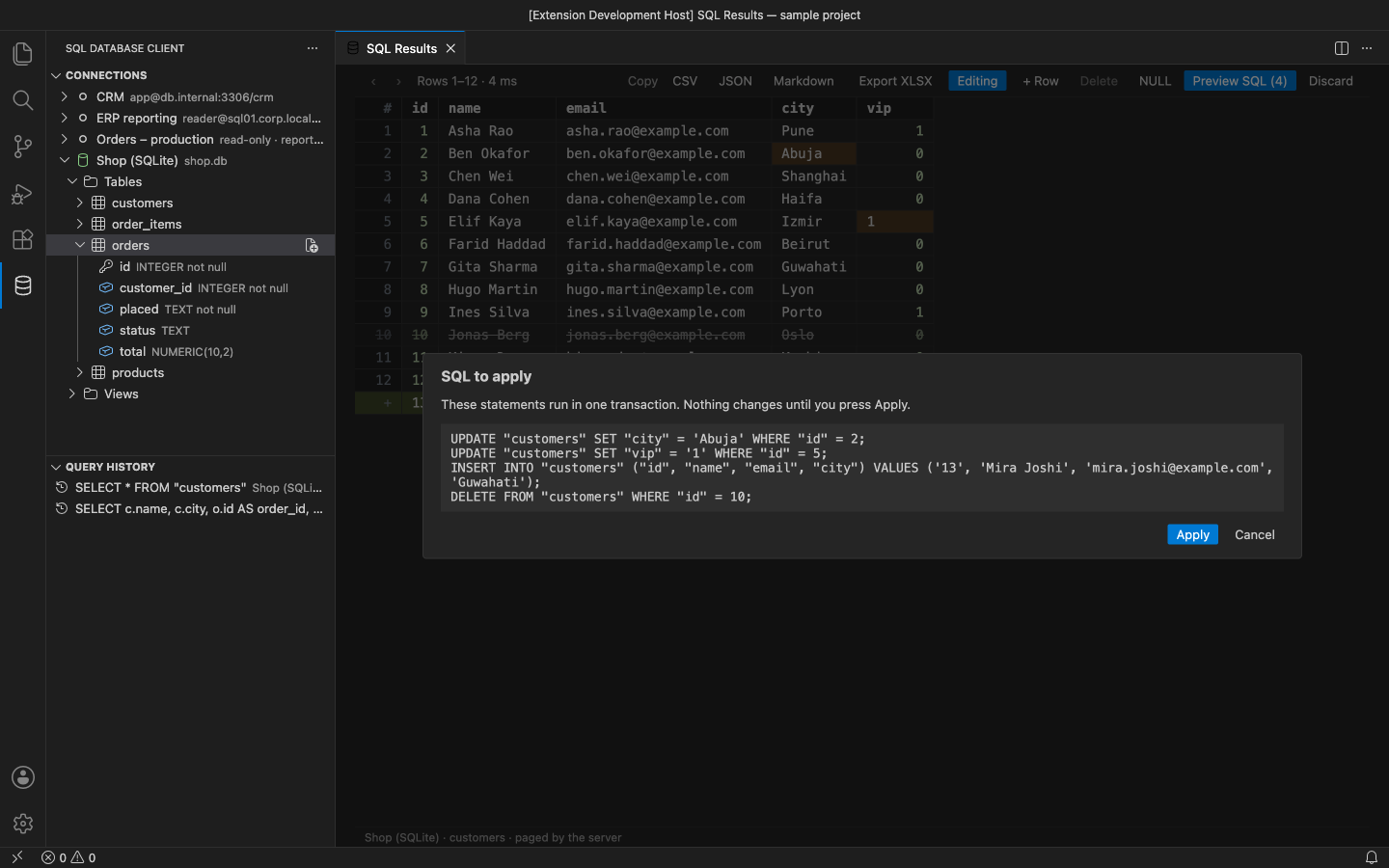
- Inline row editing for rows opened from a table. Edit cells, add rows, delete rows, or set a cell to NULL. Preview SQL shows the
UPDATE / INSERT / DELETE statements, and Apply runs them in one transaction. Rows are matched by primary key. If a row was changed by someone else, nothing is saved.
- Export to Excel (.xlsx): every row of the result, not only the current page.
In the free version, these features show a small PRO badge. Using one tells you what it does and offers Get Pro. There are no timed pop-ups.
Settings
| Setting |
Default |
|
sqlClient.pageSize |
200 |
rows per page (server-side paging) |
sqlClient.maxRows |
10000 |
rows kept for a statement the server cannot page |
sqlClient.blankLineSeparates |
true |
an empty line also ends a statement for Run Statement at Cursor |
sqlClient.codeLens |
true |
▶ Run above each statement |
sqlClient.historySize |
500 |
queries kept in history |
sqlClient.exportMaxRows |
1000000 |
most rows written by Export XLSX (Pro) |
Requirements
VS Code 1.90+ (or VSCodium, Cursor, Windsurf) on the desktop. SQL Server 2017+ (for the ER diagram), PostgreSQL 10+, MySQL 5.7+/MariaDB 10.3+, any SQLite file.
Privacy
No account and no telemetry. The extension connects only to the databases and SSH servers you configure. See PRIVACY.md. Support: support@puzaricloud.in
| |

