Settings Layers – Shared Team Settings, Per-OS Settings & Variables in settings.json
VS Code has no extends for settings.json, no per-OS settings and no variables in most settings. Settings Layers adds all three. You keep one small layers file in the repo. It can extend a shared base file, add Windows / macOS / Linux blocks and use ${env:NAME}, ${userHome} and ${workspaceFolder}. The extension merges everything into .vscode/settings.json: you preview the diff, then apply it, and you can revert.
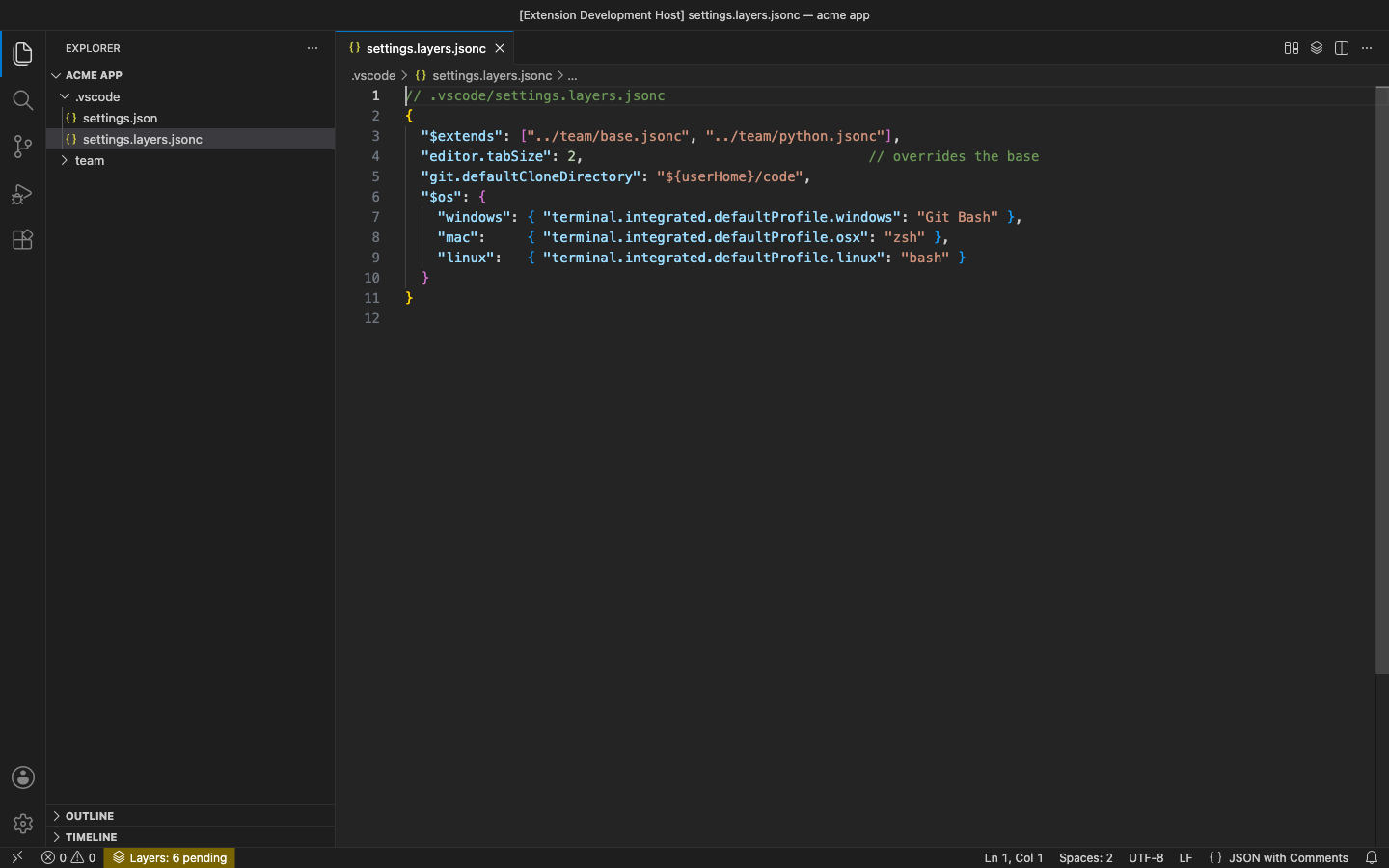
// .vscode/settings.layers.jsonc
{
  "$extends": ["../team/vscode-base.jsonc"],          // shared base, relative to this file
  "editor.tabSize": 2,                                // overrides the base
  "python.defaultInterpreterPath": "${workspaceFolder}/.venv/bin/python",
  "$os": {
    "windows": { "terminal.integrated.defaultProfile.windows": "Git Bash",
                 "python.defaultInterpreterPath": "${workspaceFolder}\\.venv\\Scripts\\python.exe" },
    "mac":     { "terminal.integrated.defaultProfile.osx": "zsh" },
    "linux":   { "terminal.integrated.defaultProfile.linux": "bash" }
  }
}
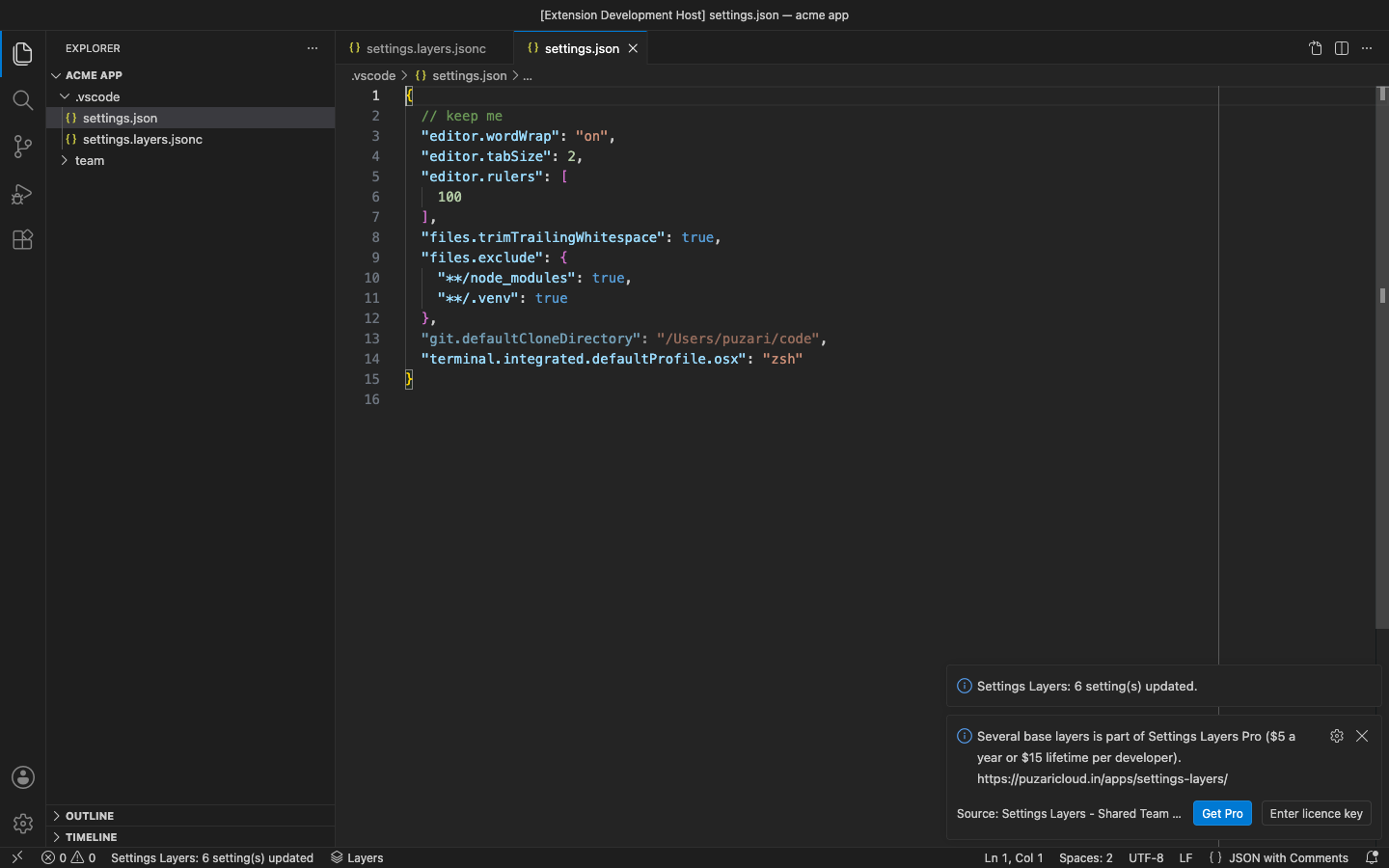
Run Settings Layers: Apply Settings Layers and the result goes into .vscode/settings.json. Comments and the settings you wrote there yourself stay as they are.
Features
- Shared base file:
$extends a team file in the repo or a file in your dotfiles (~/… works).
- Per-OS blocks: use
$os → windows, mac, linux for paths, shells and fonts that differ between machines.
- Variables in any setting:
${env:NAME}, ${userHome}, ${workspaceFolder}, ${workspaceFolderBasename}, ${os}, ${hostname}, ${pathSeparator}.
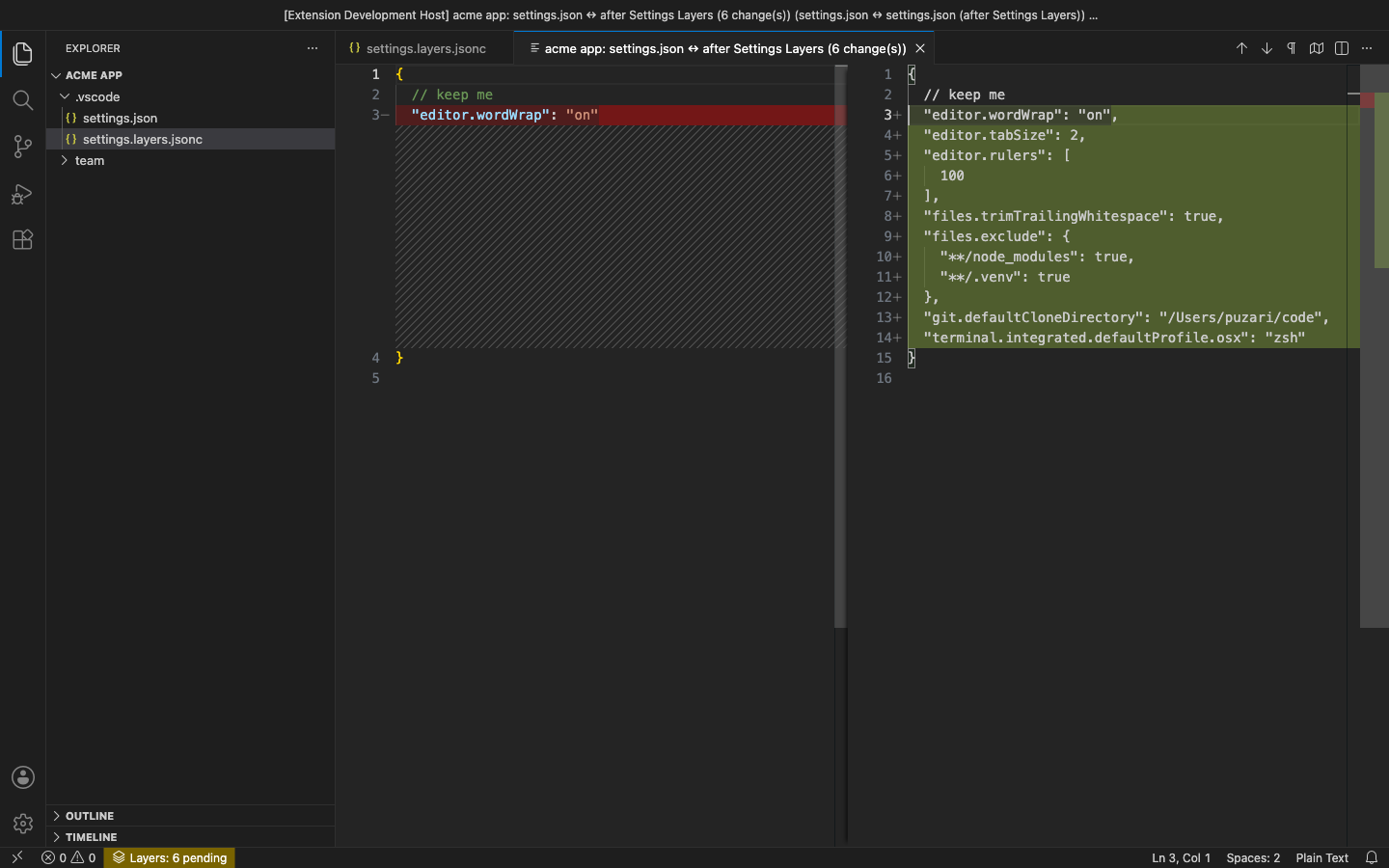
- Preview diff: see
settings.json next to the result before anything is written.
- Your edits are kept: if you change a layered setting by hand, the next apply leaves your value alone and tells you so. Apply (Overwrite My Changes) replaces it anyway.
- Revert: puts back the values that were there before, and removes the keys the layers added.
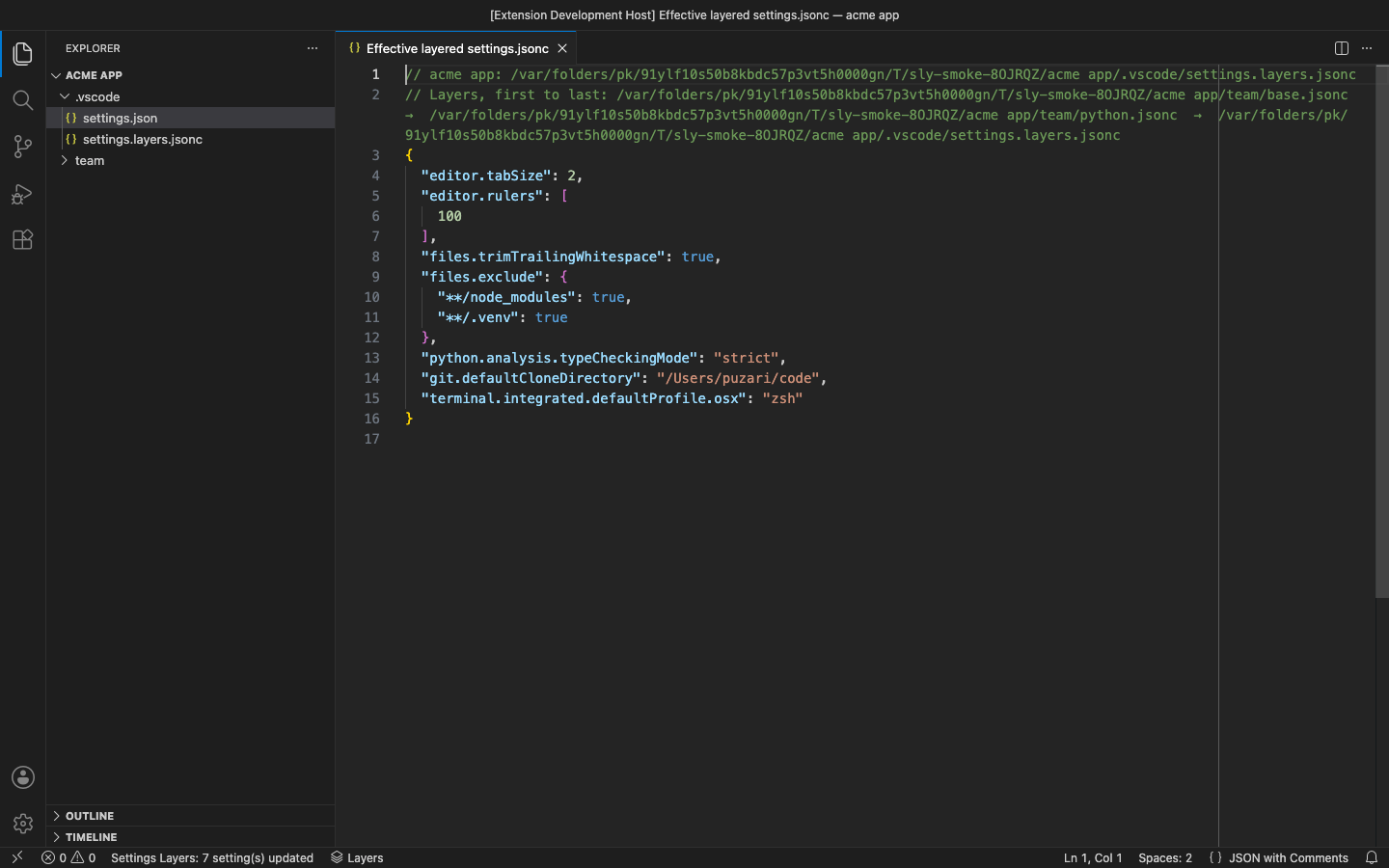
- Show Effective Layered Settings: the merged result, with the order of the layers, skipped items and errors.
- Status bar:
Layers when the settings are up to date. Layers: N pending (highlighted) when a layer file changed and is not applied yet.
- Merge rules: later layers win. Objects such as
files.exclude or [python] are merged key by key, and arrays are replaced. null removes a setting that a base set.
- Multi-root workspaces: each folder has its own layers file and its own
.vscode/settings.json.
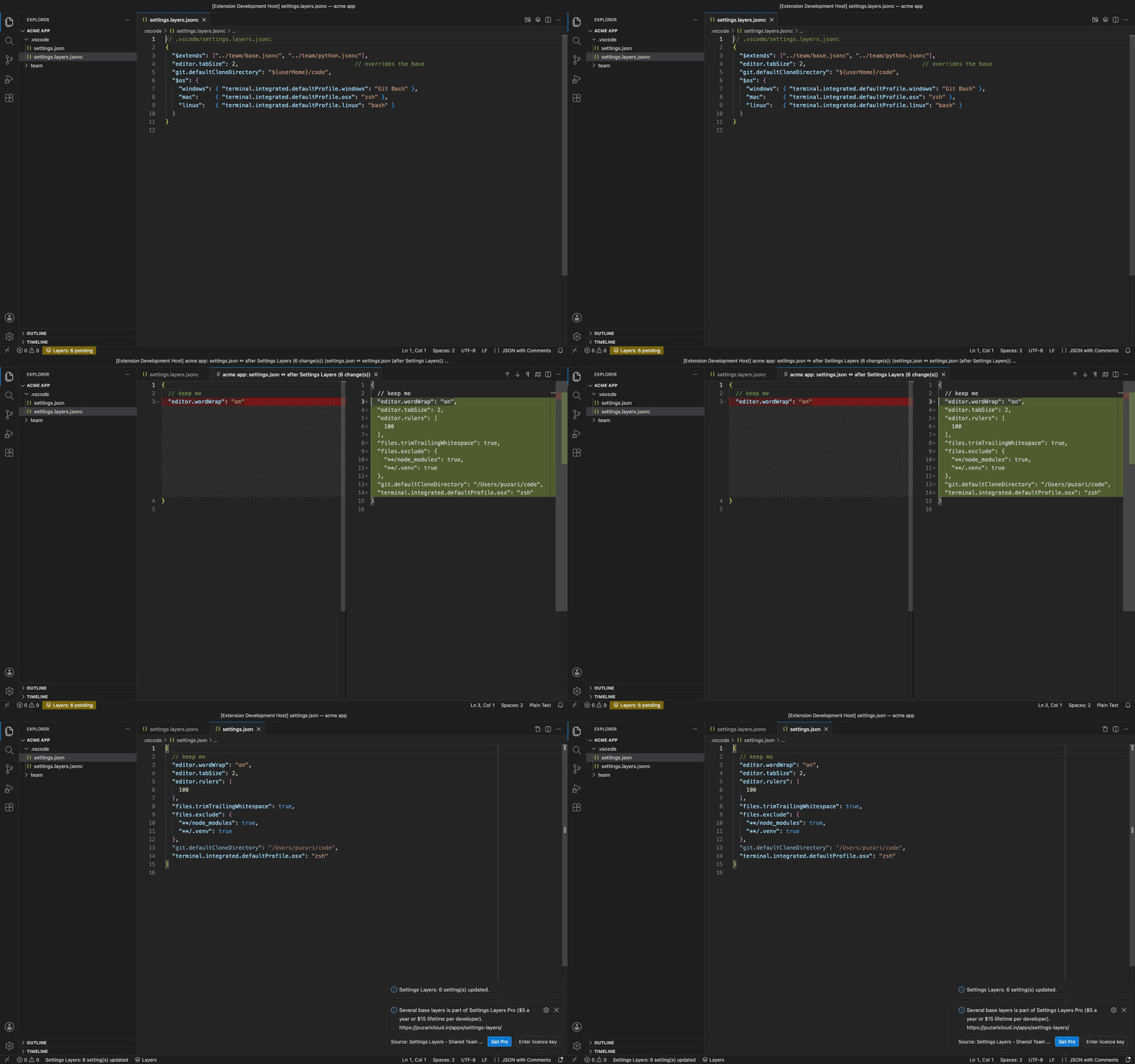
Screenshots
Free and Pro
Free: a workspace layers file with one local base file, $os blocks, variables, Apply, Preview Diff, Revert, Show Effective Settings and the status bar.
Pro ($5 a year or $15 lifetime per developer):
- Several base layers: any number of
$extends entries, and bases that extend other bases.
- Remote layers:
$extends an https:// URL (team settings in a gist or on an internal server). The last good copy is cached for offline use.
- Auto-apply: layers are applied on startup and whenever a layer file changes (
settingsLayers.autoApply).
- User layers: a layers file for your User settings, such as dotfiles shared by all your machines (
settingsLayers.userLayersFile).
$hosts and $remote blocks: settings for one machine name ("work-laptop*"), or for ssh-remote, wsl, dev-container, codespaces and local.
On the free tier, Pro items are skipped, never applied halfway. The apply message names each skipped item, and so do the status bar tooltip and Show Effective Settings. Get Pro at https://puzaricloud.in/apps/settings-layers/ and run Settings Layers: Enter Pro License Key. Keys are checked offline.
Commands
| Command |
What it does |
| Settings Layers: Apply Settings Layers |
Merges the layers and writes the changed settings |
| Settings Layers: Apply Settings Layers (Overwrite My Changes) |
The same, but also replaces values you edited by hand |
| Settings Layers: Preview Changes (Diff) |
Shows settings.json next to the result |
| Settings Layers: Revert Applied Settings |
Puts back the values from before the layers |
| Settings Layers: Show Effective Layered Settings |
Shows the merged settings, the layers in order, skipped items and errors |
| Settings Layers: Create or Open Layers File |
Creates .vscode/settings.layers.jsonc from a commented template |
Settings
settingsLayers.layersFile: the layers file of each folder (default .vscode/settings.layers.jsonc).settingsLayers.userLayersFile (Pro): the layers file for User settings, read from User settings only.settingsLayers.autoApply (Pro): apply by itself on startup and on change.
Safety and privacy
- The extension runs only in trusted workspaces, because layer files from a repository write settings.
- It writes only the keys produced by the layers. It remembers what it wrote, so Revert puts back exactly what was there before.
- No telemetry, no account and no network calls, except an
https:// layer that you list yourself (Pro).
Works in VS Code, VSCodium, Cursor and Windsurf (desktop). Support: support@puzaricloud.in
| |

