REST API Client – Local Collections, No Login
A local-first REST and GraphQL client for VS Code, VSCodium, Cursor and Windsurf.
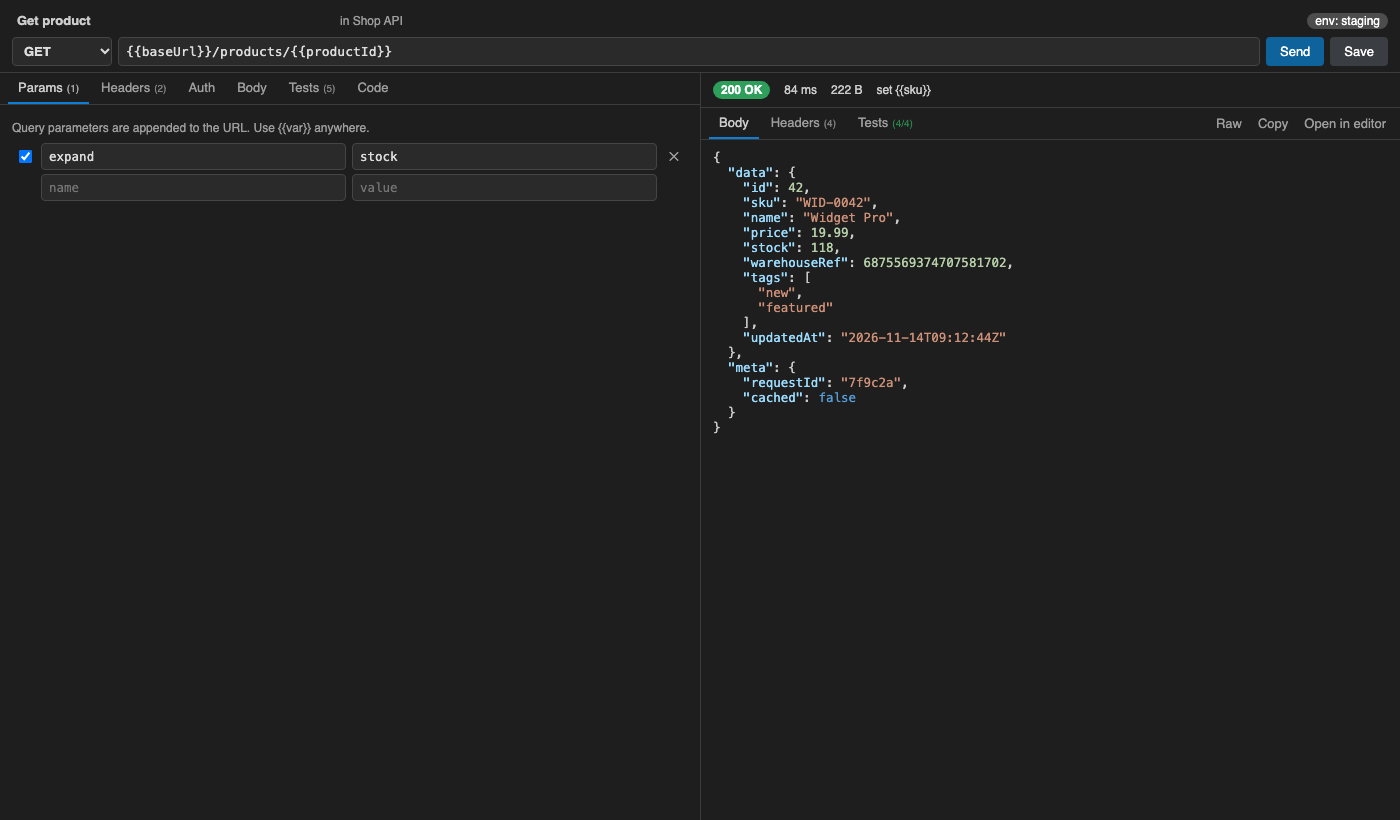
No account, no sign-in, no cloud, no telemetry. Collections and environments are plain, readable JSON files in your repo, so you can review them in pull requests and share them through git.
Why
- Never asks you to log in. The free core stays free: unlimited collections, requests, environments and history.
- Your data is files you own. Requests live in
api-collections/collections/*.json and environments in api-collections/environments/*.json. Writes are atomic, and the JSON is formatted for clean diffs.
- Bring everything with you in one click. Import Thunder Client (exported files or its on-disk storage, no Thunder account needed), Postman v2.1 collections and environments, OpenAPI 3 / Swagger 2 (JSON or YAML) and cURL.
Features (free)
- Request builder
- methods: GET, POST, PUT, PATCH, DELETE, HEAD and OPTIONS;
- query params and headers, each with an on/off toggle;
- paste a cURL command straight into the URL bar.
- Body: JSON (with a Format button), text, XML, form URL-encoded, multipart with file upload, GraphQL (query + variables) and binary file.
- Auth:
- Bearer, Basic, API key (in a header or the query string);
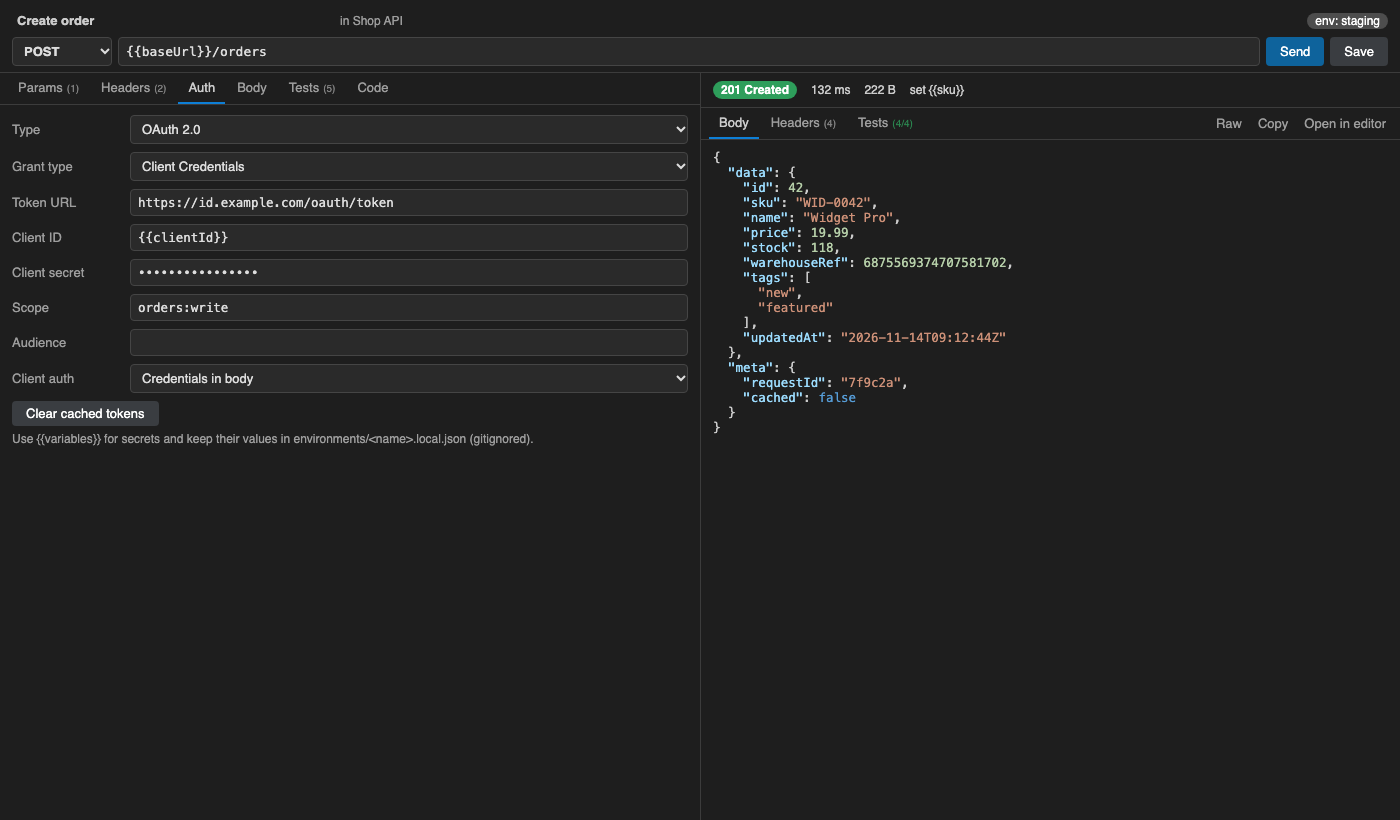
- OAuth 2.0 Client Credentials, with a cached token;
- collection-level auth that requests inherit.
- Response viewer
- status, time and size;
- pretty JSON with highlighting, using a lossless formatter so big integers are never rounded;
- raw view, headers, images inline;
- "Open in editor" for large bodies.
- Responses are never cached.
- Environments and variables
{{baseUrl}}-style variables;- a
Globals environment applied everywhere;
- dynamic values
{{$guid}}, {{$timestamp}}, {{$randomInt 1 100}} and {{$processEnv NAME}};
- switch environments from the status bar.
- Secrets stay out of git. Put them in
environments/<name>.local.json, which is gitignored automatically and merged over <name>.json.
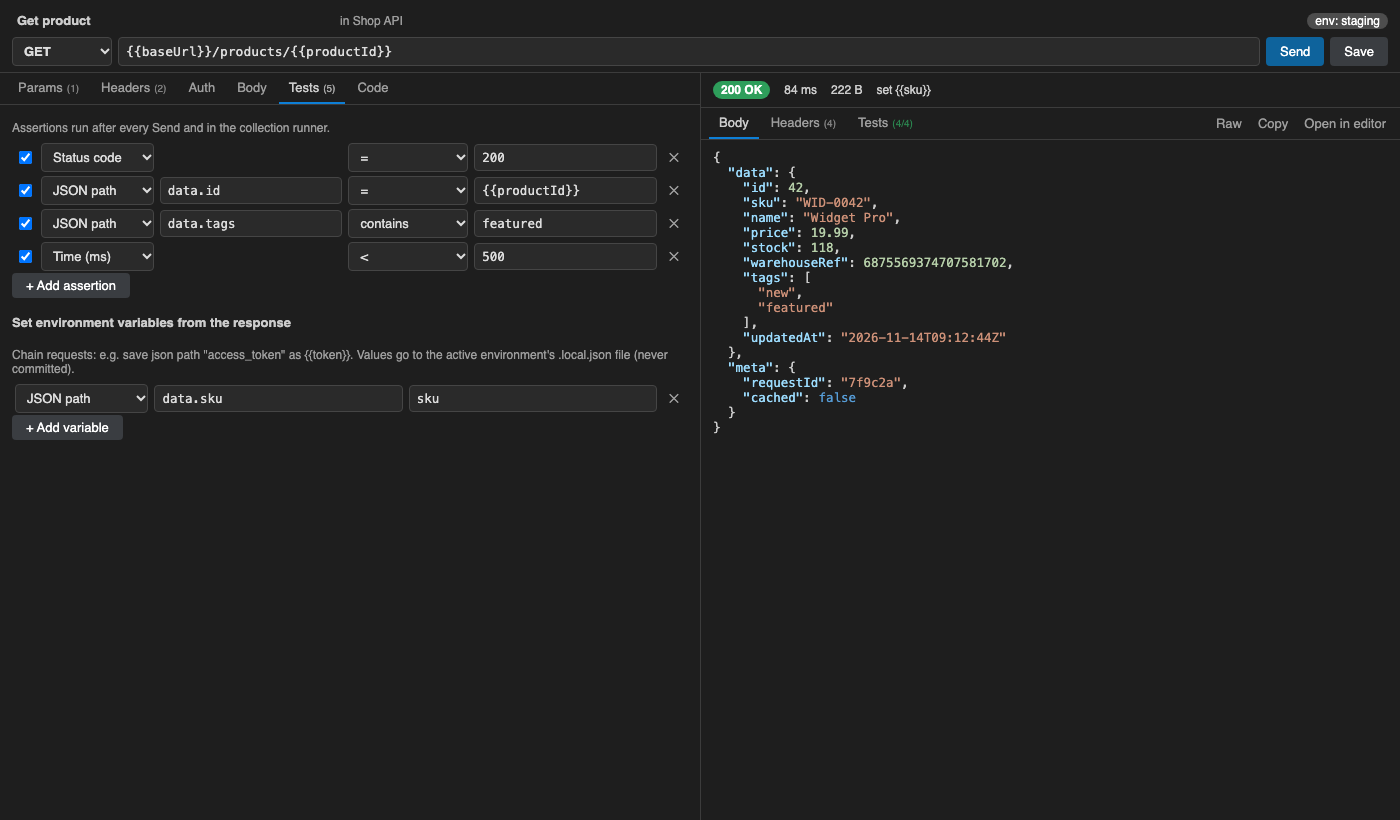
- Tests without code. Assert on status, JSON path, header, body, time, size or content type with =, ≠, contains, <, >, exists, regex, type and count.
- Request chaining. Save a JSON path or header from a response into a variable, for example
access_token → {{token}}.
- History of every send. It is kept in VS Code storage, never in your repo.
- Code export: cURL, JavaScript fetch, Python requests and
.http. You can also export a whole collection as a .http file for the JetBrains HTTP Client or the REST Client extension.
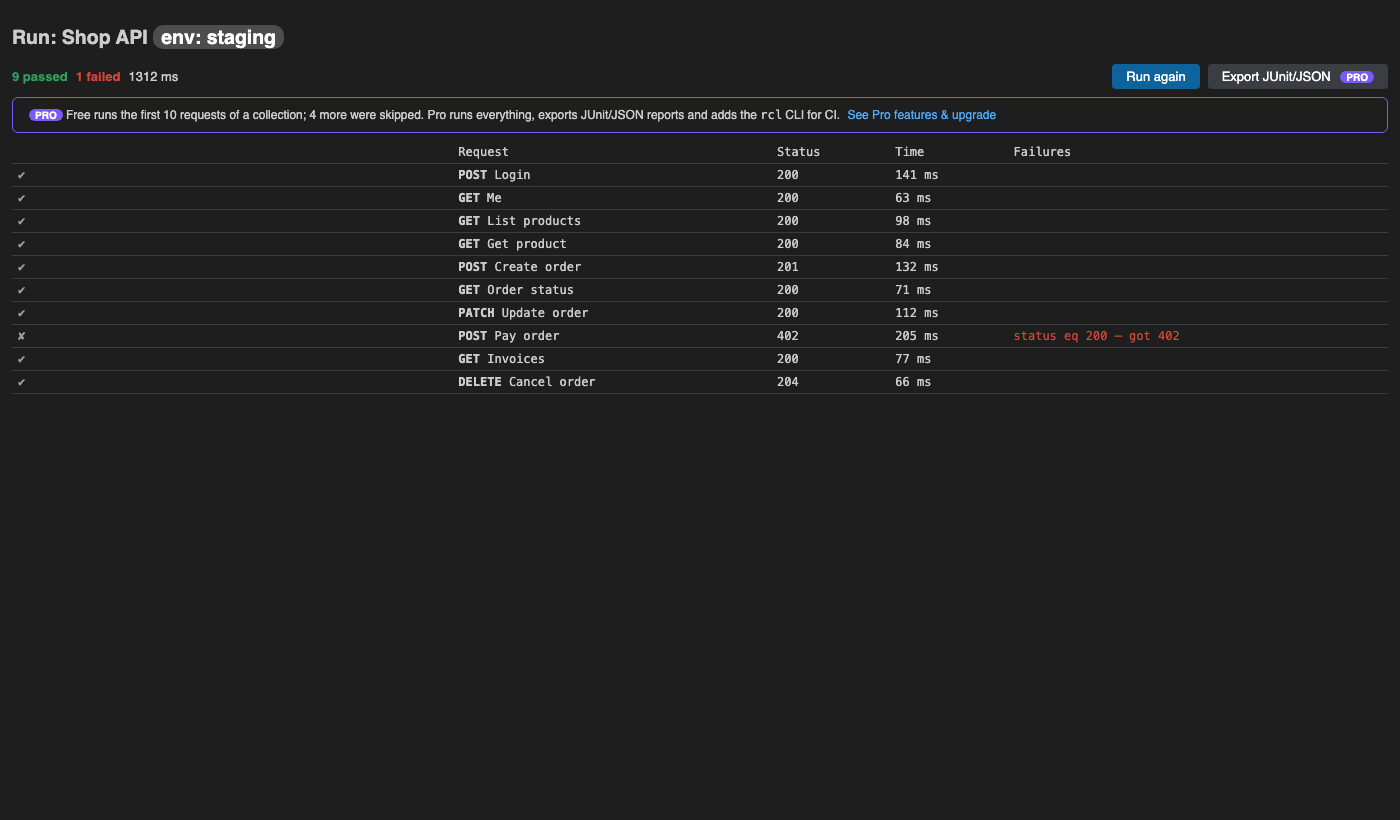
- Collection runner in the editor (the first 10 requests of each run in Free).
Pro (licence key, works offline)
$29 one-time per developer, or $19 a year. Everything above stays free. Pro adds:
- an unlimited collection runner, plus JUnit XML and JSON report export;
- the
rcl CLI for CI: a single dependency-free file (dist/cli.js in the extension folder; copy it into your repo as rcl.js). Run node rcl.js run api-collections --env ci --reporter junit --out report.xml, with RCL_LICENSE_KEY as a CI secret. It exits with code 1 on failures;
- a team folder: point
restClientLocal.teamFolder at a shared git repo, and its collections appear in the sidebar with Pull and Commit & Push commands;
- OAuth 2.0 Authorization Code + PKCE: browser sign-in to your API, with redirect
http://127.0.0.1:53682/callback.
Pro features are marked with a small PRO badge where you would use them. There are no pop-up nags.
Get a key at https://puzaricloud.in/apps/rest-client/ and run REST API Client: Enter Pro License Key.
Getting started
- Open the REST API Client icon in the activity bar.
- Click New Request, or Import to bring in your Thunder Client / Postman / OpenAPI / cURL files. To recover Thunder Client data without signing in, run REST API Client: Import All From Thunder Client Storage.
- Press Send (Ctrl/Cmd+Enter) and Save (Ctrl/Cmd+S).
- Commit the
api-collections/ folder.
{
  "format": "rest-client-local/collection", "version": 1, "name": "Shop API",
  "baseUrl": "{{baseUrl}}", "auth": { "type": "bearer", "token": "{{token}}" },
  "folders": [{ "id": "f1", "name": "Orders" }],
  "requests": [{ "id": "r1", "name": "List orders", "folder": "f1", "method": "GET", "url": "/orders",
    "params": [], "headers": [], "auth": { "type": "inherit" }, "body": { "type": "none" },
    "tests": [{ "source": "status", "op": "eq", "value": "200" }] }]
}
Settings
restClientLocal.folder: storage folder. Default: api-collections.restClientLocal.timeoutMs: request timeout.restClientLocal.followRedirects: follow redirects.restClientLocal.rejectUnauthorized: reject invalid TLS certificates. Turn it off for self-signed dev certificates.restClientLocal.historyLimit: how many history entries to keep.restClientLocal.teamFolder: the shared team repo (Pro).
Privacy
The extension sends requests only to the URLs you enter. It collects no telemetry or analytics and makes no licence phone-home. See PRIVACY.md.
Support
support@puzaricloud.in · PuzariCloud
| |

