Edit nginx.conf, sites-available/* and conf.d/*.conf with highlighting, hover docs for every common directive, completion, a formatter that keeps your comments, an outline, and live checks for the mistakes that make nginx -t fail. Pro adds a security lint that catches weak TLS, missing security headers, the alias path-traversal slip and the add_header inheritance trap, follows your include files, and runs nginx -t on your own server over SSH.
Why this one
- Maintained. The most-installed nginx extensions were last updated in 2019 and 2021.
- A formatter that does not break configs. Comments, quoted strings (even ones containing
{, ; or #), multi-line log_format values and *_by_lua_block bodies come out exactly as you wrote them. Formatting twice changes nothing. A file with unbalanced braces is left alone.
- Offline. No account, no telemetry. The only network connection is the optional SSH connection to your own server, when you run Test Config on Server.
Free features
- Highlighting for
nginx.conf, sites-available/*, sites-enabled/*, *.conf under an nginx folder, fastcgi_params, proxy_params, mime.types and the nginx language id. Lua blocks are highlighted as Lua.
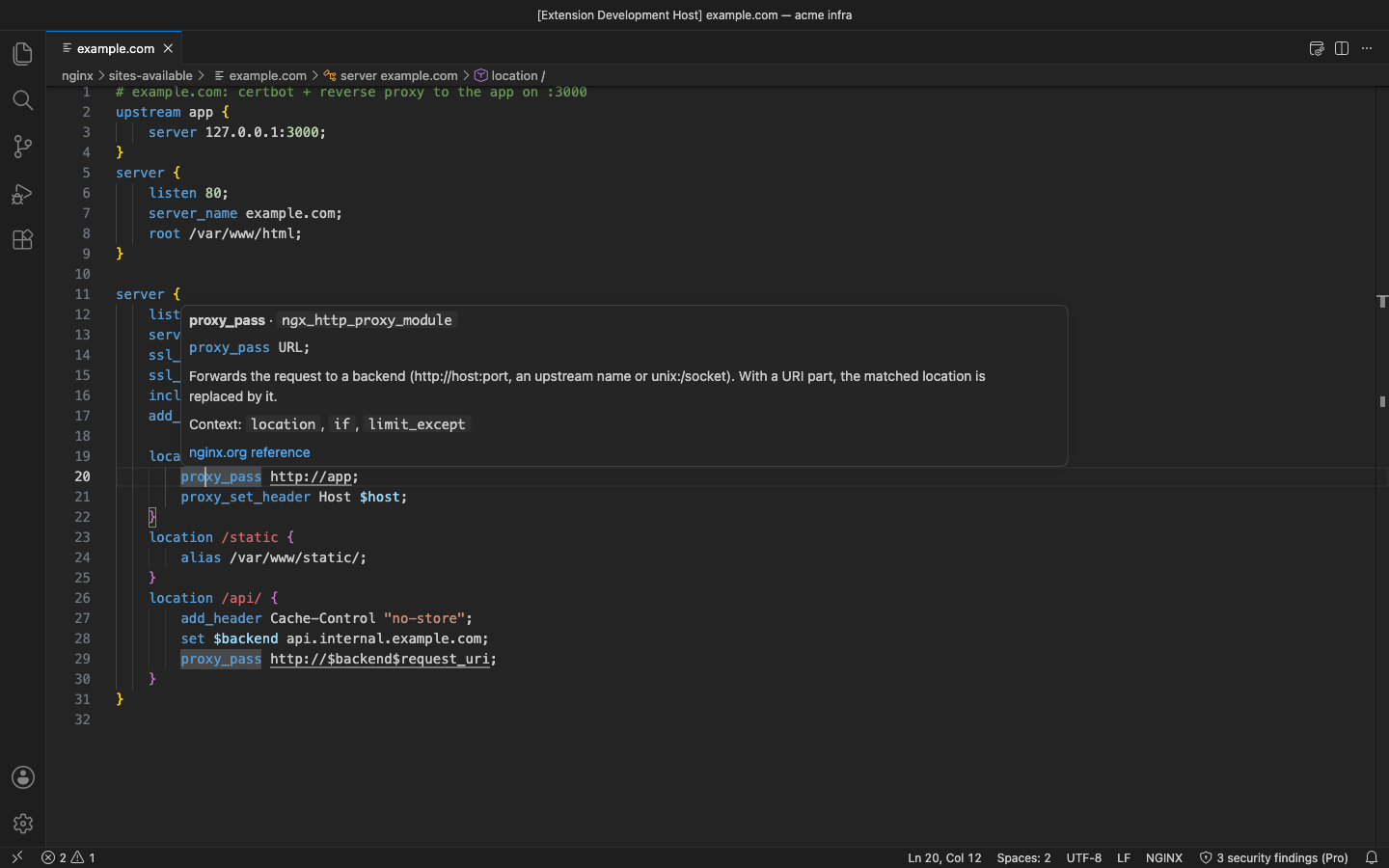
- Hover docs for about 190 core and http-module directives: syntax, where it is allowed, a short explanation and a link to the nginx.org reference.
- Completion of directive names, the ones allowed in the current block first.
- Formatter (Format Document): re-indents with your editor's tab settings, puts one statement on each line, keeps at most one blank line, lines up
map / types / geo values.
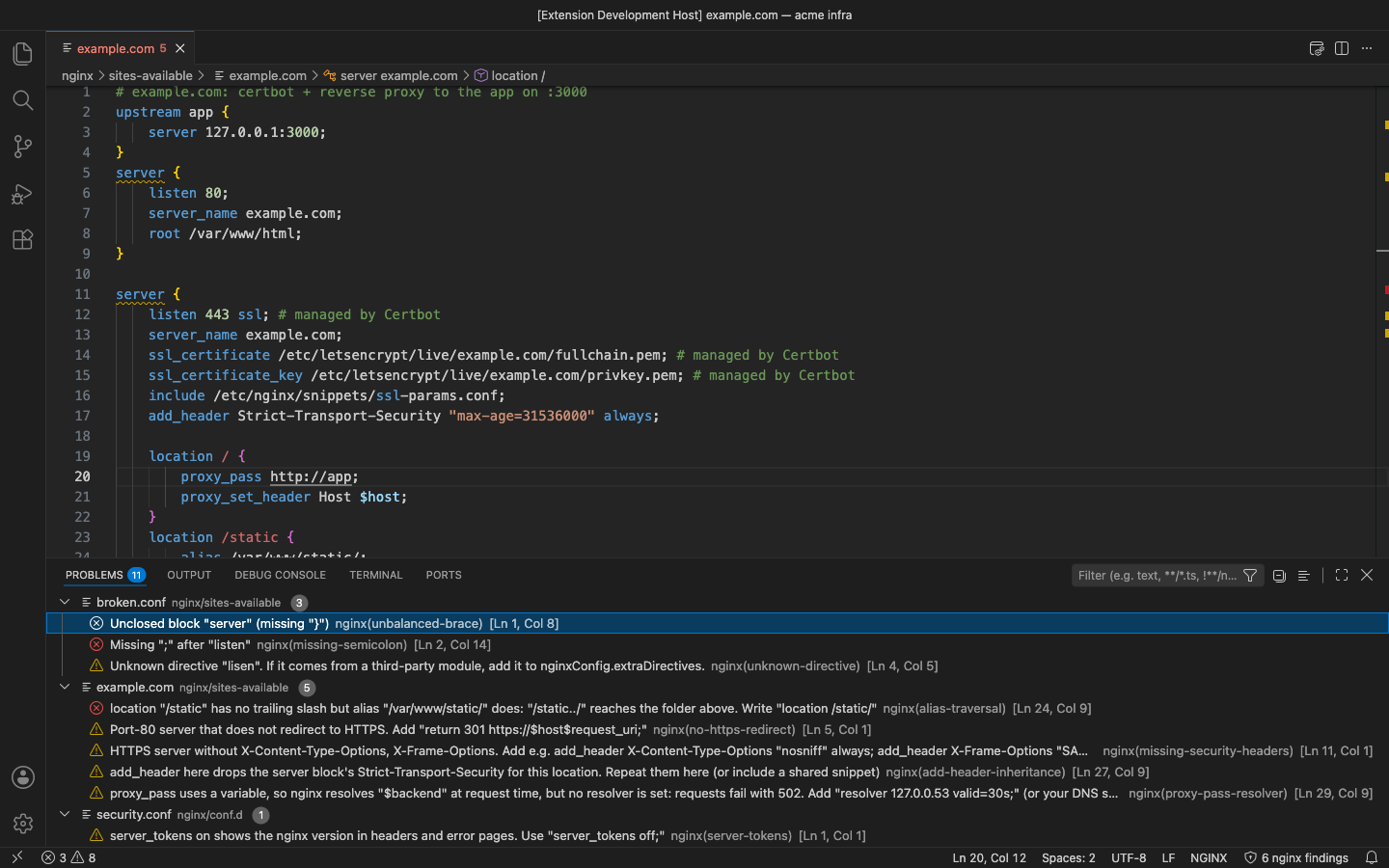
- Syntax checks as you type: unbalanced braces, a missing
;, an unclosed quote, unknown directive names (warning; add your own module's directives to nginxConfig.extraDirectives).
- Outline and breadcrumbs for
http, server, location, upstream, map and other blocks.
- Snippets: HTTPS reverse proxy with the Let's Encrypt layout, HTTP→HTTPS redirect,
location, upstream, PHP-FPM.
Pro (licence key, checked offline)
$9 a year, or $27 for a lifetime licence, per developer. Everything above stays free. Pro adds:
- Security lint with 10 rules (each can be turned off in
nginxConfig.lint.disabledRules):
weak-tls: ssl_protocols still offers SSLv3, TLSv1 or TLSv1.1.weak-ciphers: ssl_ciphers allows RC4, DES/3DES, MD5, NULL, EXPORT or anonymous suites.missing-security-headers: an HTTPS server without Strict-Transport-Security, X-Content-Type-Options or X-Frame-Options (or a CSP frame-ancestors).alias-traversal: location /static with alias /var/www/static/; lets /static../ read the folder above.if-in-location: if inside location with anything other than return / rewrite.server-tokens: server_tokens on shows your nginx version.autoindex: autoindex on lists folder contents.add-header-inheritance: an add_header in a location silently drops every add_header of the server (or http) block. The finding names the headers you lose.no-https-redirect: a port-80 server that does not return 301 https://…, or one server that answers on 80 and 443 alike.proxy-pass-resolver: proxy_pass with a variable but no resolver, which fails with 502 at request time.
- Include resolution: follows
include lines, globs too (conf.d/*.conf), relative to your nginx prefix or the file; /etc/nginx/… paths are looked up in your local copy (nginxConfig.prefix, nginxConfig.serverPrefix). Findings and syntax errors in included files are shown on those files; missing includes and include loops are reported.
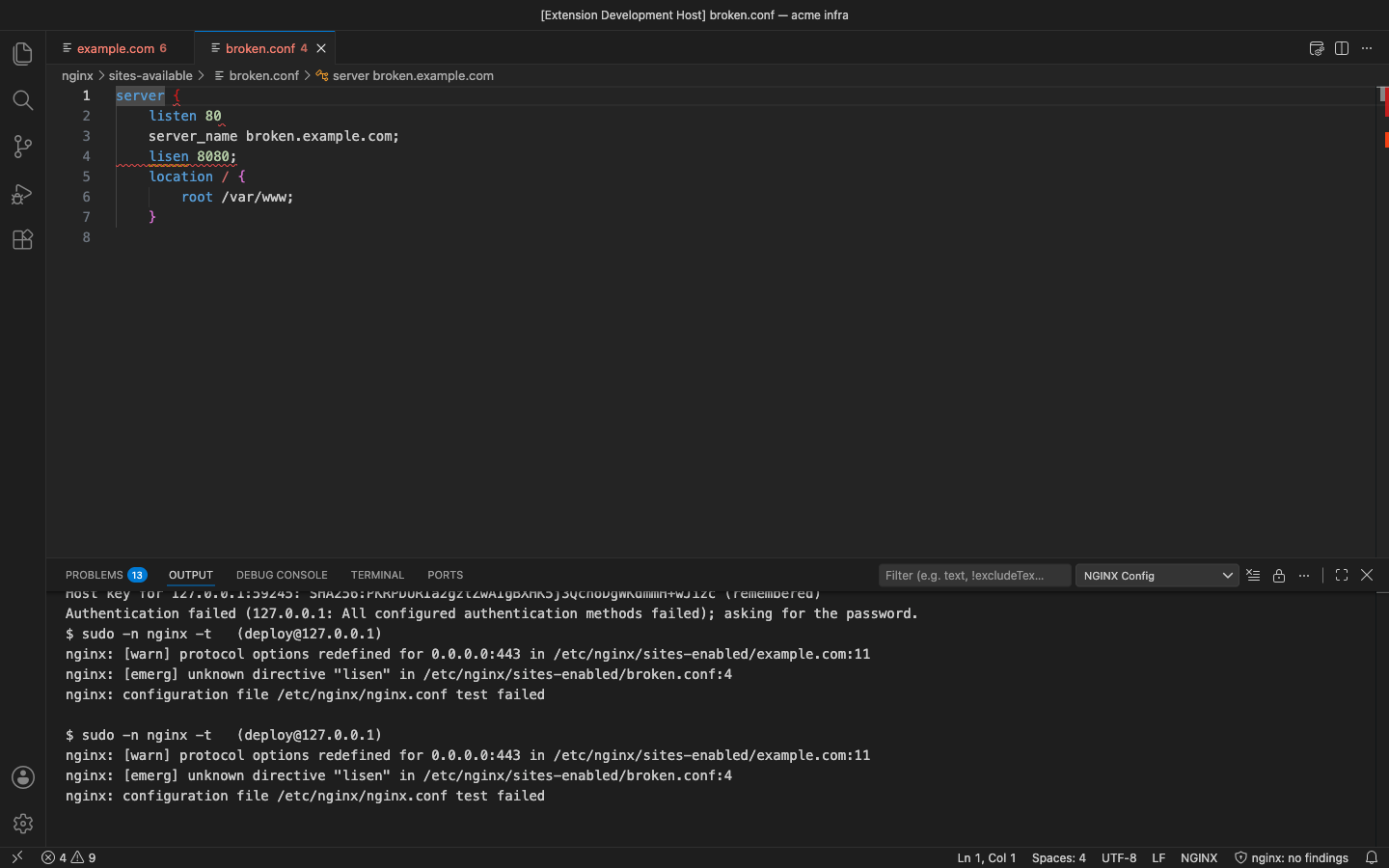
- nginx -t over SSH (NGINX: Test Config on Server): connects to your own server with your key, ssh-agent or a password (kept in VS Code SecretStorage, never in settings), runs
nginx -t (or sudo -n nginx -t) and shows each error on the right line of your local copy. Host keys are remembered and a changed key is flagged.
In the free version the status bar shows how many security findings the Pro lint has for the file; clicking it, or running a Pro command, says what the feature does and links to the upgrade page. There are no timed pop-ups.
Get Pro: https://puzaricloud.in/apps/nginx-config/ · then run NGINX Config: Enter Pro License Key.
Settings
| Setting |
Default |
|
nginxConfig.unknownDirectives |
warning |
off to hide unknown-directive warnings |
nginxConfig.extraDirectives |
[] |
directive names of your own / third-party modules |
nginxConfig.format.alignMapValues |
true |
line up map / types values |
nginxConfig.lint.enabled / lint.disabledRules |
true / [] |
Pro lint |
nginxConfig.includes.follow |
true |
Pro: follow include |
nginxConfig.prefix |
empty |
local folder that stands for the nginx prefix; empty = nearest folder up with nginx.conf |
nginxConfig.serverPrefix |
/etc/nginx/ |
absolute include paths under it map to prefix |
nginxConfig.ssh.host / port / username |
empty / 22 / your user |
Pro: server for nginx -t |
nginxConfig.ssh.privateKeyPath / useAgent |
~/.ssh/id_* / true |
Pro: key file, ssh-agent |
nginxConfig.ssh.sudo |
false |
Pro: sudo -n (needs a NOPASSWD rule for nginx) |
nginxConfig.ssh.nginxPath / configPath |
nginx / empty |
Pro: binary and optional -c file |
Notes
- Directive descriptions are short summaries written for this extension; each hover links to the official nginx.org page.
- Directives are not yet checked against the block they appear in, and
nginx -t checks the config that is on the server: upload your edits first.
- The Windows Pageant agent is not supported; use the Windows OpenSSH agent or a key file.
Privacy
No account and no telemetry. Your configs are read only by the extension, on your computer. See PRIVACY.md. Support: support@puzaricloud.in
| |

