Format and minify JSON without changing a single value. 12345678901234567890 stays 12345678901234567890, 10.50 stays 10.50, 1.0 stays 1.0, and duplicate keys and key order stay exactly as written. Files of 100 MB and more are streamed from disk, so VS Code never freezes.
Why this one
- Lossless. Most JSON formatters run
JSON.parse and JSON.stringify, which rounds big IDs to 12345678901234567000, rewrites 10.50 as 10.5 and drops duplicate keys. This one re-indents the text token by token, so values never pass through a JavaScript number.
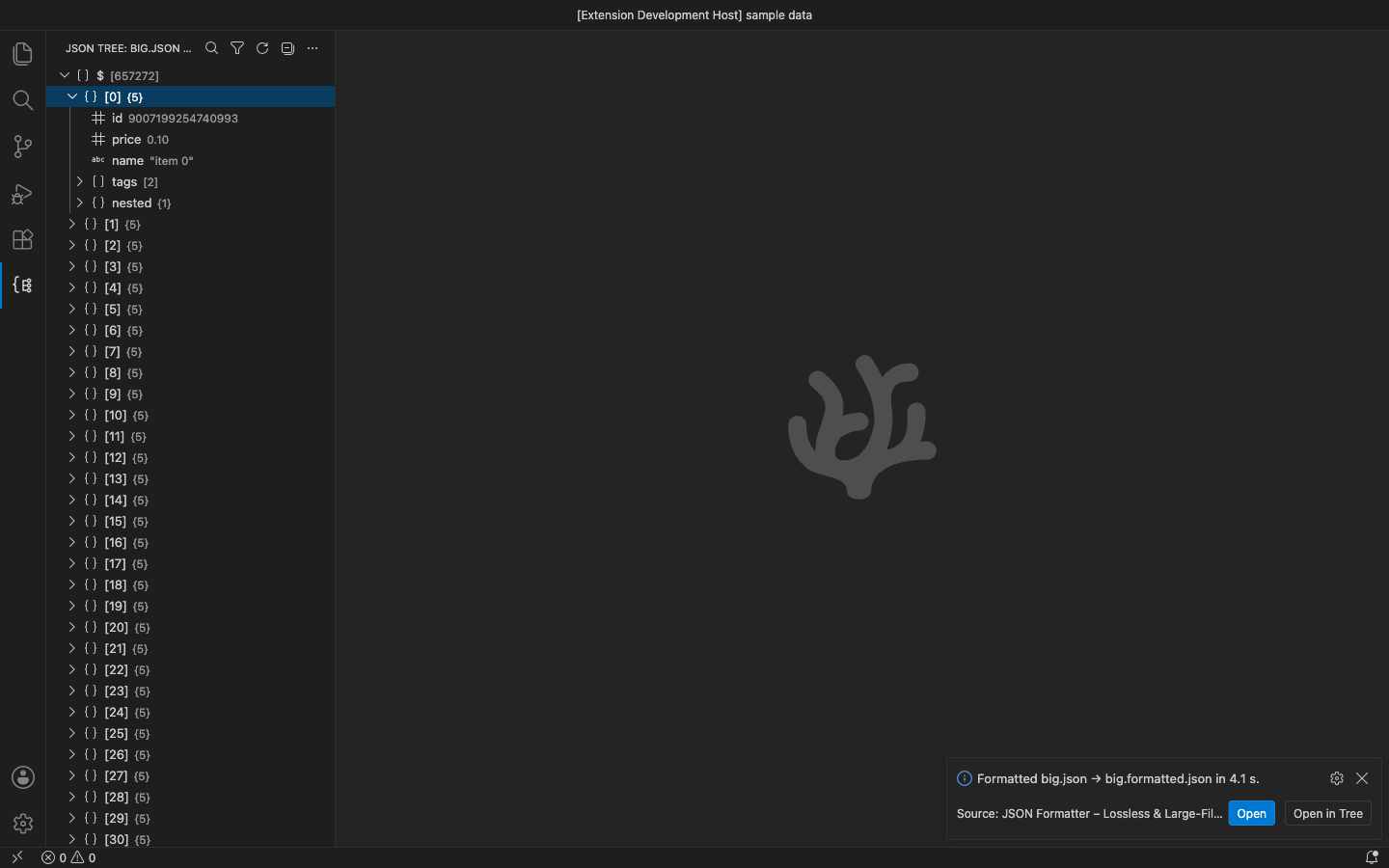
- Large-file safe. Documents over 1 MB are formatted in slices that give the editor time between them. Files above VS Code's 50 MB limit for extensions are streamed from disk in 256 KB chunks with a progress bar and Cancel. The tree, search and JSONPath run in a worker thread on big files.
- Touches only what you ask. Nothing runs on its own. Commands act on the active editor (the selection, or the whole document) or on the one file you right-click. A big file is written to
name.formatted.json / name.min.json unless you choose Replace.
- JSONC and JSON5. Comments stay where they were. Trailing commas, single quotes, unquoted keys, hex numbers,
Infinity and NaN are accepted. JSON Lines files keep one value per line.
Free features
- Format (Lossless) and Minify (Lossless): the selection or the whole document. It also works as a formatter for Format Document / Format Selection (pick it once as the default formatter for JSON).
- Errors give the line and column and move the cursor there. Nothing is changed when the JSON is invalid.
- Sort Keys: recursive and stable, so duplicate keys keep their order.
- Escape as String / Unescape String: turn JSON into a string literal and back.
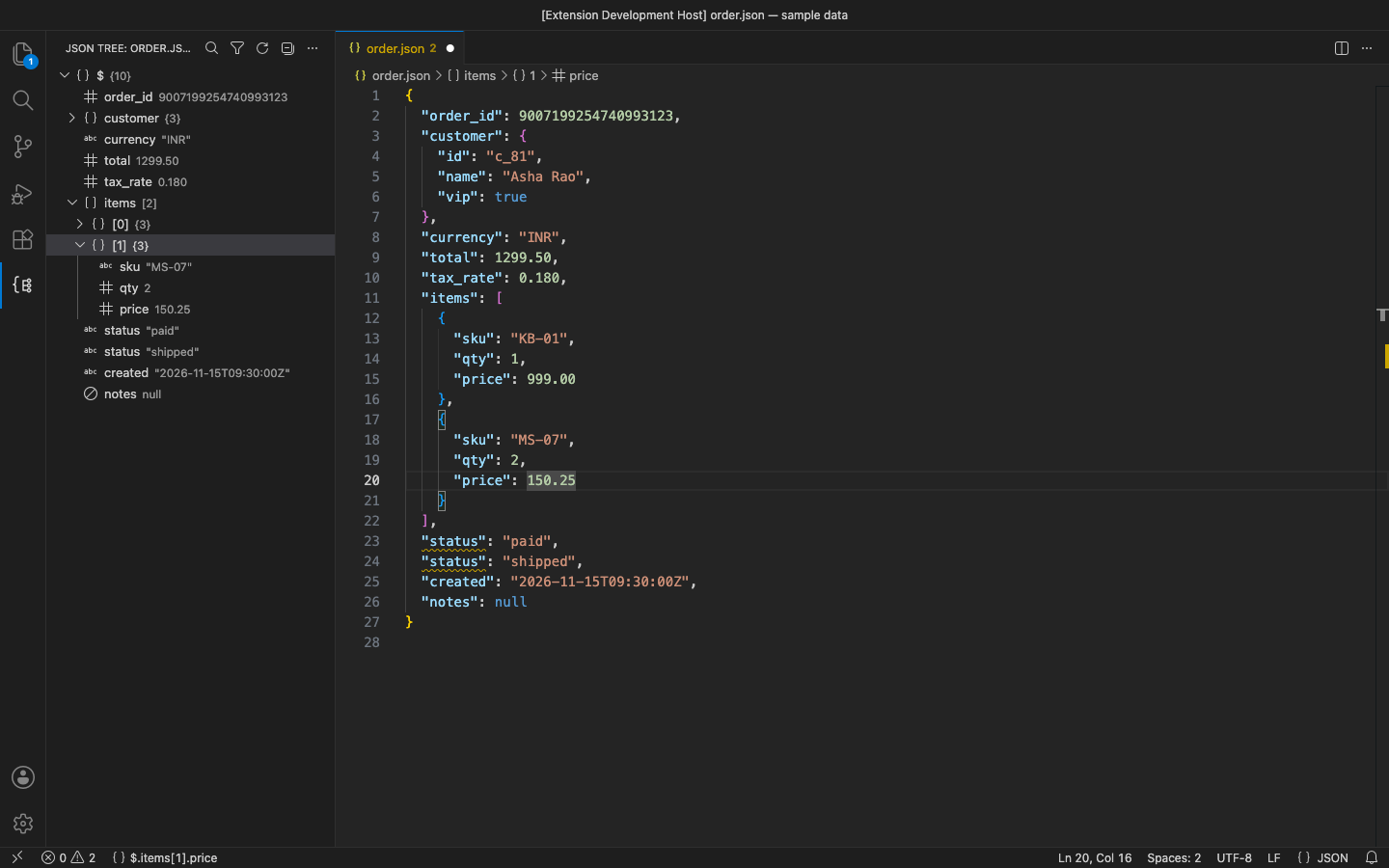
- JSON Tree in its own side bar view: it loads lazily and pages 1,000 children at a time. It shows raw values and the number of children, and clicking an item selects the value in the editor. Copy Path and Copy Value are on each item.
- Search Keys and Values in the tree, then jump to a match.
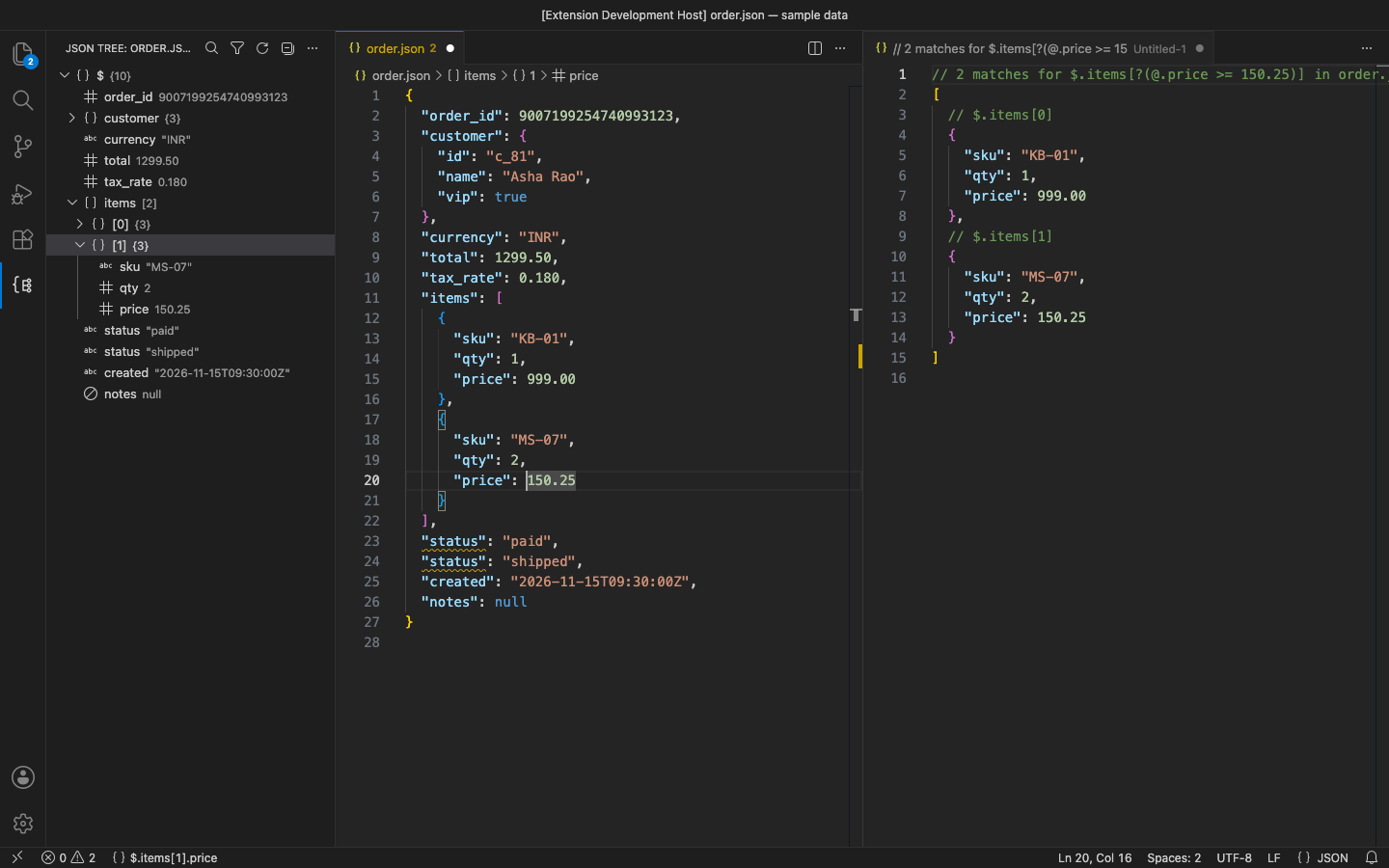
- JSONPath Query:
$..price, $.items[-1], [1:3], [*], filters such as [?(@.price < 10 && @.isbn)] and =~ /regex/. Numbers are compared exactly, so 8.950 == 8.95. Results open beside the document with their paths.
- Copy Path at Cursor as JSONPath (
$.a['b c'][1].d), JS (a["b c"][1].d), jq (.a."b c"[1].d) or JSON Pointer (/a/b c/1/d). The path is also shown in the status bar.
- Format / Minify Large JSON File (Streaming) and Open JSON File in Tree from the Explorer context menu, for files of any size.
Pro (licence key, checked offline)
$9 a year, or $27 lifetime, per developer. Everything above stays free. Pro adds:
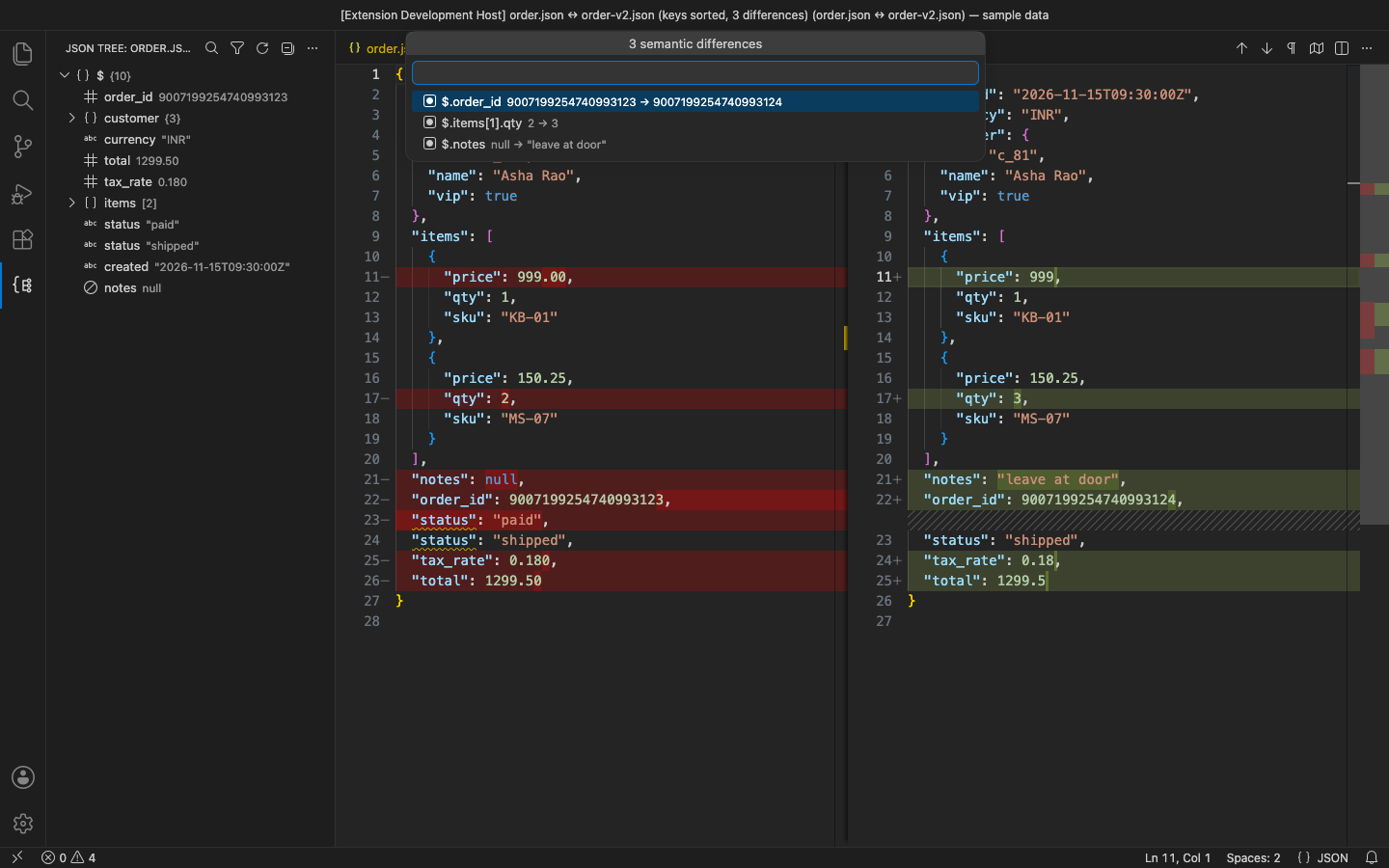
- Semantic JSON diff: compare with another open file, a file on disk or the clipboard. It ignores key order, whitespace and how a number is written (
1.0 = 1, 1e2 = 100) while comparing big integers exactly. You get a side-by-side diff with keys sorted and a list of every changed path.
- JSON Schema: Validate Against JSON Schema uses the file named in
"$schema" or one you pick, and marks each problem in place (types, required, additionalProperties, enum/const, min/max, lengths, patterns, items, $ref, allOf/anyOf/oneOf/not, if/then/else). Generate JSON Schema writes a schema from sample data.
- Convert: JSON → YAML, YAML → JSON, JSON → CSV (nested keys become
a.b columns), CSV → JSON (a.b headers nest; 007 stays a string). Numbers are kept exactly as written.
In the free version, the (Pro) commands say what they do and offer Get Pro when you use them. There are no timed pop-ups.
Settings
| Setting |
Default |
|
jsonLossless.indent |
editor setting |
spaces (number) or "tab" |
jsonLossless.registerFormatter |
true |
offer Format Document / Selection for JSON, JSONC, JSON5 |
jsonLossless.copyPathStyle |
jsonpath |
jsonpath, js, jq or pointer |
jsonLossless.statusBarPath |
true |
path at the cursor in the status bar (documents up to 5 MB) |
Requirements
VS Code 1.90+ (or VSCodium, Cursor, Windsurf). Nothing else to install.
Privacy
No account, no telemetry, no network calls. See PRIVACY.md. Support: support@puzaricloud.in
| |

