Jest & Vitest Test Runner – On-Demand
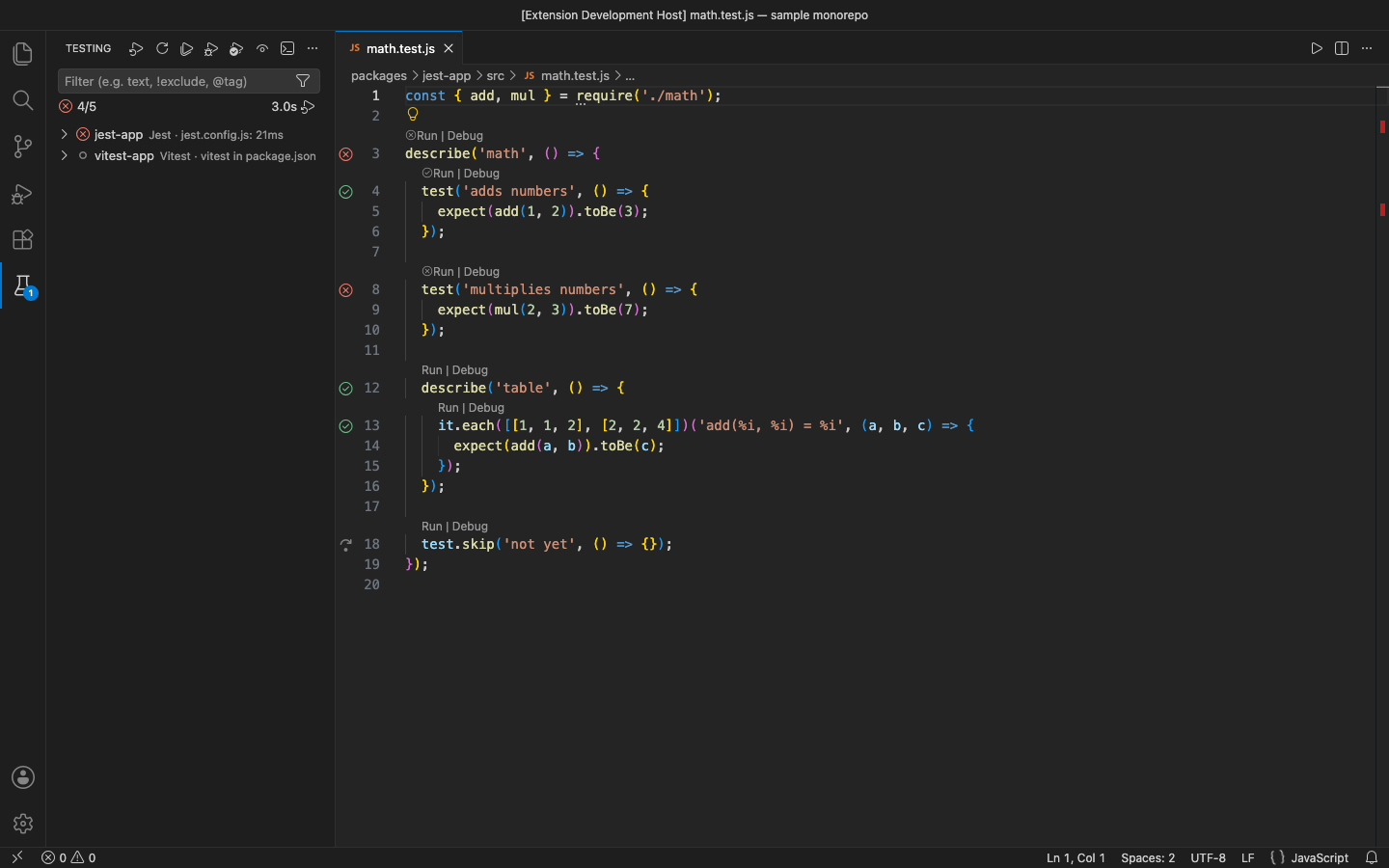
Run and debug Jest and Vitest tests from VS Code's Test Explorer or from Run | Debug links above every describe, it and test.
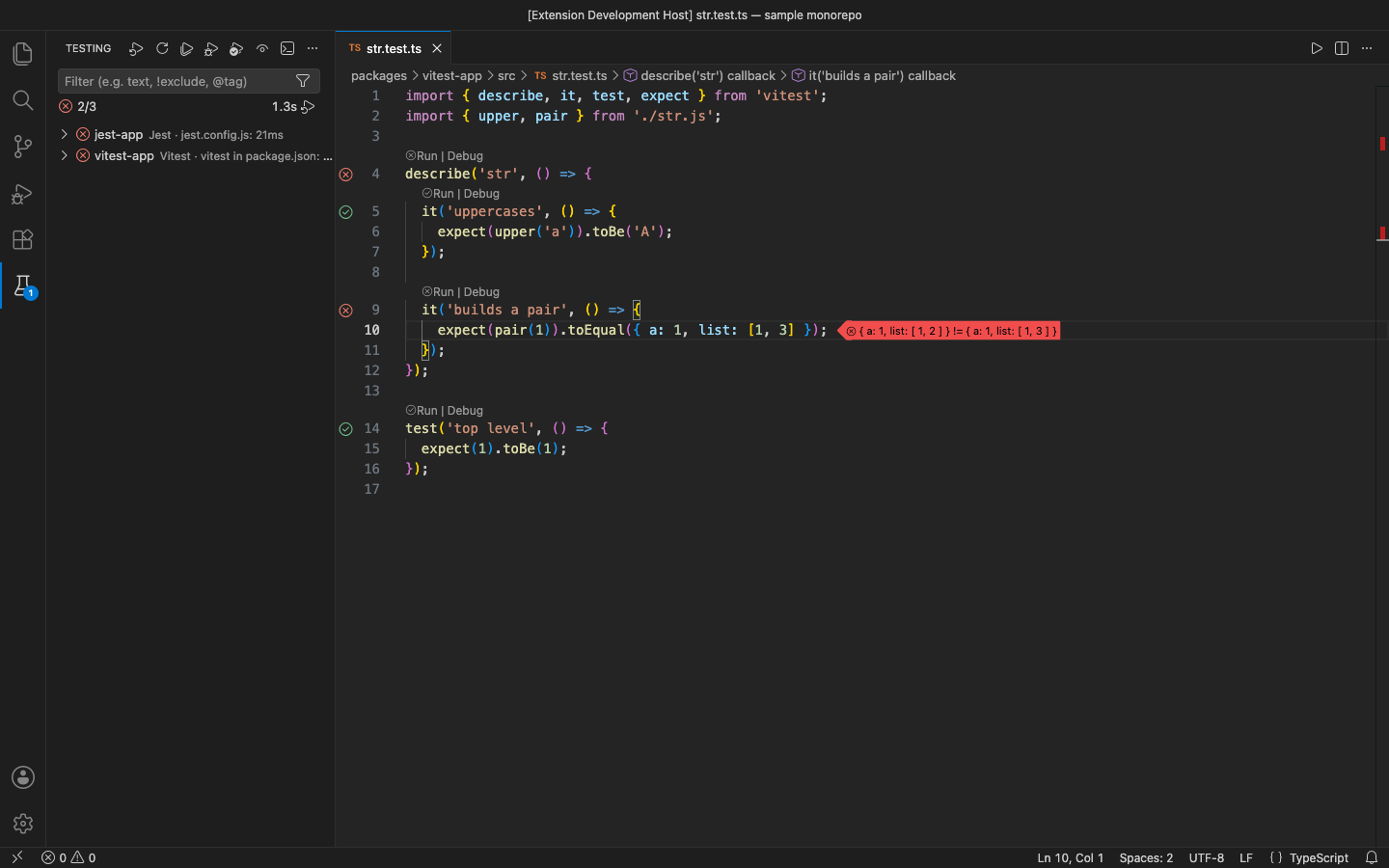
Tests run only when you ask. Each package of a monorepo gets the right runner automatically, failures show inline with an expected/actual diff, and Re-run Failed Tests re-runs what broke.
Why this one
- On demand. Nothing runs when you open a project, and no watcher process sits in the background using your CPU. Want watch? Click the eye in the Test Explorer: each save re-runs the watched tests once.
- Jest and Vitest in the same monorepo, no settings. For every test file it finds the nearest
jest.config.*, vitest.config.*, vite.config.* with a test: section, or package.json (a jest section, the test script or the dependency). It uses the runner installed in that package or hoisted above it.
- Doesn't steal focus. No terminal opens. The output goes to the Test Results panel.
- Paths just work. Arguments go to Node as a list, never through a shell, so spaces, quotes, parentheses and Windows paths need no escaping. Symlinked folders work too.
Free features
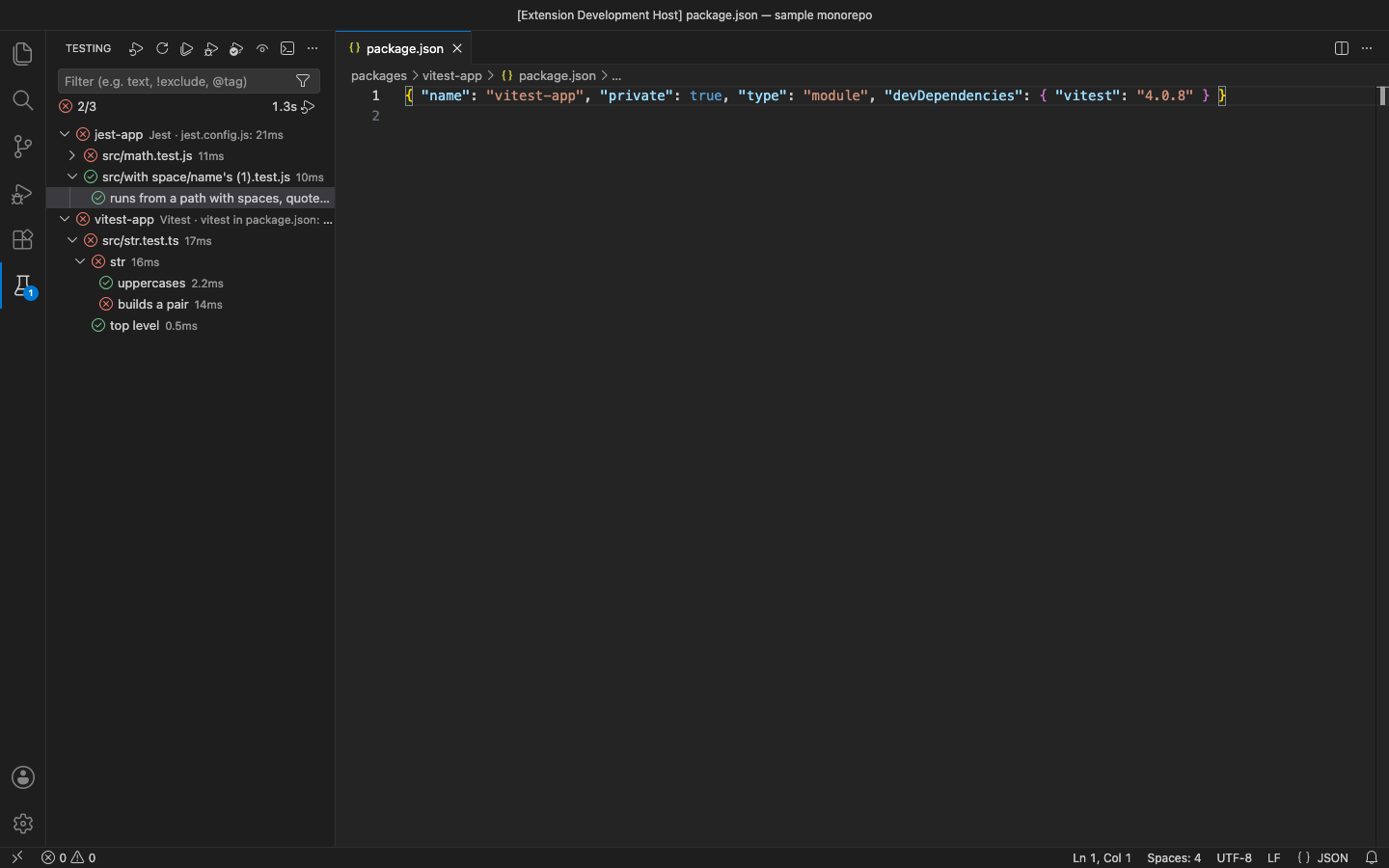
- Test Explorer tree: one entry per package (with its runner and why it was chosen), then files,
describe blocks and tests. test.each rows appear under their template after a run.
- CodeLens: Run | Debug above each block, with a ✓ / ✗ from the last run.
- Run a test, a describe block, a file, a package or everything. A single test runs as
-t "^describe name test name$" against that one file.
- Inline failures: the message at the failing line, with an expected/actual diff (Jest's Expected/Received and object diffs, Vitest/Chai's expected … to deeply equal …).
- Debug with the Node.js debugger (Jest
--runInBand, Vitest --no-file-parallelism). Breakpoints in tests and source files work.
- Re-run Failed Tests (Testing view title bar or the Command Palette).
- Watch toggle (the Test Explorer's continuous-run eye): re-runs once on each save, with no
--watch process.
- ESM Jest:
--experimental-vm-modules is added for "type": "module" packages.
Pro (licence key, checked offline)
$15 a year, or $45 lifetime, per developer. Everything above stays free. Pro adds:
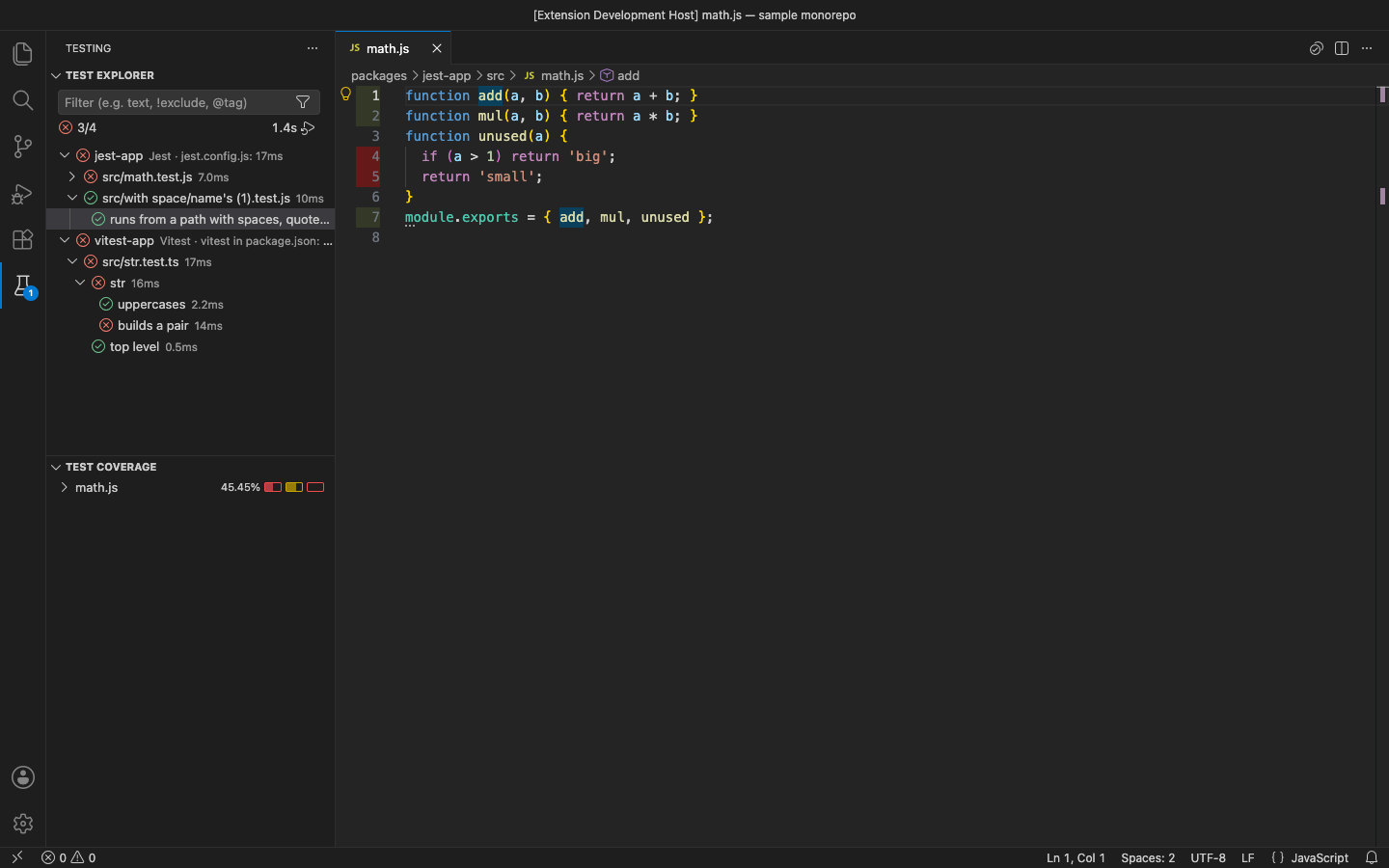
- Coverage: Run with Coverage fills VS Code's Test Coverage view (per-file statements, branches, functions) and marks covered and missed lines in the editor gutter. Works for Jest and for Vitest (
@vitest/coverage-v8 or -istanbul).
- Flaky-test detection: every pass/fail is kept (last 20 per test). Tests that keep flipping are marked flaky 3/10 · PFPPF… in the Test Explorer. Show Flaky Tests lists them.
- Run related tests on save: turn on
jestVitest.runRelatedOnSave. Saving a source file then runs only the tests that import it (jest --findRelatedTests, vitest related).
In the free version, Run with Coverage (Pro), Show Flaky Tests (Pro) and the run-on-save setting say what they do and offer Get Pro when you use them. There are no timed pop-ups.
Settings
| Setting |
Default |
|
jestVitest.include |
**/{*.test,*.spec,__tests__/*}.{js,jsx,ts,tsx,mjs,cjs,mts,cts} |
test files shown |
jestVitest.exclude |
**/{node_modules,dist,build,out,coverage,.git}/** |
never searched |
jestVitest.codeLens |
true |
Run · Debug links |
jestVitest.nodePath |
node on PATH |
Node.js used to run tests |
jestVitest.jestArgs / jestVitest.vitestArgs |
[] |
extra CLI arguments |
jestVitest.env |
{} |
extra environment variables |
jestVitest.runRelatedOnSave |
false |
Pro: related tests on save |
Requirements
VS Code 1.90+ (or VSCodium, Cursor, Windsurf). Jest or Vitest installed in your project (tested with Jest 30 and Vitest 4). Node.js on your PATH.
Privacy
No account, no telemetry, no network calls. See PRIVACY.md. Support: support@puzaricloud.in
| |

