Import Size – Inline Bundle Cost
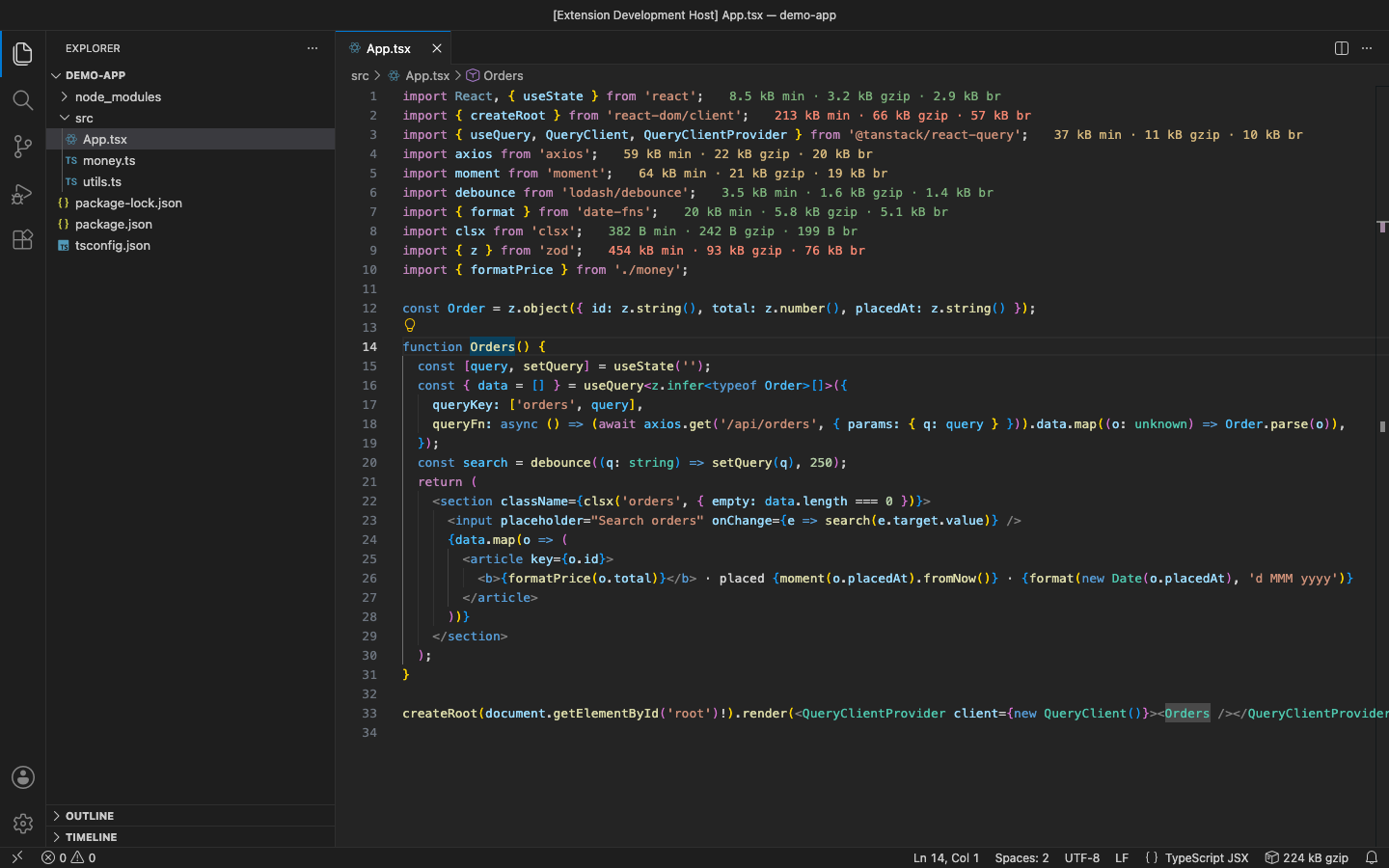
See what each package import adds to your bundle, right next to the import: minified, gzip and brotli sizes for JavaScript, TypeScript, JSX, TSX, Vue and Svelte, including require().
It never runs while you type and never takes over your CPU. Sizes are measured in a separate low-priority process, with a time limit and a stop button, and cached per package version.
Why this one
- No CPU spikes. Sizing runs in its own process at the lowest OS priority, one package at a time, only when a file is opened or saved. While you type, only sizes that are already known are shown.
- A time limit and a kill switch. A package that takes longer than 15 s (configurable) is stopped and marked skipped. After 3 slow packages in a row, everything pauses until you resume. Click the status bar while it is measuring to stop now.
- Right numbers for your version. Results are cached on disk by
package@version and what you import, so an upgrade is measured again and an unchanged package is never measured twice, across restarts and projects.
- Real tree-shaking. Each import is bundled the way a modern bundler would (esbuild, ESM, browser, minified,
NODE_ENV=production), so import { debounce } from 'lodash-es' shows the cost of debounce, not of all of lodash. Peer dependencies are not counted.
- Nothing leaves your machine. No network calls, no account; private packages work.
Free features
- Inline size after each import:
minified · gzip · brotli (or just one of them), coloured green / yellow / red by size.
import x from, import { a, b as c } from, import * as, import 'side-effect', export … from, dynamic import();require('x'), const { a } = require('x'), require('x').a;.js .mjs .cjs .jsx .ts .tsx .vue .svelte; import type is ignored, and relative paths and Node built-ins are skipped.
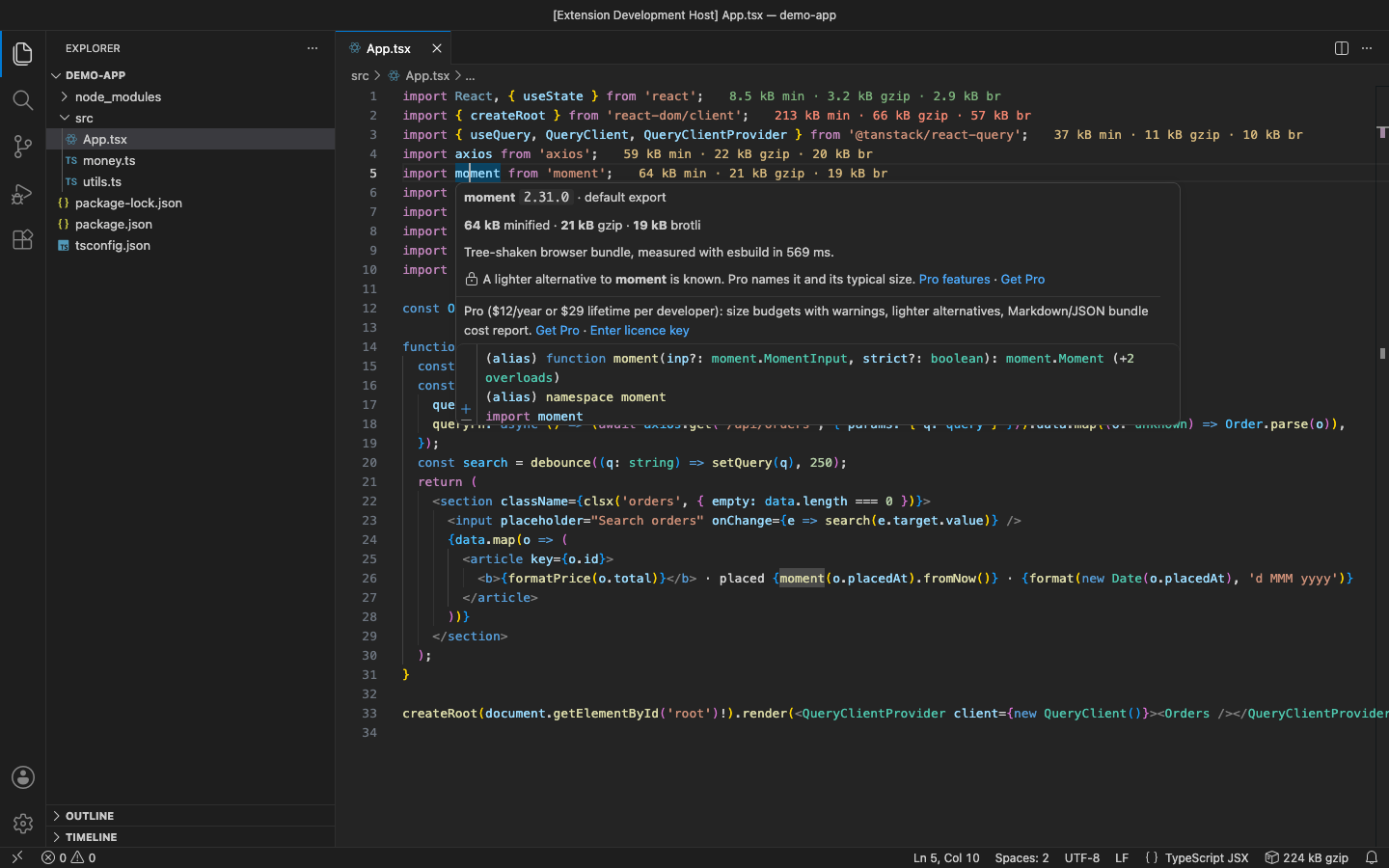
- Hover an import for the version, what is imported, all three sizes and the time it took.
- File total in the status bar (each package counted once). Click it for options.
- Generated or minified files and files over 512 kB are skipped.
Pro (licence key, checked offline)
$12 a year, or $36 lifetime, per developer. Everything above stays free. Pro adds:
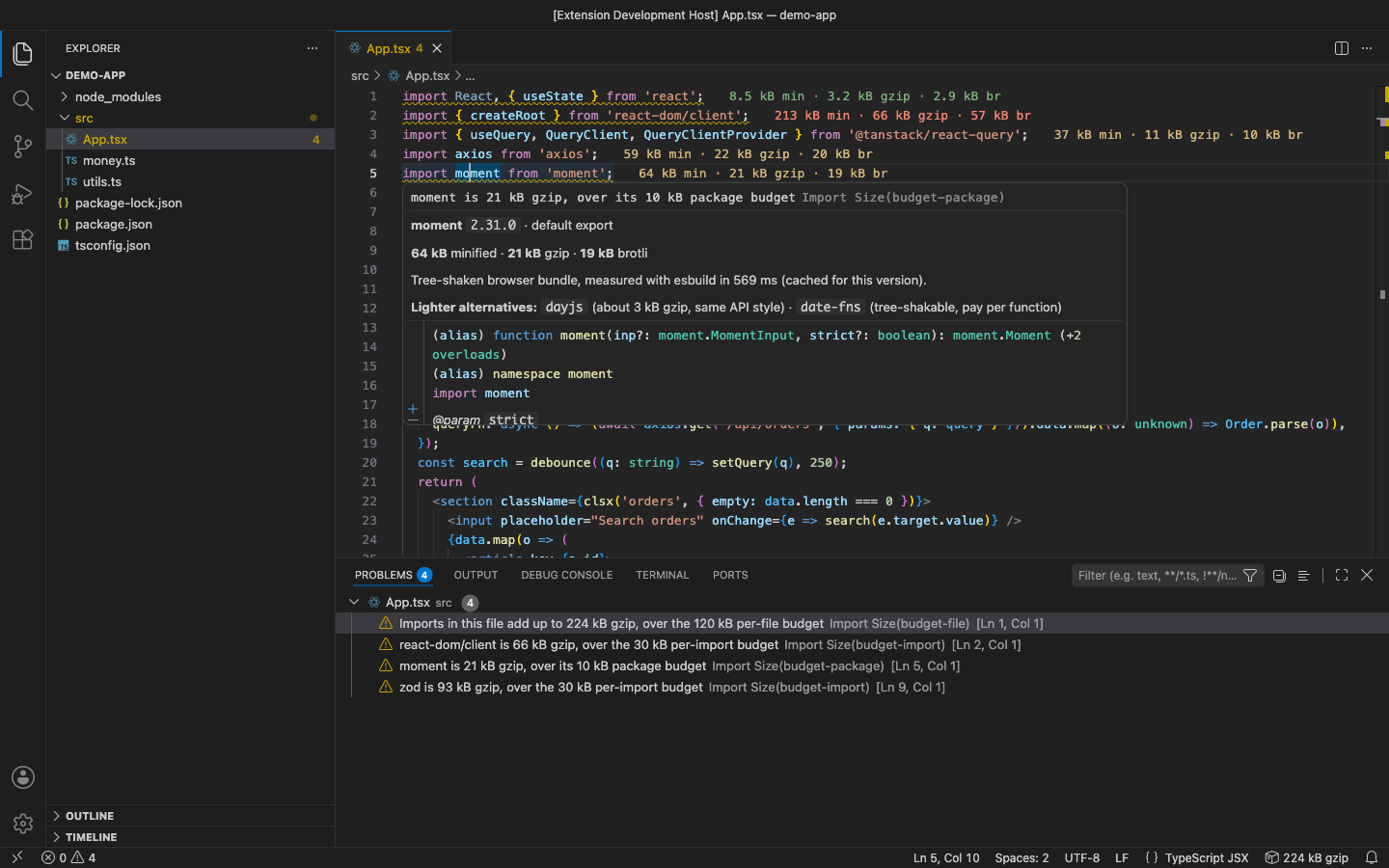
- Size budgets. Set a limit per import, per file or per package; anything over it gets a warning in the Problems panel.
"importSize.budgets": { "perImportKB": 30, "perFileKB": 120, "packages": { "moment": 10 }, "basis": "gzip" }
- Lighter alternatives. For heavy packages with a known smaller replacement (moment → dayjs, lodash → lodash-es, axios → ky, uuid →
crypto.randomUUID()…), the hover names it and its typical size.
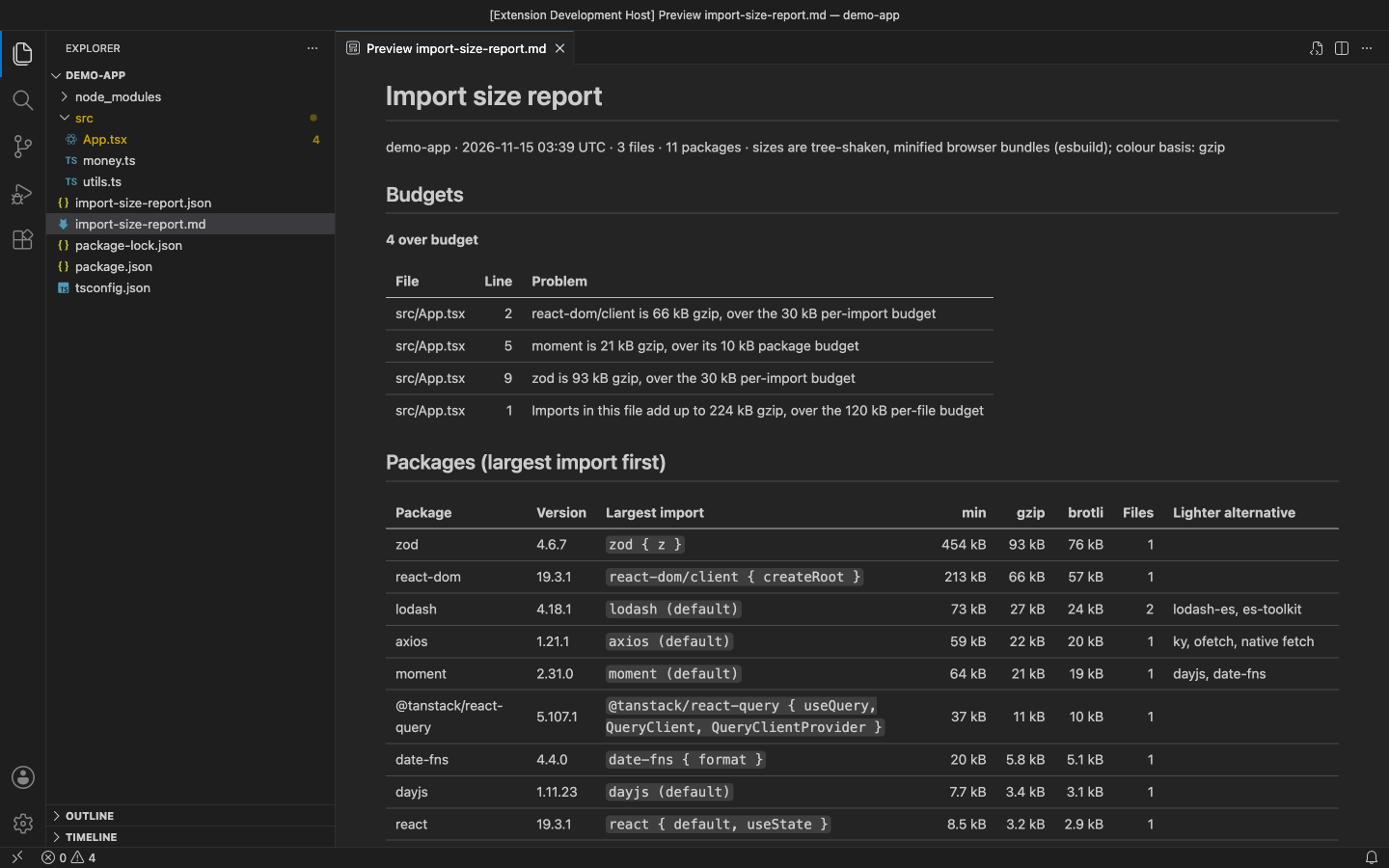
- Bundle cost report. Import Size: Write Bundle Cost Report measures every import in the workspace and writes
import-size-report.md (paste it into a pull request or wiki) and import-size-report.json (for a CI check): packages by size, per-file totals, budget problems and alternatives.
In the free version, the hover says when a lighter alternative is known, and Pro commands say what they do when you use them. There are no timed pop-ups.
Get a key at https://puzaricloud.in/apps/import-size/, then run Import Size: Enter Pro License Key.
Settings
| Setting |
Default |
Meaning |
importSize.enabled |
true |
Show sizes inline |
importSize.computeOn |
openAndSave |
openAndSave, save or manual (Measure Imports in This File) |
importSize.display |
all |
all, minified, gzip or brotli |
importSize.colorBasis |
gzip |
Size used for colours, the file total and budgets |
importSize.smallKB / mediumKB |
10 / 50 |
Colour thresholds |
importSize.timeoutSeconds |
15 |
Time limit per package |
importSize.maxFileKB |
512 |
Skip larger source files |
importSize.maxImportsPerFile |
60 |
Measure at most this many imports per file |
importSize.exclude |
node_modules, dist, build, *.min.js |
Files never measured |
importSize.budgets |
{} |
Pro: size budgets |
importSize.report.outputDir |
workspace root |
Pro: where the report is written |
Commands
Measure Imports in This File, Stop Now and Pause, Resume, Toggle Inline Sizes, Clear Size Cache, Write Bundle Cost Report (Pro), Enter / Remove Pro License Key, Pro Features & Upgrade.
Notes
- Packages must be installed (
node_modules); nothing is downloaded.
- Sizes are for a browser bundle of that import alone. Code shared between two packages is counted for each of them.
- Works in VS Code 1.90+, VSCodium, Cursor and Windsurf, on desktop and Remote/WSL/Codespaces (not in the web-only editor).
Support: support@puzaricloud.in · Privacy
| |

