.env File Manager – Syntax, .env.example Diff & Secrets Mask
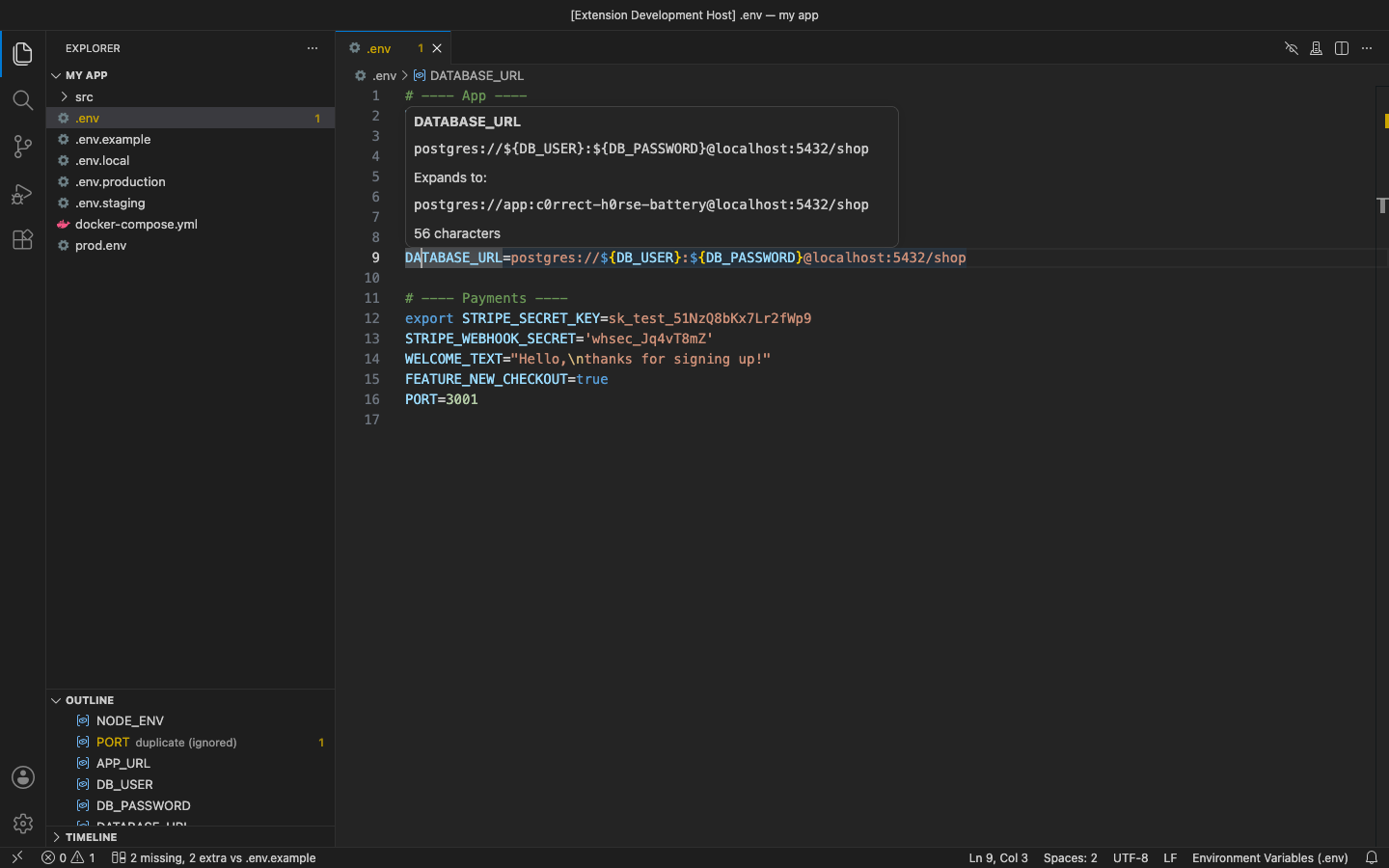
Syntax highlighting for .env and every variant: .env.local, .env.development, .env.production, .env.example, prod.env. It works the moment a file opens, with no reload and no files.associations. Hover a key to see its value, find keys in the outline, and hide every value with one click before you share your screen.
Why this one
- Every .env file is highlighted.
.env.local, .env.prod, .env.staging and *.env get the same colours as .env: comments, export, keys, quoted and unquoted values, escapes, ${VAR} and ${VAR:-default}, inline # comments, multi-line quoted values.
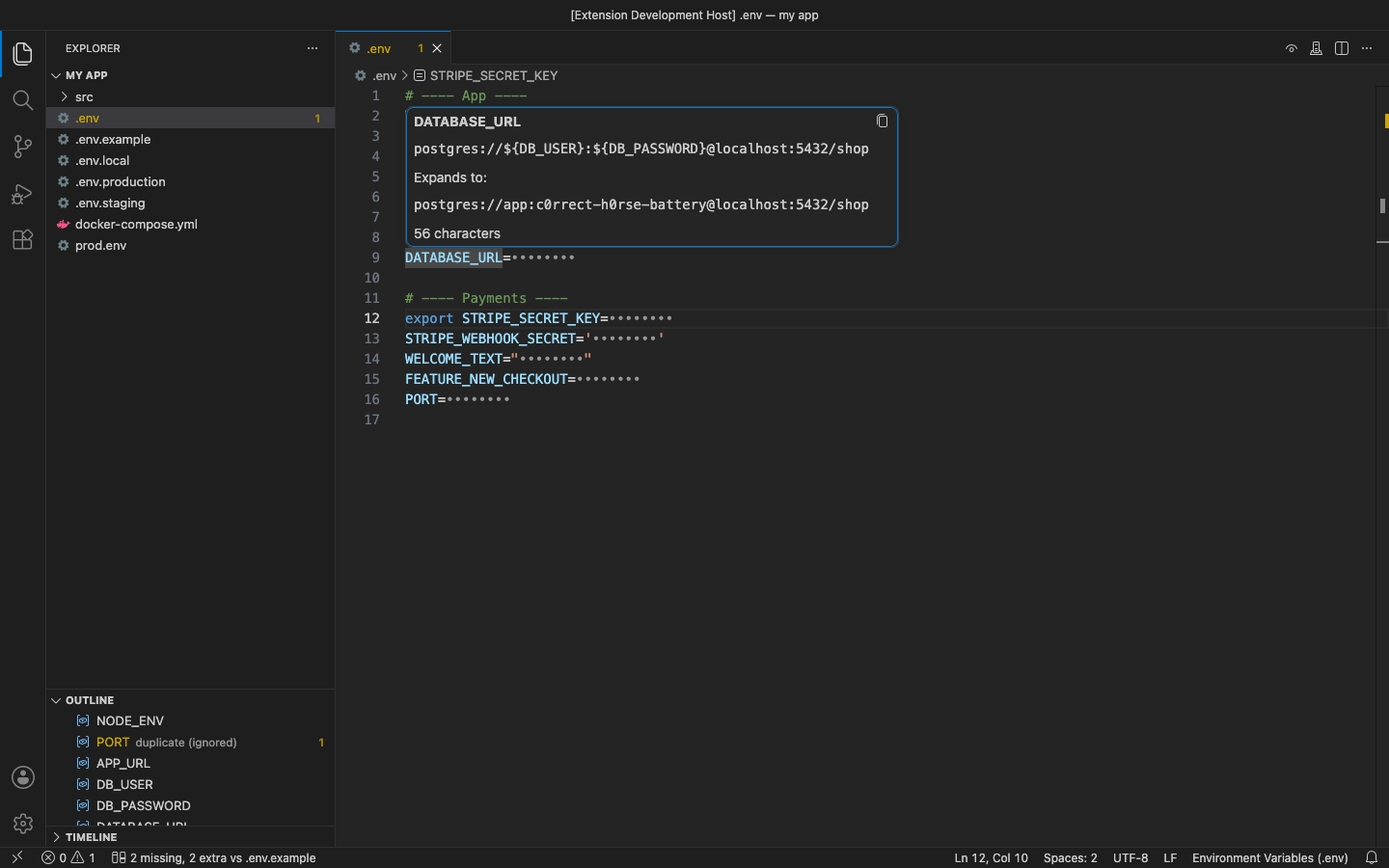
- Secrets stay off screen. Mask hides values in the editor only (the file is never changed). Hovers show dots too, and a hidden value always shows 8 dots, so you can't tell how long it is.
- Nothing leaves your machine. No account, no telemetry, no network calls, no vault to sign up for.
Free features
- Syntax highlighting for
.env, .env.* and *.env.
- Hover on a key or value: the value, what
${VAR} expands to, its length and quoting, and whether a duplicate overrides it.
- Outline / breadcrumbs / Go to Symbol (
Ctrl+Shift+O) list every key. A duplicate is shown as used or ignored.
- Mask / Unmask Values from the eye button in the editor title. Choose
envManager.maskScope: hide every value, or only the ones that look like credentials (*_SECRET, *_TOKEN, PASSWORD, API_KEY, URLs with a password, JWTs, sk_…/ghp_… tokens, long random strings). Set envManager.maskByDefault to open every .env file masked.
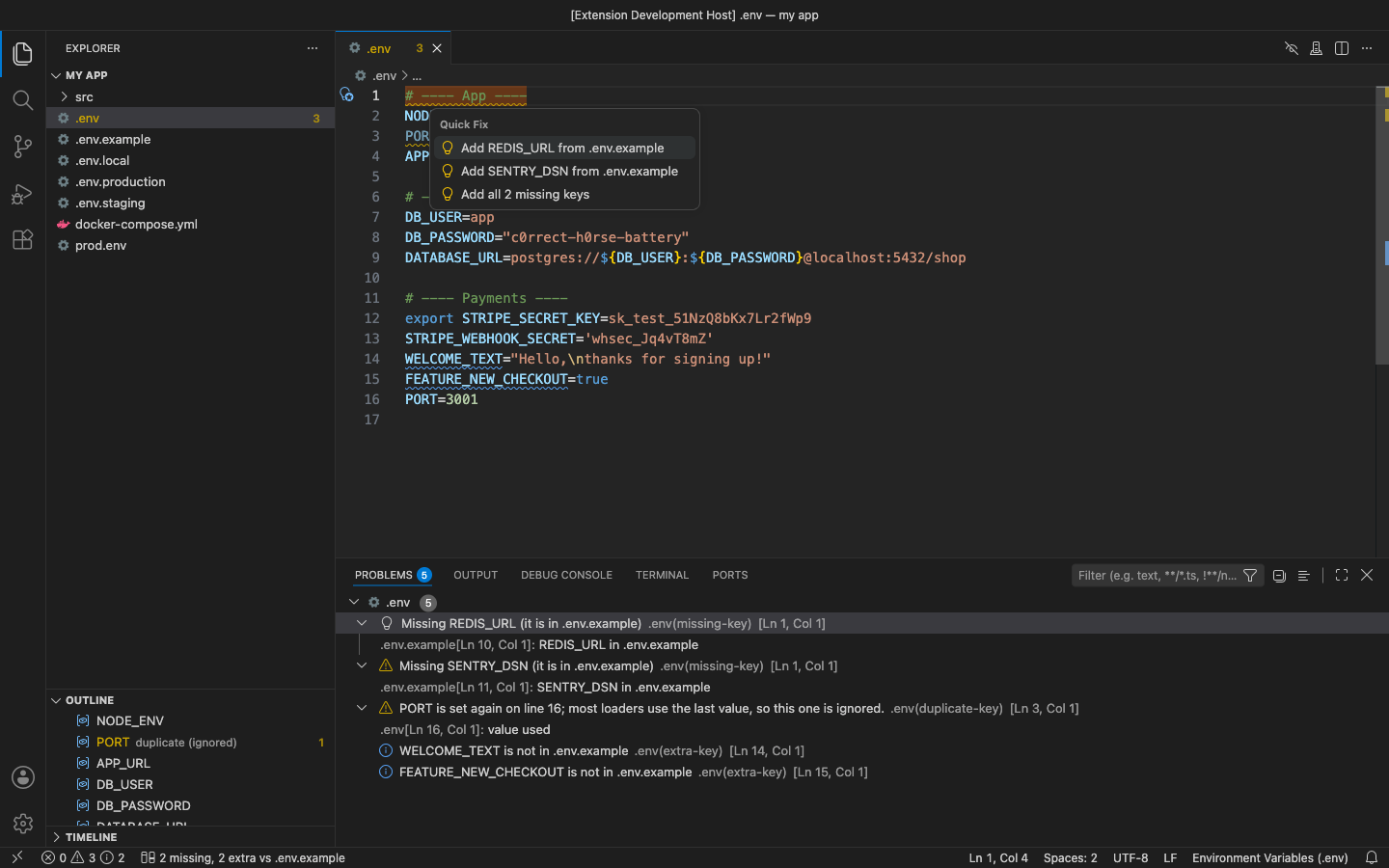
- Warnings: a duplicate key (most loaders use the last one, so the earlier line is marked as ignored and a quick fix removes it), lines that are not
KEY=value, a missing = and unclosed quotes.
Pro (licence key, checked offline)
$15 lifetime, or $5 a year, per developer. Everything above stays free. Pro adds:
- .env vs .env.example: each key that is in
.env.example but missing from your file is marked, and so is each key your file has that the example doesn't. Quick fixes add a missing key (with the example's default value) or add an extra key to .env.example without its value. Add Missing Keys adds them all at once. It also checks .env.sample, .env.template, .env.dist and example.env.
- Environment switcher: Switch Environment… copies
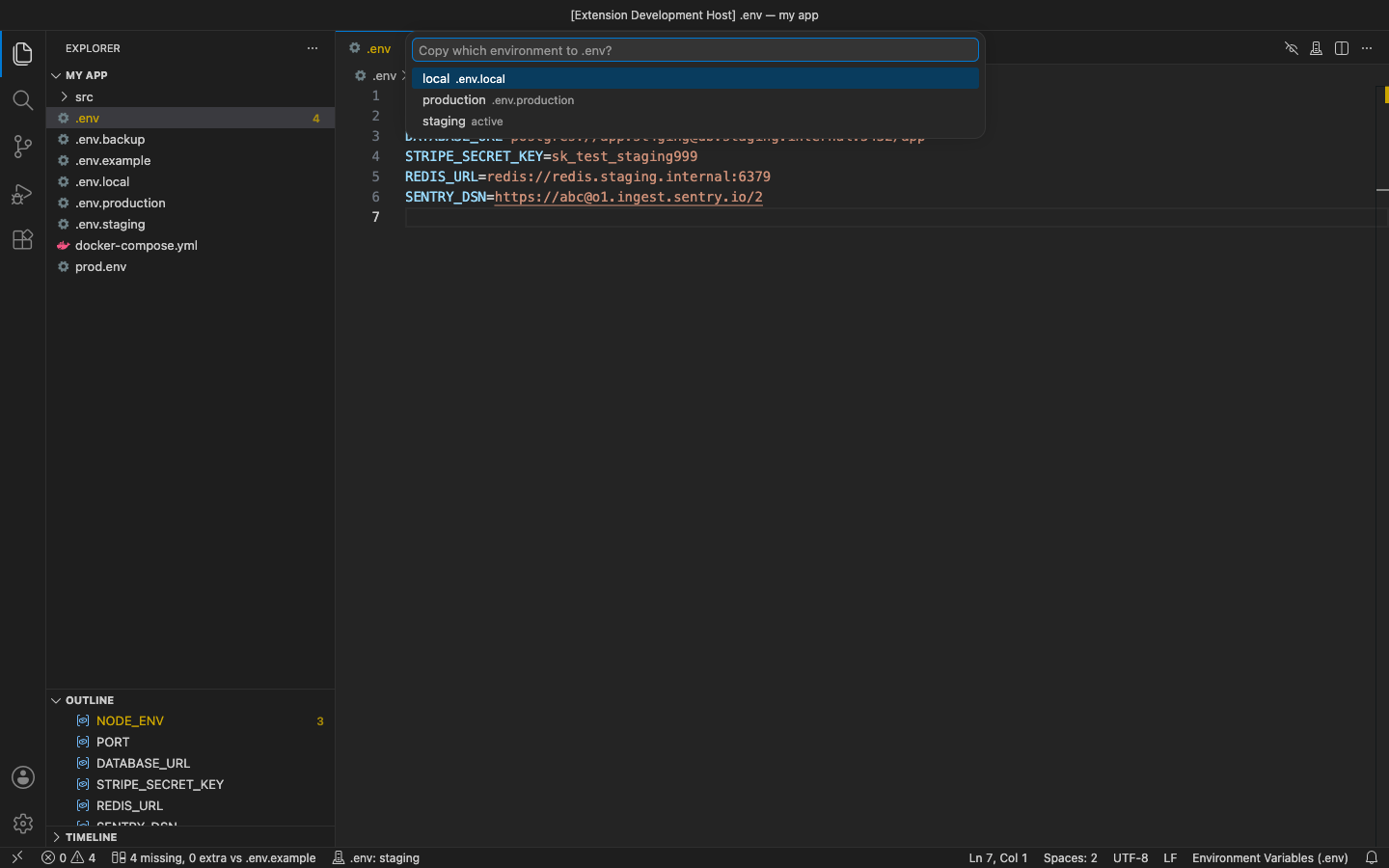
.env.staging, .env.production or any .env.<name> over .env after you confirm. The dialog says how many values change. If your current .env matches no environment file, it is saved as .env.backup first. The status bar shows which environment is active.
- Presenting mode: one command (or the
envManager.presenting setting) hides every value in every .env file, and Unmask stays off until you stop presenting. With envManager.autoMaskWhenSharing it turns on by itself while Zoom is sharing your screen, and off again when sharing stops. You can add other apps' process names.
- Find Unused Keys: searches the workspace for
process.env.X, process.env['X'], const { X } = process.env, import.meta.env.X, Bun.env, Deno.env.get, os.environ / os.getenv (Python), os.Getenv (Go), env::var (Rust), ENV[] (Ruby), getenv / $_ENV (PHP), env() (Laravel), System.getenv (Java), ${X} in compose files and shell scripts. Keys that nothing reads are faded out. It also warns you when some code reads variables by a computed name.
- Export to a JSON object or a Kubernetes Secret manifest (base64
data, or plain stringData).
In the free version, the (Pro) commands say what they do and offer Get Pro when you use them. The status bar also shows how many keys differ from .env.example. There are no timed pop-ups.
Settings
| Setting |
Default |
|
envManager.maskByDefault |
false |
open .env files masked |
envManager.maskScope |
all |
all values, or only secrets |
envManager.presenting |
false |
Pro: mask every value everywhere |
envManager.autoMaskWhenSharing |
true |
Pro: presenting mode while a screen-sharing helper runs |
envManager.sharingProcesses |
[] |
Pro: more process names that mean you are sharing |
envManager.exampleFiles |
.env.example, .env.sample, … |
templates to compare with |
envManager.unusedScan.include / .exclude / .maxFiles |
code files, no node_modules |
Pro: what the unused-key scan reads |
envManager.export.k8sStringData |
false |
Pro: stringData instead of base64 data |
Requirements
VS Code 1.90+ (or VSCodium, Cursor, Windsurf). Nothing else to install. Uses the dotenv language id, so your existing [dotenv] settings keep working.
Privacy
No account, no telemetry, no network calls. See PRIVACY.md. Support: support@puzaricloud.in
| |

