Local Coding Time Tracker – No Account, Per-Project Reports
See how long you code, per project and per language, without an account, an API key or a server. Tracking starts on its own, today's time sits in the status bar, and the report is one click away. Your activity is written to plain JSON Lines files on your own disk and nothing is ever sent anywhere.
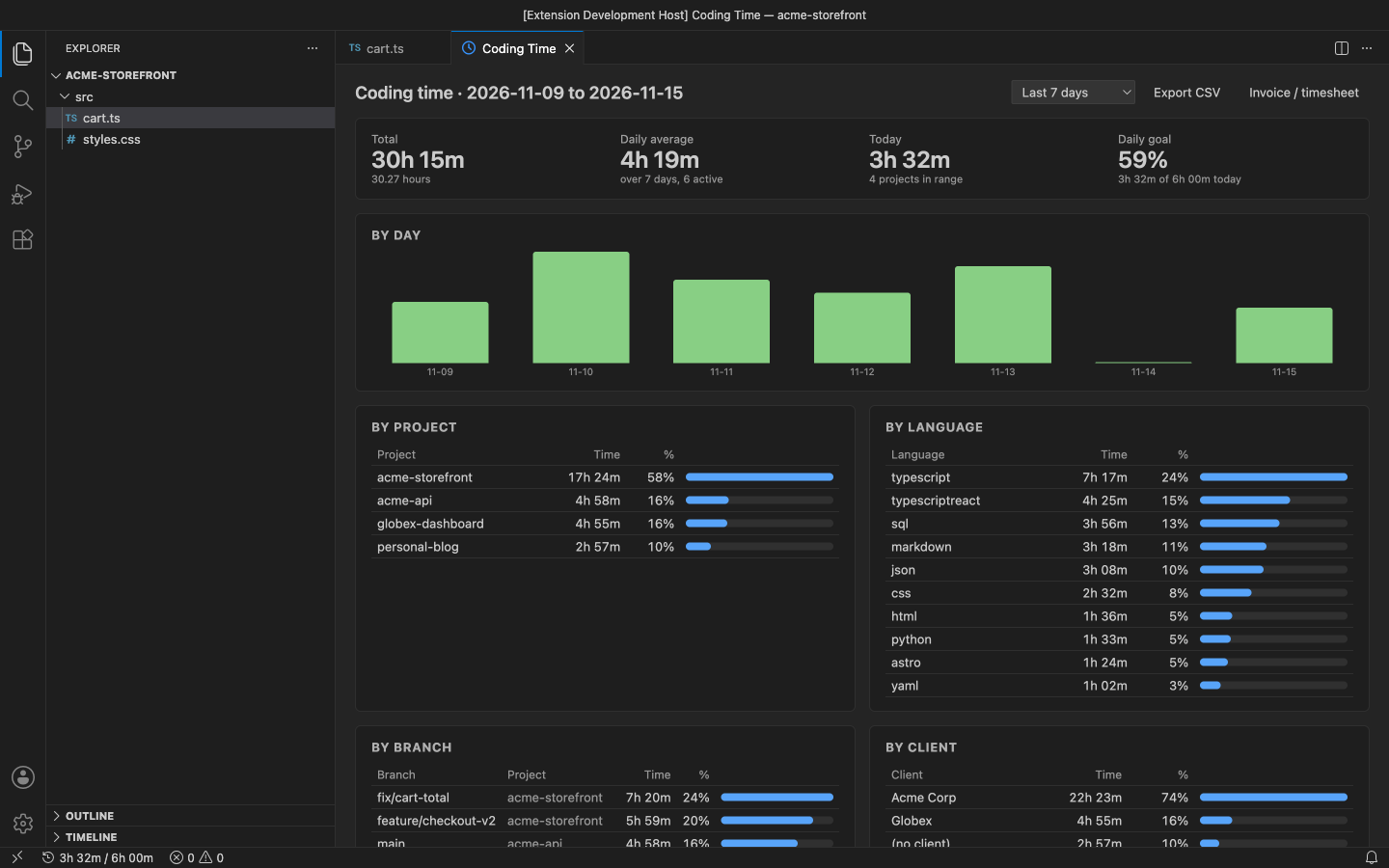
Why this one
- No account, no key, no cloud. Install it and it works. There is no sign-up, no dashboard website and no "activity sent" log to worry about. The extension has no network code at all.
- Your data is a plain file. One line of JSON per stretch of work, in
activity-YYYY-MM.jsonl. Read it with any tool, back it up, sync it, or delete it.
- Counts real activity only. Typing, saving, moving the cursor and switching files count. After the idle timeout (5 minutes by default) with none of these, the clock stops until you are back. When the window loses focus, tracking stops for that window.
- Built for billing. Pro maps folders to clients, applies hourly rates and rounding, and writes a CSV or a printable invoice / timesheet.
Free features
- Automatic tracking of edits, saves, cursor moves, file switches and window focus, with an idle timeout setting.
- Status bar: today's total and the current project's time. Click it for the report.
- Report for today, the last 7 days or the last 30 days: total, daily average, a bar per day, time by project and by language.
- Project = the workspace folder (or the nearest folder with
.git for loose files). Multi-root workspaces count each folder as its own project.
- Pause / Resume Tracking, and
codingTimeTracker.exclude for projects that should never be tracked.
- Several windows (and later other editors) can write to the same folder; overlapping time is counted once.
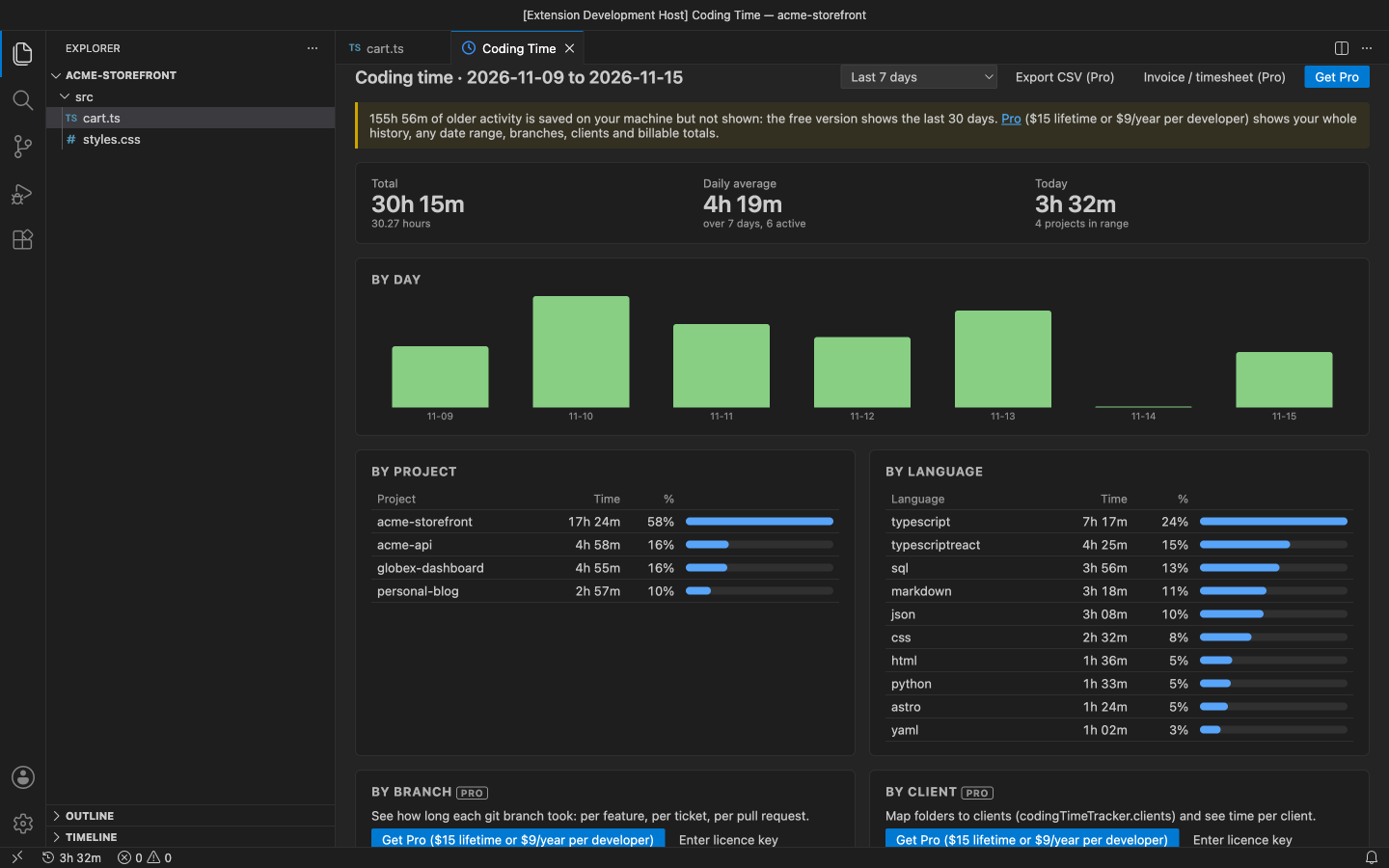
Pro (licence key, checked offline)
$27 lifetime, or $9 a year, per developer. Everything above stays free. Pro adds:
- Unlimited history. The free report shows the last 30 days. Older activity is still saved on your machine, so buying Pro later shows all of it.
- Any date range: this month, last month, 90 days, all time, or custom dates (Report for Date Range…).
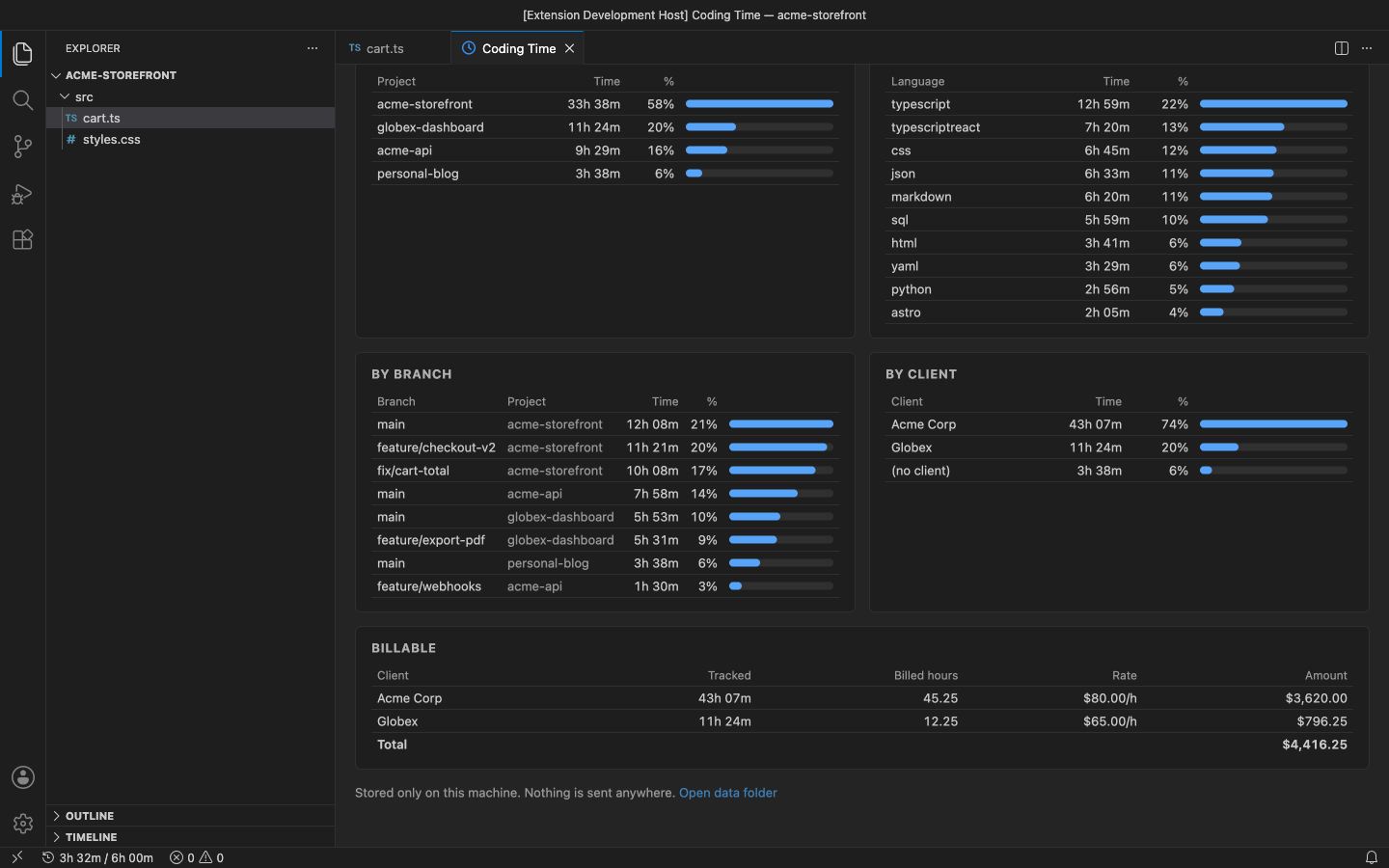
- By git branch: time per branch and project (read from
.git/HEAD, no git process).
- By client: map folders or project names to clients in
codingTimeTracker.clients, or run Assign This Project to a Client….
- Hourly rates and billable totals: rates per client or project (
codingTimeTracker.rates, defaultRate), currency, and rounding up per line (6, 15, 30 minutes…).
- CSV export per day, client, project, branch and language, with hours, rate and amount.
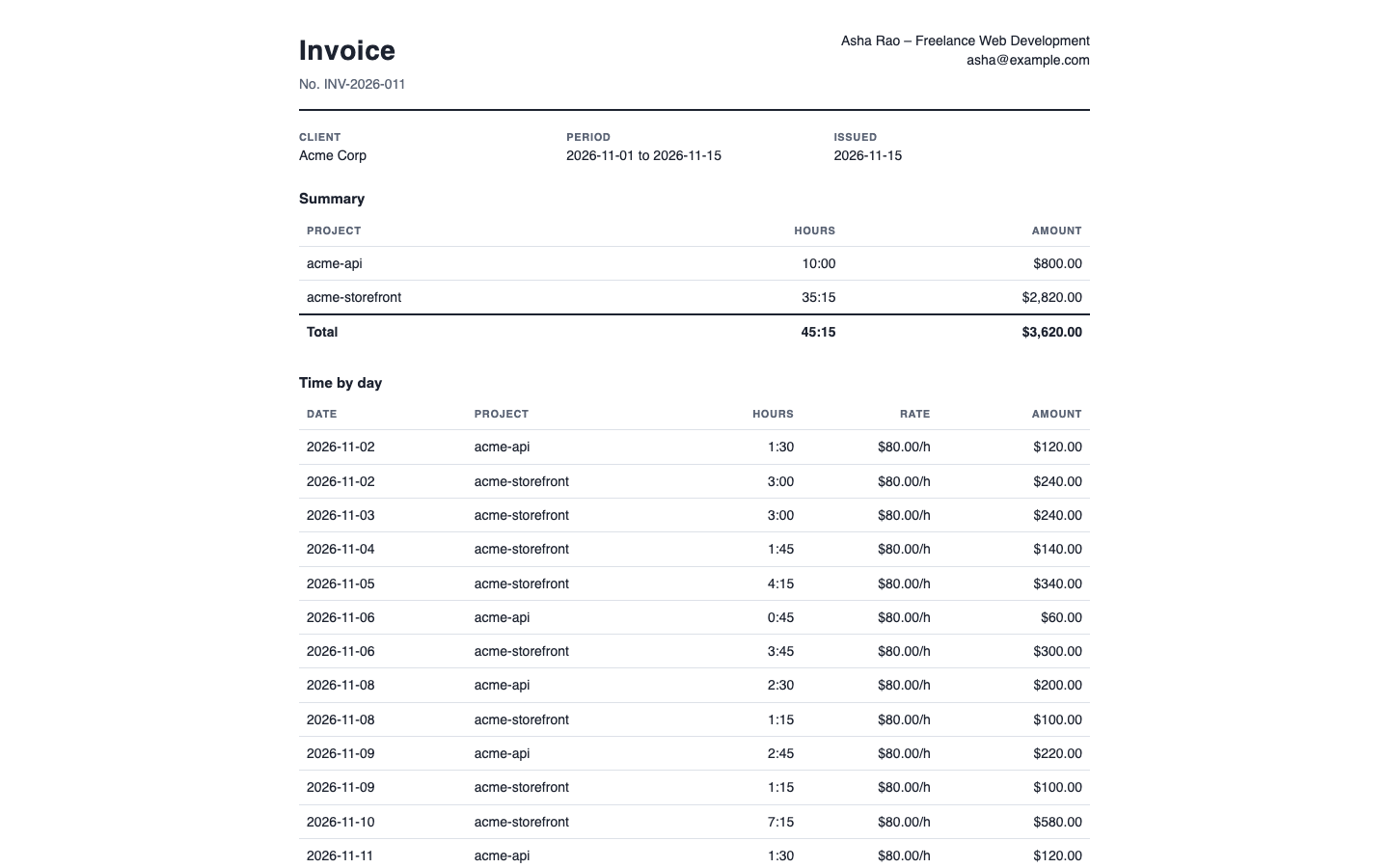
- Invoice or timesheet: a printable, self-contained HTML page for one client and the report's date range. Open it in your browser and print or save it as PDF.
- Daily goal with progress in the status bar and the report.
In the free version the (Pro) commands and the locked report sections say what they do and offer Get Pro. There are no timed pop-ups.
Files live in VS Code's storage for this extension (run Coding Time: Open Data Folder), or in the folder you set in codingTimeTracker.dataFolder. One file per month, named after the local month of the start time: activity-2026-11.jsonl. Each line is one span of activity:
{"s":1794713400000,"e":1794717000000,"p":"acme-storefront","r":"/Users/me/work/acme/storefront","l":"typescriptreact","b":"feature/checkout-v2","i":"vscode"}
| Field |
|
|
s, e |
required |
start and end, Unix epoch milliseconds (UTC), e > s |
p |
required |
project name |
r |
optional |
project folder path |
l |
optional |
language id (VS Code ids) |
b |
optional |
git branch, or a 7-character commit when detached |
i |
optional |
the editor that wrote the line (vscode) |
Files are append-only. Readers skip lines they cannot parse and ignore fields they do not know, so other tools can write to the same folder. Spans are written at least once a minute, so a crash loses at most a minute.
Settings
| Setting |
Default |
|
codingTimeTracker.idleTimeoutMinutes |
5 |
minutes without activity before the clock stops |
codingTimeTracker.statusBar |
true |
today's time in the status bar |
codingTimeTracker.exclude |
[] |
project names / globs or folder paths never tracked |
codingTimeTracker.dataFolder |
VS Code storage |
where the .jsonl files go |
codingTimeTracker.clients |
{} |
Pro: { "Acme": ["~/work/acme", "acme-*"] } |
codingTimeTracker.rates |
{} |
Pro: hourly rate per client or project |
codingTimeTracker.defaultRate |
0 |
Pro: rate when nothing else matches (0 = not billable) |
codingTimeTracker.currency |
USD |
Pro: currency code for amounts |
codingTimeTracker.roundMinutes |
0 |
Pro: round each invoice line up to N minutes |
codingTimeTracker.invoiceFrom |
|
Pro: your name and address on invoices |
codingTimeTracker.dailyGoalMinutes |
0 |
Pro: daily goal (0 = off) |
Requirements
VS Code 1.90+ (or VSCodium, Cursor, Windsurf). Nothing else to install.
Privacy
No account, no telemetry, no network calls. Your activity stays in files on your machine. See PRIVACY.md. Support: support@puzaricloud.in
| |

