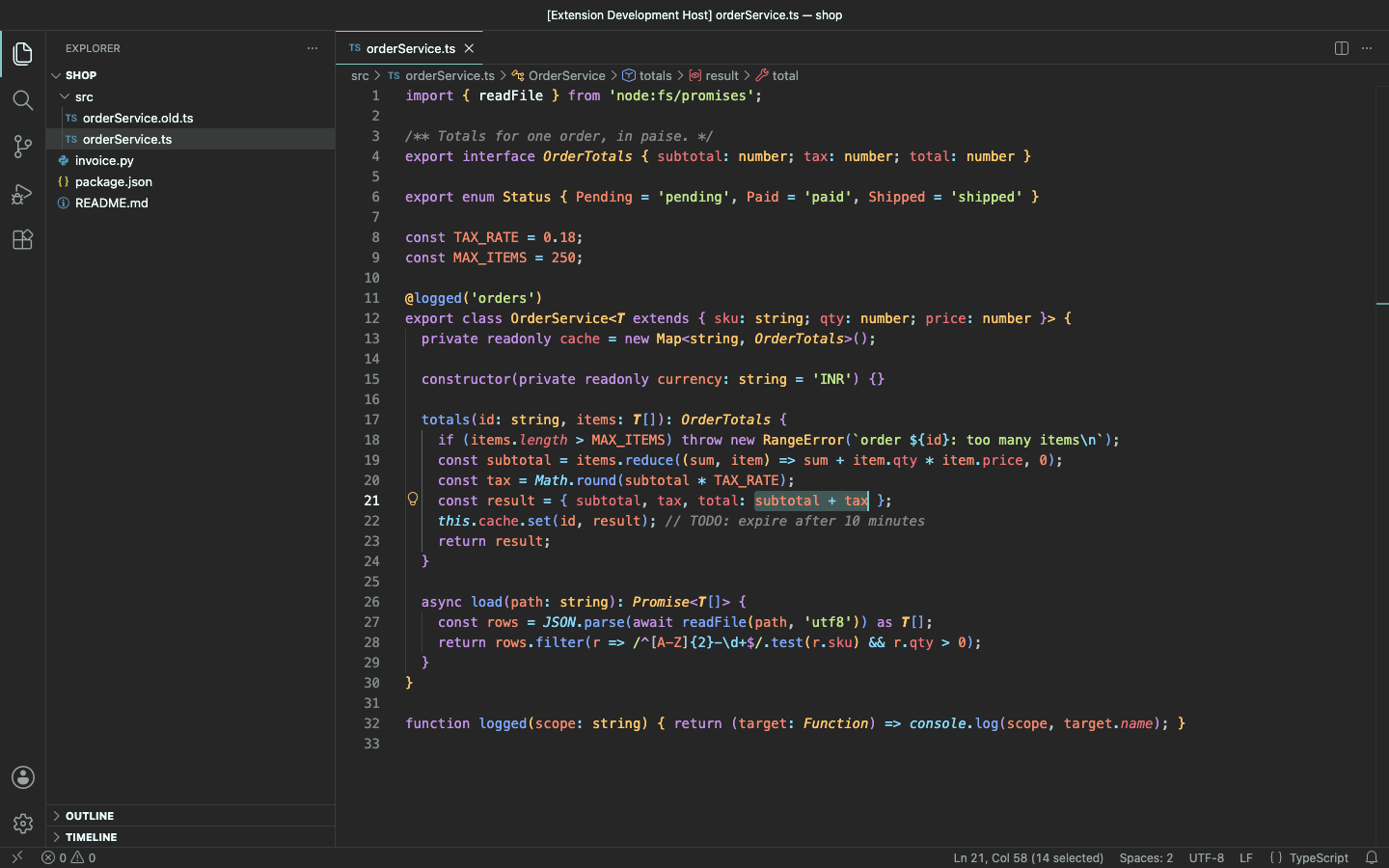
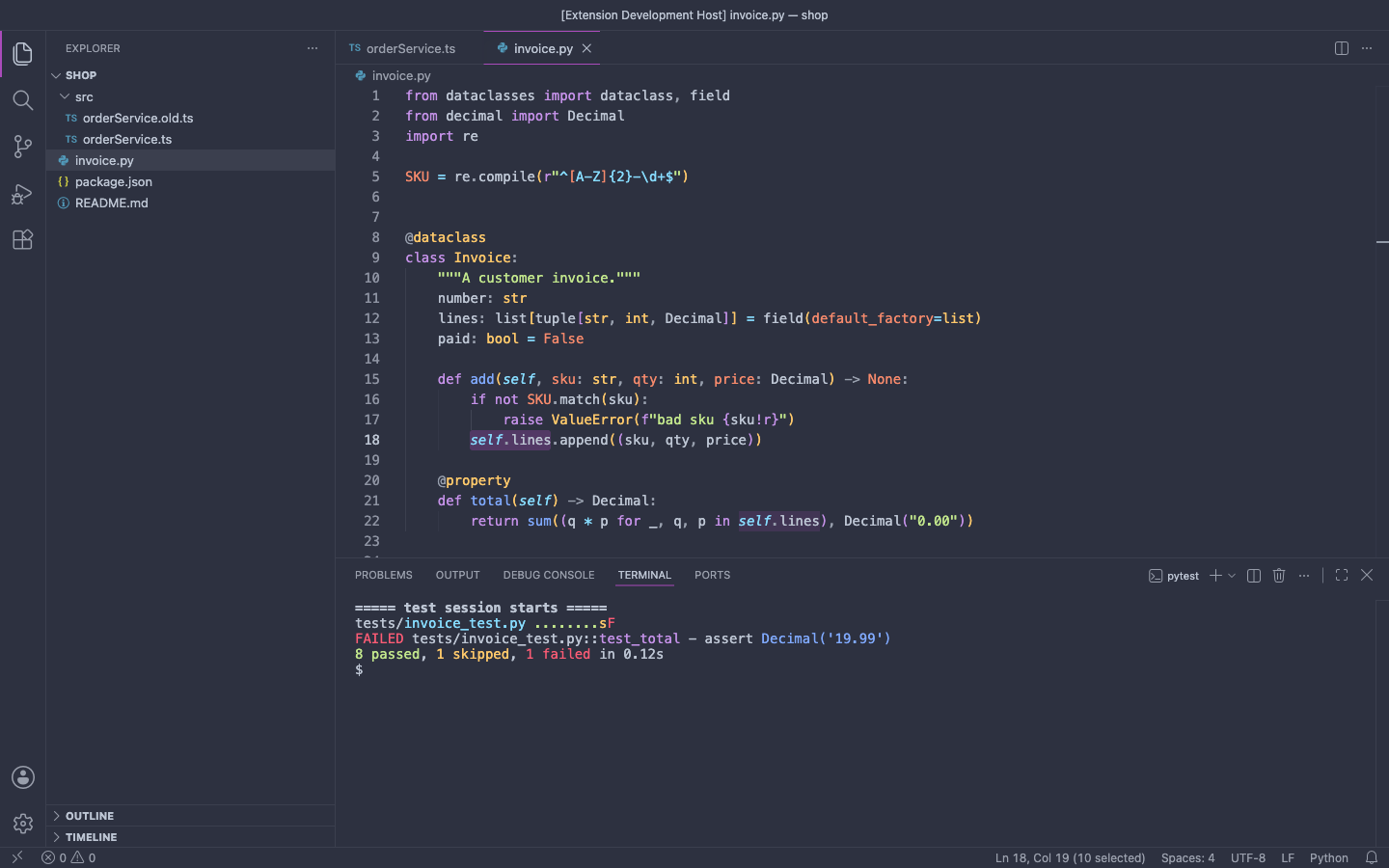
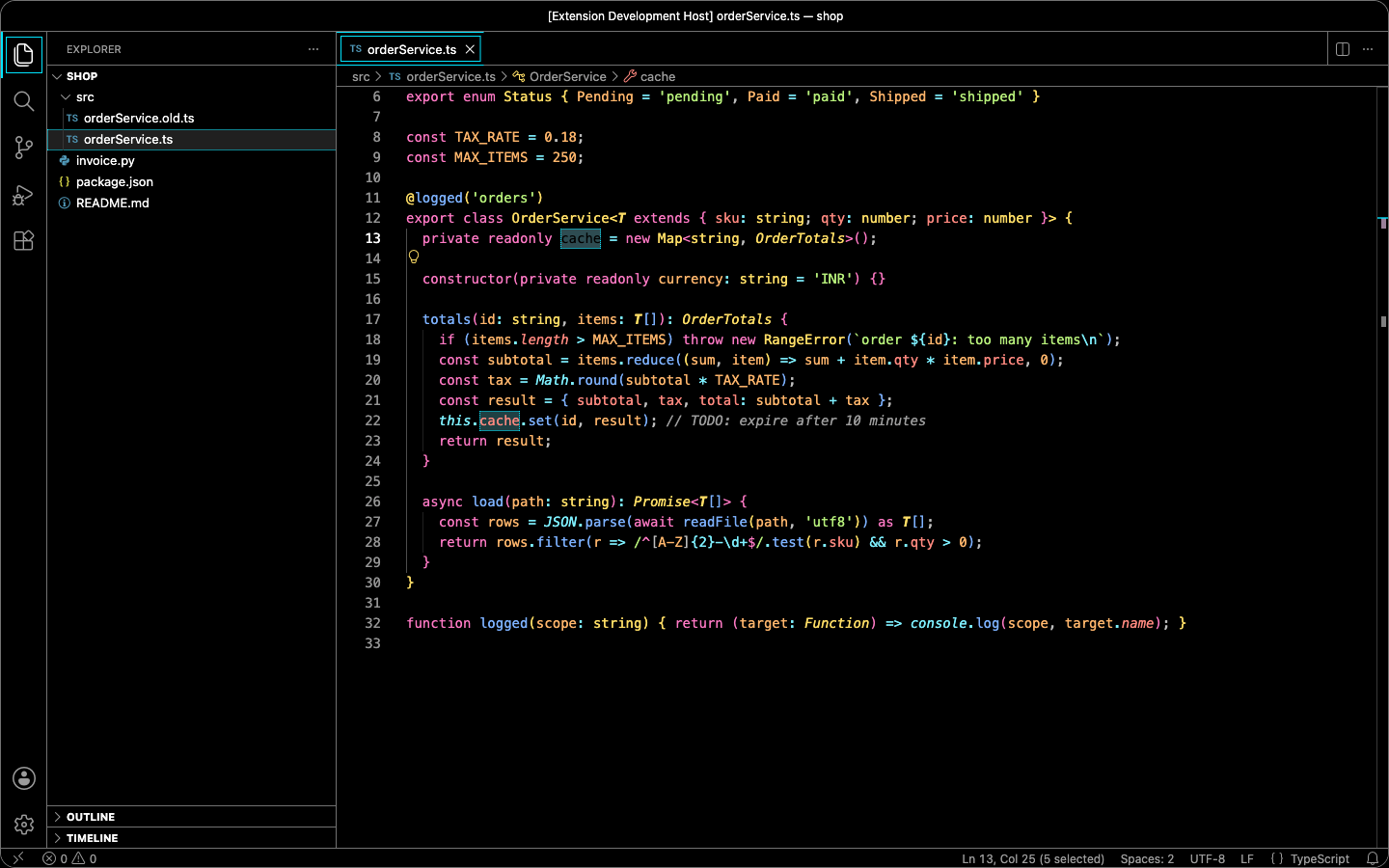
Ten material-style colour themes that are just colours. Darker, Oceanic, Palenight, Solarized Dark and Light, High Contrast and Paper Light are free. Deep Ocean, Pro Warm and Sandstone Light come with Pro. Every syntax colour and every piece of UI text meets WCAG AA contrast (4.5:1), and High Contrast meets 7:1.
Why this one
- No popups, ever. No startup notifications, no "what's new", no "please register", no modal dialogs. A Pro theme used without a licence shows one small status-bar item, and that's all.
- Zero runtime cost. The themes are plain JSON files that VS Code loads itself. The extension's only code runs after startup has finished: it reads one setting and stops. No timers, no network calls, no file watchers.
- Colours only. Fonts, icons, layout and sizes stay exactly as you set them.
- Readable. Each palette colour keeps its hue. Only its lightness is nudged until it reaches 4.5:1 on the editor background, so dim comments get fixed too. Selections, find matches and diff highlights are tuned so the text on them still passes. A script checks 1,860 colour pairs on every build.
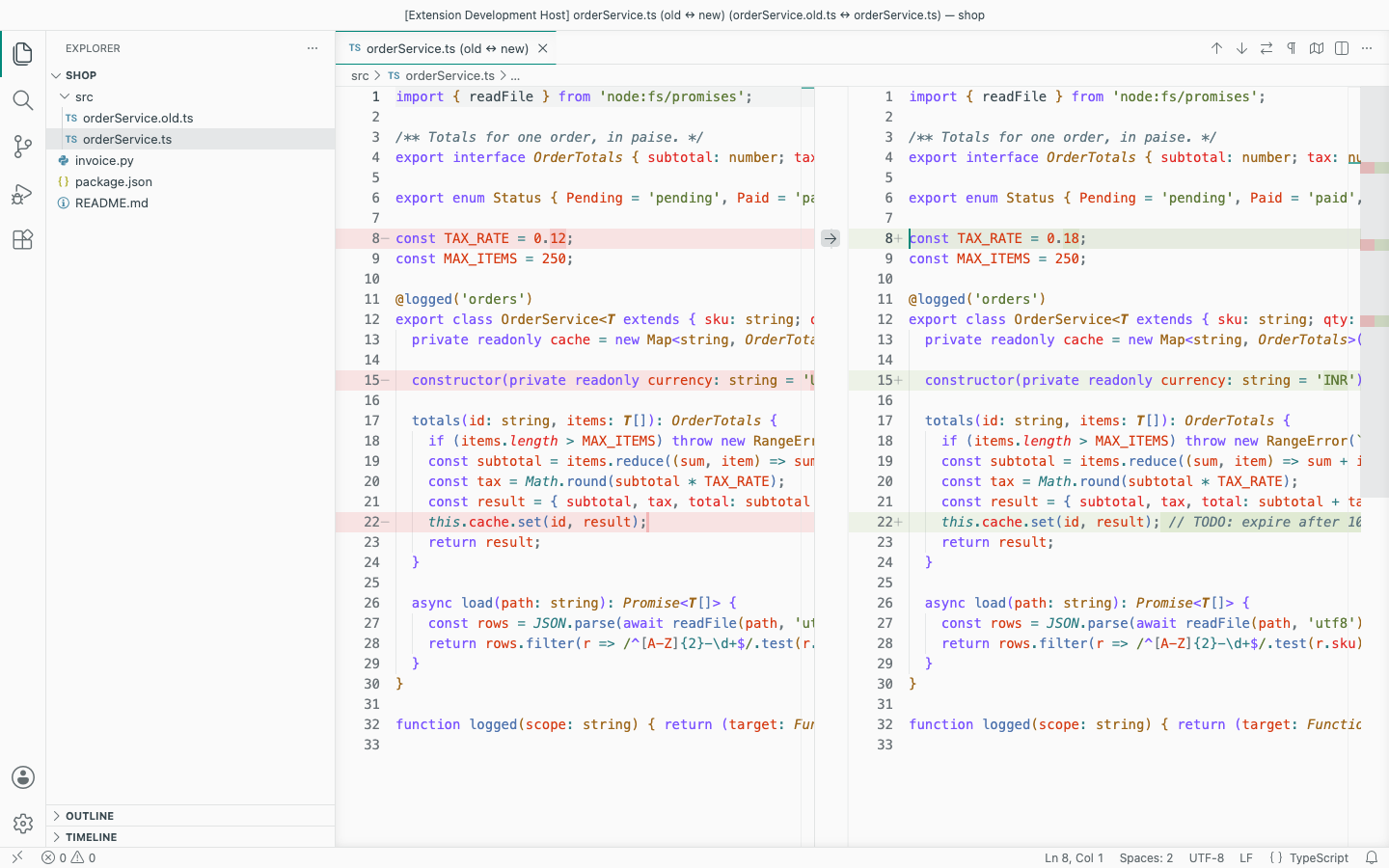
- Complete. Covers semantic highlighting and TextMate scopes, terminal ANSI colours, diff and merge views, git decorations, the minimap, peek views, notifications, the quick input and the status bar, all from the same palette.
Themes
| Theme |
Type |
|
| Clean Darker |
dark |
free |
| Clean Oceanic |
dark |
free |
| Clean Palenight |
dark |
free |
| Clean Solarized Dark |
dark |
free |
| Clean High Contrast |
high contrast (7:1) |
free |
| Clean Solarized Light |
light |
free |
| Clean Paper Light |
light |
free |
| Clean Deep Ocean (Pro) |
dark |
Pro |
| Clean Pro Warm (Pro) |
dark |
Pro |
| Clean Sandstone Light (Pro) |
light |
Pro |
To pick one, open Preferences: Color Theme (Ctrl+K Ctrl+T / Cmd+K Cmd+T) and type Clean.
Pro ($15 once, or $5 a year)
- Three more themes: Clean Deep Ocean, Clean Pro Warm and Clean Sandstone Light.
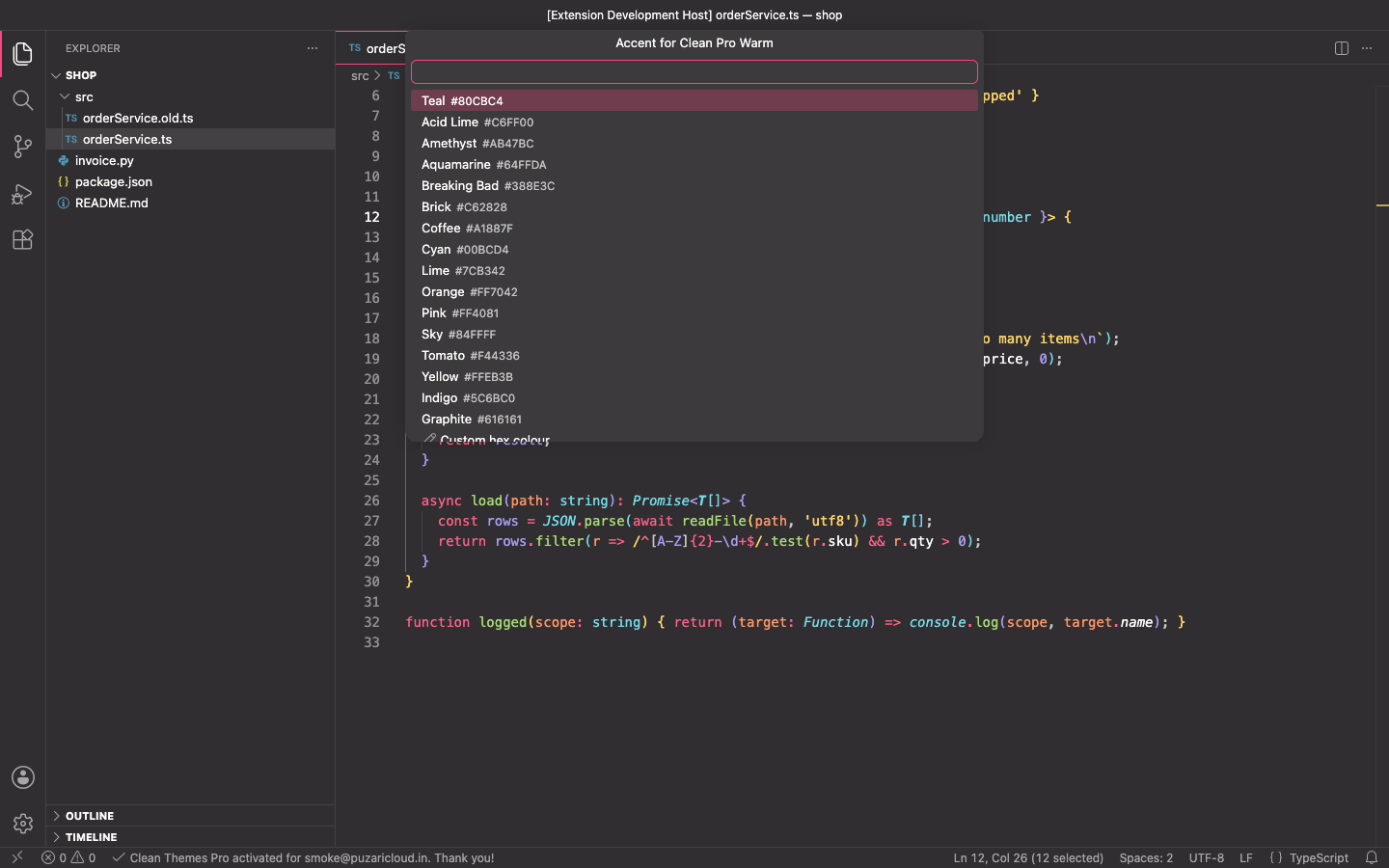
- Accent customiser: run Clean Themes: Customise Accent Colour… (Pro) and choose one of 16 preset accents or any hex colour. The accent goes on buttons, badges, tab and activity-bar indicators, links, the cursor, focus borders and selections. Text on the accent is re-checked for contrast, so a pale accent gets dark button text. The accent applies to the active Clean theme, or to all ten if another theme is active. It is stored in your
workbench.colorCustomizations, and Reset Accent Colour removes only the keys it added.
VS Code can't hide themes an extension contributes, so the Pro themes are always in the theme list. If you choose one without a licence, the status bar shows Pro theme — get licence. Clicking it offers Get Pro licence, Enter licence key or Switch to a free theme. Nothing else happens.
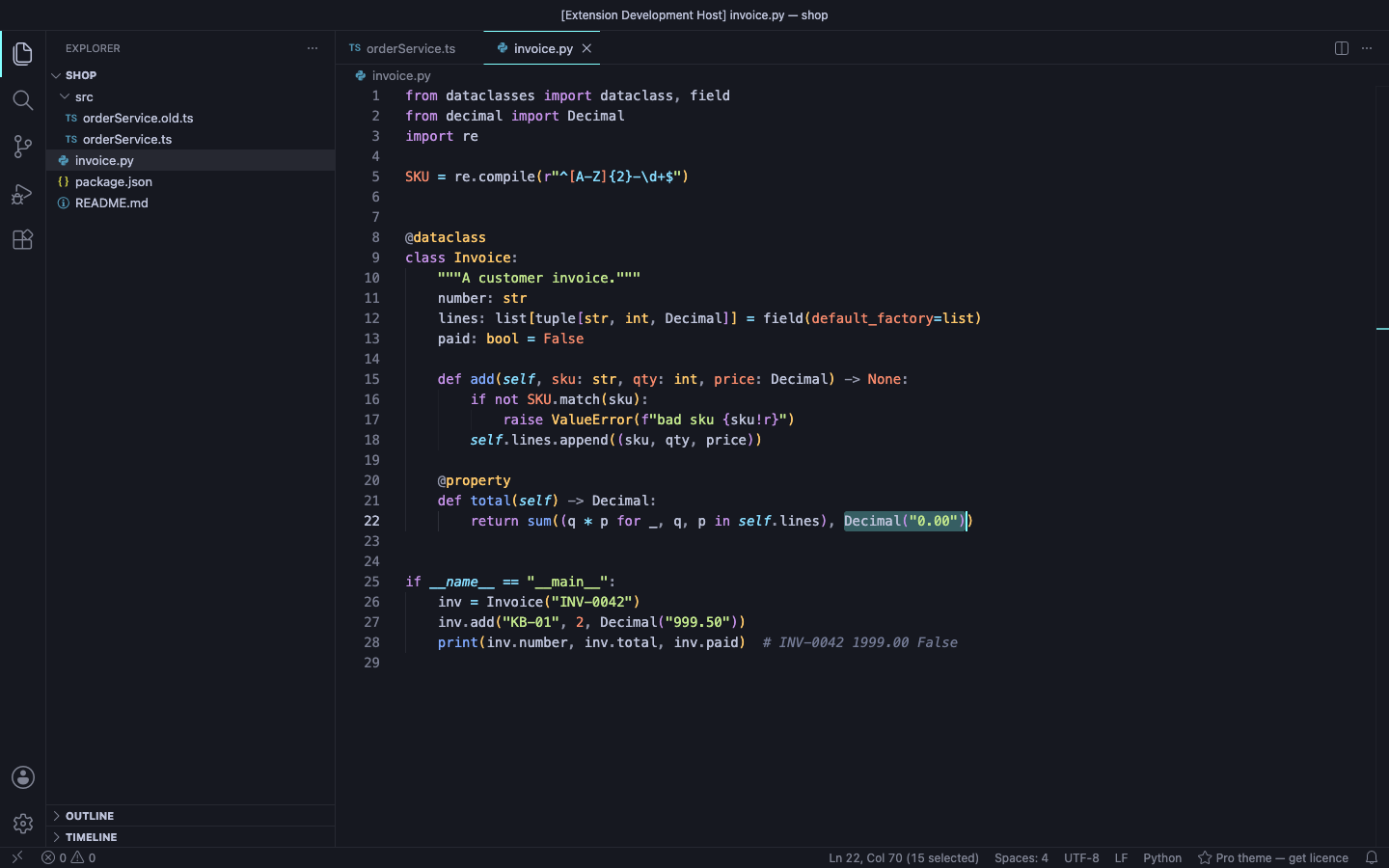
Licence keys are checked offline. Run Clean Themes: Enter Pro License Key and paste the key from your email. Buy at puzaricloud.in/apps/clean-themes.
Commands
| Command |
|
| Clean Themes: Customise Accent Colour… (Pro) |
Pick an accent preset or any hex colour |
| Clean Themes: Reset Accent Colour |
Remove the accent keys this extension added |
| Clean Themes: Enter Pro License Key / Remove Pro License Key |
Offline licence |
| Clean Themes: Pro Themes & Upgrade |
What Pro includes and the licence status |
Privacy
No account, no telemetry and no network calls. See PRIVACY.md.
Support: support@puzaricloud.in. An independent extension by PuzariCloud.
| |

