Azure DevOps Pull Requests, Pipelines & Work Items
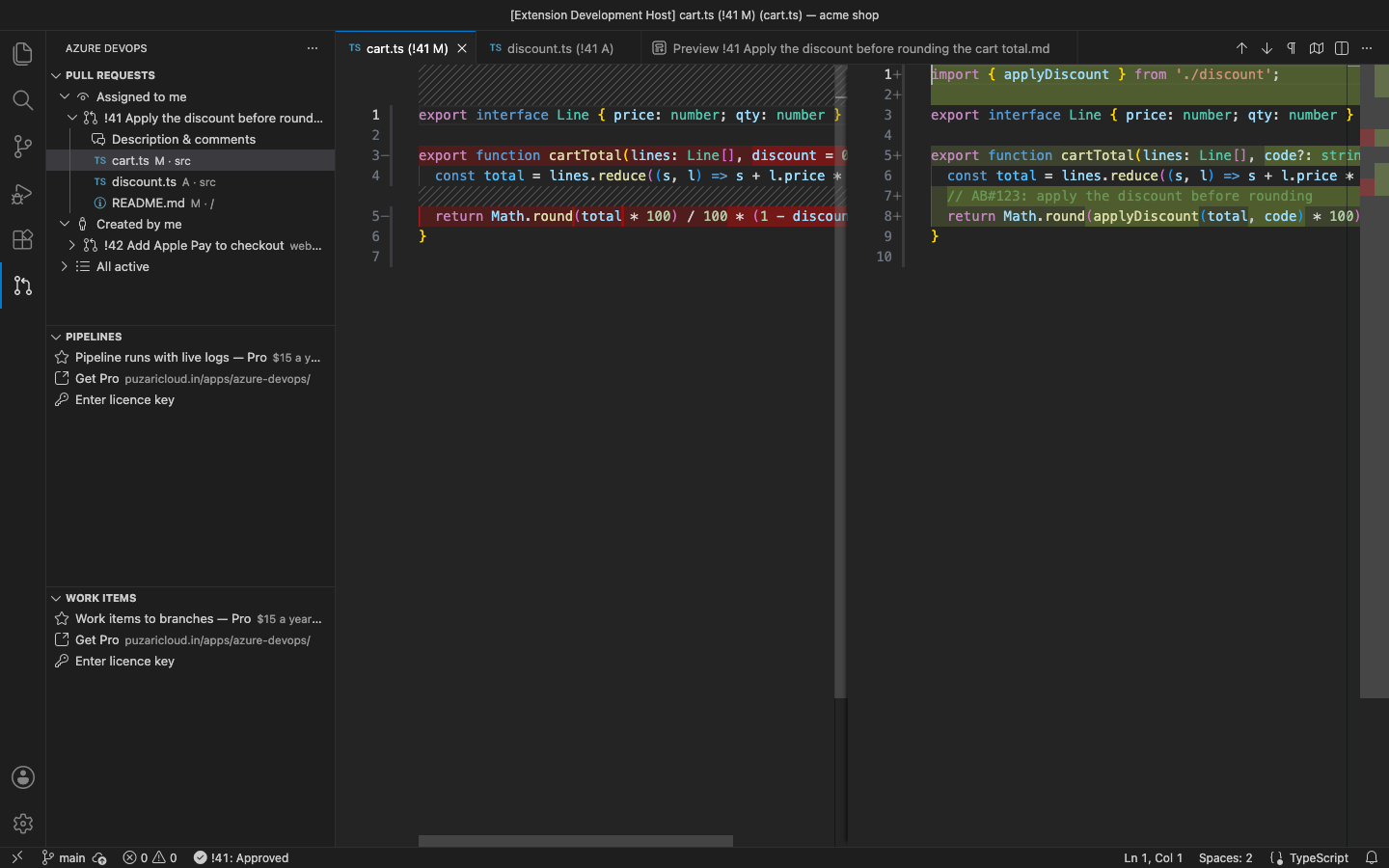
Review Azure DevOps pull requests without leaving VS Code. The PRs waiting for you, the ones you created and every active PR of the project are in a side bar. Each changed file opens as a diff. You can comment and vote (approve, approve with suggestions, wait for author, reject). Sign in with a personal access token, which stays in VS Code SecretStorage. Pro adds inline review threads on diff lines, pipeline runs with live logs, branches from work items, creating and completing PRs, Azure DevOps Server and several organizations.
Why this one
- Maintained. The most-installed Azure Repos extension has not been updated since 2020 and is rated below 2 stars. The pipelines extension only edits YAML.
- Reviewing happens in the editor. Changed files open as real VS Code diffs with syntax highlighting, and you vote from the tree.
- Private. No account with us and no telemetry. The extension talks only to your Azure DevOps organization or server, using your token.
Free features
- Sign in with a PAT (organization URL or just its name, e.g.
acme). The token is checked right away. If it is wrong, expired or missing a scope, the message says so.
- Organization and project picker. Paste any Azure DevOps URL and the project is taken from it.
- Pull Requests view with three groups: Assigned to me (you are a reviewer), Created by me and All active. Each PR shows its repository, source → target branch, author, draft state and your vote. The tooltip lists every reviewer's vote.
- Changed files as diffs. The last iteration is compared with the merge base. Added, edited, deleted and renamed files are fetched from the REST API on demand, and nothing is cloned.
- Description & comments: the PR description, reviewers with their votes and the general comment threads in a Markdown preview.
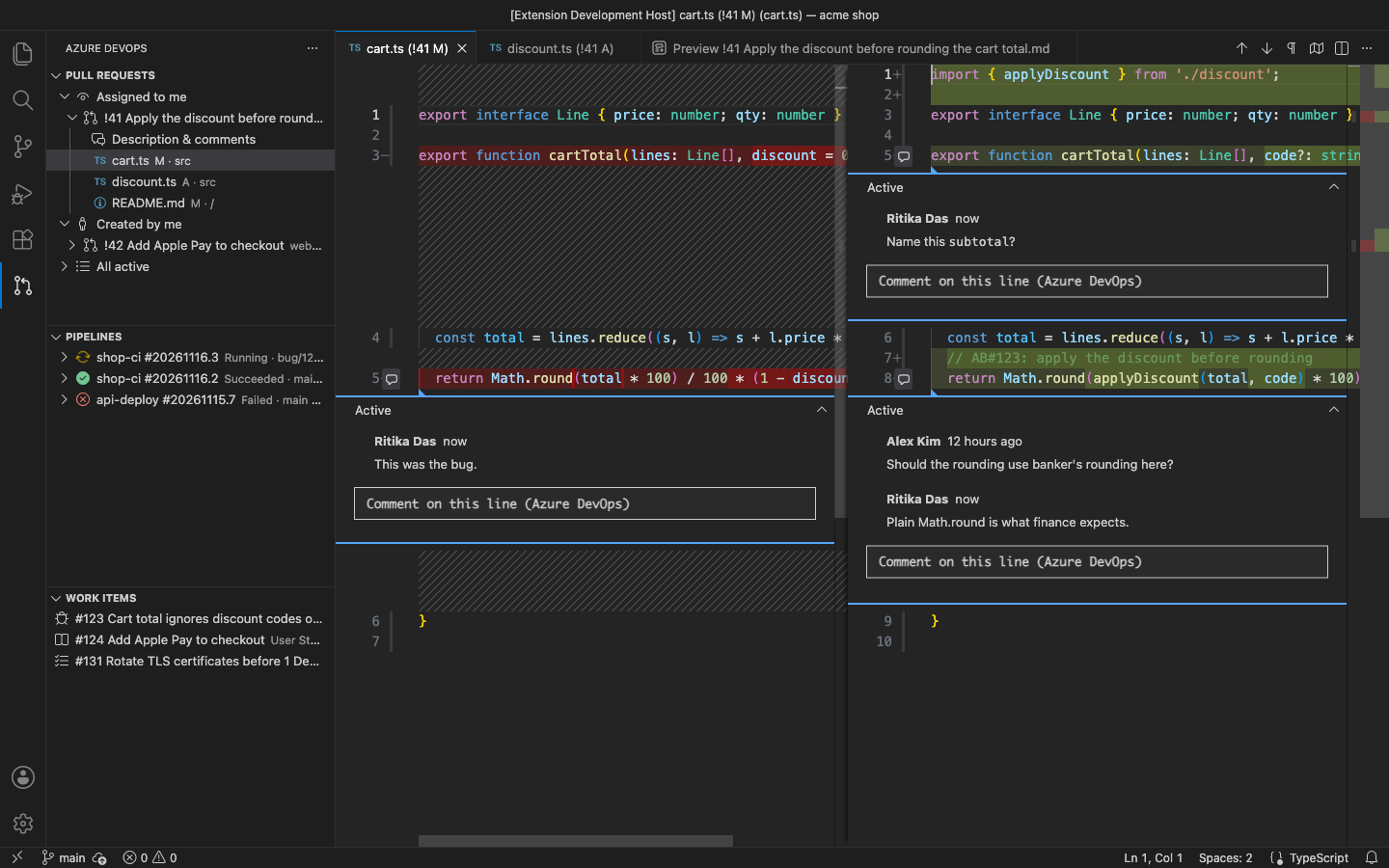
- Add a comment to the PR.
- Vote: Approve, Approve with Suggestions, Wait for Author, Reject, Reset Vote.
- Open in browser for PRs, runs and work items.
Pro (licence key, checked offline)
$15 a year, or $45 for a lifetime licence, per developer. Everything above stays free. Pro adds:
- Inline review threads. Every review thread of the PR appears on the right line of the diff, on the old or the new side. Reply in a thread, or click + in the gutter to start a new one.
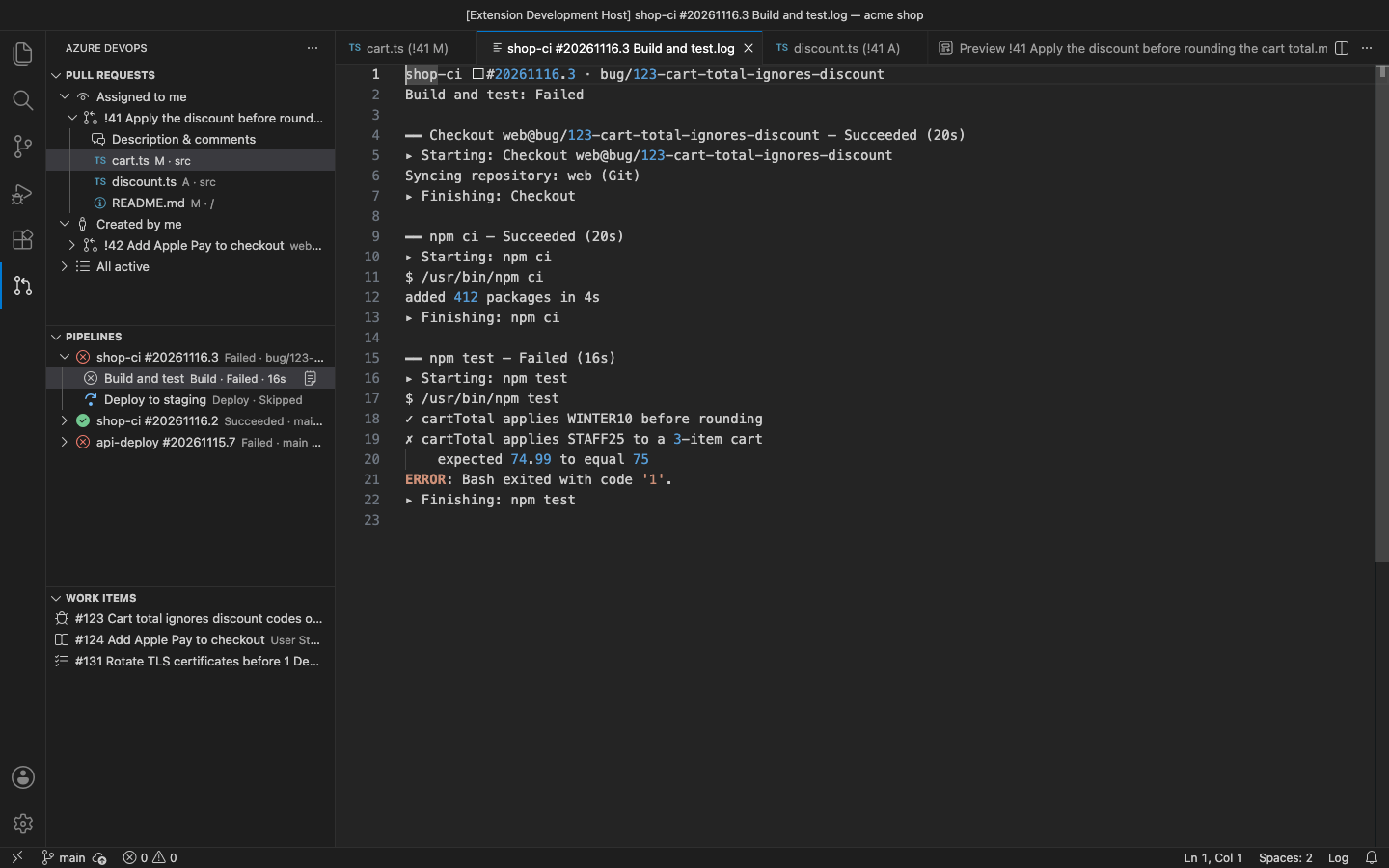
- Pipeline runs. The Pipelines view lists the recent runs of the project with their status, branch and who started them. Under each run are its stages and jobs. Opening a job shows its log, one section per task. While the job runs, task states and new log lines refresh every few seconds until it finishes.
- Work items to branches. The Work Items view lists the open items assigned to you (or your own WIQL query). The branch button creates and checks out
bug/123-cart-total-… using VS Code's built-in Git.
- Create a pull request from the current branch, as ready or draft. The work item id in the branch name is linked to the PR. If the branch has not been pushed yet, you are asked first.
- Complete / merge a PR with squash, merge, rebase or semi-linear. You can delete the source branch, and linked work items are completed.
- Azure DevOps Server / TFS (your own collection URL, REST api-version 6.0) and several organizations at once.
In the free version the Pipelines and Work Items views show one Pro row with the price and a Get Pro link. A Pro command, or the comment button in a diff, says what the feature does and links to the upgrade page. There are no timed pop-ups.
Get Pro: https://puzaricloud.in/apps/azure-devops/ · then run Azure DevOps: Enter Pro License Key.
Personal access token
Create one in Azure DevOps under User settings → Personal access tokens. Give it these scopes:
- Code: Read & write for pull requests, diffs, comments, votes, creating and completing PRs
- Build: Read for pipeline runs and logs (Pro)
- Work Items: Read & write for the Work Items view and linking (Pro)
The token is kept in VS Code SecretStorage and never in settings. Azure DevOps: Sign Out / Remove Organization deletes it.
Settings
| Setting |
Default |
|
azureDevOps.pullRequests.showAllActive |
true |
show the All active group |
azureDevOps.pipelines.refreshSeconds |
5 |
Pro: how often a running job's log refreshes |
azureDevOps.pipelines.followLog |
true |
Pro: keep the live log scrolled to the end |
azureDevOps.workItems.branchTemplate |
{type}/{id}-{title} |
Pro: branch name made from a work item |
azureDevOps.workItems.query |
empty |
Pro: your own WIQL for the Work Items view |
Notes
- An independent extension. It is not made or endorsed by Microsoft.
- Live logs: task states update every few seconds. A task's log lines appear as soon as the Azure DevOps REST API serves them, which for some tasks is only when the task finishes. The extension polls; it does not use the web UI's live socket.
- Creating branches and pushing uses VS Code's built-in Git extension. This extension never starts programs itself.
- Azure DevOps Server 2020 and newer are supported (REST 6.0). TFS 2018 and older are not.
Privacy
No account and no telemetry. The only network connections go to the Azure DevOps organization or server you sign in to. See PRIVACY.md. Support: support@puzaricloud.in
| |

