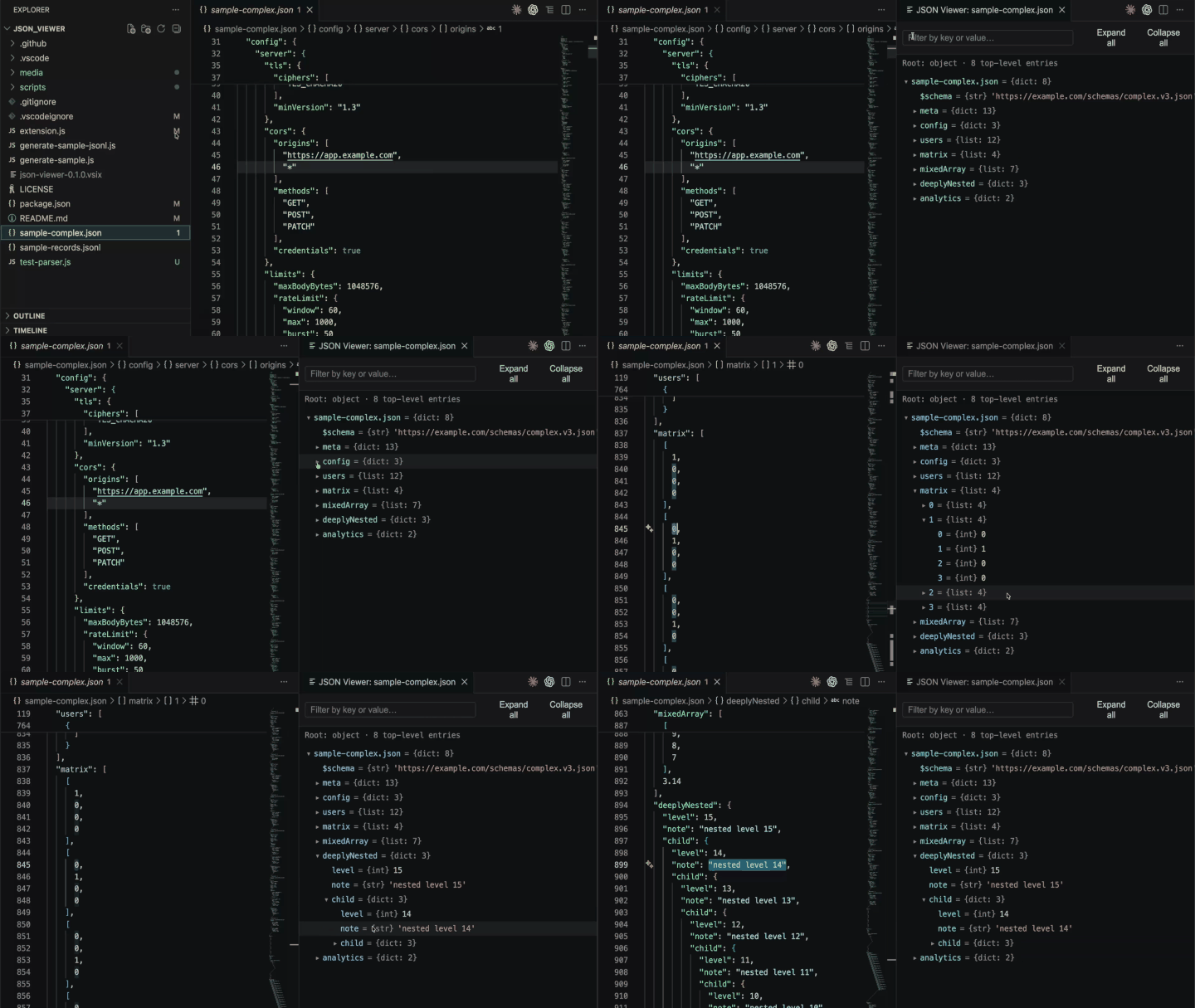
Open JSON as an IDE debugger-style inspector tree, without changing VS Code's
normal text editor.
Usage
Open a .json, .jsonc, .jsonl, or .ndjson file, then use one of:
Click the Open with JSON Viewer tree icon in the editor title bar.
Run JSON Viewer: Tree Inspector: Open with JSON Viewer from the Command Palette.
Right-click the file in Explorer and choose Open with JSON Viewer.
The viewer opens beside the source file. Right-click any row to copy the value,
copy the path, copy the structure, or jump back to the source.
Features
IDE debugger-style rows: key = {type} value.
JSON, JSONC, JSONL, and NDJSON support.
JSONC supports comments and trailing commas.
JSONL/NDJSON keeps valid records visible when some lines are malformed.
Copy value uses exact source text, preserving large numbers, -0, 100.00,
exponent forms, spacing, and object/array formatting.
Filter by key or value, with matches auto-expanded.
Large local .json, .jsonl, and .ndjson files use streaming range mode:
jump to any top-level entry range, search by streaming, and copy by byte range.
Jump to source opens a focused read-only source preview for large files.
Settings
Setting
Default
Description
jsonViewer.expandLevel
0
JSON: expand to this level on open (root = 0).
jsonViewer.expandLevelJsonl
0
JSONL/NDJSON: expand to this level on open (root = 0).
jsonViewer.liveUpdate
true
Re-parse as the document changes.
jsonViewer.largeFileThresholdMb
45
Local .json, .jsonl, and .ndjson files at or above this size use large-file mode. Set 0 to force it for local supported files, or a negative value to disable it.
jsonViewer.largeFilePreviewEntries
1000
Large-file mode: maximum top-level entries per visible range.
jsonViewer.largeFileMaxCopyMb
32
Large-file mode: maximum single value copy size.
jsonViewer.largeFileSourcePreviewKb
64
Large-file mode: source bytes to read around a value when jumping to source.
Development
npm test
npx @vscode/vsce package
The generated .vsix can be installed locally or published to the VS Code
Marketplace and Open VSX.