LVKit - View and diff VIs without LabVIEW
View .vi block diagrams and visual before/after diffs directly in VS Code, on a
machine with no LabVIEW installed. Powered by LVKit, an open-source tool from PragmaTest.
Features
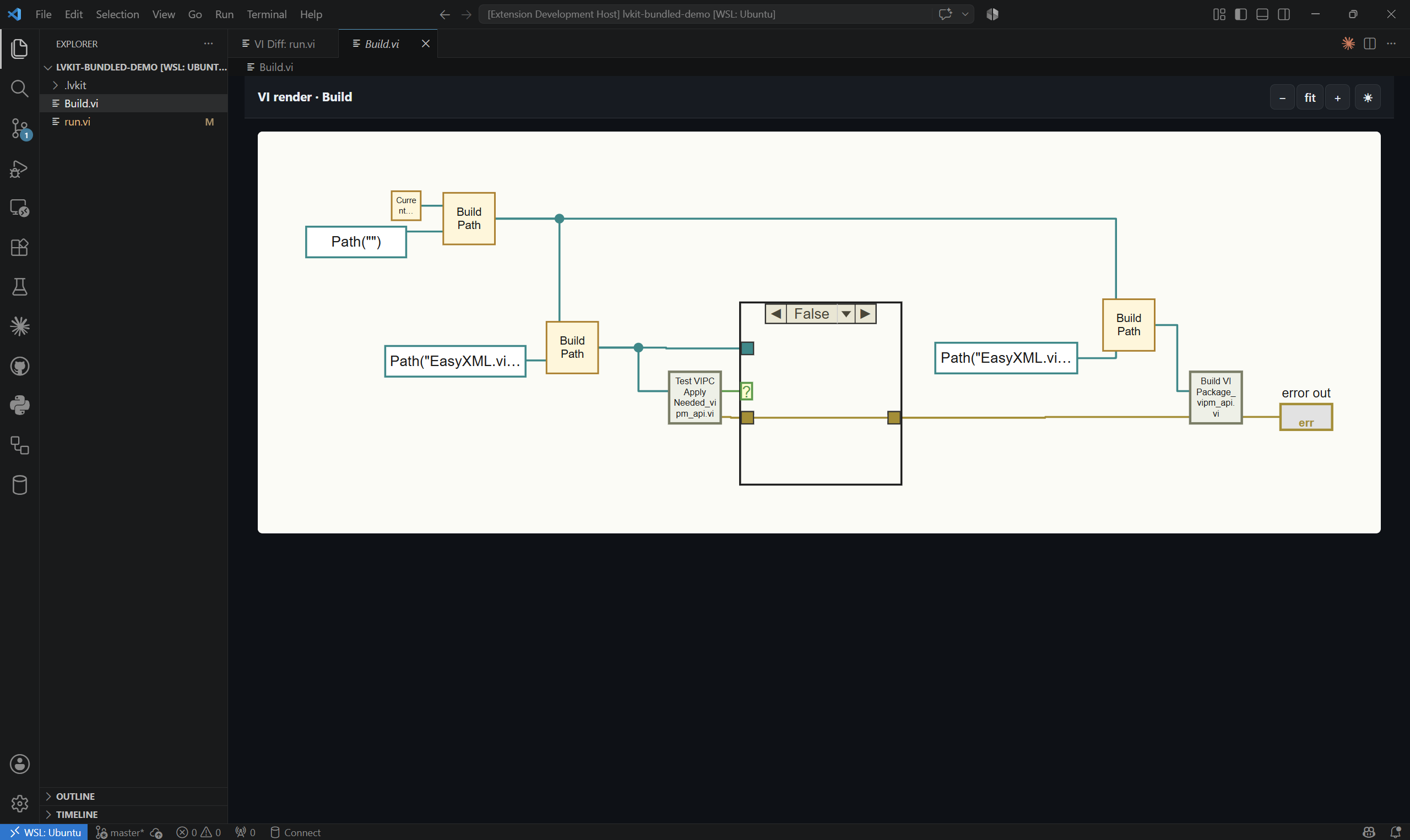
- View - open any
.vi in the Explorer and it renders an interactive view of the block diagram instead of the binary-file notice.
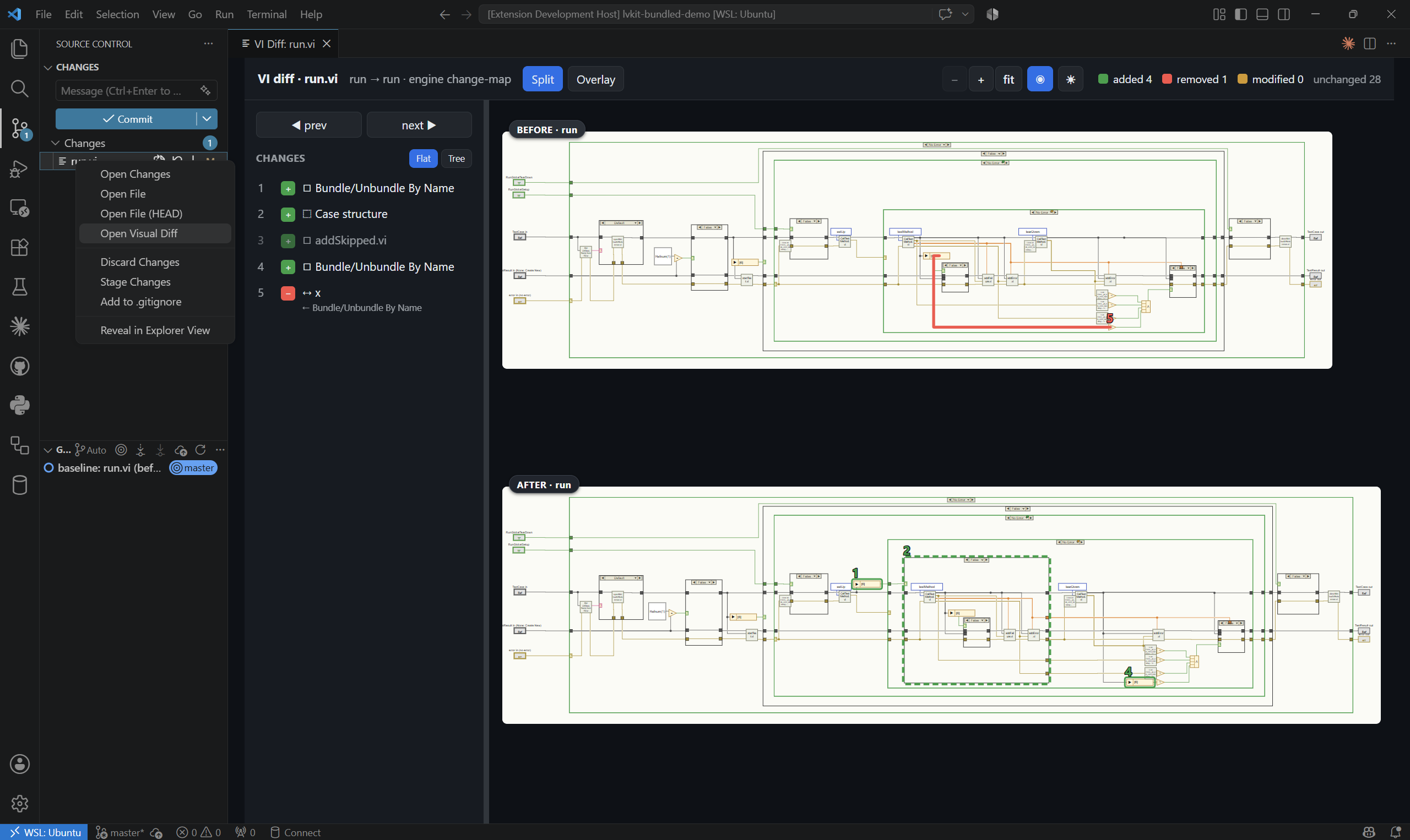
- Diff - right-click a changed
.vi (Source Control or Explorer) and select "Open Visual Diff" to open an interactive before/after diff viewer.
Both open read-only in an editor tab, with zoom/pan and a light/dark diagram-theme toggle that's remembered between sessions.
Nodes LVKit doesn't have a glyph for yet render as labeled boxes.
View - click a .vi in the Explorer.
Diff - right-click a changed .vi and select "Open Visual Diff"
Workspace Trust
LVKit runs a local executable against your .vi files, so it needs a trusted
workspace — in Restricted Mode VS Code disables it entirely. If a .vi opens as a
binary file and the LVKit commands are missing, choose Trust from the Restricted
Mode banner.
Settings
| Setting |
Default |
Description |
lvkit.path |
lvkit |
Path to the lvkit executable. Leave as lvkit to auto-resolve in priority order: project .venv → uv run lvkit → the bundled binary. |
lvkit.searchPaths |
[] |
Extra dirs to search for SubVIs (repo root is auto-detected). |
lvkit.diagramTheme |
auto |
Diagram color theme (auto/light/dark); updated automatically when you cycle the in-viewer theme control. |
Recommending LVKit to your team
If your project has LabVIEW files, add LVKit to your workspace's recommended
extensions so teammates are prompted to install it when they open the folder:
// .vscode/extensions.json
{ "recommendations": ["pragmatest.lvkit"] }
Trademarks
LVKit is an independent, clean-room project, not affiliated with, authorized by,
endorsed by, or sponsored by NI. LabVIEW, NI, and National Instruments are
trademarks of National Instruments Corporation, used only to identify the file
format LVKit reads.

