PortMemSee what PortMem found in a draft, in a panel next to the terminal where your AI assistant works. Installation Launch VS Code Quick Open ( Ctrl+P), paste the following command, and press enter.Copied to clipboard |

PortMem for VS CodeSee what PortMem found in a draft, in a panel beside your editor and terminal.
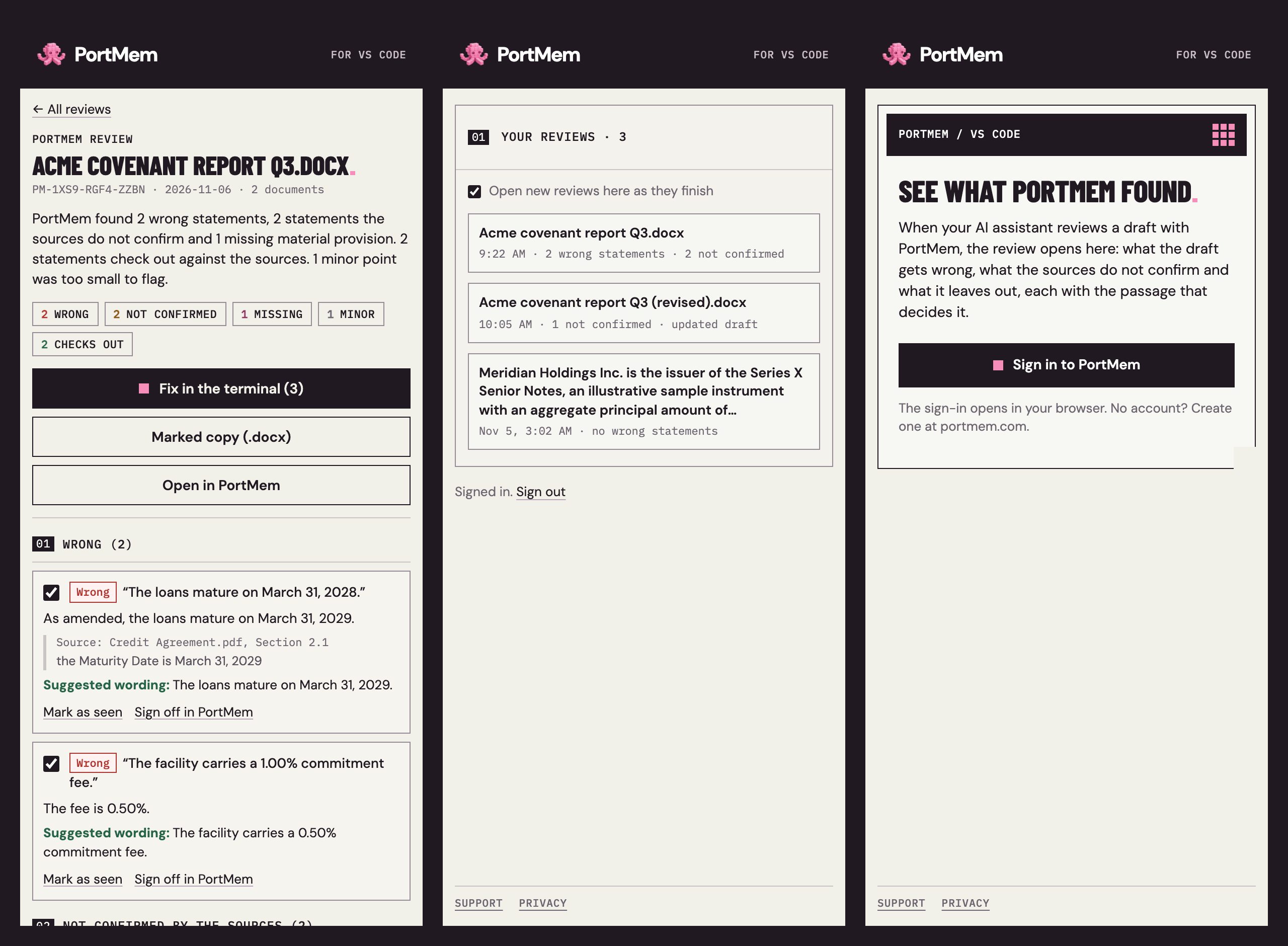
PortMem checks documents written with AI against the source documents they rely on. When your AI assistant reviews a draft with PortMem, for example Claude Code in VS Code's terminal, the review opens in the PortMem panel on the right side of VS Code:
From the panel:
Getting started
You need a PortMem account: sign up at portmem.com. Commands
PrivacyThe extension reads only your own PortMem reviews, with your own sign-in. It reads nothing from VS Code: no files, no editor text, no terminal output. It writes to the terminal only when you choose Fix in the terminal, and then it only pastes. Your session is kept in VS Code's secure storage. |