Markdown eBook Reader
마크다운 파일을 VS Code 안에서 eBook처럼 읽을 수 있습니다.
마크다운 프리뷰에서 지원하는 기능을 그대로 사용할 수 있습니다.
체크박스, Mermaid 다이어그램, 표, 코드 블록, Ctrl+F 전체 검색.
📖 리더 전용 기능
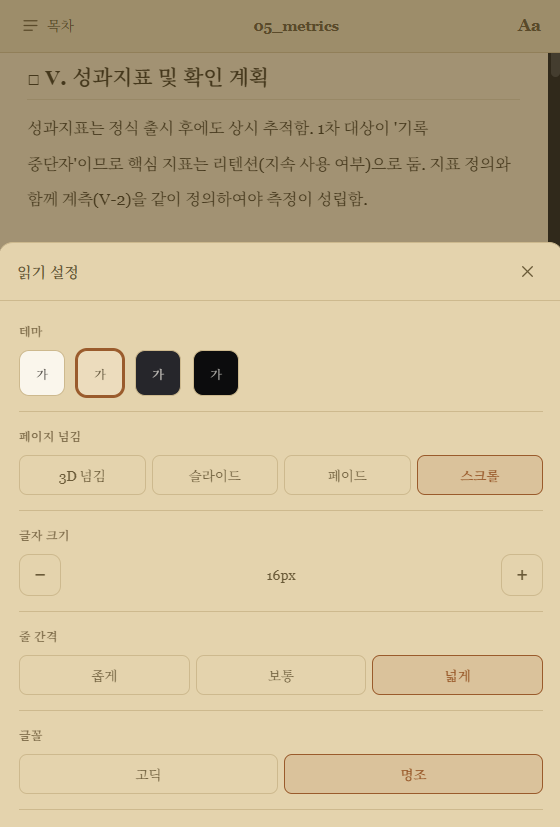
🎨 독립 테마 — VS Code 테마와 별개로 리더 안에서 테마를 변경할 수 있습니다
📄 페이지 넘기기 — 페이지를 넘기는 방식을 선택할 수 있습니다
- 종이책 넘기기 (기본)
- 슬라이드
- 페이드
- 스크롤
📑 목차 — 사이드 목차에서 원하는 섹션으로 바로 이동할 수 있습니다
🏷️ 컬러 라벨 — `[단어]` 형식으로 인라인 강조가 가능합니다
[중요] · [TODO] · [경고] 등 예약어는 색이 고정됩니다- 그 외 단어는 색이 자동 배정됩니다
🔗 원본 파일 연동
- 리더에서 체크박스를 클릭하면 원본
.md 파일에 즉시 반영됩니다
.md 링크를 클릭하면 VS Code 안에서 바로 열립니다
🚀 시작하기
.md 파일을 열고 편집 화면에서 우클릭- "Ebook Reader: Open Preview" 선택
또는
Ctrl+Shift+P → Ebook Reader 입력
Markdown eBook Reader
Read Markdown files like an eBook inside VS Code.
Supports everything the standard Markdown preview does —
checkboxes, Mermaid diagrams, tables, code blocks, and Ctrl+F full-text search.
📖 Reader-only features
🎨 Independent theme — Change the reader theme without touching VS Code's theme
📄 Page-turn style — Choose how pages are turned
- 3D flip (default)
- Slide
- Fade
- Scroll
📑 Table of contents — Jump to any section from the side panel
🏷️ Color labels — Use `[word]` for inline highlighting
- Reserved words like
[important] · [TODO] · [warning] get fixed colors
- Any other word gets a color auto-assigned
🔗 Live sync
- Clicking a checkbox in the reader saves it back to the original
.md file immediately
- Clicking a
.md link opens it directly inside VS Code
🚀 Getting started
- Open any
.md file and right-click in the editor
- Select "Ebook Reader: Open Preview"
or press
Ctrl+Shift+P → type Ebook Reader
| |

