GitViz
A fast, lightweight, and fully free extension with inline blame annotations, a visual commit graph, and a variety of sidebar utilities and other source control tools for exploring and analyzing repository history. No account linking or telemetry. Heavily inspired by GitLens.
Features
Editor Annotations
- Inline blame — ghost text at the end of the active line showing author, relative date, and commit message, configurable via a format string
- Hover details — popup over any blamed line with full commit info, diff stats, and action buttons (open diff, copy SHA, reveal in Commits view)
- Line heatmap — color-coded line backgrounds showing the relative age of every line in the file, from hot (recent) to cold (old)
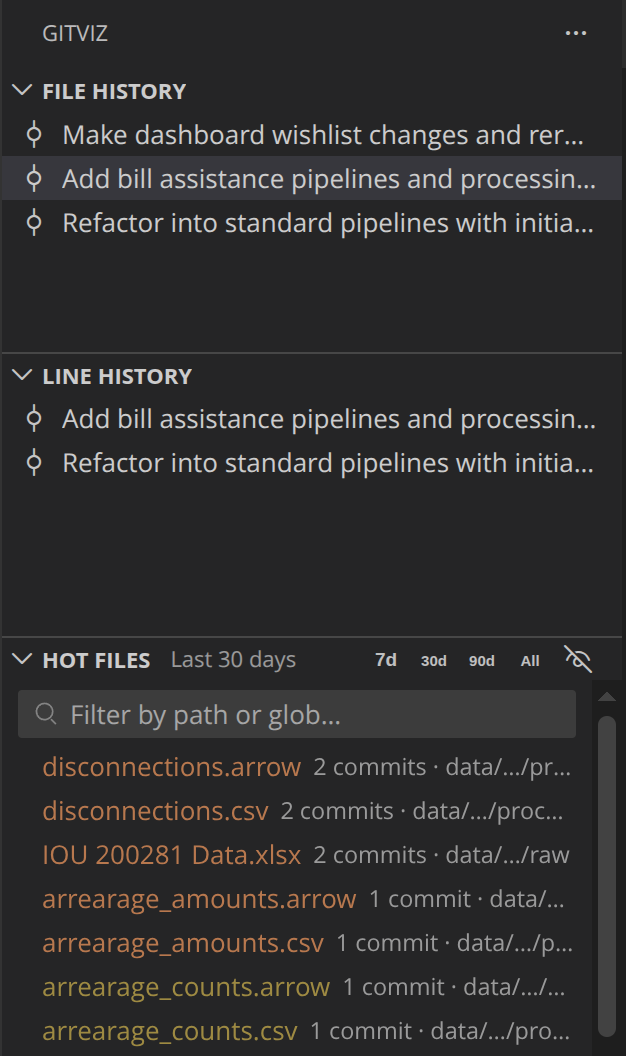
- File History — full commit history for the currently open file, with tags highlighted in tooltips; opens diff or commit details on click
- Line History — commit history scoped to the selected line range, updating live as you move the cursor
- Hot Files — most frequently changed files ranked by commit count, filterable by timeframe (7d / 30d / 90d / all time) and by glob pattern
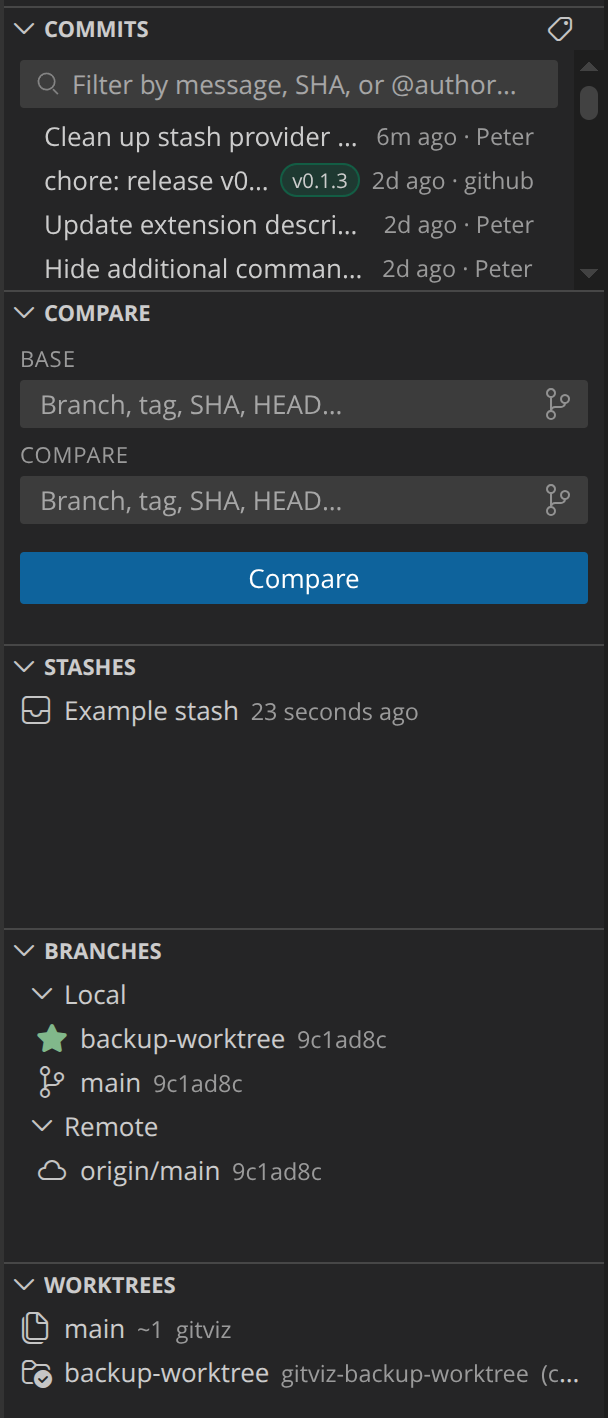
- Commits — searchable, filterable list of all commits on the current branch; filter by message, SHA, or
@author; open commits in a visual graph or create/delete tags directly from the panel
- Compare — diff any two refs (branches, tags, SHAs) side-by-side with per-file change stats
- Branches — local and remote branches with ahead/behind counts; checkout, create, rename, delete, and prune branches without leaving VS Code
- Stashes — view, apply, pop, and drop stashes
- Worktrees — list and open linked worktrees; create and delete directly from the panel
Full-Panel Views
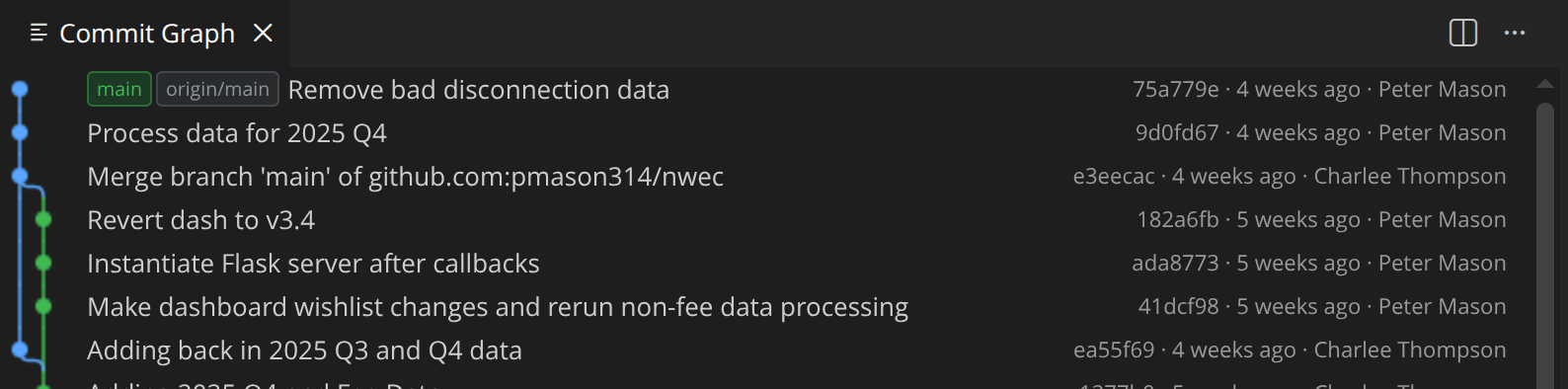
- Commit Graph — canvas-rendered DAG showing the full branch history with ref badges (branches, tags, HEAD, remotes); supports checkout, create branch, cherry-pick, and soft/mixed/hard reset from a right-click menu
- Commit Details — panel showing message, author, date, full SHA, and per-file change breakdown with inline diff access; opens from any history view or the Commits sidebar
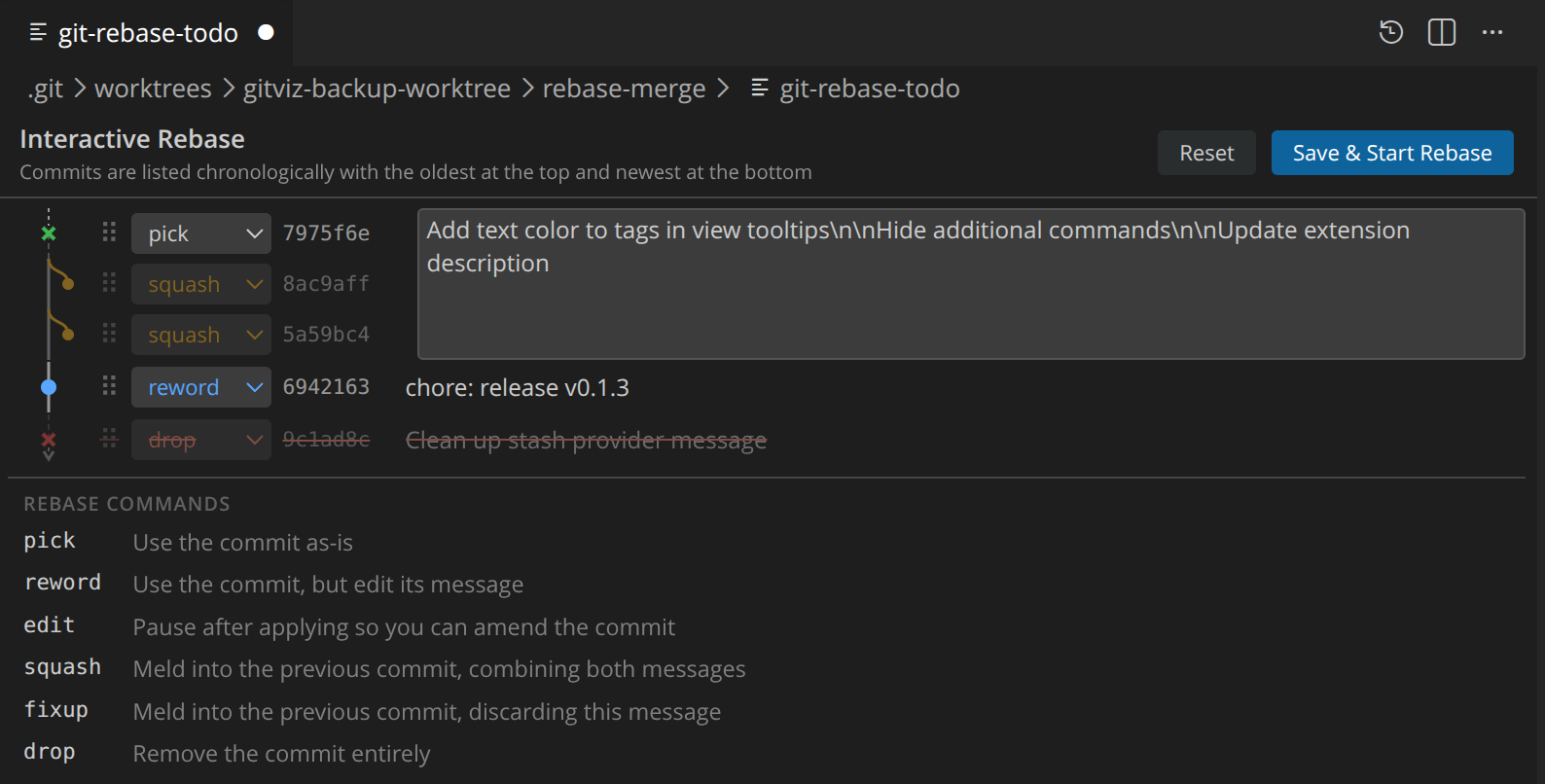
- Interactive Rebase editor — replaces the plain-text
git-rebase-todo editor with a drag-and-drop UI; supports pick, reword, edit, squash, fixup, and drop with keyboard shortcuts and live squash message preview. Access via Command Palette -> GitViz: Start Interactive Rebase
Screenshots
Interactive Rebase Editor
Commit Graph
Requirements
- VS Code 1.85+
- Git installed and available on
PATH
Settings
All settings are under the gitviz.* namespace and configurable via Settings (Ctrl+,).
| Setting |
Default |
Description |
gitviz.blame.enabled |
true |
Enable inline blame annotations |
gitviz.blame.format |
{author}, {date} · {message\|60} |
Format string; tokens: {author}, {authorEmail}, {date}, {sha}, {message\|N} |
gitviz.blame.dateFormat |
relative |
relative, absolute, or iso |
gitviz.blame.maxLines |
10000 |
Skip blame for files over this many lines |
gitviz.blame.maxFileSizeKb |
1024 |
Skip blame for files over this size (KB) |
gitviz.heatmap.enabled |
false |
Enable line heatmap |
gitviz.heatmap.hotColor |
#ff6600 |
Color for recently changed lines |
gitviz.heatmap.coldColor |
#0066ff |
Color for old lines |
gitviz.heatmap.ageThresholdDays |
365 |
Days until a line reaches the coldest color in the line heatmap |
gitviz.history.maxCommits |
500 |
Max commits shown in File/Line History |
Commands
| Command |
Description |
GitViz: Toggle Inline Blame |
Show/hide inline blame annotations |
GitViz: Toggle Line Heatmap |
Show/hide the line heatmap |
GitViz: Open Commit Graph |
Open the Commit Graph panel |
GitViz: Start Interactive Rebase |
Begin an interactive rebase |
GitViz: Revert Commit |
Revert a commit |
GitViz: Diff with Previous Commit |
Diff the selected commit against its parent |
GitViz: Focus on <View> View |
Focus the specified sidebar view (File History, Line History, Hot Files, Commits, Compare, Stashes, Branches, Worktrees) |
Building from Source
npm install
npm run compile
Press F5 to launch the extension in a new Extension Development Host window.
License
GNU General Public License v3
| |

