The fastest way to write and debug Playwright tests
Run commands live in the browser, pick locators, build assertions interactively, and run tests with near-instant feedback — all without leaving VS Code.
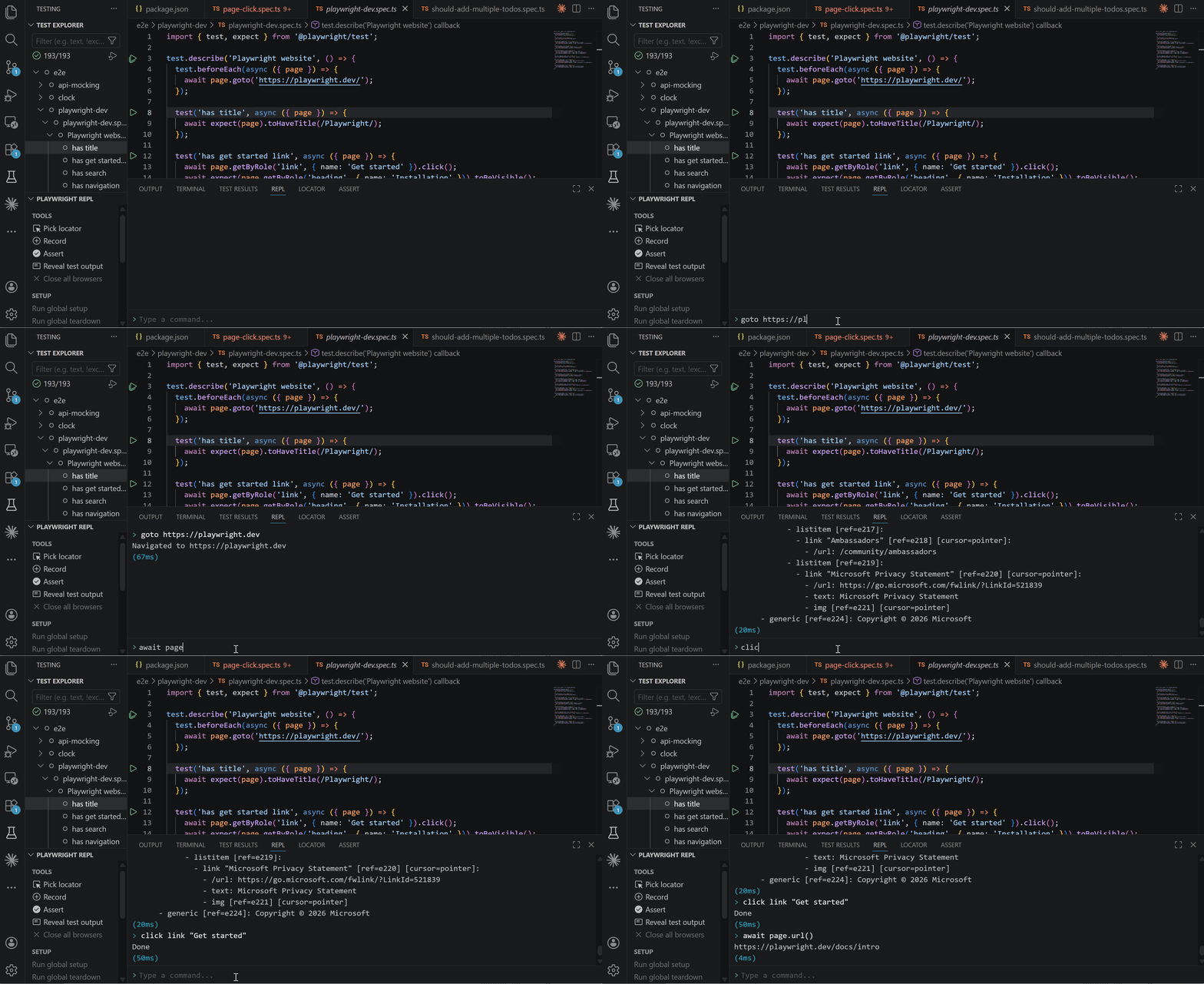
Built on Playwright Test for VS Code
This extension is built upon Microsoft's official Playwright Test for VS Code extension (Apache 2.0). Both extensions can coexist — you can keep the official one installed and use this alongside it. They share the same playwright.config.ts and test files.
Added on top of Playwright Test for VS Code:
- REPL panel — interactive command execution with keyword commands and JavaScript
- Locator panel — pick elements, inspect locators and ARIA snapshots
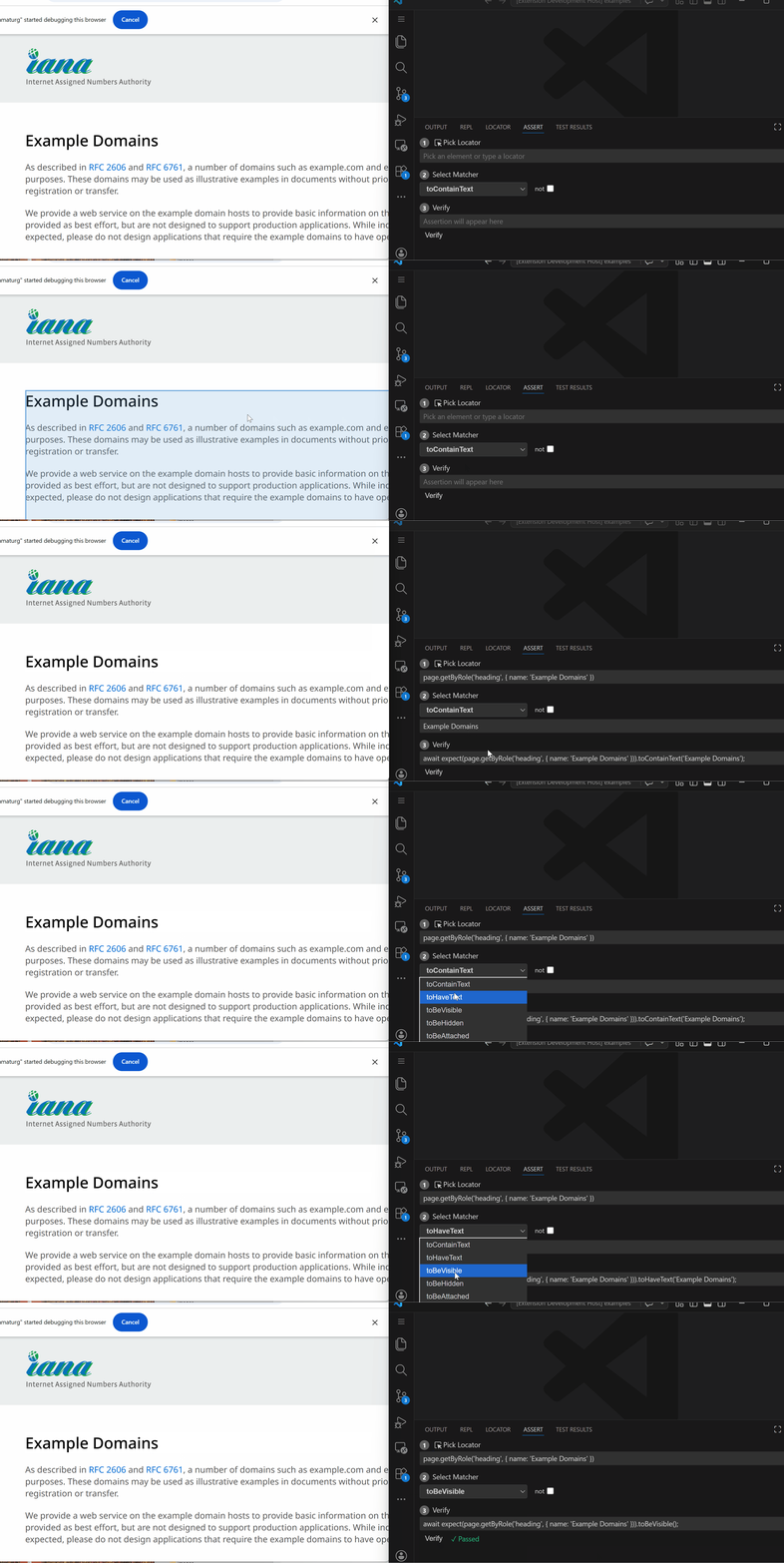
- Assert Builder — build and verify 13 Playwright assertion matchers interactively
- Recorder — capture browser interactions as test commands
- Bridge execution — browser-only tests bypass the test runner for near-instant feedback
- AI Assist —
@playwright-repl in Copilot Chat with browser tools for fixing, polishing, and reviewing tests
Everything you already know still works:
- Test Explorer, Debugger, and Trace Viewer — unchanged, same familiar interface
With Show Browser enabled, browser-only tests bypass the Playwright test runner entirely — the script is sent directly to the browser via the extension bridge, eliminating per-run overhead (worker startup, TypeScript compilation, fixture setup). In benchmarks on Windows, this saves ~2.4s per run, giving near-instant feedback when iterating on individual tests.
Node tests that need fs, net, etc. fall back to the standard Playwright test runner with CDP browser reuse. Headless mode uses standard Playwright with parallel workers.
Features
Test Explorer
Run Playwright tests with a persistent browser and context reuse. Works with individual tests and files. Folders fall back to the standard multi-worker path.
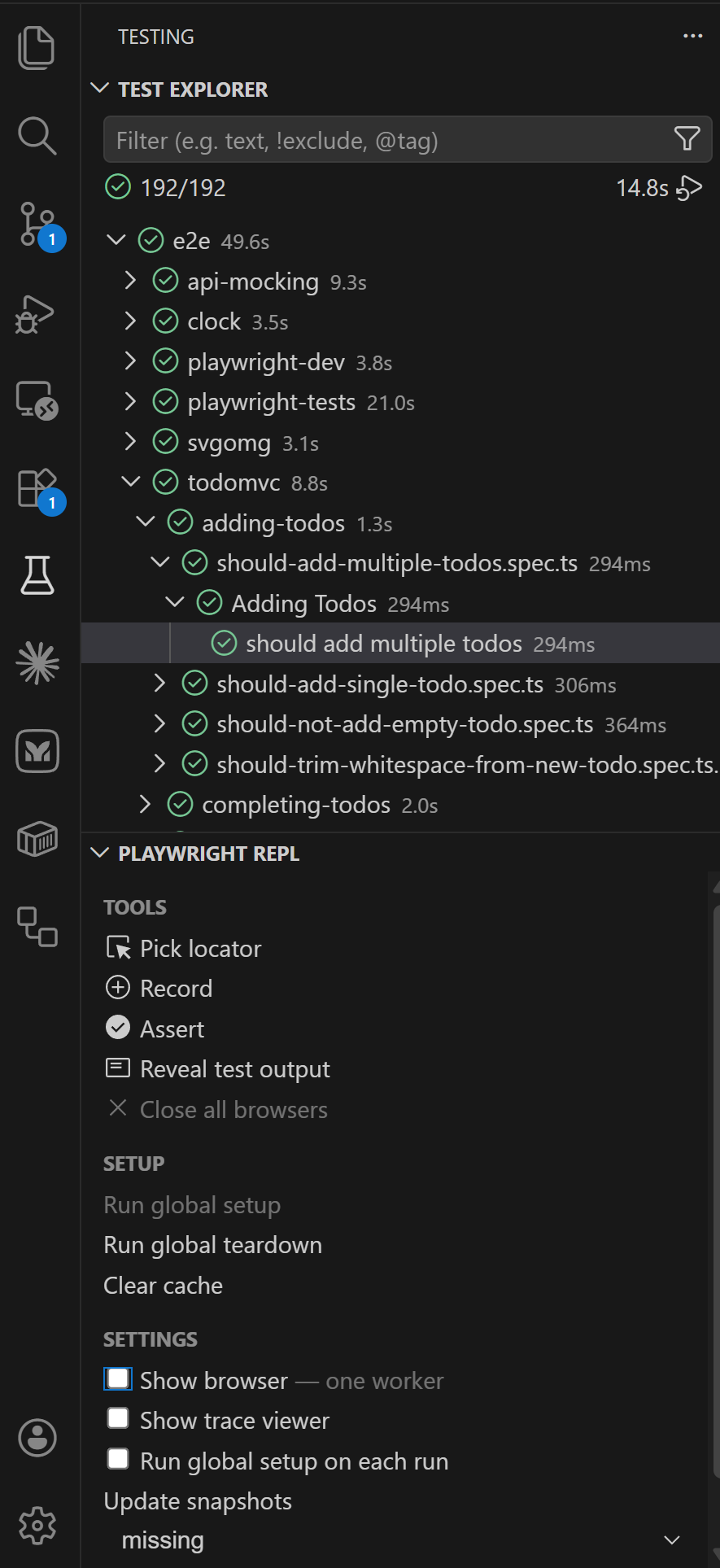
REPL Panel
Interactive command panel in the bottom bar. Type keyword commands (snapshot, click, fill, goto) or JavaScript (await page.title(), page.locator('h1').click()).
- Command history (up/down arrows)
.clear or Ctrl+L to clear console output.history to show command history, .history clear to reset- Inline screenshot display
- PDF save
- Execution timing
- Local commands:
video-start, video-stop, video-chapter, tracing-start, tracing-stop
--in flag for scoping commands to containers, --frame for iframe elements
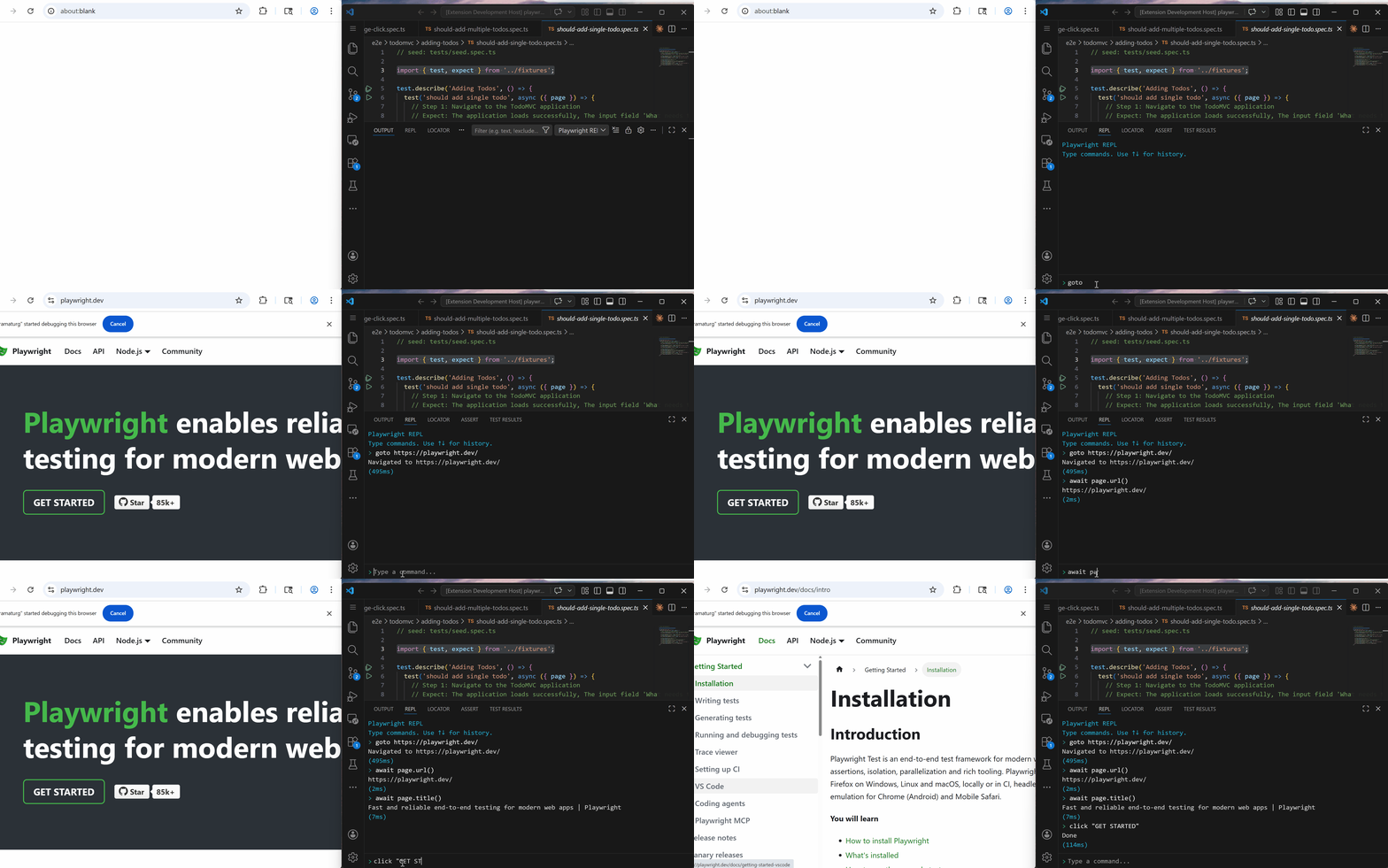
Locator Panel
Pick elements from the browser and inspect their locator and ARIA snapshot.
- Pick arrow — click to enter pick mode, click an element in the browser
- Highlight toggle — highlight the picked element
- Editable locator — modify and experiment
- ARIA snapshot — accessibility tree for the picked element
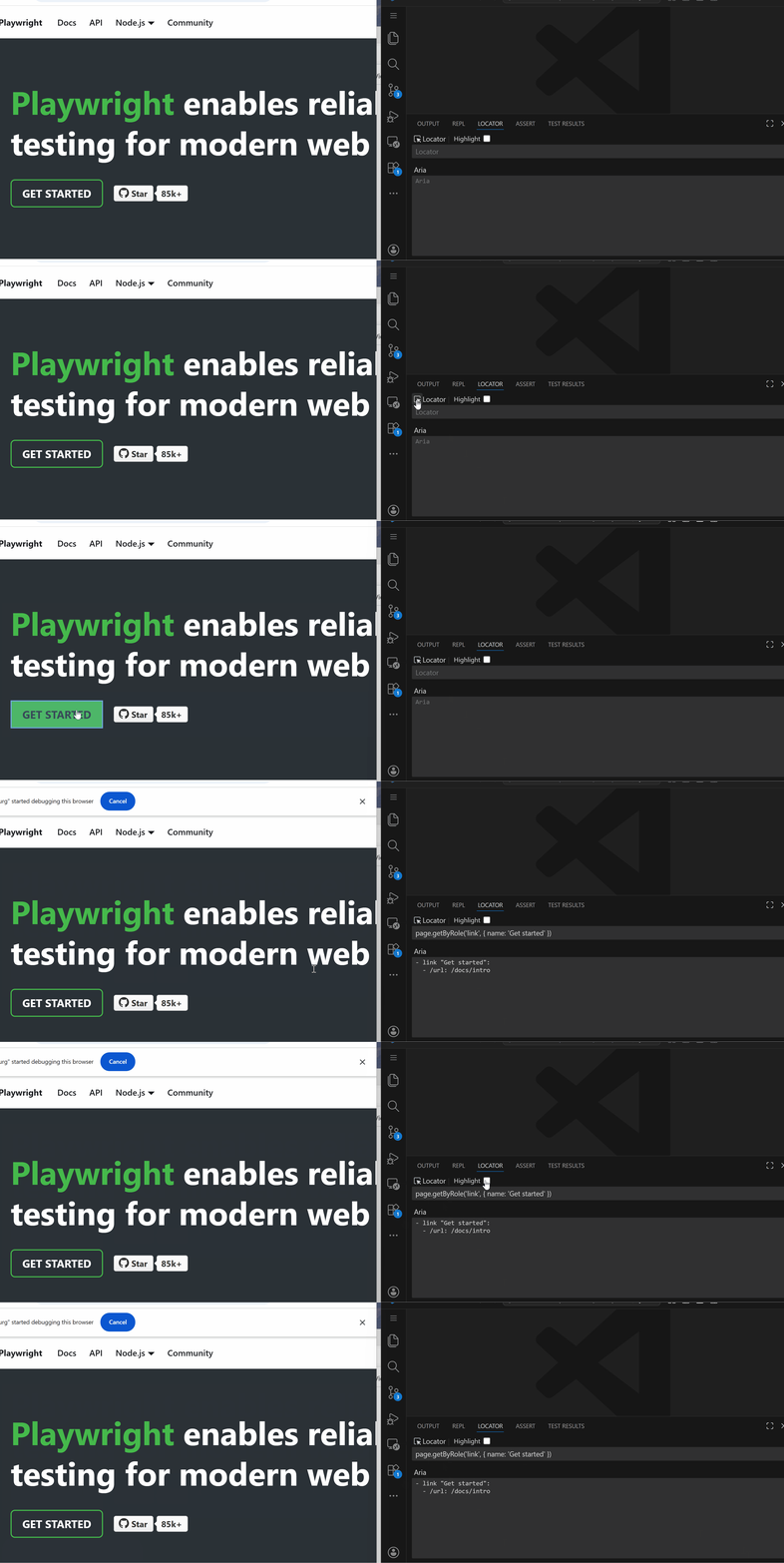
Assert Builder
Build and verify Playwright assertions interactively:
- Pick Locator — pick an element or type a locator manually
- Select Matcher — 13 matchers, smart-filtered by element type
- Verify — run the assertion against the live page, see pass/fail instantly
- AI Suggest — get AI-suggested assertions based on the picked element
Matchers: toContainText, toHaveText, toBeVisible, toBeHidden, toBeAttached, toBeEnabled, toBeDisabled, toBeChecked, toHaveValue, toHaveAttribute, toHaveCount, toHaveURL, toHaveTitle
Supports negation (not checkbox), editable assertions, and AI-suggested assertions.
Recorder
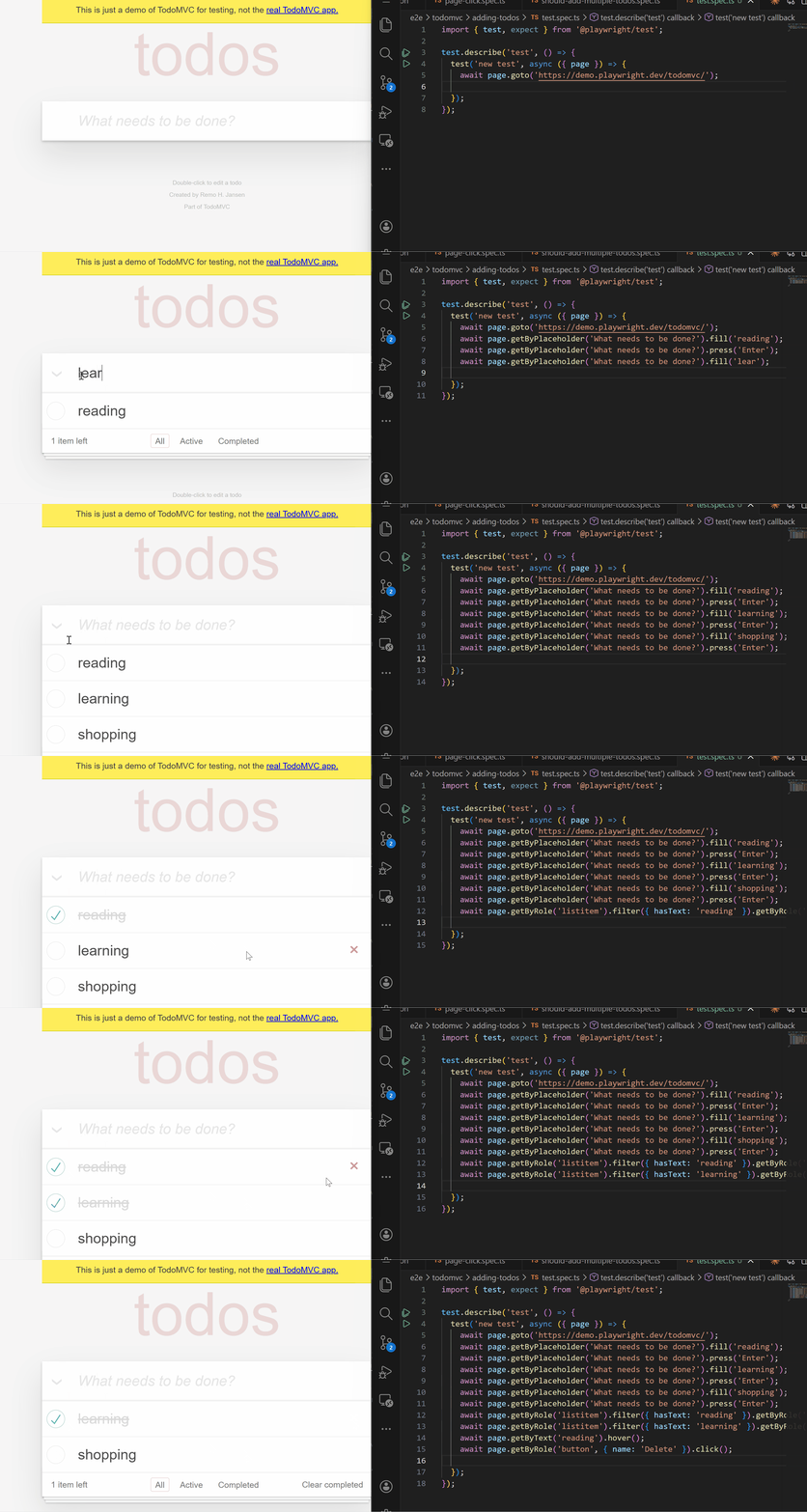
Record browser interactions as Playwright JavaScript. Click elements, fill forms, navigate — the recorder captures each action as executable test code.
AI Assist
@playwright-repl is a Copilot Chat participant that helps you fix, polish, and review Playwright tests. It has access to browser tools and can run tests, lint code, and inspect the page.
Slash commands:
| Command |
Description |
@playwright-repl /fix |
Fix failing test — runs it, diagnoses errors, fixes code, verifies it passes |
@playwright-repl /improve |
Polish locators, assertions, and readability following Playwright best practices |
@playwright-repl /verify |
Run test and lint, report results without modifying code |
@playwright-repl /review |
Review for anti-patterns, flaky patterns, and missing assertions |
Free-form prompts — type any instruction after @playwright-repl:
@playwright-repl run lint on this file and show me the results
@playwright-repl explain what this test does
@playwright-repl add assertions for all visible headings
Tools available to the AI:
snapshot — page accessibility treescreenshot — visual page capturerun_command — execute REPL commands (click, fill, goto, etc.)run_test — run a specific test via Playwright test runnerlint — eslint-plugin-playwright rules
Works with any model in Copilot Chat (Claude, GPT-4o, etc.). Works headless (without browser) for run_test and lint. Requires GitHub Copilot extension (free tier).
Browser REPL
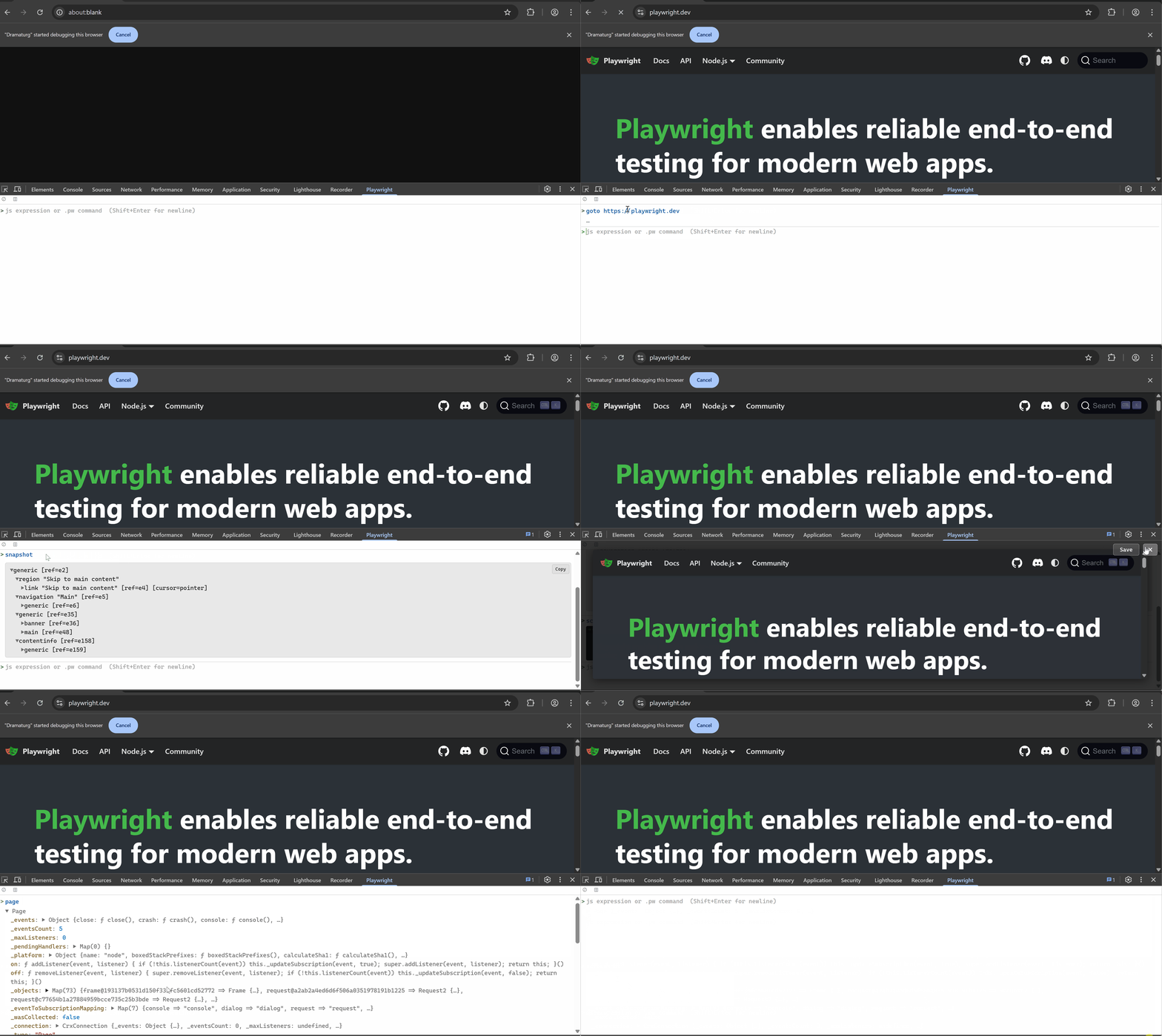
The Dramaturg Chrome extension adds an interactive REPL directly in the browser — available as a side panel or a DevTools tab.
- Auto-detects keyword commands (
.pw) or Playwright API / JavaScript
- Expandable object tree — inspect results like Chrome DevTools
- Auto-attach to the active page — switch tabs and the REPL follows
- Inline screenshot preview and YAML accessibility tree viewer
- Command history and autocomplete
- Available as a side panel or a DevTools tab
The VS Code extension automatically installs Dramaturg in the launched browser. For standalone use or more features, install it from the Chrome Web Store.
Browser Reuse
REPL, Test Explorer, Recorder, and Picker all share the same headed browser via CDP. No extra browser windows — tests run in the persistent context where the Chrome extension lives. The browser stays open between test runs with zero context setup overhead.
- Bridge tests — script sent directly to browser, no test runner overhead
- Node tests — reuse browser via
connectOverCDP, no separate browser launch
Test Authoring Workflow
Record → Pick Locator → Assert → Run Test → AI Assist
- Record interactions to generate test steps
- Pick elements to get locators
- Assert expected values against the live page
- Run tests through the Test Explorer
- AI Assist — use
@playwright-repl /fix to fix failures, /improve to polish code
Commands
| Command |
Description |
Playwright REPL: Launch Browser |
Launch Chromium with extension |
Playwright REPL: Stop Browser |
Close browser |
Playwright REPL: Open REPL |
Open the REPL panel |
Playwright REPL: Pick Locator |
Enter pick mode |
Playwright REPL: Start Recording |
Start recording actions |
Playwright REPL: Stop Recording |
Stop recording |
Playwright REPL: Assert Builder |
Open Assert Builder and start pick |
Getting Started
- Install the extension
- Open a project with a
playwright.config.ts — or clone the demo repo to try it immediately
- Click Launch Browser in the Testing sidebar — the browser launches with the Dramaturg extension pre-installed
- Open the REPL panel in the bottom bar and type
goto https://example.com to get started
- Use Pick Locator to inspect elements, Assert Builder to verify values, and Record to capture interactions as test code
Requirements
- VS Code 1.93+
- Node.js 18+
@playwright/test 1.59+ in your projectesbuild in your project for bridge execution (npm install -D esbuild) — without it, falls back to esbuild-wasm (bundled), which is slower but requires no installation- GitHub Copilot extension (free tier) — for AI Assist features (
@playwright-repl in Copilot Chat)
Panels
The extension adds three panels to the bottom bar:
| Panel |
Purpose |
| REPL |
Interactive command execution |
| Locator |
Element inspection and highlight |
| Assert |
Assertion building and verification |
Development
cd packages/vscode
pnpm run build

# Watch mode
node build.mjs --watch

# Run (F5 in VS Code with the repo open)
License
Apache 2.0

