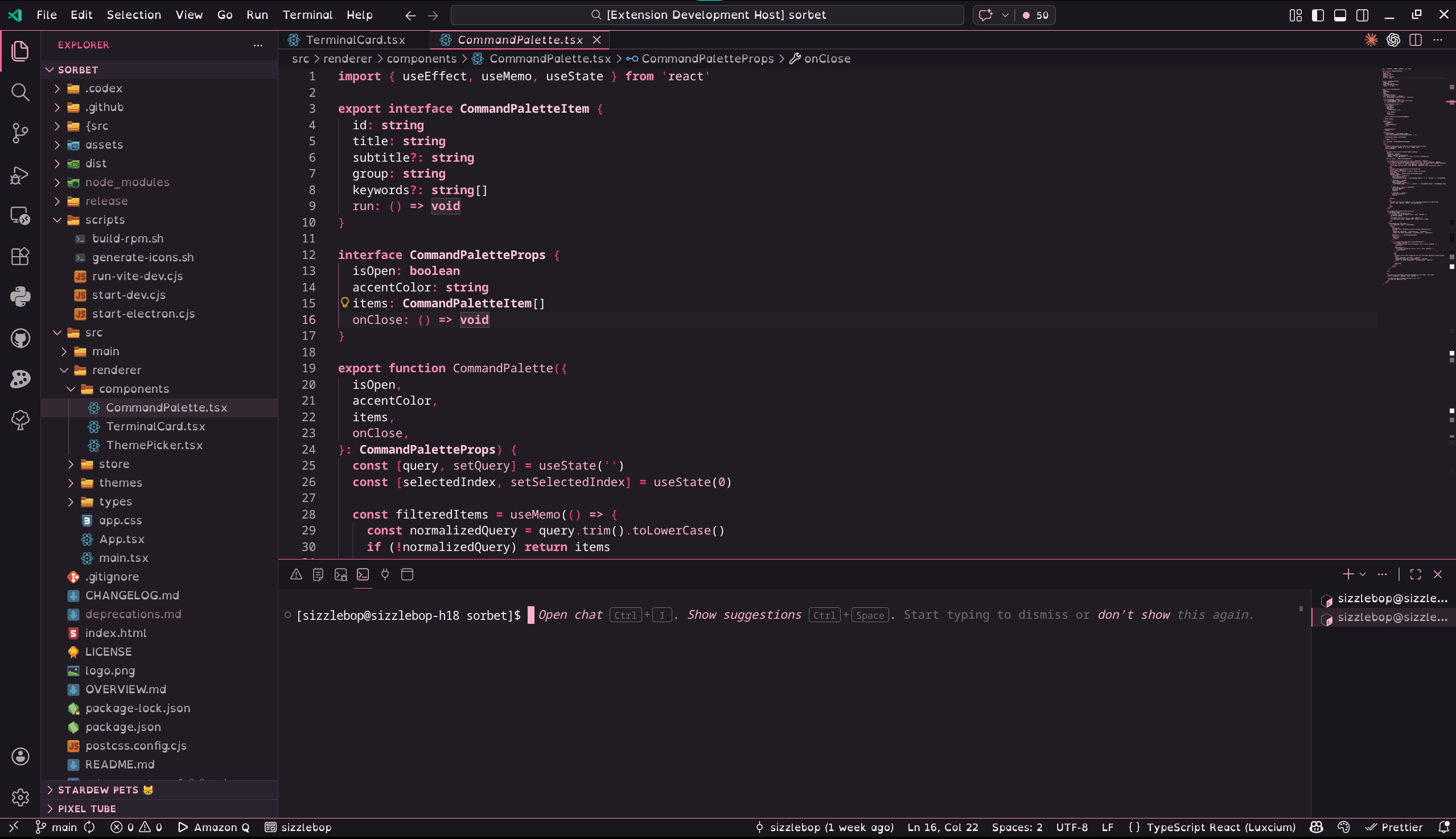
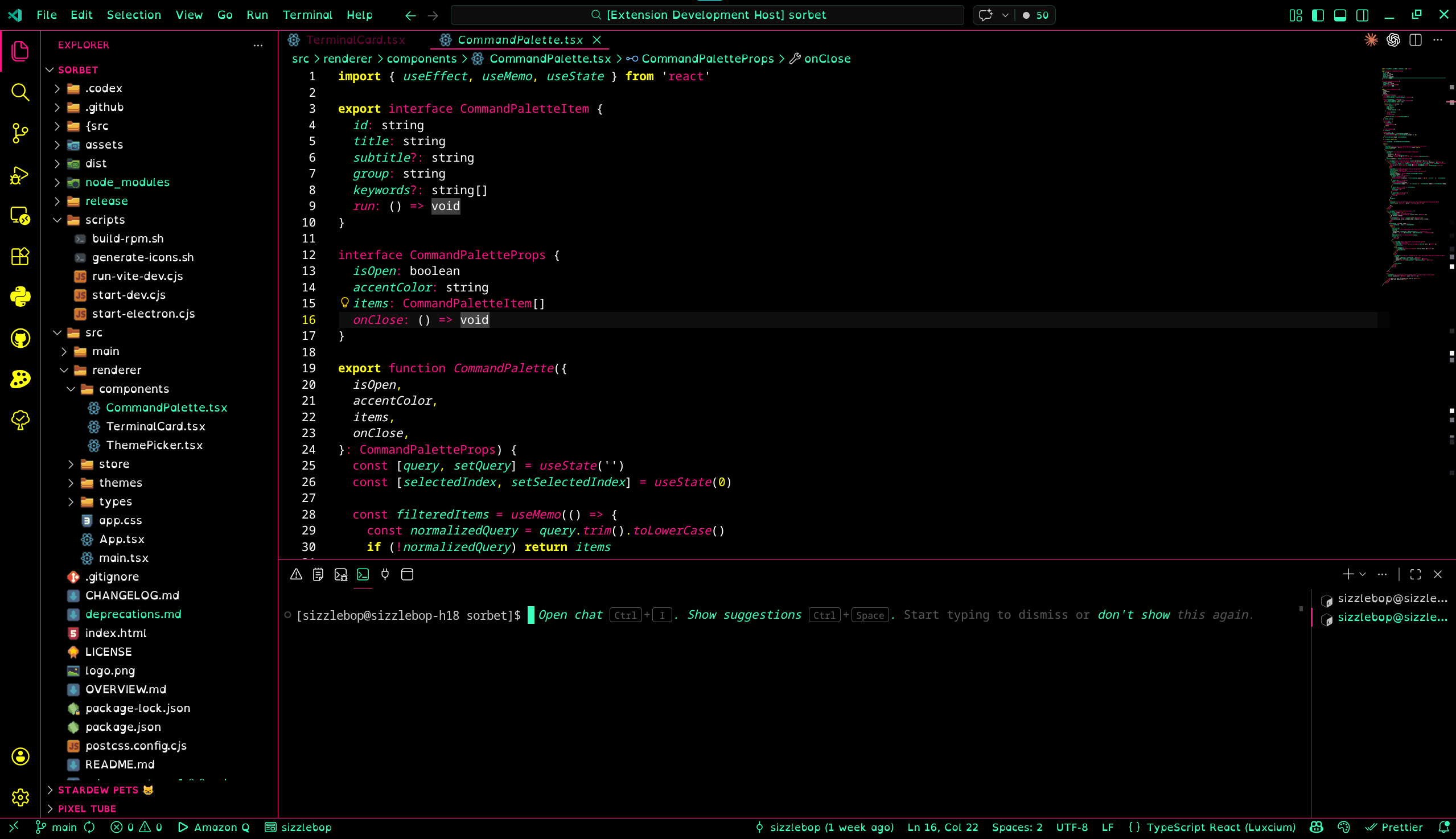
Pink Pixel Fruity ThemesJuicy fruit-inspired dark themes and contrast-heavy editor looks for Visual Studio Code by Pink Pixel. Installation Launch VS Code Quick Open ( Ctrl+P), paste the following command, and press enter.Copied to clipboard |

Pink Pixel Fruity Themes
Dream it, Pixel it. Juicy fruit-inspired dark themes and contrast-heavy editor looks for Visual Studio Code, designed by Pink Pixel. Included Themes
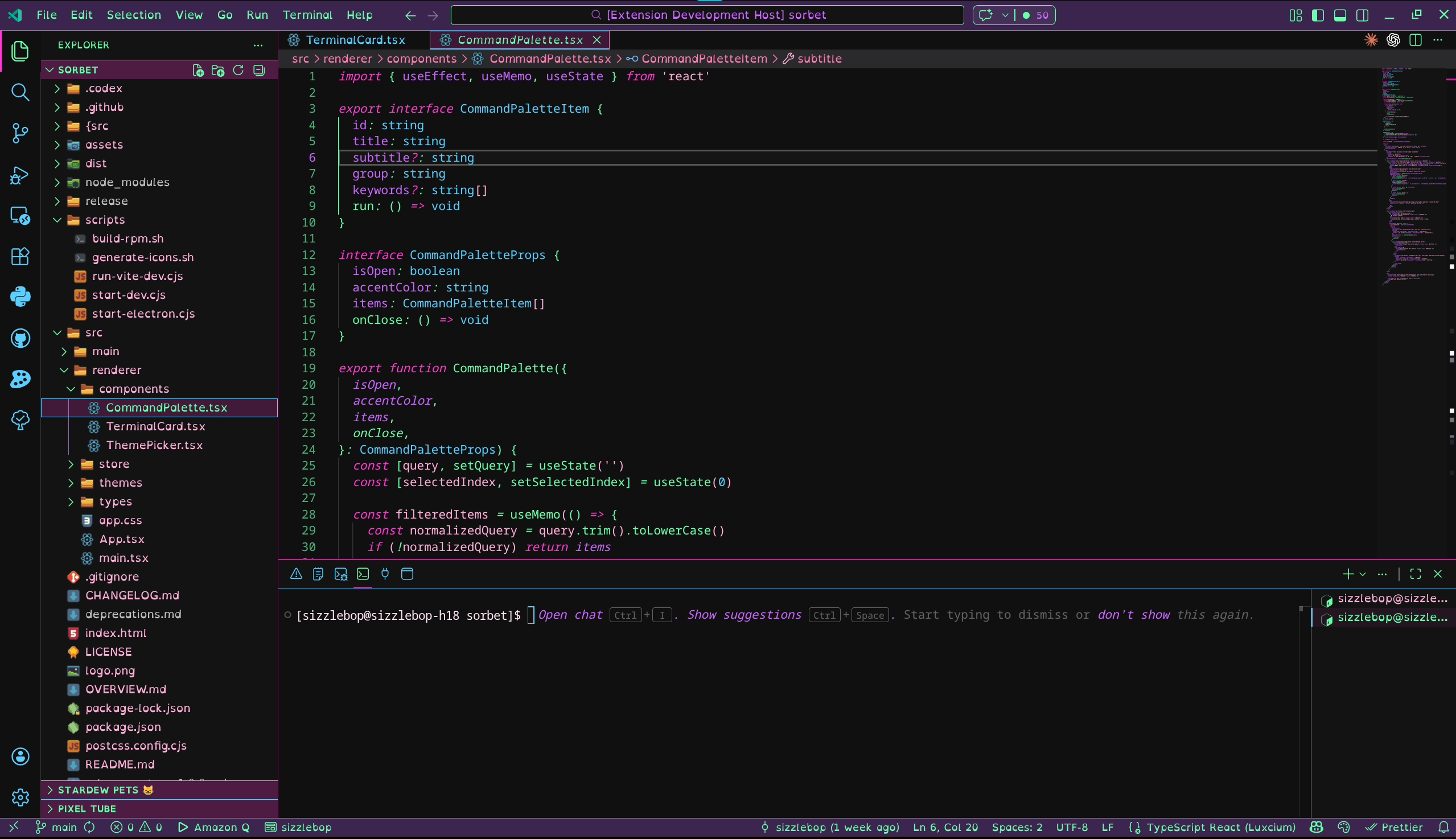
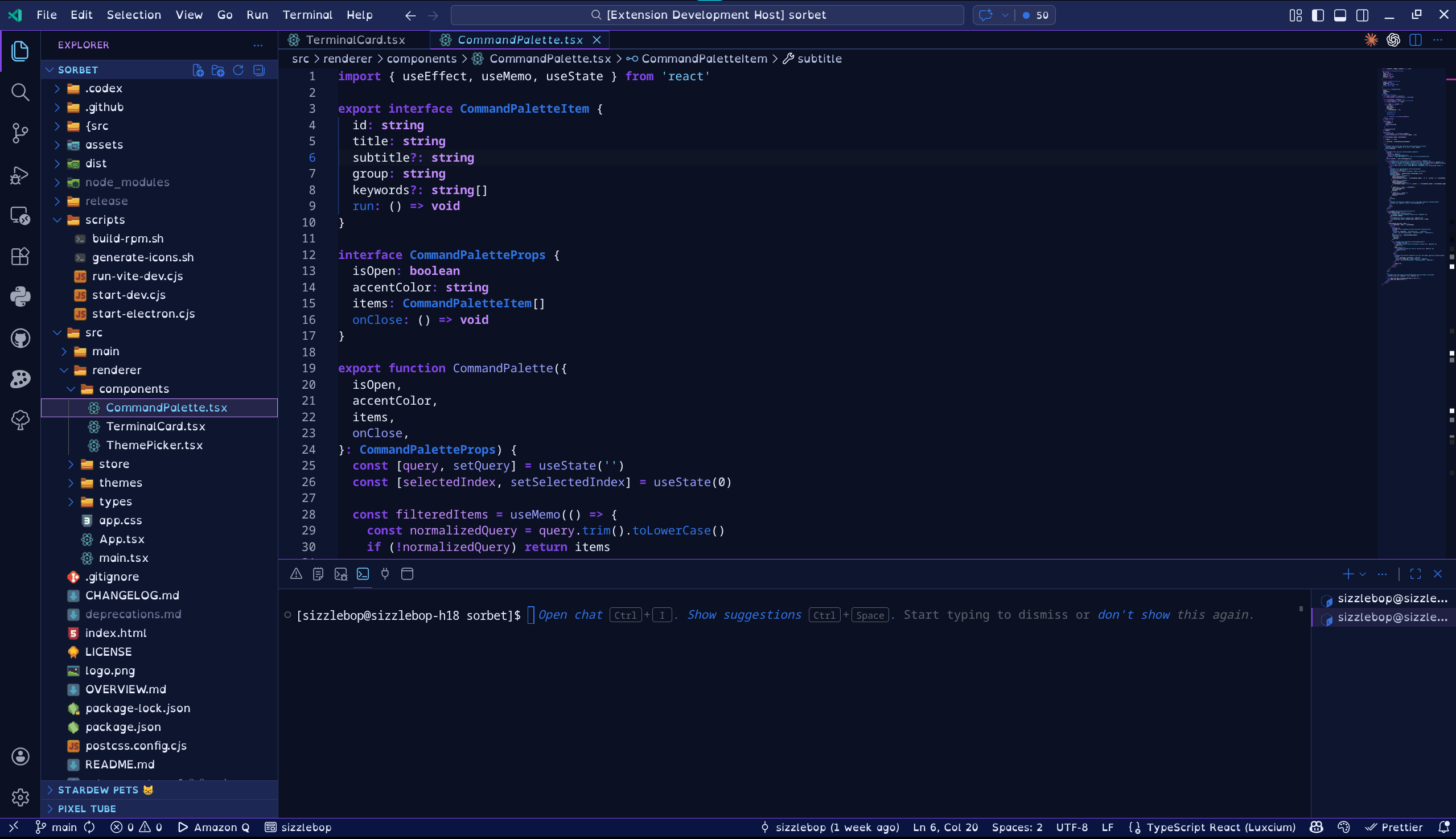
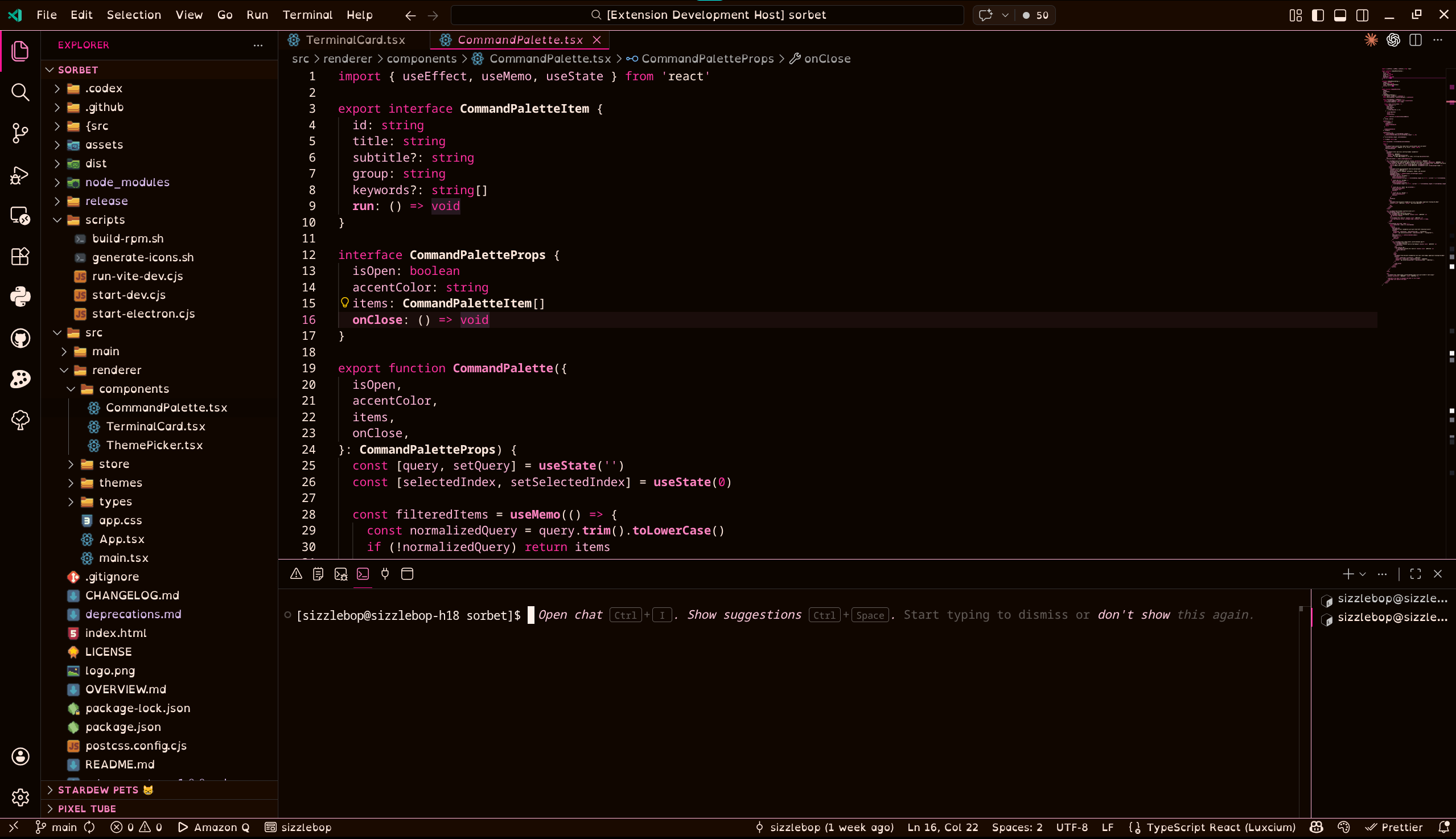
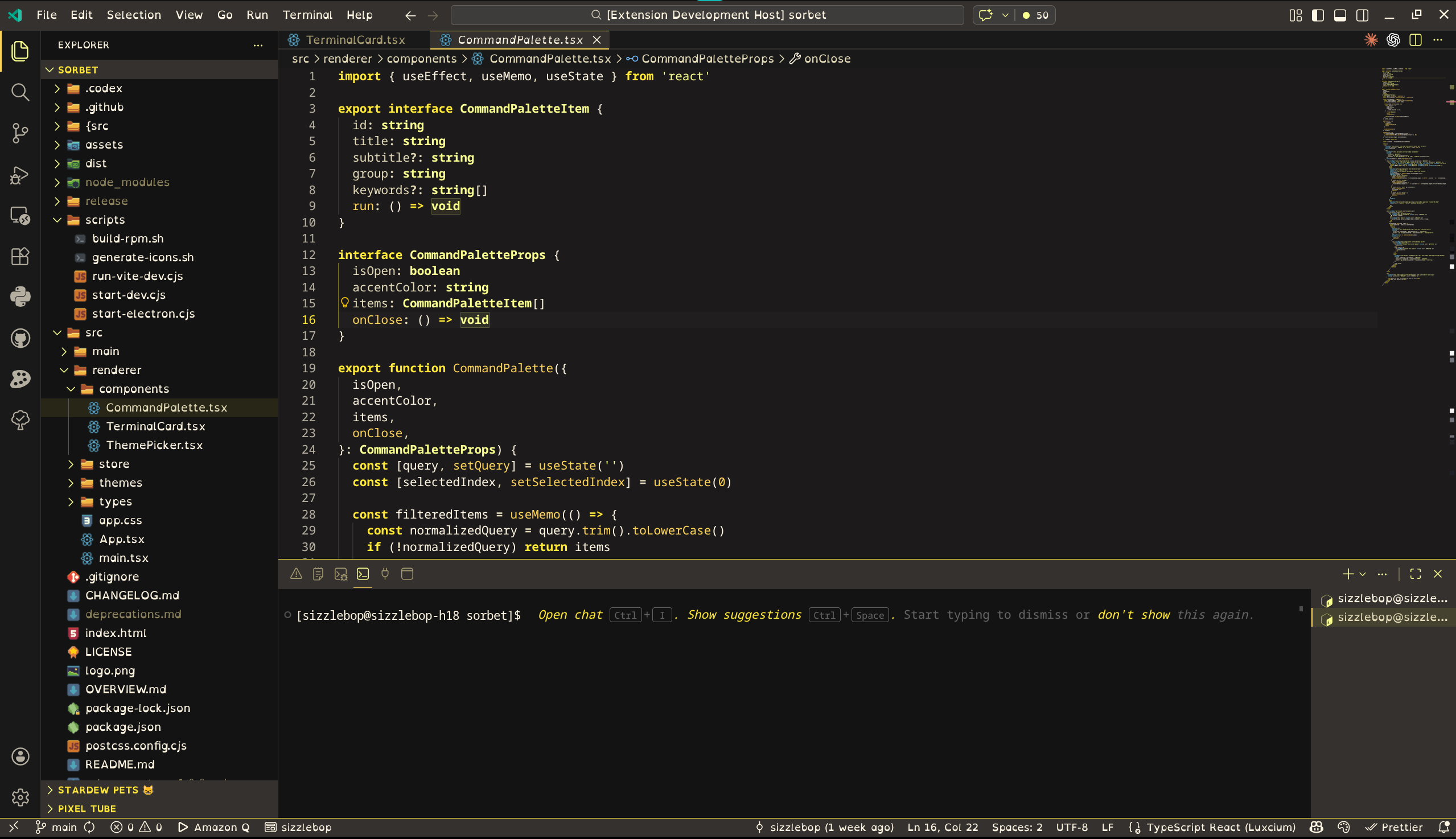
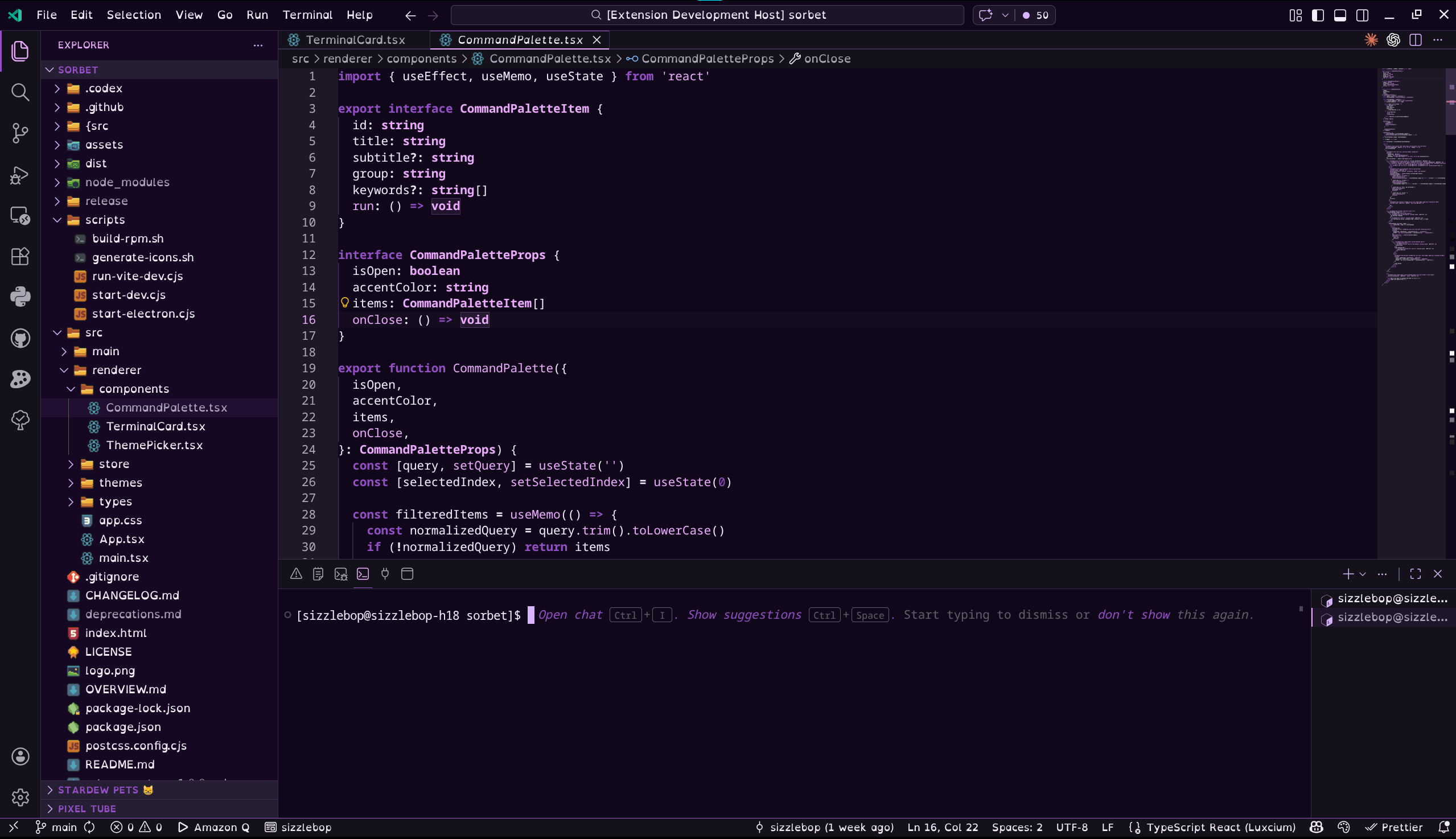
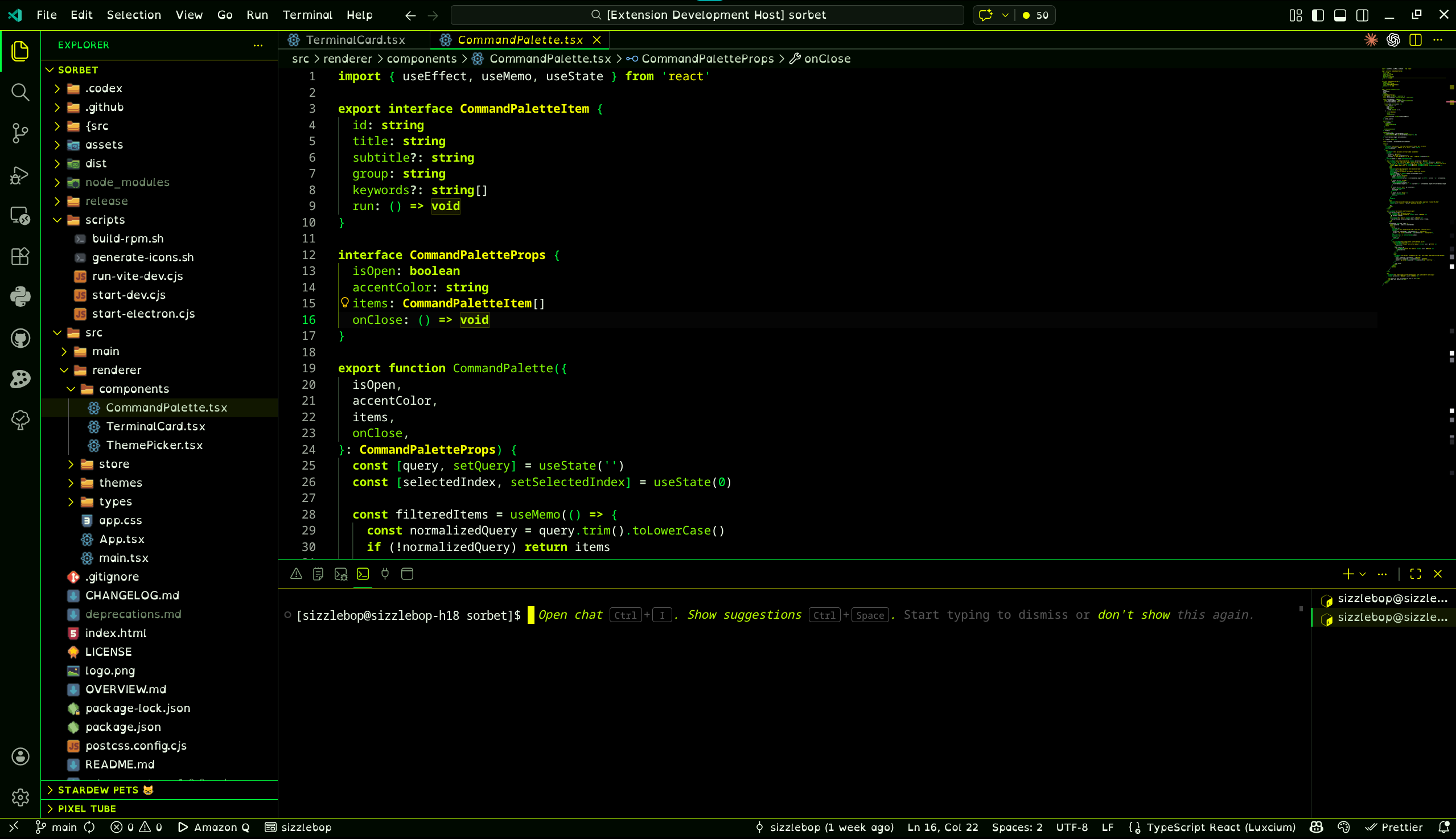
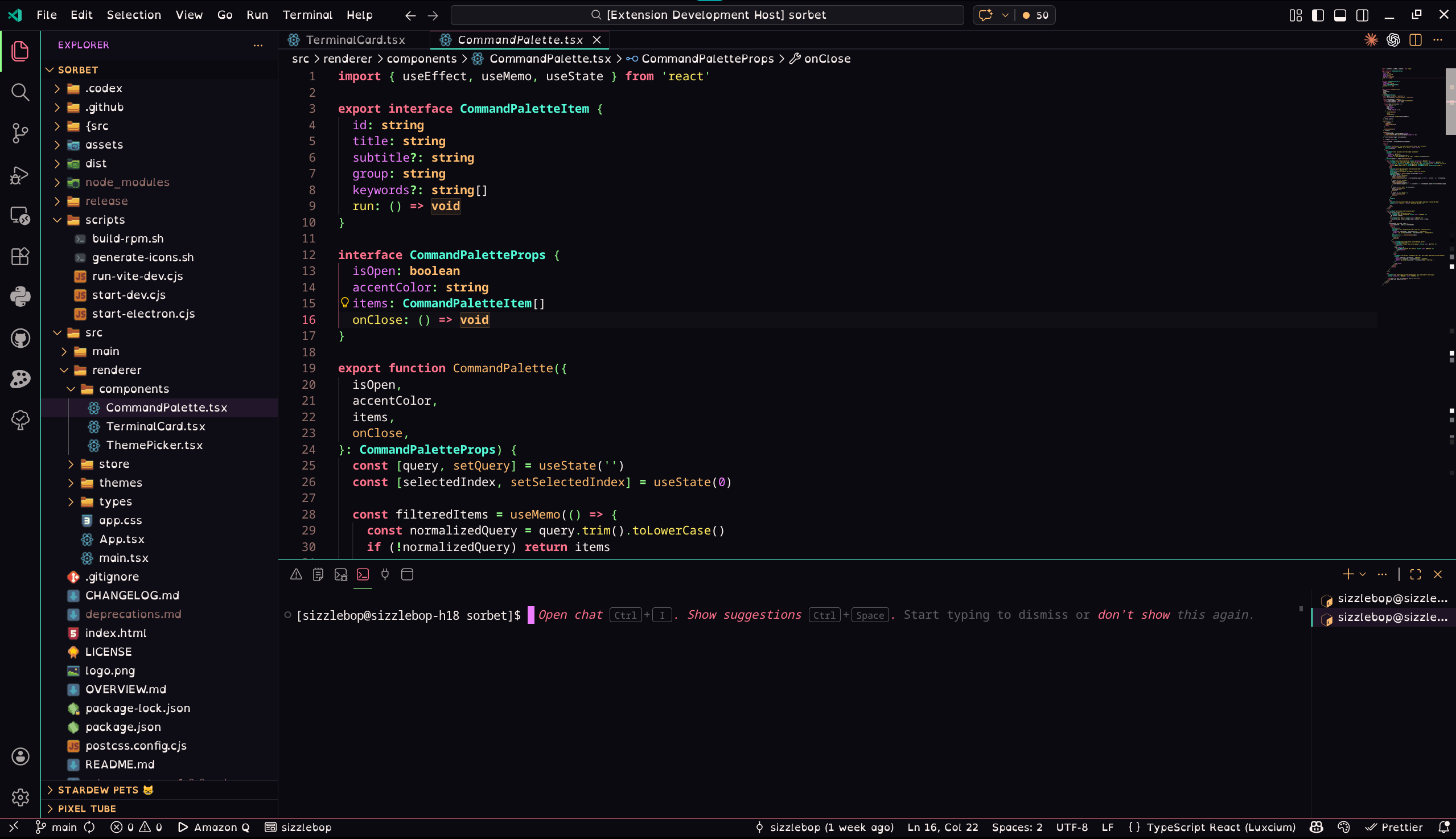
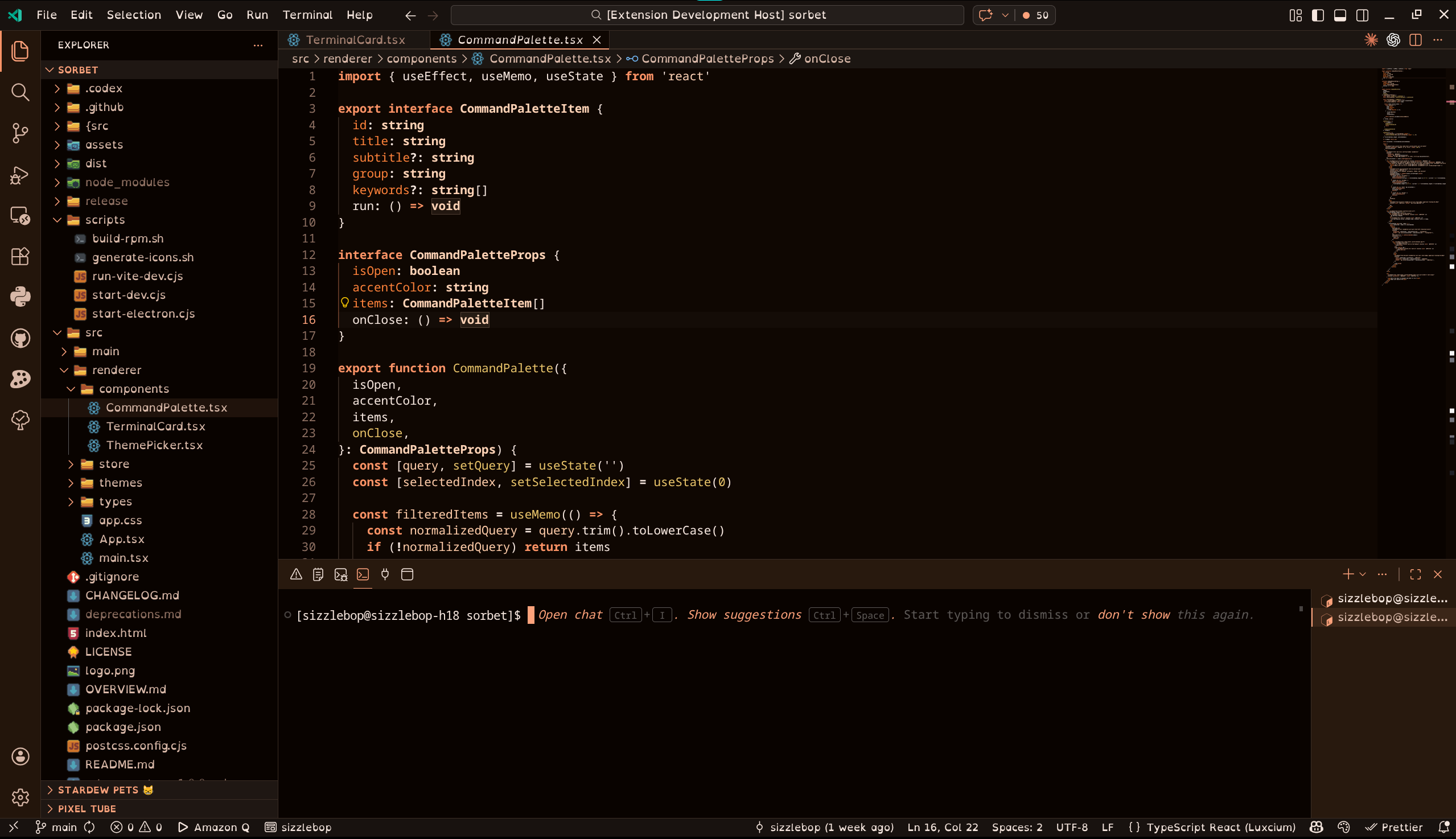
ScreenshotsPink Pixel Berry Smoothie
Pink Pixel Blueberry Jam
Pink Pixel Chocolate Cherry
Pink Pixel Electric Lemonade
Pink Pixel Grape Soda
Pink Pixel Lime Pop
Pink Pixel Mango Dragonfruit
Pink Pixel Peach Fizz
Pink Pixel Strawberry Milk
Pink Pixel Watermelon Punch
Use The ThemesOpen the Command Palette, run Development
About Pink Pixel
Made with 💖 by Pink Pixel. Looking for more Pink Pixel themes? Check out the companion collections:
|