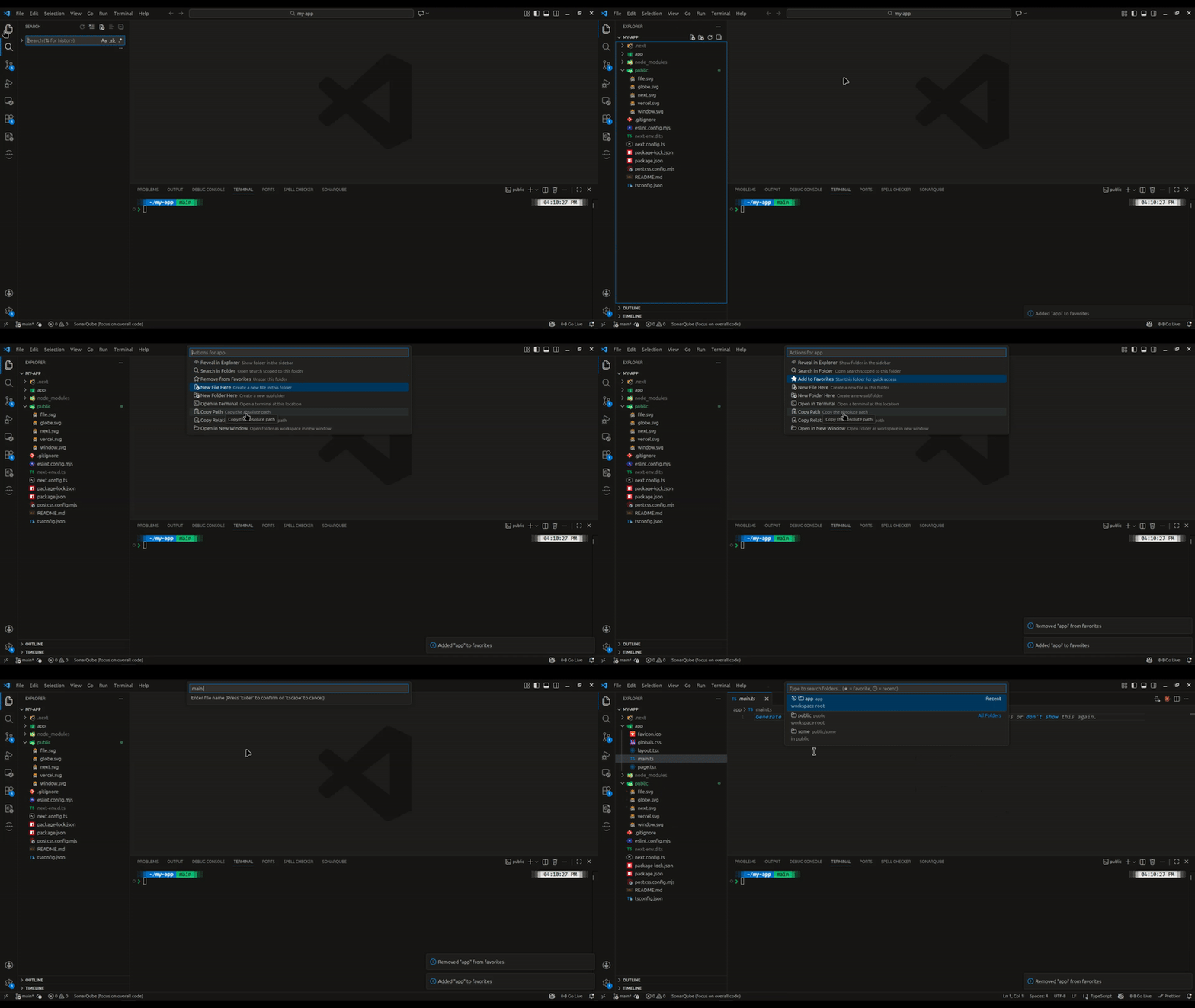
Quickly navigate to any folder in your workspace using fuzzy search. No more endless scrolling through the Explorer sidebar in large codebases.
Features
Fuzzy folder search - Find folders by typing partial names
Favorites - Star folders for instant access (shown at top)
Recent folders - Recently used folders appear first
Search in folder - Open VS Code search scoped to any folder
Quick actions - Reveal in Explorer, create files, open terminal, copy path
Smart indexing - Caches folder structure for instant results
Configurable excludes - Skip node_modules, .git, and other folders
Keyboard-first - Fast navigation without touching the mouse
Usage
Press Cmd+Shift+O (Mac) or Ctrl+Shift+O (Windows/Linux)
Type to search for a folder
Select a folder and choose an action:
Reveal in Explorer - Show folder in sidebar
Search in Folder - Open VS Code search scoped to this folder
Add/Remove from Favorites - Star folders for quick access
New File Here - Create a file in the folder
New Folder Here - Create a subfolder
Open in Terminal - Open terminal at folder location
Copy Path - Copy absolute path to clipboard
Copy Relative Path - Copy relative path to clipboard
Open in New Window - Open folder as new workspace
Favorites & Recents
Favorites appear at the top with a ★ star icon
Recent folders appear next with a ⏱ history icon
Both persist across VS Code sessions
Use the action menu to add/remove favorites
Commands
Command
Description
Go to Folder: Open
Open the folder picker
Go to Folder: Refresh Index
Manually refresh the folder index
Go to Folder: Clear Recent Folders
Clear the recent folders list
Go to Folder: Clear Favorites
Clear all favorite folders
Keyboard Shortcuts
Shortcut
Command
Cmd+Shift+O / Ctrl+Shift+O
Open folder picker
Configuration
Setting
Default
Description
goToFolder.excludePatterns
["**/node_modules/**", "**/.git/**", ...]
Glob patterns for folders to exclude
goToFolder.maxResults
50
Maximum results shown in picker
goToFolder.respectGitignore
true
Exclude folders matching .gitignore
Default Excluded Folders
node_modules
.git
dist, build
.next
coverage
__pycache__, venv, .venv
You can customize this in settings.
Why?
VS Code's Quick Open (Cmd+P) only searches files, not folders. In large monorepos with thousands of directories, there's no efficient way to navigate to a folder by name. This extension fills that gap.