Margin: AI second pass for HarperCatches what Harper's rules can't: agreement across clauses, tense, wrong-but-real words, run-ons. Optional; works alongside Harper. Not affiliated with Harper or Automattic. Installation Launch VS Code Quick Open ( Ctrl+P), paste the following command, and press enter.Copied to clipboard |

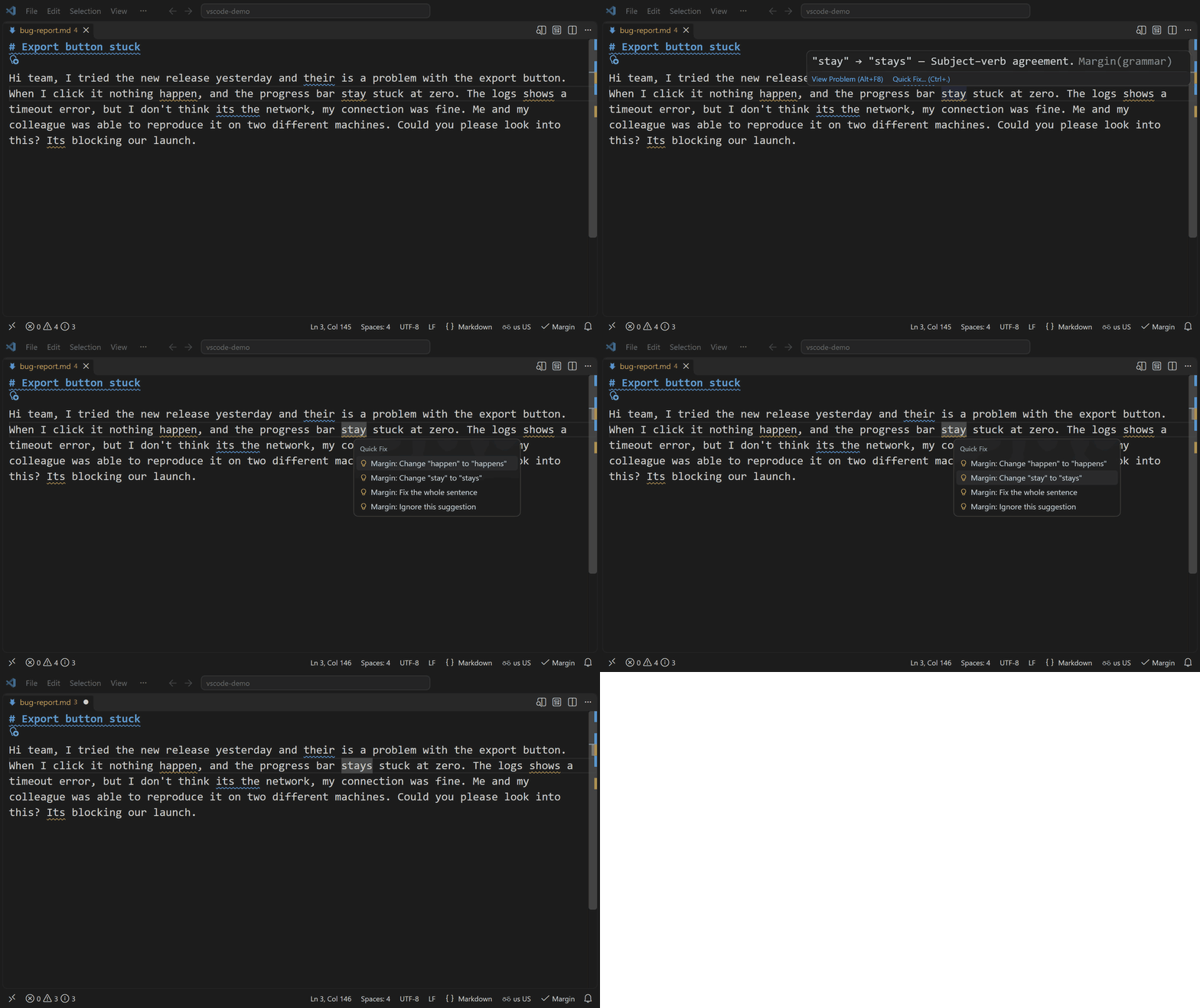
Margin: AI second pass for HarperMargin catches what Harper's rules can't: agreement across clauses, tense, wrong-but-real words ("effect" for "affect" in context), missing or repeated words, run-ons and comma splices. Harper stays in charge of spelling and mechanical grammar; Margin never repeats what Harper already flags. This extension installs Harper too. Margin is independent and not affiliated with Harper or Automattic.
Harper's suggestions in blue, Margin's in yellow ( SetupRun Margin: Choose where text is checked… (or click "Margin" in the status bar):
Nothing is sent until you choose. Files matching UseSuggestions appear as underlines a couple of seconds after you stop typing ( Rewrite selection (right-click, or the command palette): Improve, Concise, Formal, Friendly, Fix only, or your own instruction. The result streams into a side-by-side diff; accept or reject it. Margin warns you if a rewrite changed numbers, negation or code/links. Cache. To avoid re-sending text, Margin remembers which sentences needed no change: only a hash and a date, stored in VS Code's extension storage, kept for 30 days. Fixes are kept in memory only. Margin: Clear cache removes it. Honest statusEarly. Tested with Gemma 4 26B A4B, local (Ollama) and hosted (Gemini API), on synthetic and real text; results in the repository. Margin has no telemetry and never logs your text. |