Argus - Worktree Agent Session Manager
Argus is a worktree-first VS Code cockpit for Claude Code and Codex. Keep your
projects, Git worktrees, native agent tabs, changed files, and terminals
organized in one window without replacing the provider extensions you already
use.
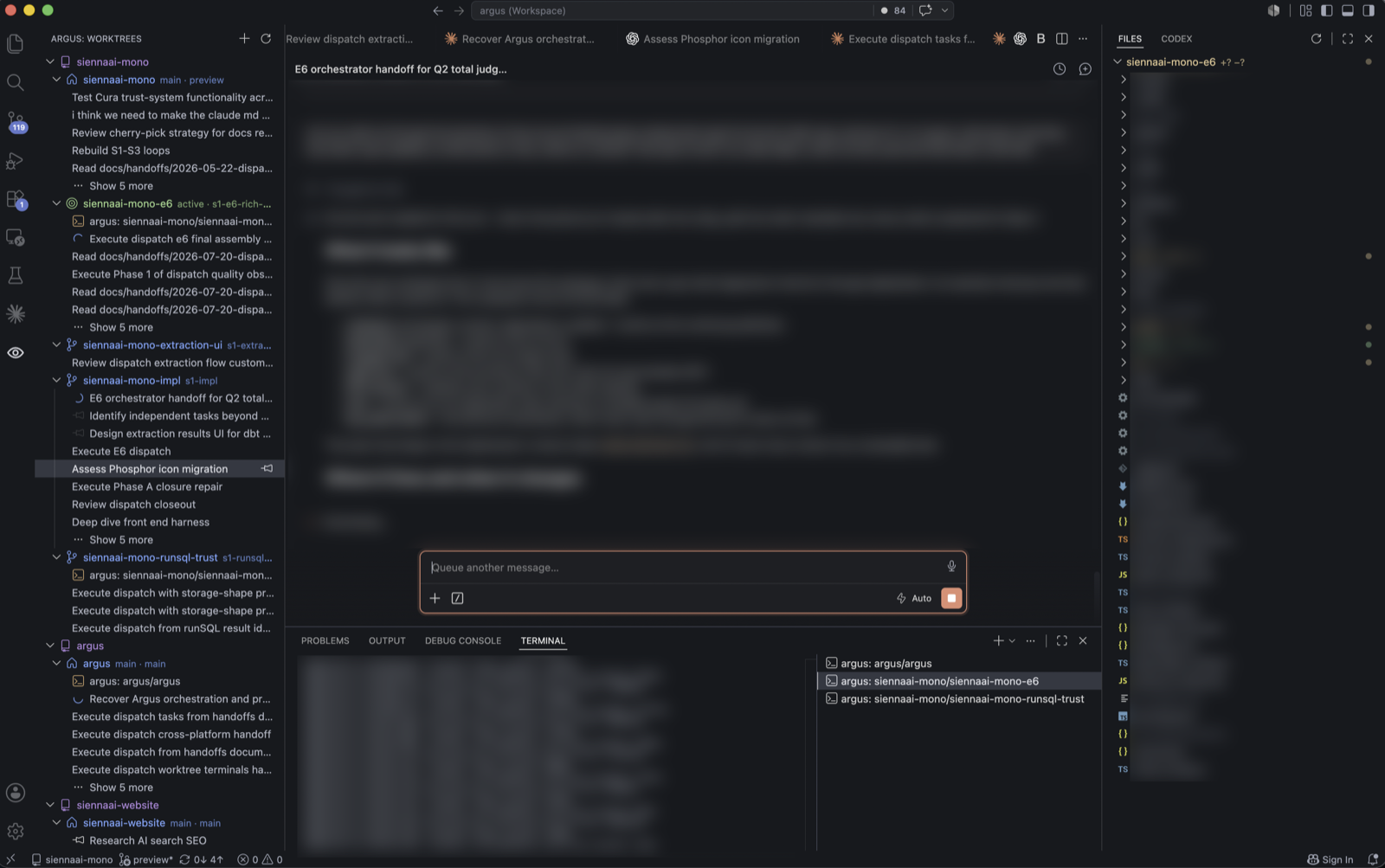
What Argus does
- Discovers the real Git worktrees belonging to your registered repositories.
- Starts Claude Code or Codex sessions with the exact worktree as their working
directory.
- Reopens native provider tabs from the session rows under each worktree.
- Keeps worktree terminals grouped with the work that owns them.
- Shows changed files for the active worktree and provides basic file
operations.
- Observes provider session state when reliable local evidence is available.
Argus is an organizer and integration layer. Claude Code and Codex continue to
own their native chat interfaces, models, authentication, and remote requests.
Getting started
- Install the latest VS Code and at least one supported agent extension:
Claude Code
or Codex.
- Open Argus from its eye icon in the Activity Bar. If the current window
already contains a project, Argus opens its cockpit in a separate window so
it does not replace your project window.
- Run Argus: Welcome from the Command Palette if the walkthrough is not
already open.
- Add a Git repository, select a discovered worktree, and use New Session
or New Terminal on that worktree row.
For an Argus-managed session, always use New Session on the Argus worktree
row. A provider's own new-chat button does not carry Argus's worktree ownership
context.
Requirements
- macOS on Apple Silicon (
darwin-arm64). Argus 0.1 is not published for
Windows, Linux, or Intel Macs.
- VS Code 1.125.0 or newer.
- Git and a local Git repository.
- Claude Code 2.1.206 or newer and/or a compatible Codex VS Code extension.
Current limitations
Argus 0.1 is a preview:
- Argus discovers existing worktrees; it does not create or delete them.
- Session status is best-effort provider observation and can be unavailable or
temporarily stale.
- Restored Codex tabs can occasionally require a native close/reopen or abort
before their displayed state catches up.
- Provider terminal environment changes may require VS Code's native
Relaunch Terminal action.
- The Active Worktree Files view provides basic create, rename, trash,
copy-path, reveal, and drag/drop operations. Rename uses a prompt rather than
inline editing.
- Codex model selection stays inside Codex.
Support
Report bugs and request features through the
Argus public issue tracker.
Remove credentials, private prompts, complete provider session files, and
repository contents before posting.
Privacy
Argus does not include telemetry or an Argus-operated remote service. It reads
local Git, workspace, and provider-session data to build the cockpit. Claude
Code and Codex continue to own their authentication, model requests, remote
services, and privacy policies.
License
MIT License © 2026 Petar Dimov

