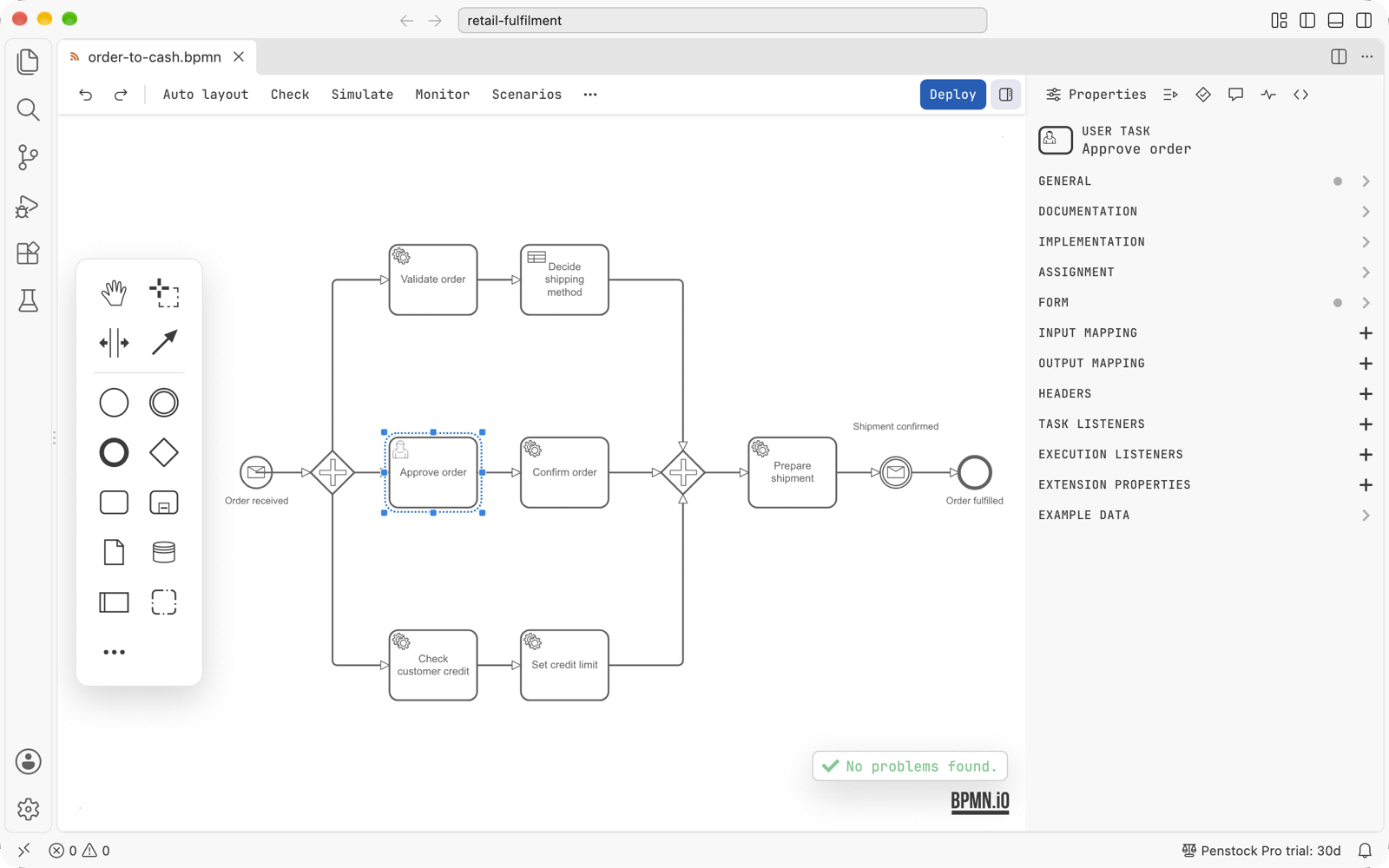
Penstock edits BPMN 2.0 diagrams, DMN decisions and Camunda forms for Camunda 7, Camunda 8, Operaton and CIB seven. Files with the .bpmn, .bpmn.xml, .bpmn20.xml, .dmn and .form extensions open in a visual modeler, with the raw XML or JSON one tab away. It is the same editor as the Penstock plugin for IntelliJ IDEA, WebStorm, PyCharm and the other JetBrains IDEs, and works from the same penstock.yaml.
Diagrams stay in the project and in version control, so process models are reviewed the way code is.
What you get
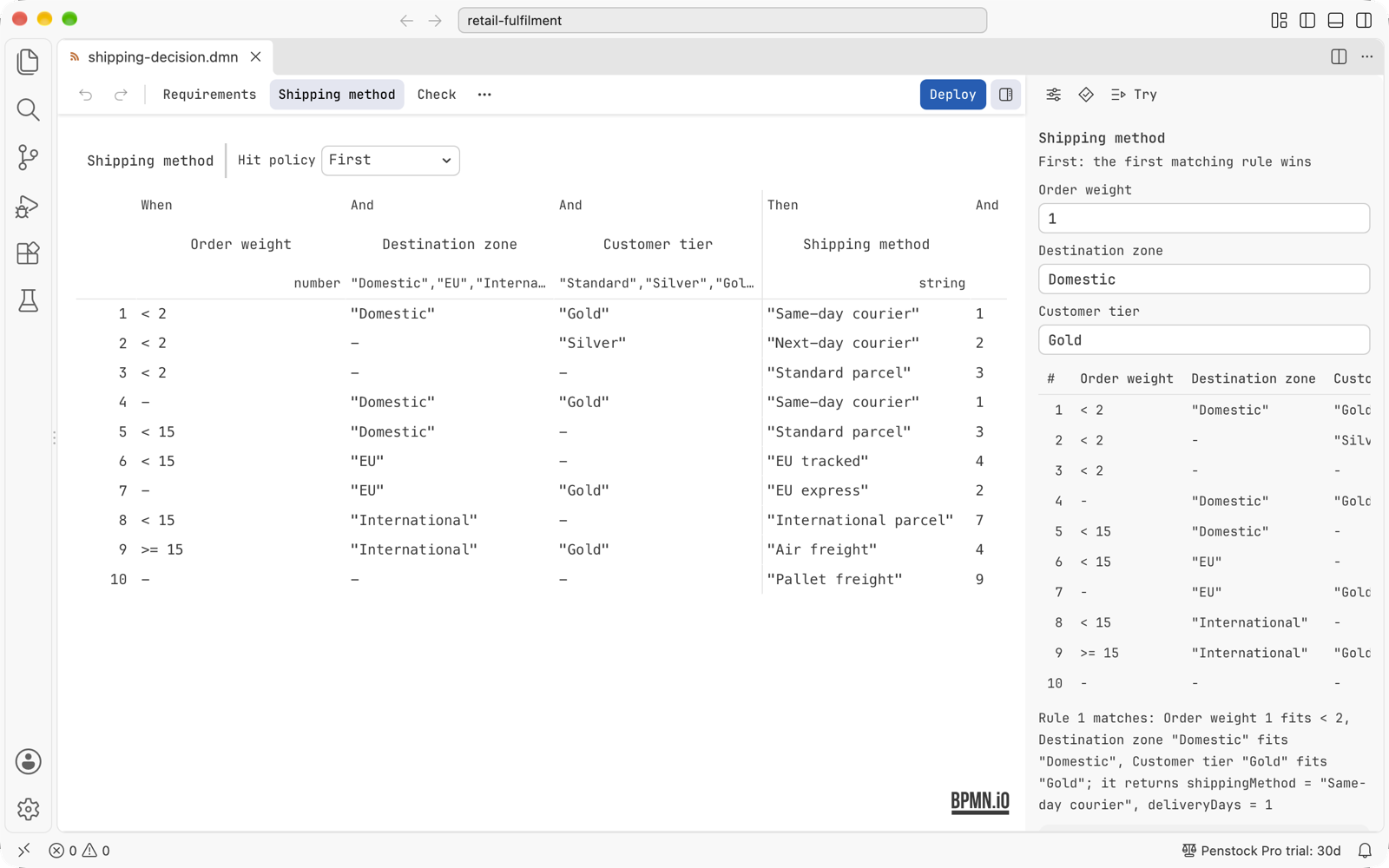
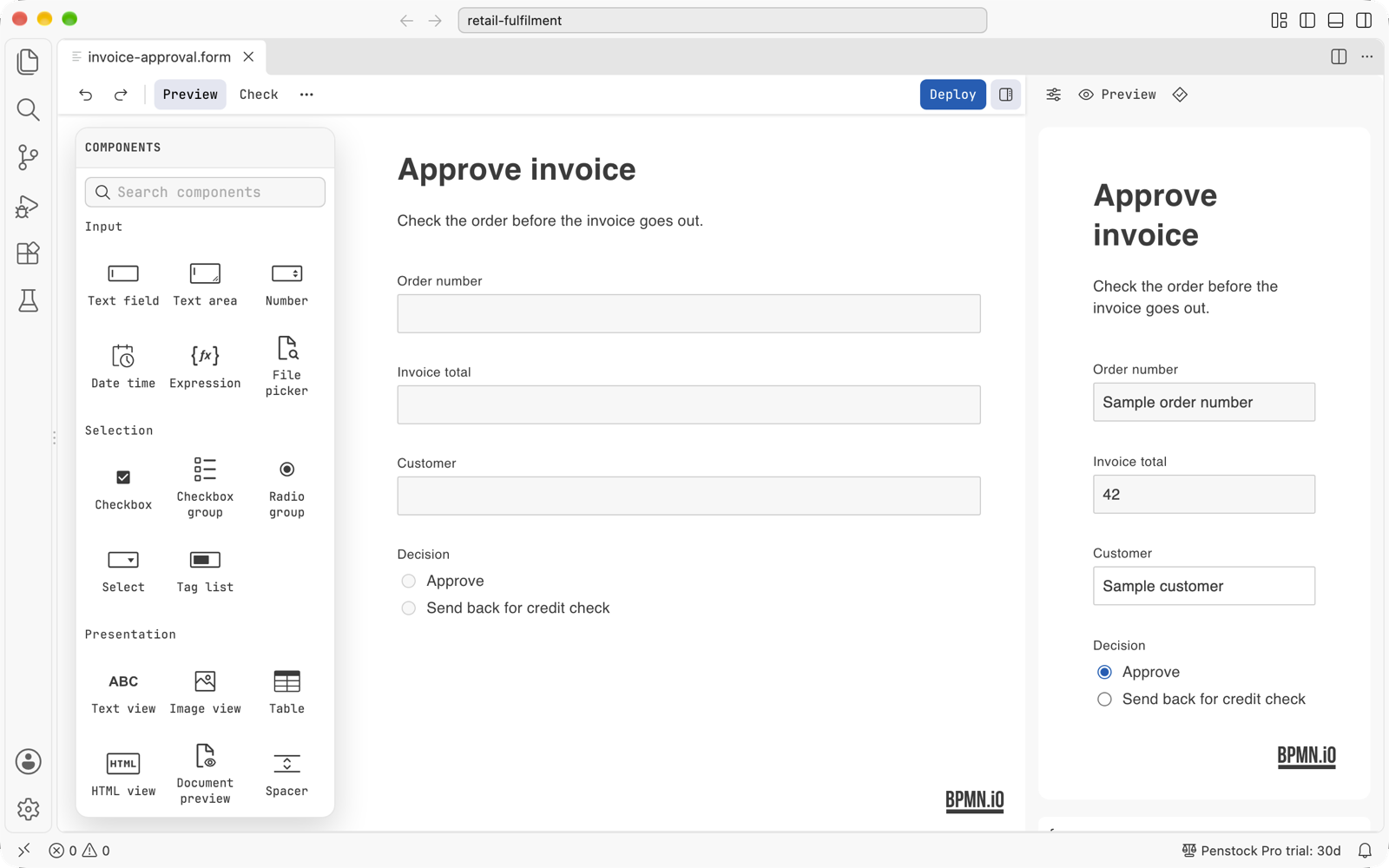
- Editors - a BPMN modeler with a properties panel for Camunda extension attributes, DMN decision tables and requirements diagrams, and Camunda forms with a live preview.
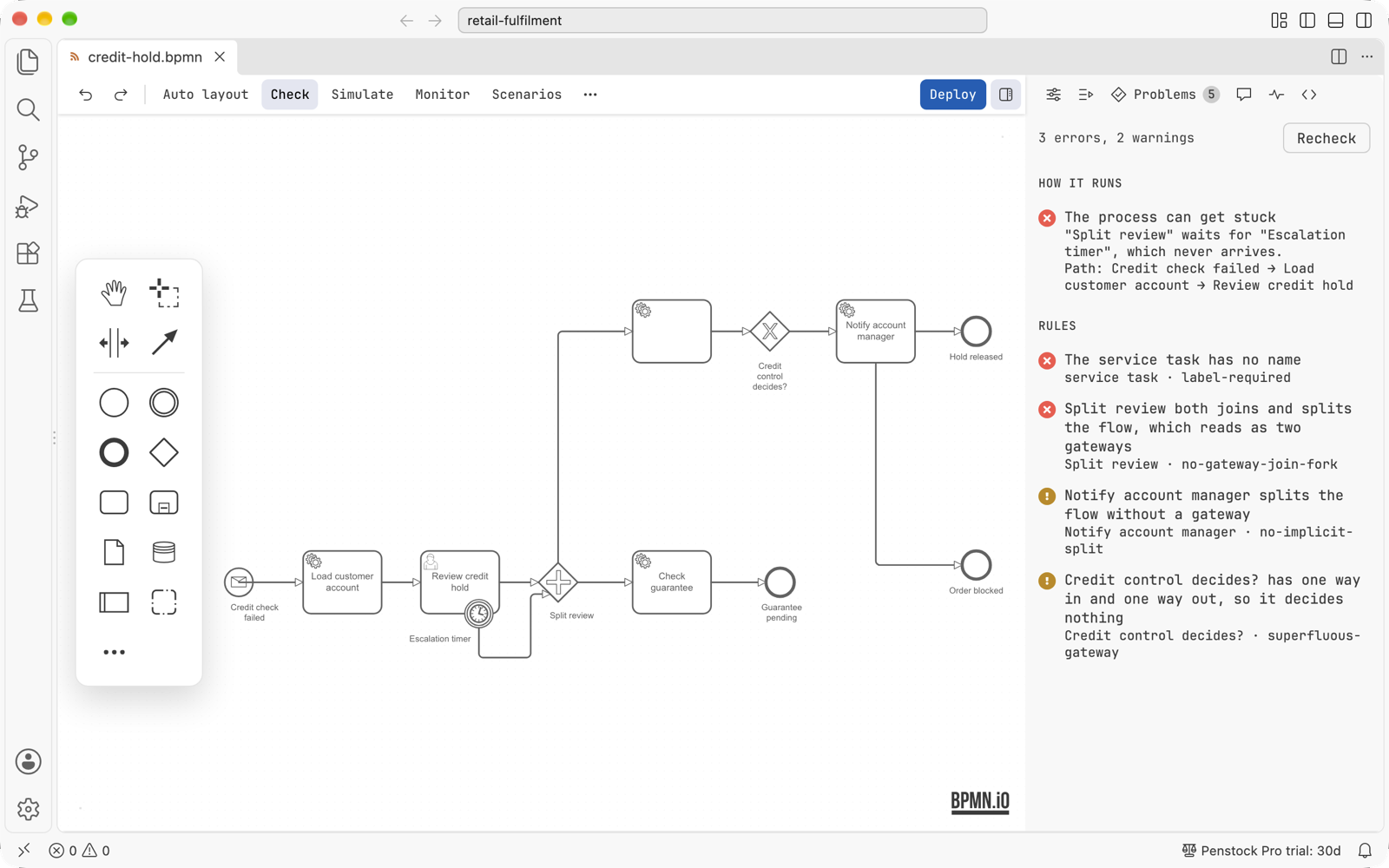
- Check - bpmnlint with your own
.bpmnlintrc, shown in the diagram, in the Problems tab and in VS Code's own Problems panel, with quick fixes.
- Deploy - to Camunda 7 REST and Camunda 8, with credentials kept in VS Code's secret storage and never in project files.
- Monitor - the running instances of the open diagram, what waits at each step, incidents, and an expression run against a real instance.
- Project view - its own Activity Bar view with the processes, workers, messages, decisions, forms and element templates of the whole project.
- Diagrams and code - from a step to the Java worker or delegate that runs it and back, linked rename, the debugger's position on the diagram, tests run from the diagram.
- Camunda 7 to Camunda 8 - see what does not carry over and convert a diagram with a visual diff before anything is written.
- Import and export - SVG, PNG and PDF, and draw.io, Visio, Signavio and Bizagi diagrams turned into BPMN 2.0.
- Token simulation, trace paths, comments and scenarios - step a token through the process, follow every path through a step, leave a note on an element that travels through git.
- Copilot and AI agents - the extension registers the Penstock MCP server with VS Code, so Copilot's agent mode can list, read and check your diagrams. For Claude Code run
claude mcp add penstock -- npx --yes @kern0x1b/penstock-cli mcp.
Penstock follows the VS Code theme, light, dark or high contrast.
In pictures
Check. The rules of your .bpmnlintrc land on the element they are about. With Pro, the flow analysis adds how the process runs: where it can get stuck and the path that gets it there.
Decisions. A decision table with its hit policy, and Try: type values, see which rules match and what the decision returns.
Forms. Camunda forms with a components palette and a live preview in the sidebar.
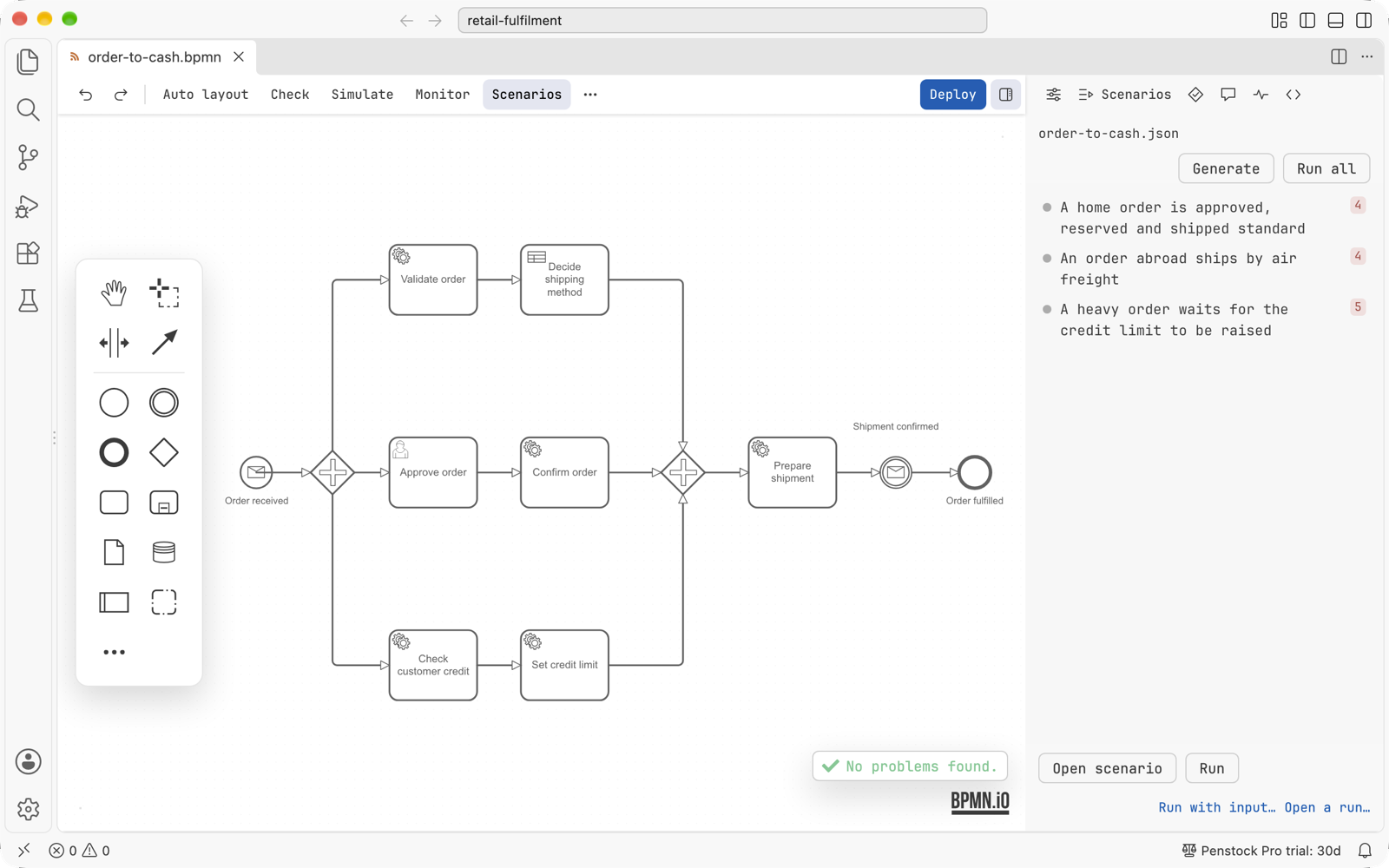
Scenarios. Test cases for a process, listed beside the diagram and run from it (Pro).
Getting started
- Open a
.bpmn, .dmn or .form file.
- The first time a folder is opened, Penstock asks which engine runs it. The answer is written to
penstock.yaml, so everyone who clones the project and the command line share it.
- For deployment, add a
deployment: block with the engine's URL to penstock.yaml.
Free and Pro
Everything above is free. Pro adds flow analysis, auto layout, test-case runs, documentation pages, the visual diff in version control and the code links in full; every new machine gets thirty days of it. Team adds the review bot and the checks for CI. The licence is the same across VS Code, the JetBrains plugin, the penstock command line and the MCP server.
Links
Documentation - Report a problem
| |

