
OMD — Edit documents, not markupEdit markdown as a finished document — callouts, columns, diagrams, charts, comments — while the file on disk stays plain, GitHub-renderable markdown. Installation Launch VS Code Quick Open ( Ctrl+P), paste the following command, and press enter.Copied to clipboard |

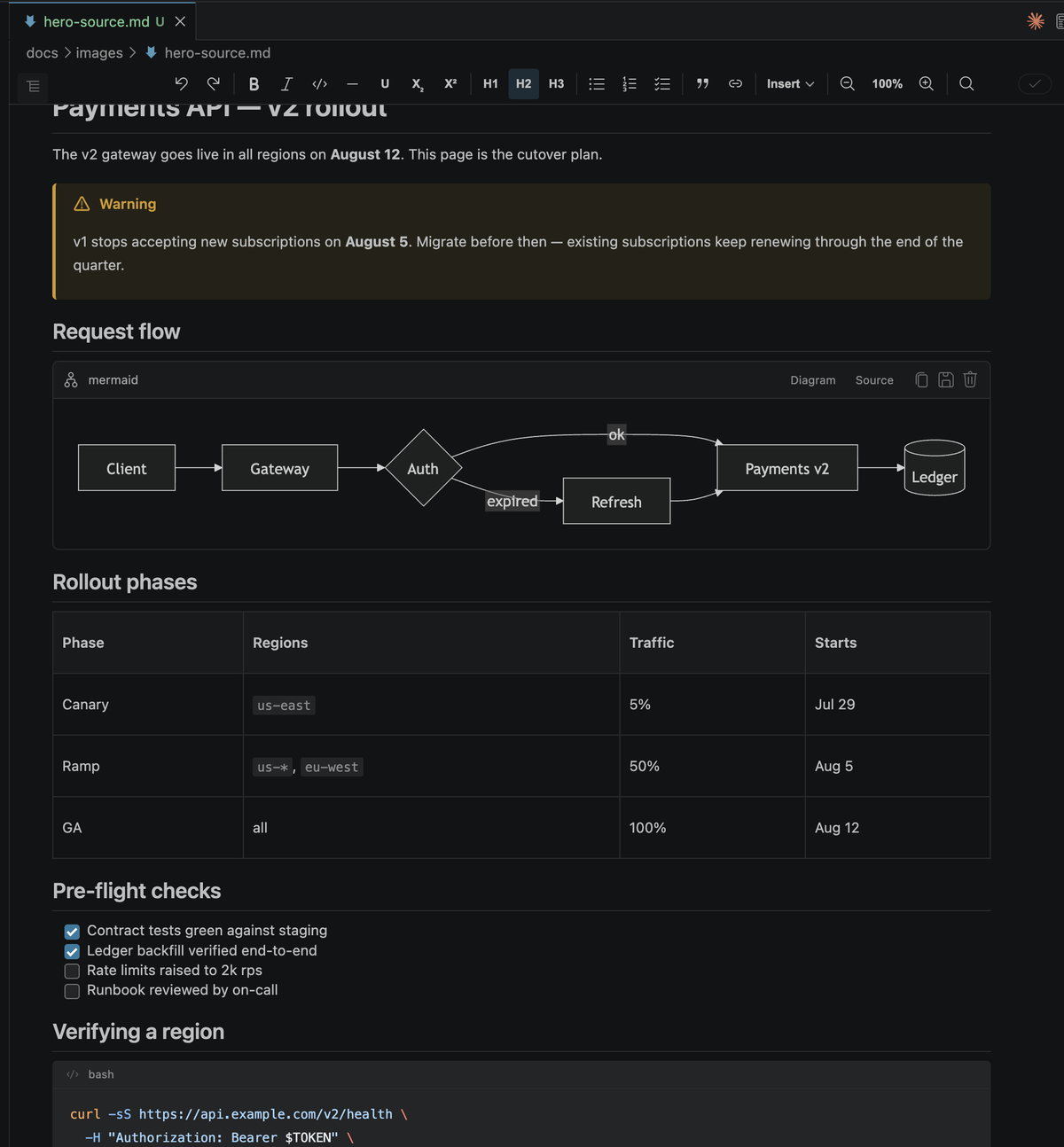
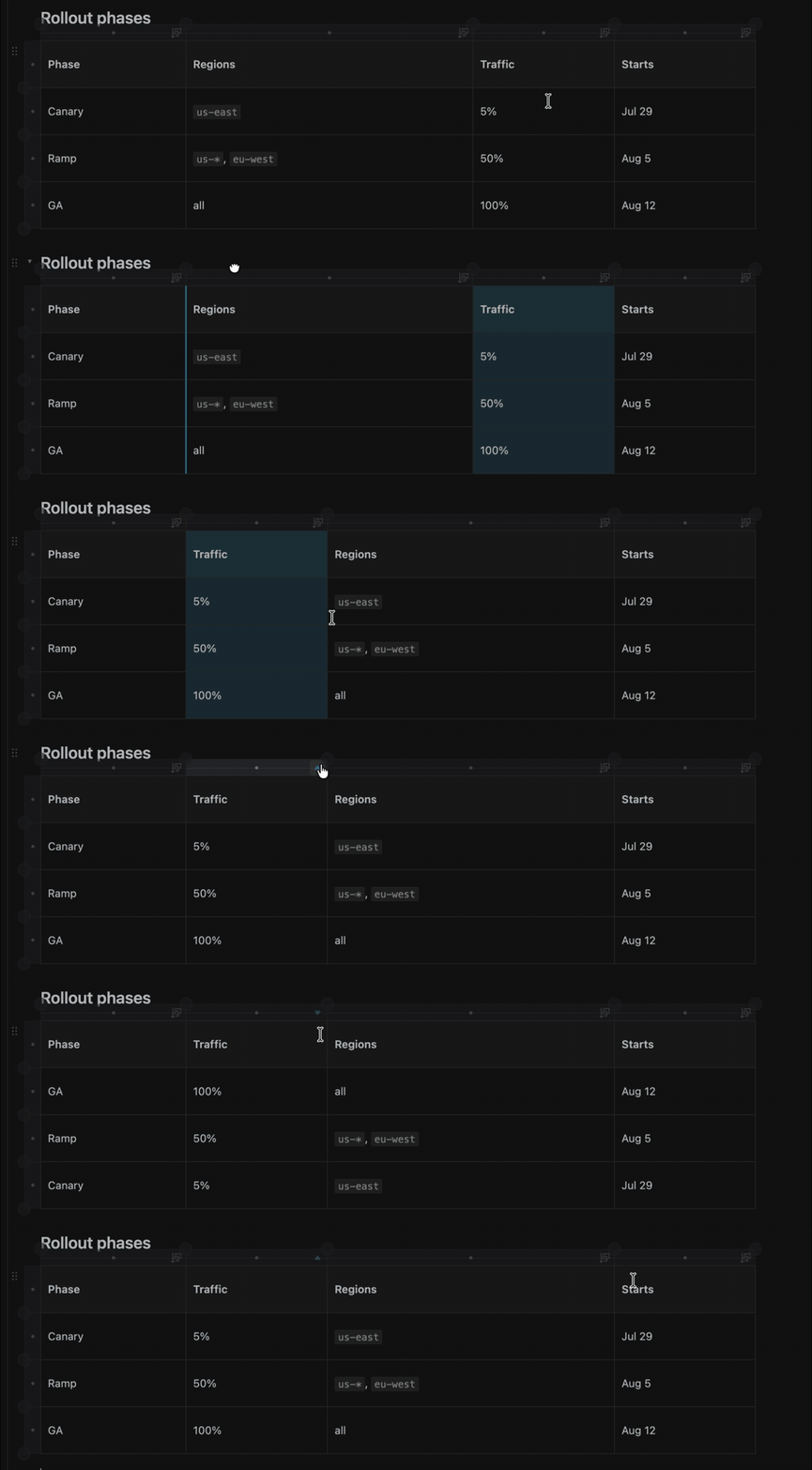
OMD — Edit documents, not markupA WYSIWYG editor for OMD renders markdown as a finished document — callouts, tables, task lists, code, diagrams, charts, comments — and edits it that way. The file on disk stays plain, GitHub-renderable markdown.
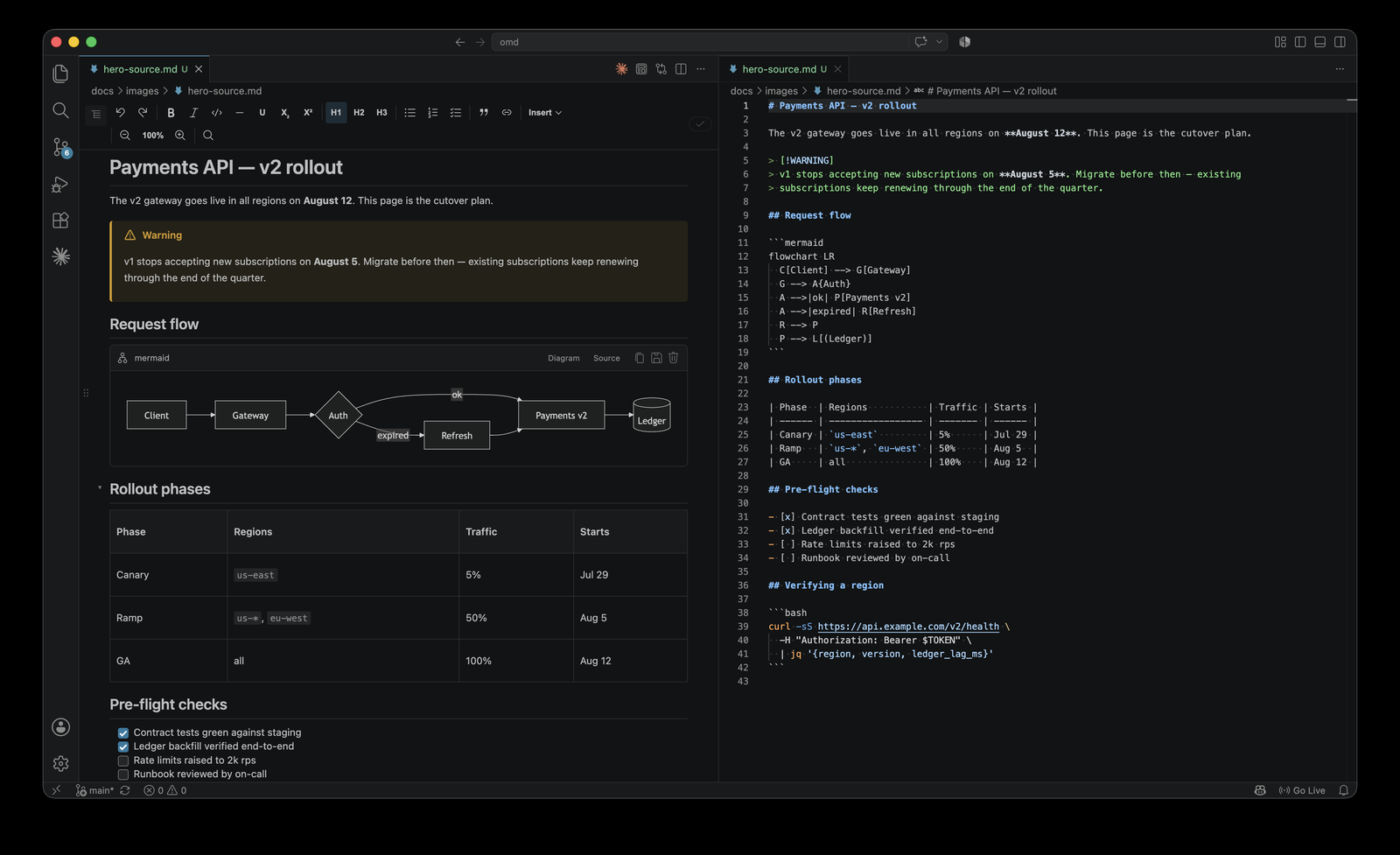
One page, top to bottom: every construct above is plain GFM on disk, and every one of them is edited directly in the document. Open a file, save it without editing, and it comes back byte-for-byte. OMD is a rich view over your markdown, never a separate format converted at save. That means nothing about your file must become proprietary, diffs stay clean, and the document renders the same on GitHub as it does here. Every construct OMD writes is plain GFM that other tools — and other people — can read.
Same file, same moment. On the right is exactly what's on disk — What you get
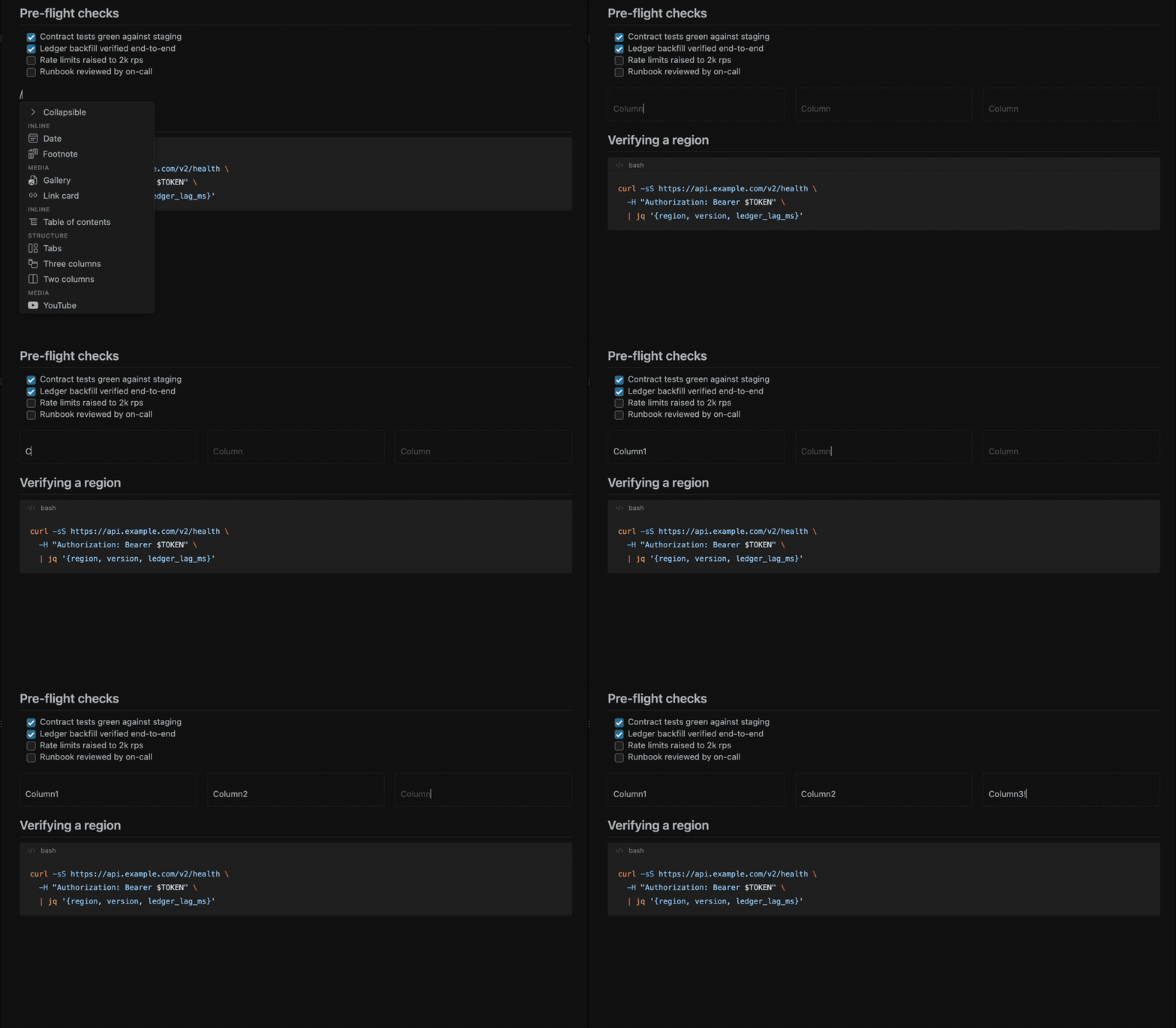
Insert a block with
|
| Command | What it does |
|---|---|
| OMD: Open in OMD editor | Open the current file in OMD. |
| OMD: Reopen as plain text | Drop back to VS Code's plain text editor. |
| OMD: Make OMD the default Markdown editor | Open .md files in OMD from now on. |
| OMD: Restore the built-in Markdown editor | Hand markdown back to VS Code's built-in editor. |
| OMD: New document from template… | Create a document from a template. |
| OMD: Export to HTML… | Export a self-contained HTML file. |
| OMD: Open GitHub Preview | Live side-by-side "render like GitHub" view. |
| OMD: Connect GitHub (contributors & issues) | Opt in to @mention and #issue resolution. |
Requirements
VS Code 1.90 or newer. Nothing else is required — OMD works fully offline out of the box.
The optional AI features additionally need a chat-model provider installed and signed in (such as GitHub Copilot). They are off by default; see below.
Privacy & network use
OMD works fully offline. It makes a network request only when you ask it to:
- Link cards fetch a page's preview metadata (title, description, image) — only when you insert or refresh a card, never automatically on load. The fetched values are cached in your file, so the card renders offline afterward.
- GitHub integration (contributors for
@mentions, issues for#references) uses VS Code's built-in GitHub sign-in and is opt-in via OMD: Connect GitHub. On open it only uses an existing session and never prompts. - AI features are off by default (
omd.ai.enabled). With the setting off, OMD never contacts a language model. When enabled, the extension host — never the editor view — makes the call through VS Code's language-model API, only on an explicit action, never on load.
OMD collects no telemetry.
Feedback
Bug reports and feedback are very much appreciated — please file issues on the project repository.
License
MIT. Bundled third-party code is listed in THIRD-PARTY-NOTICES.md.