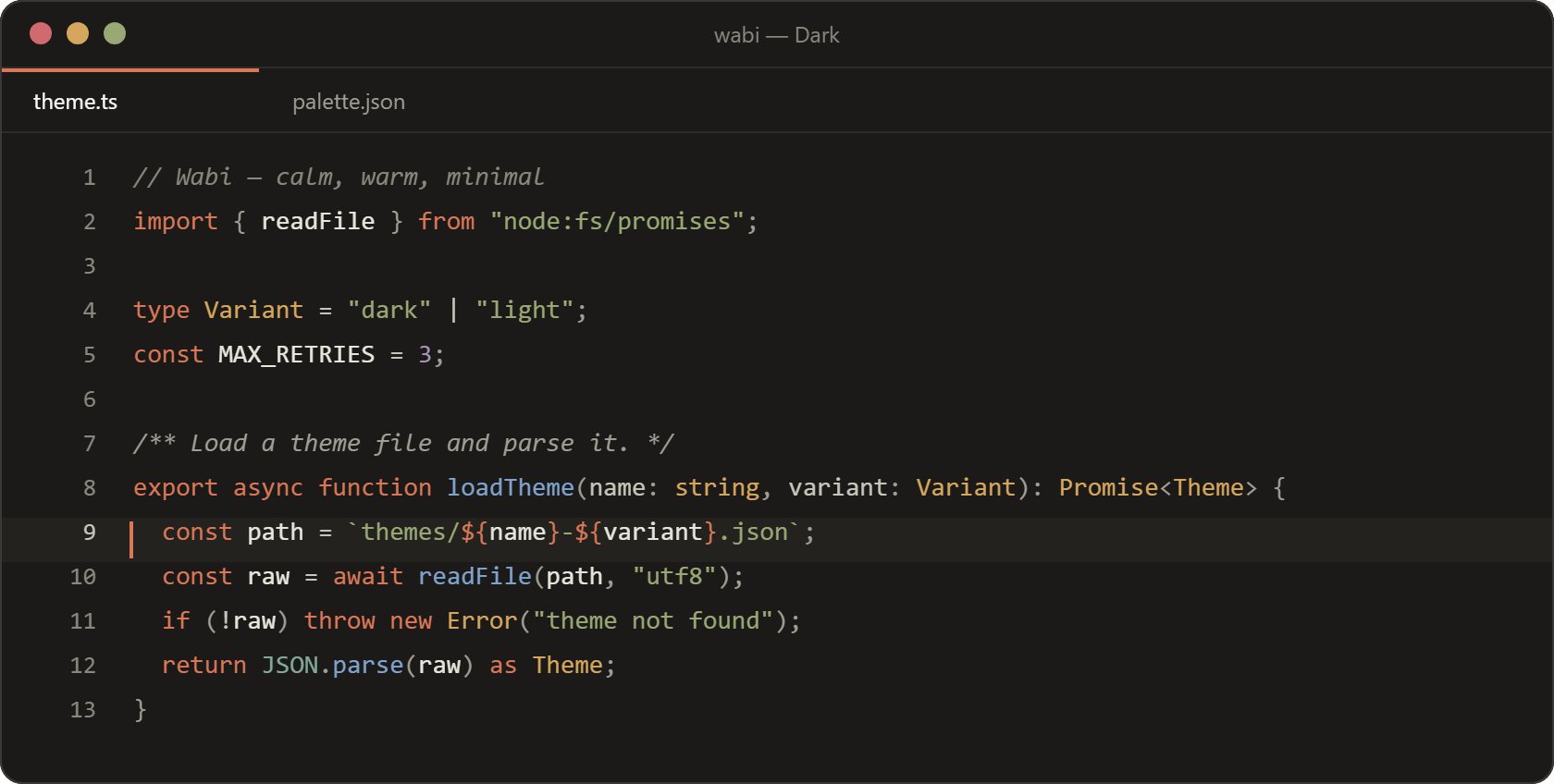
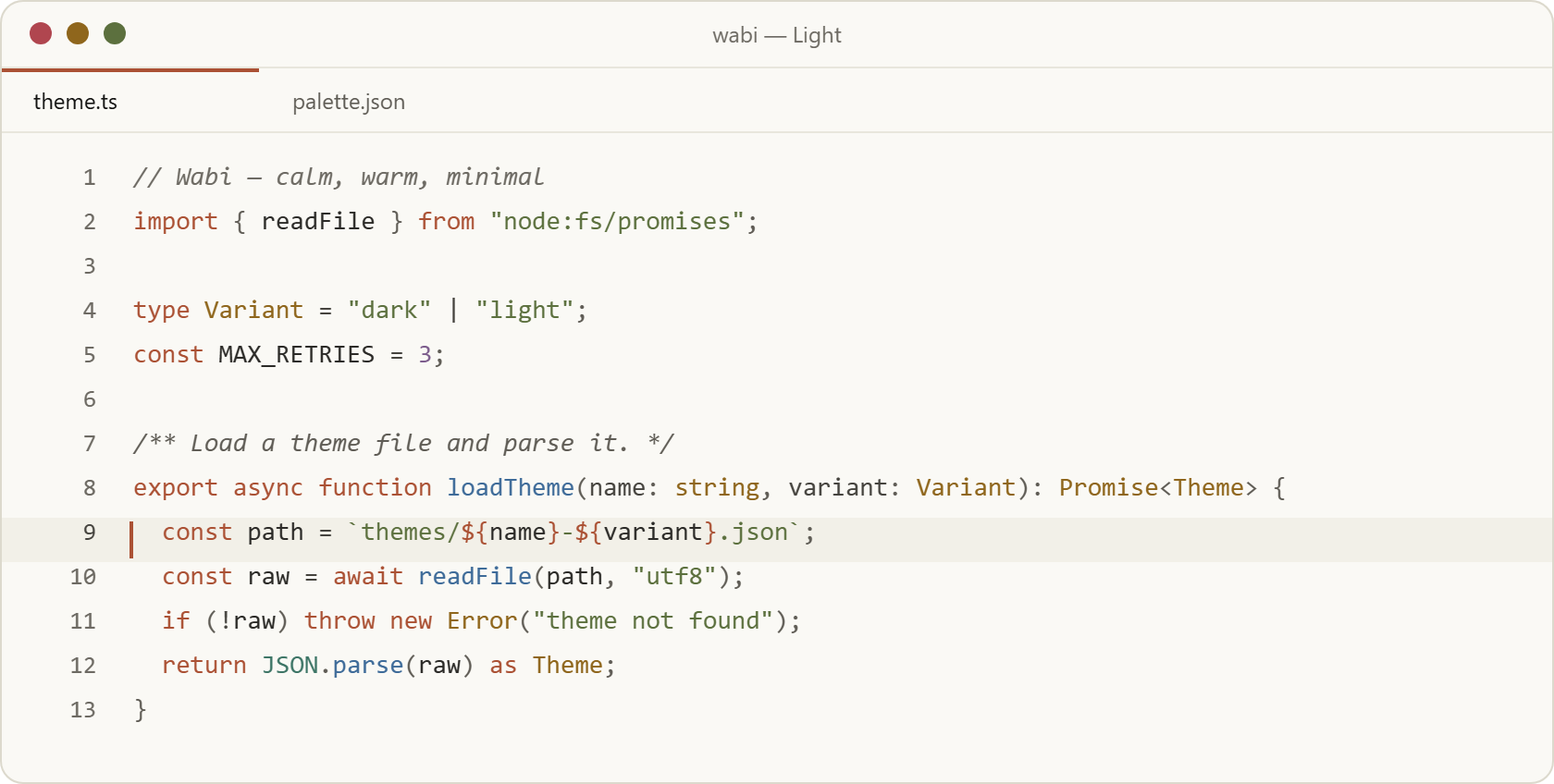
WabiA minimal, calm and warm colour theme, in dark and light. Installation Launch VS Code Quick Open ( Ctrl+P), paste the following command, and press enter.Copied to clipboard |

Wabi for VSCode / CursorA minimal, calm and warm colour theme, in dark and light. Named after wabi-sabi: finding beauty in what is simple, quiet and imperfect.
InstallOpen the Extensions view, search for Wabi, and install it. Cursor, VSCodium and other editors that use Open VSX find it there under the same name. Then run Preferences: Color Theme and pick Wabi Dark or Wabi Light. To follow the system light/dark mode: MoreWabi is also available for Zed, Obsidian and Alacritty. The palette, the other ports and the issue tracker live in paugarcia32/wabi. DevelopmentThe themes are generated: don't edit Then run Developer: Reload Window. The package lands in Linking this folder into |