q3dviewer
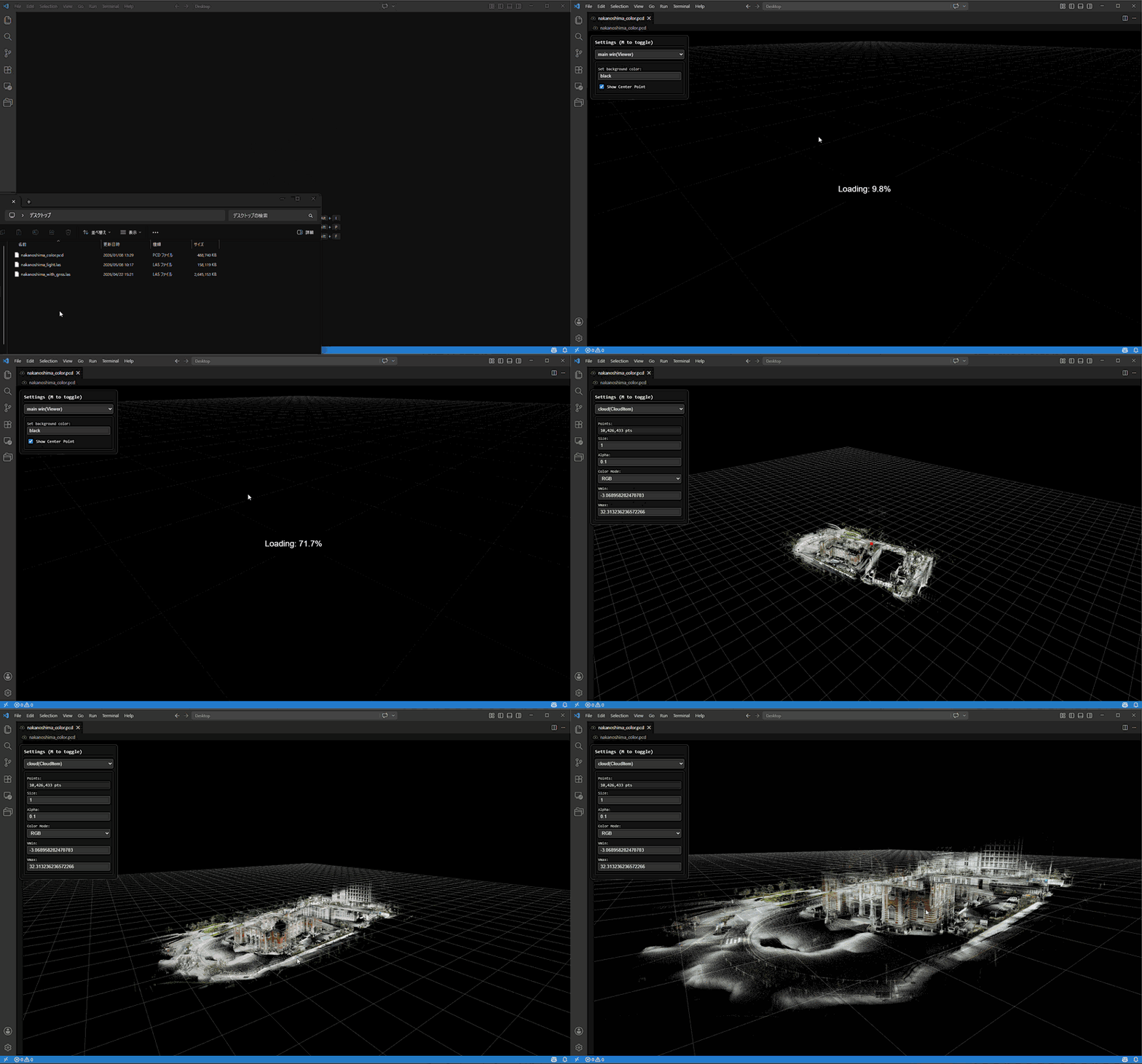
q3dviewer is a VS Code extension for viewing point cloud files (.pcd, .ply, .las, .laz, .e57) in 3D.
It embeds a q3dweb-based WebView so you can inspect point clouds directly inside the editor by rotating, panning, and zooming.
Highlights
- Opens
.pcd, .ply, .las, .laz, and .e57 files directly in a VS Code custom editor.
- Supports three viewer modes:
cloud_viewer, film_maker, and realtime_viewer.
- Streams large files from the extension host to the WebView in chunks.
- Down-samples very large point clouds automatically when the available memory budget is tight.
- Supports map overlay for georeferenced LAS and LAZ files.
Usage
- Install this extension in VS Code.
- Open a
.pcd, .ply, .las, .laz, or .e57 file.
- If the file does not open automatically, use "Reopen With..." and select
Point Cloud Viewer.
- Press
M to show or hide the settings panel.
1. Viewer Modes
The settings panel starts with a Viewer Mode selector.
| UI Label |
Purpose |
cloud_viewer |
Inspect the currently opened point cloud file. |
film_maker |
Create key frames, preview camera motion, and record fly-through videos. |
realtime_viewer |
Connect to rosbridge and visualize live sensor_msgs/PointCloud2 data together with odometry. |
When you switch back to cloud_viewer, the currently opened file is loaded again from the VS Code side.
2. Basic Controls
After the file is opened in the custom editor, you can inspect it with the mouse and keyboard.
| Input |
Action |
| Right drag |
Rotate |
| Left drag |
Pan |
| Mouse wheel |
Zoom |
W A S D Z X |
Move camera |
Shift + move keys |
Faster movement |
Ctrl + Left Click |
Measure distance between two points |
Ctrl + Right Click |
Reset measurement points |
M |
Toggle settings menu (preserves the active tab) |
Space (film_maker mode) |
Add key frame from current camera |
Delete (film_maker mode) |
Remove current key frame |
3. Cloud Viewer
cloud_viewer is the default mode for opened files.
- The extension streams file contents to the WebView in chunks instead of loading the entire file at once into one message.
- Very large point clouds are automatically down-sampled when needed to stay within the available memory budget.
- File changes on disk are reflected when the custom editor reloads the cloud.
4. LAS / LAZ Map Overlay
If a LAS or LAZ file includes coordinate reference system information, q3dweb can read it and overlay the point cloud on map tiles.
The following map sources are available by default.
- OpenStreetMap
- GSI Standard Map
- GSI Pale Map
- GSI Seamless Aerial Photo
- GSI Blank Map

5. Realtime Viewer
Switch Viewer Mode to realtime_viewer to connect the WebView to rosbridge.
The realtime panel lets you configure:
- ROS Bridge URL
- Cloud Topic
- Odom Topic
- Max Points / Scan
- Max Accumulated Points
After you click Connect, the viewer subscribes to:
sensor_msgs/PointCloud2 on the configured cloud topicnav_msgs/Odometry on the configured odometry topic
This mode is useful when you want to inspect a live robot map without leaving VS Code.
- Realtime mode requires a reachable rosbridge WebSocket endpoint.
6. Creating Demo Videos
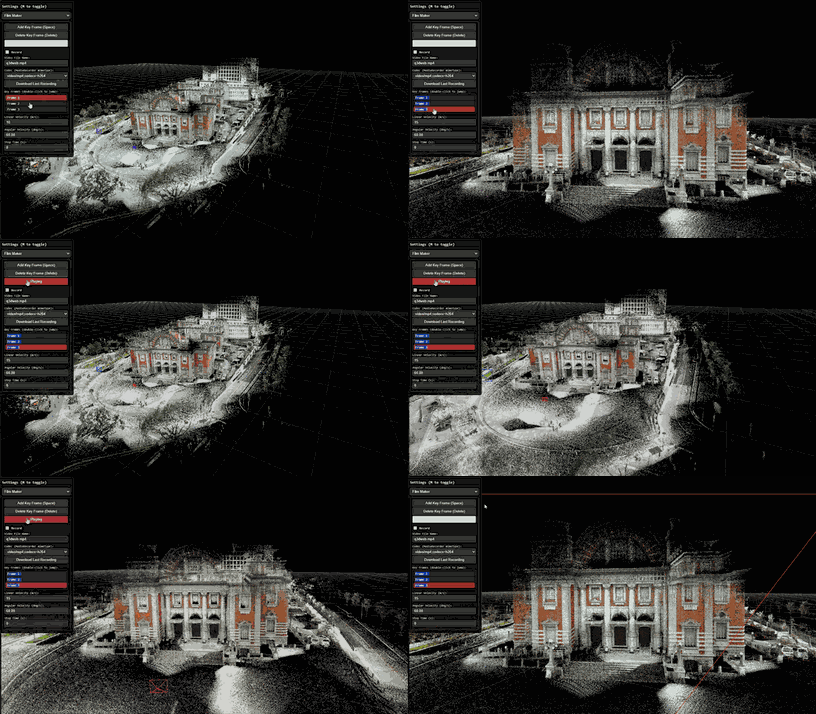
q3dweb also includes a Film Maker workflow for creating camera fly-throughs. Switch Viewer Mode to film_maker, save camera positions as key frames, and preview the interpolated camera motion.
You can then record and download the playback as a video file. The default setting targets MP4/H.264 when the browser supports it and otherwise falls back to another MediaRecorder-compatible format.
7. Distance Measuring
You can measure distance by holding Control and left-clicking.
If you click multiple times, you can also measure the total length.
Press Control and right-click to undo.

- PCD (
.pcd): binary and ASCII
- PLY (
.ply): ASCII, binary little-endian, binary big-endian
- LAS (
.las): point data record formats 0–3, 6–8
- LAZ (
.laz): LAZ-compressed LAS via laz-perf
- E57 (
.e57): XYZ / RGB / intensity via a bundled Rust + WebAssembly reader
- Large files are transferred to the WebView in chunks to keep memory use bounded
- Very large inputs may be down-sampled automatically before rendering
Links
- Source code
- Documentation
License
MIT. See LICENSE.txt in the packaged extension.

