PageWell for VS CodeShare the file you are editing as a link, and preview Markdown and HTML the way PageWell renders them. No account needed to start.
Three places, one job each
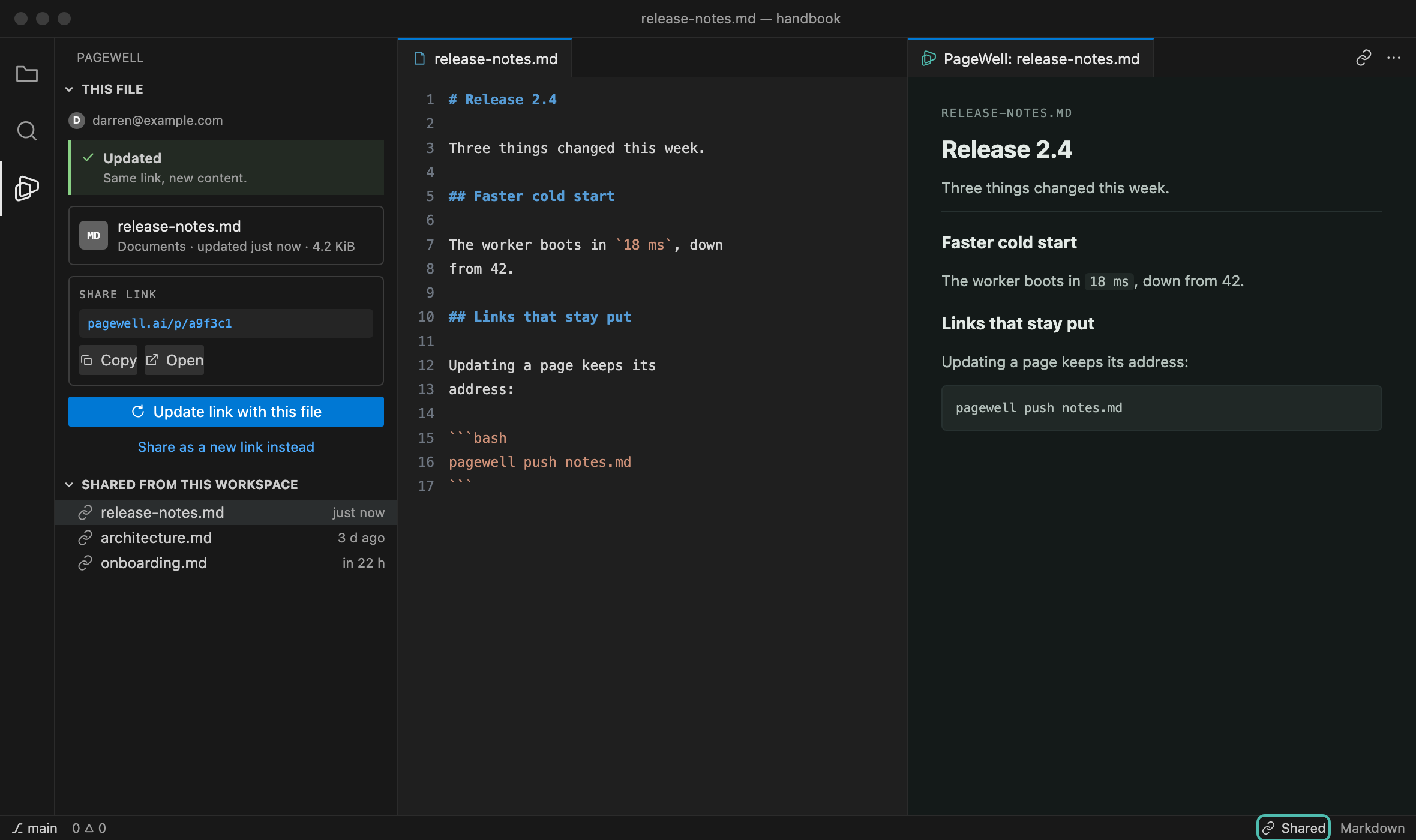
Sharing never needs the preview: open the bar and press the button. The keyboard shortcut
The preview is the published pageThe preview runs the same renderer as pagewell.ai, compiled to WebAssembly and packaged inside the extension, with the same stylesheet. Headings, tables, code highlighting, Mermaid diagrams and KaTeX formulas look here exactly as they will for a reader. Typing re-renders in place and keeps your scroll position. HTML files are shown as-is inside a sandboxed frame — their own styling, no scripts. Share without an account, or sign in
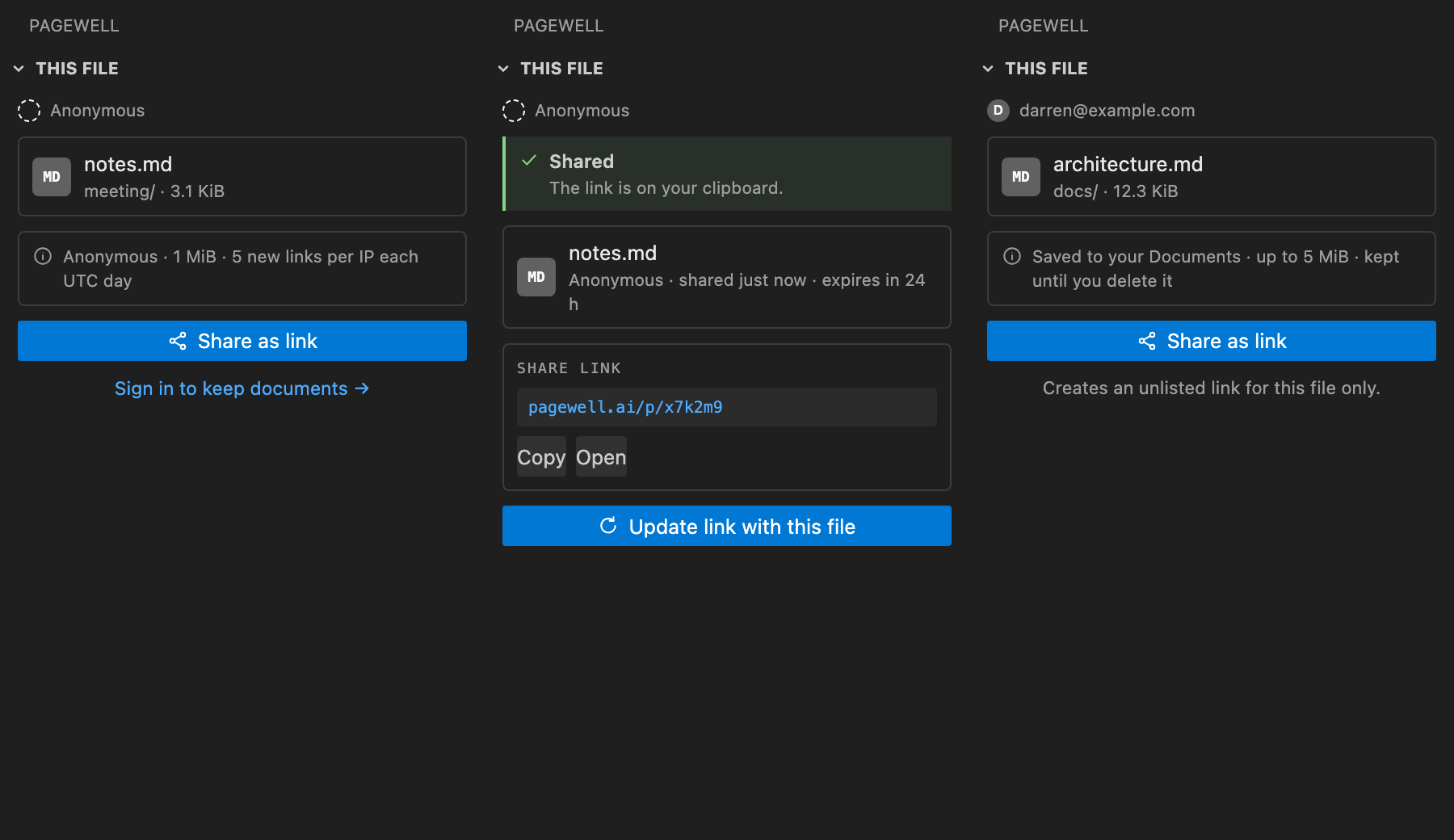
Anonymous — no account, no sign-up. Up to 1 MiB per file, 5 new links per IP each UTC day, and the link is removed 24 hours after its last update. Signed in — files are saved to your Documents on PageWell, up to 5 MiB, and kept until you delete them. Signing in goes through PageWell's device approval flow: the extension shows a short code, you approve it in your browser. It never asks for a password. Your account and its sign-out live in VS Code's own Accounts menu, next to your other sign-ins. Update a link instead of making a new oneShare a file once and the extension remembers where it went. Press Update link with this file and the same address serves the new content — anyone who already has the link sees the new version without being sent a new one. PrivacyThe file is read and uploaded only when you press Share or Update. Nothing is watched, scanned or sent in the background. What goes up is the source — your Markdown or HTML as written, not a rendered snapshot — because the server renders it with the same renderer you just previewed with. Sign-in tokens are kept in VS Code's SecretStorage. The link for each file, and the one-time token that lets an anonymous link be updated, are kept in workspace state on this machine. Commands
Right-click a Settings
PageWell · Report an issue · Apache-2.0 |