Mirrors
Control your CLI coding agent from VS Code, your phone, or your browser.
Mirrors gives you a cleaner UI for CLI coding agents and lets you mirror the same active session to your phone or browser. Start the agent in your current workspace, send prompts, attach files or selections, respond to approvals, and keep the session running on your own machine.
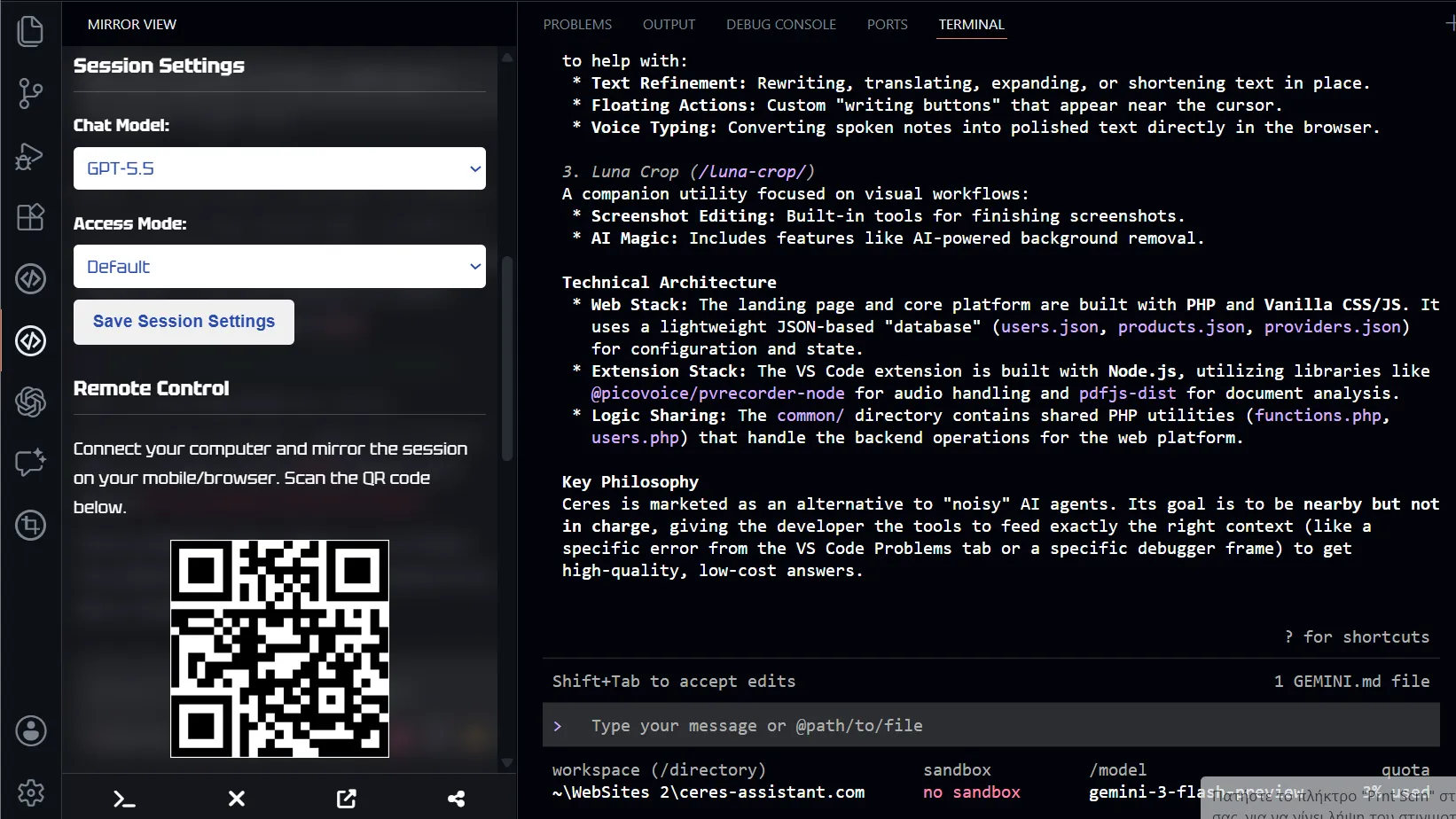
The runtime stays on your computer. Your phone or browser becomes a remote control for the same session, so you can keep long-running agent work alive when you step away from the desk.
Here is the MOBILE APP:
https://ceres-assistant.com/www/index-4.html
- Open this from mobile - VS Code must be open and Mirror-Sidebar also.
- Mirrors does not provide its own agent runtime.
- It works with agents such as Codex, Claude Code, Gemini CLI, OpenCode, or your own compatible setup.
- Mirrors is the UI and remote-control layer that connects that agent to VS Code and your phone or browser.
Remote Control
Mirrors lets you mirror the active IDE agent session to a phone or browser. This is not a second agent or a separate conversation. It reuses the session already running in VS Code on your computer.
- Start a long task in VS Code, then monitor and steer it from your phone.
- Approve or reject permission requests without staying at the desk.
- Keep the same context and conversation when you step away.
- No separate backend — the mirror uses peer-to-peer connections directly between your computer and mobile device.
Reduce Token Usage
CLI agents charge per token, and sending entire files can waste context and budget. Mirrors helps you send only what the agent actually needs.
- Attach selected code: select a block in the editor and send it with your prompt.
- Attach full files: add specific files from the explorer or editor context menu.
- Line numbers: file references include line numbers so the agent gets precise context without seeing the entire file when unnecessary.
- Explicit context control: you decide every prompt what the agent receives — a snippet, a file path, a typed instruction, or a combination.
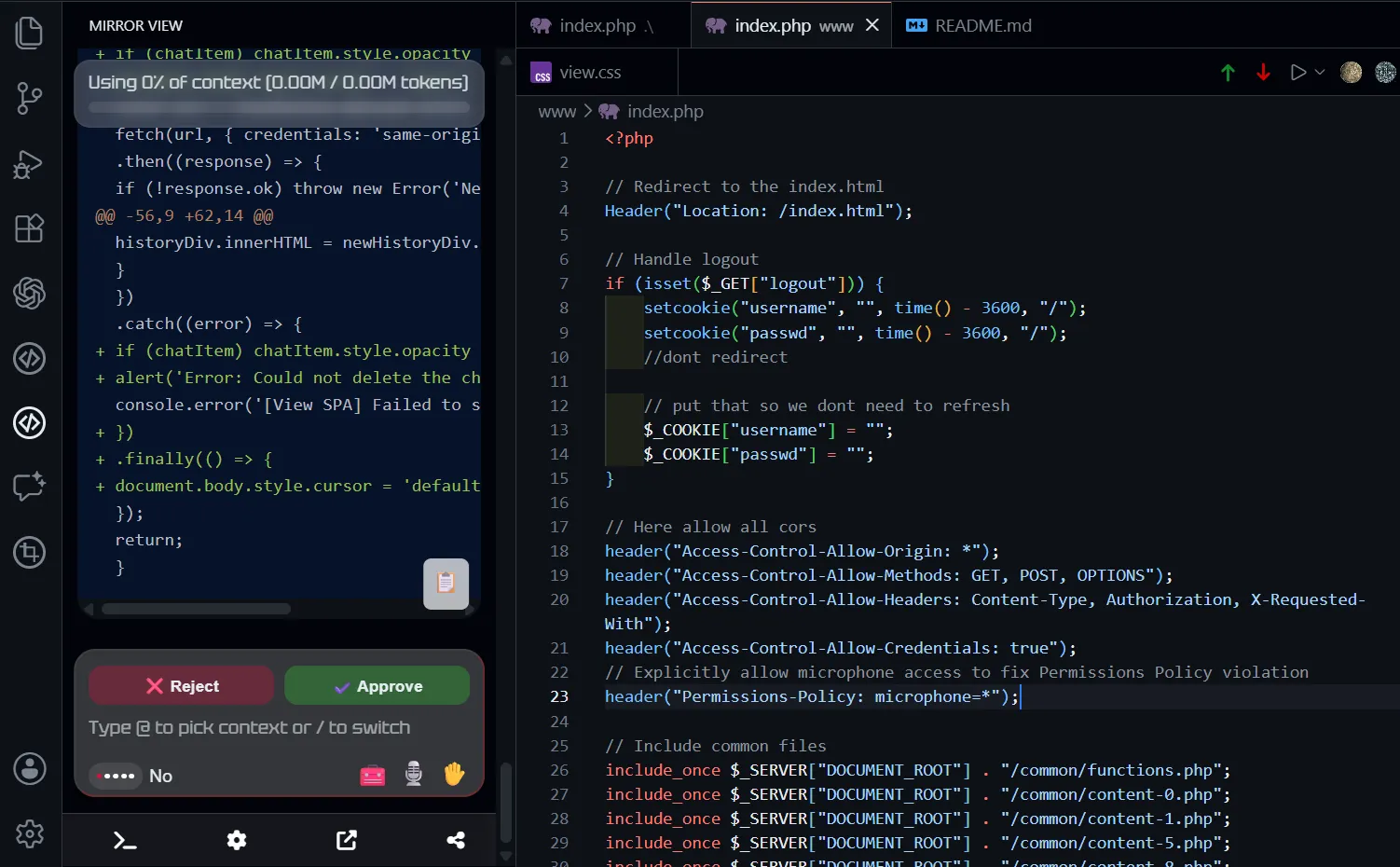
What is Mirrors?
Mirrors gives CLI agents a better VS Code UI. You can send prompts, attach selected code or files, see what the agent is doing, approve actions, change model or mode settings, and keep the same session mirrored on mobile or browser.
In short:
- You install or configure the CLI agent yourself.
- Mirrors lets you reduce token usage by attaching selected code or full paths from the editor.
- You can use Mirrors to talk to the agent with speech recognition.
- You can mirror that same session to a mobile phone or browser.
- You can switch agents because Mirrors is not tied to one provider.
Supported CLI Agents
Mirrors is an ACP client for command-line coding agents. You choose the agent, and Mirrors connects it to VS Code and to your mobile phone or browser.
Then use the VS Code via Sidebar or the remote control to:
- Connect or disconnect the CLI process.
- Start a new agent session.
- Send prompts to the active session.
- Stop or cancel a running prompt.
- Review tool call activity.
- Respond to permission prompts.
- Save model, mode, and session preferences.
- Attach selected code or full files from the editor.
- Reuse and control the existing IDE session from a mobile or browser mirror.
Here is the MOBILE APP:
https://ceres-assistant.com/www/index-4.html
- Open this from mobile - VS Code must be open and Mirror-Sidebar also.
Features
- VS Code agent sidebar: Chat with your CLI agent without leaving the editor.
- Remote control: Use your phone or browser to control the same active session.
- Bring your own agent: Use Codex, Claude Code, Gemini CLI, OpenCode, Copilot CLI, or a custom compatible agent.
- Workspace context: The agent runs from the project you already have open in VS Code.
- Session reuse: Continue the same conversation instead of starting over.
- Model and mode controls: Change available agent settings from the UI when supported.
- Activity view: See what the agent is doing while it works.
- Permission handling: Approve or reject agent actions from the sidebar or remote view.
- Reduce token usage: Send only what the agent needs with precise file references and line numbers.
- Open suggested files: Jump from agent responses back into the editor.
- Voice input and speech recognition: Talk to the agent instead of typing every prompt.
- Workspace file access: Let supported agent workflows read or write files through VS Code.
Common Workflows
Connect a CLI Agent
Open Mirrors settings, choose a CLI agent, confirm the command, and press Connect CLI.
The default command is:
gemini --acp
You can switch to Codex, Claude Code, OpenCode, GitHub Copilot CLI, or a custom command.
Add a File
Use Add File to Mirrors from the explorer, editor title, editor context menu, or command palette.
Approve Agent Actions
When an ACP agent asks for permission, Mirrors shows the request in the sidebar so you can accept or reject it without hunting through terminal text.
Change Model or Access Mode
If the connected agent exposes model or mode settings, Mirrors populates them in Session Settings. Pick the values you want and save them for the active or next compatible session.
Start Fresh
Use the new-session control to close the previous ACP session when supported and start a fresh one through the same running CLI pipeline.
Mirror Beyond the IDE
Mirrors can mirror the active IDE agent session to a phone or browser. Remote control reuses the session that is already running in VS Code; it does not start a second agent, create a separate conversation, or lose the current context.
This is useful when you want to keep an agent running on your workstation but control it from another screen.
Example Setups
DeepSeek with OpenCode
OpenCode is one of the most efficient CLI agents, and pairing it with DeepSeek models keeps your token costs low. Install OpenCode, authenticate with your DeepSeek API key, and set the agent command to opencode acp in Mirrors settings. Once connected, the extension passes your prompts directly to DeepSeek without any extra configuration.
Codex on Linux
The original Codex desktop application does not run on Linux, but its CLI does. After installing Codex and running codex login, set the agent command to codex-acp in Mirrors settings. Connect the process and start a session; Mirrors uses your local Linux environment for workspace access and file operations.
Here is the MOBILE APP:
https://ceres-assistant.com/www/index-4.html
- Open this from mobile - VS Code must be open and Mirror-Sidebar also.
Use Cases
- Start a long coding agent task in VS Code, then monitor and guide the same session from your phone.
- Approve or reject permission requests without staying focused on the terminal.
- Keep the agent running in the project workspace while you read output from a larger or more convenient browser view.
- Continue steering the same conversation when you step away from the desk.
- Use VS Code as the local host for files, workspace, and CLI execution while the phone or browser acts as a controller.
- Compare agents by connecting different ACP commands without changing the remote-control workflow.
Commands
Mirrors contributes these VS Code commands:
- Add File to Mirrors
- Add Selection to Mirrors
You can access them from the command palette, Explorer context menus, editor menus, and selection workflows.
Requirements
- VS Code 1.80.0 or newer
- Node.js/npm for managed adapter installation flows
- An installed and authenticated CLI agent
- ACP support from the CLI command you connect to
- Git or other project tools only if your chosen agent needs them
- Microphone access if you use voice input features
Best For
Mirrors is a good fit for:
- Developers who already use CLI agents but want a clearer UI inside the IDE.
- Developers who want to mirror the active IDE agent when stepping away from the desk.
- Users experimenting with custom CLI agents, including agents backed by budget models or local AI setups.
- People who want to connect CLI agents to VS Code and attach code context without leaving the editor.
- Developers who want to use voice input and speech recognition to talk to their agents.
Known Limits
- The CLI agent you connect to must support the ACP protocol.
- The CLI agent must be installed and accessible from your PATH.
- ACP features vary by agent; model switching, mode switching, session recovery, and permission prompts appear only when supported.
- Agent actions should be reviewed before accepting or applying them.
Privacy And Usage
The extension does not provide a hosted model or remote compute runtime.
We do not host the remote traffic between your computer and mobile device. The remote control mirror uses peer-to-peer connections only. Your prompts, session messages, and selected context stay on your machine and are not sent to any external service by Mirrors itself.
Mirrors starts the CLI command on your machine and passes prompts, session messages, and selected context to that process. What happens to your data after that depends on the CLI agent and provider you choose.
Mobile APP
https://ceres-assistant.com/www/index-4.html
Bug Reports and Feedback
https://ceres-assistant.com/web/contact.php
Purchase a License
https://andreaspa.gumroad.com/l/mirror
Privacy Policy Page
https://ceres-assistant.com/web/privacy-policy.php

