idea-to-code
Plan software as nested flowcharts, with any coding agent. Works in VS Code, Cursor and VSCodium.
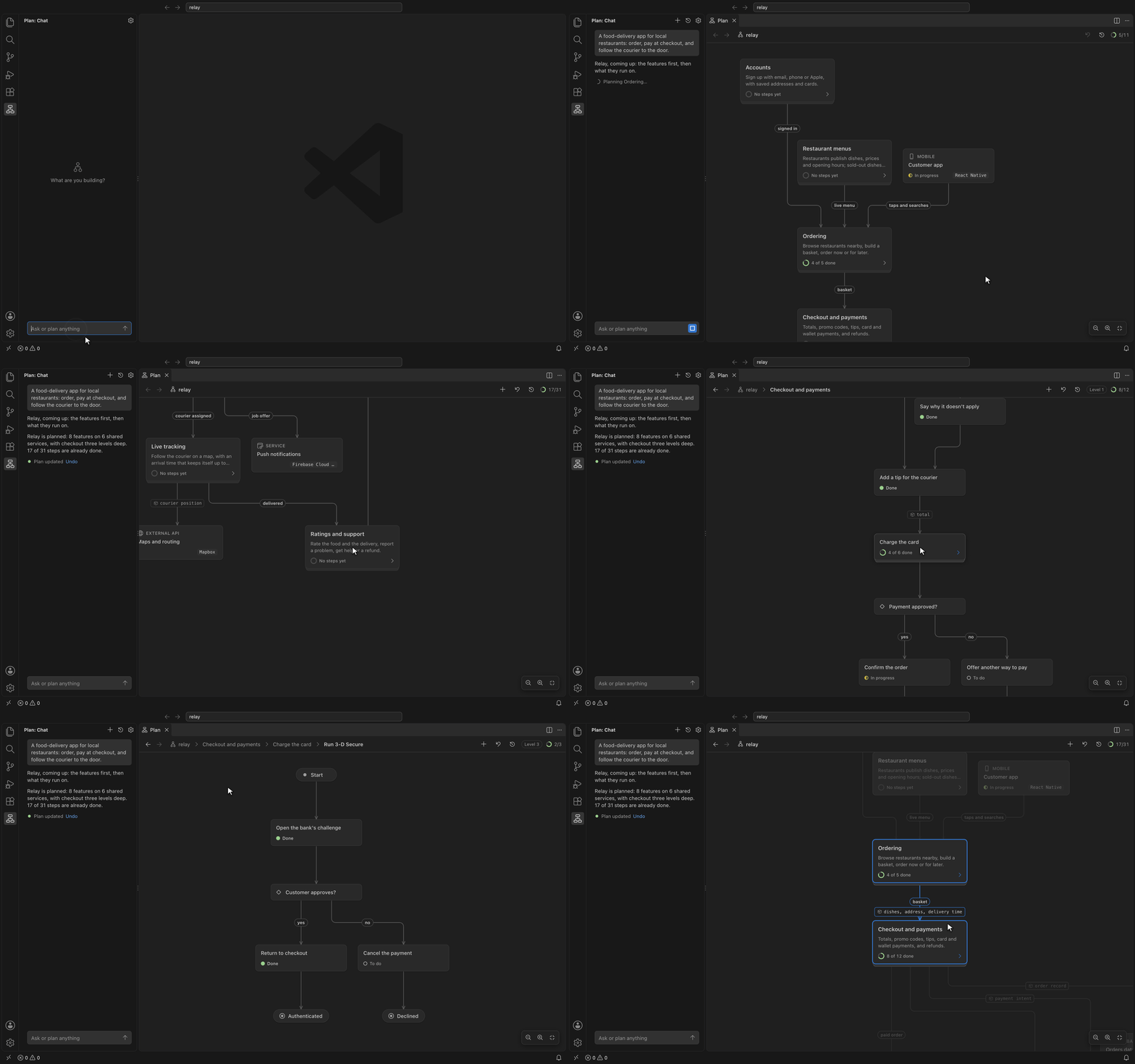
Plan
- Open Plan in the activity bar.
- Describe what you're building. Your first message starts the plan.
- When asked, choose a model: your editor's own models, or your own Anthropic, OpenAI, Google or OpenAI-compatible key.
The chart opens beside the chat and changes as the plan does. Click a card for its details. Double-click a card with a flow to go into it.
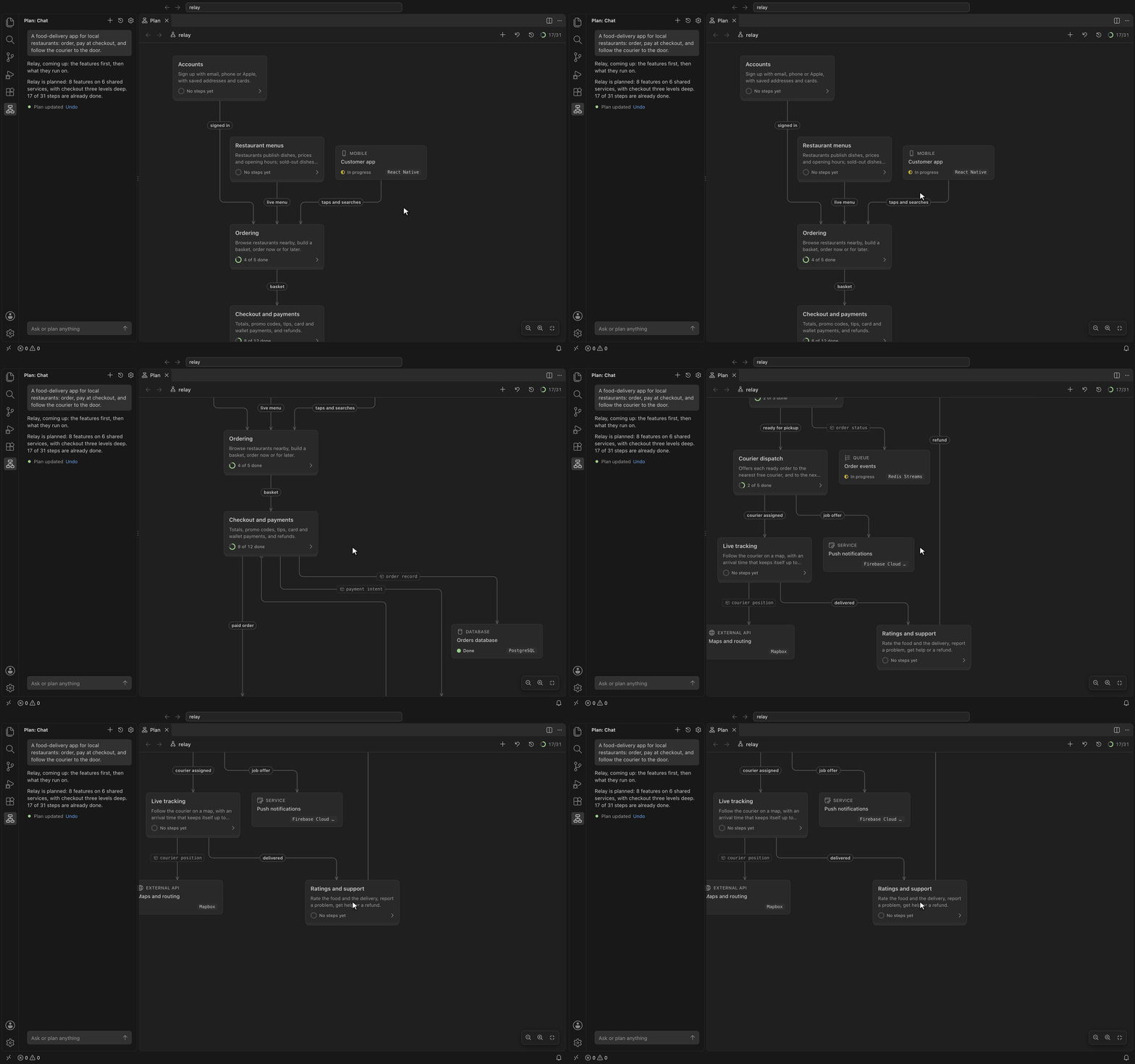
Ask for changes the same way, from wherever you are in the plan:
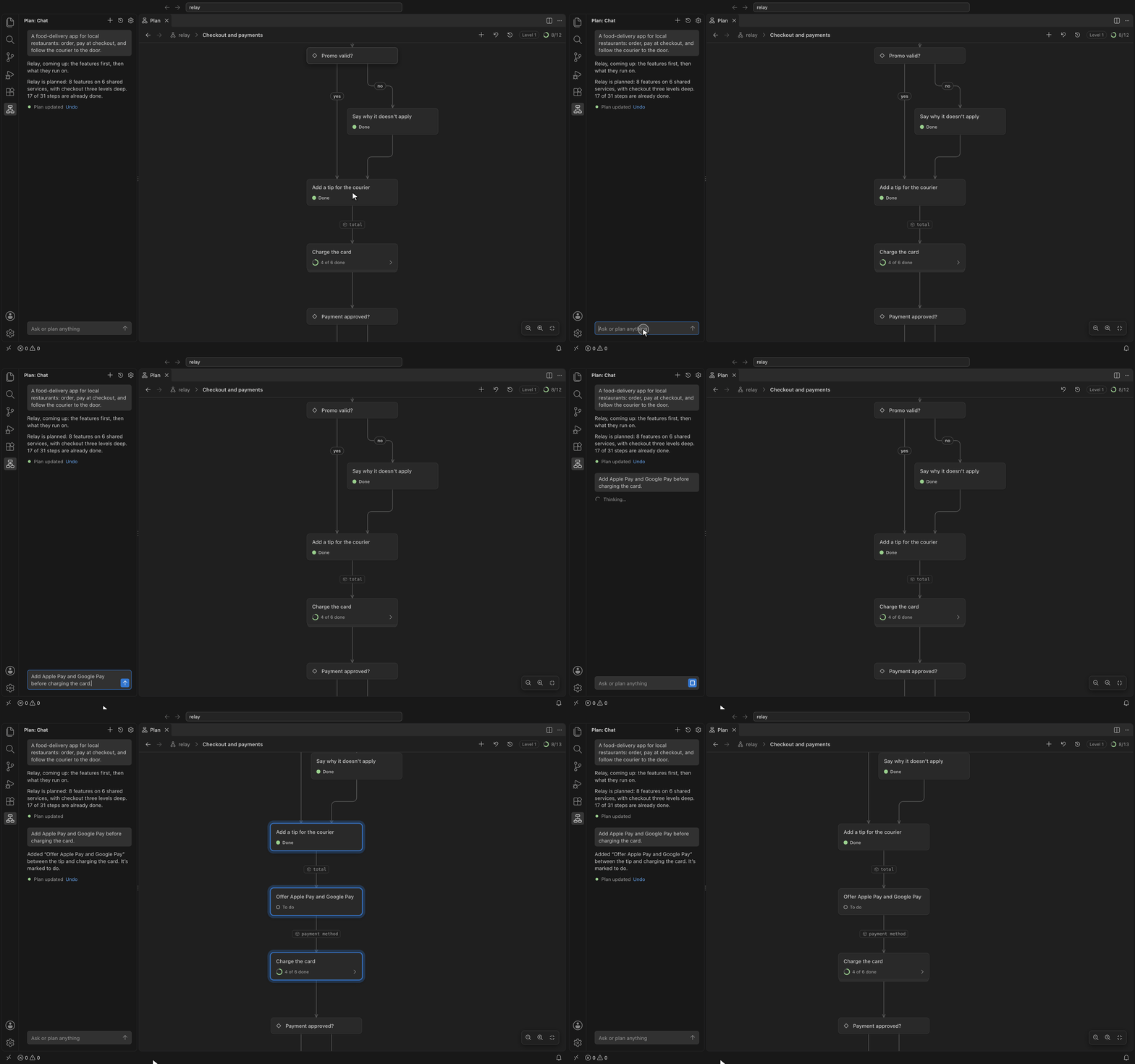
Connect your coding agent
Your coding agent reads the plan, builds from it and marks progress through the idea-to-code MCP server. Set it up once and it works in every project. It needs Node.js 20 or later.
Claude Code
claude mcp add --scope user idea-to-code -- npx -y idea-to-code-mcp
Codex
codex mcp add idea-to-code -- npx -y idea-to-code-mcp
Copilot in VS Code: nothing to do. This extension provides the server.
Cursor, in ~/.cursor/mcp.json:
{
  "mcpServers": {
    "idea-to-code": {
      "command": "npx",
      "args": ["-y", "idea-to-code-mcp", "--root", "${workspaceFolder}"]
    }
  }
}
Any other agent: add a local (stdio) MCP server that runs npx -y idea-to-code-mcp in your project folder. Most agents take the same JSON as Cursor.
Then ask it things like:
- "Build the Bookings flow from the plan."
- "Map this codebase into the plan."
- "What's left to do in Payments?"
Every change your agent makes shows on the chart and in History, where you can undo it.
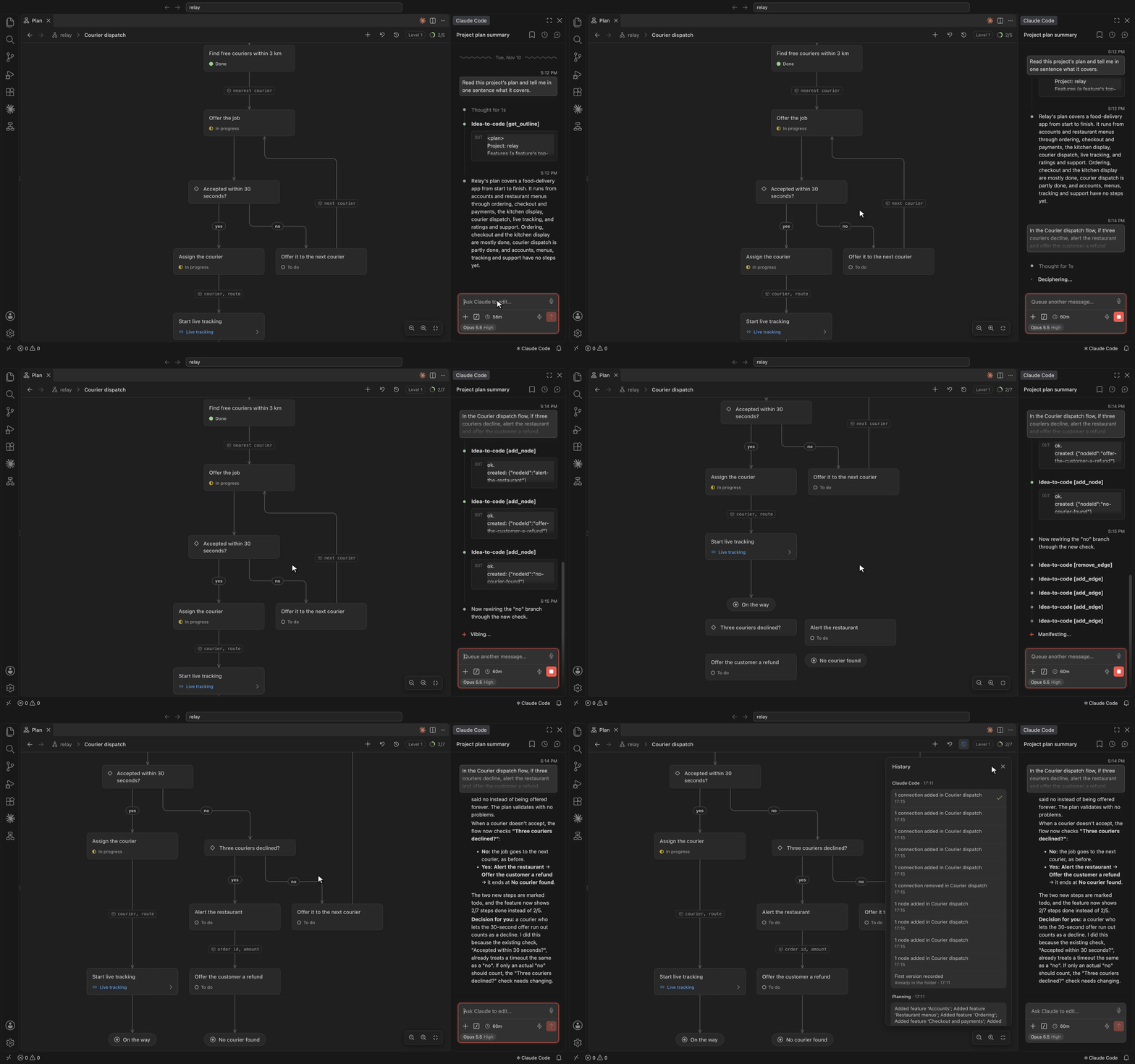
Your files
- The plan lives in your project, in
plan/, as YAML. Commit it with your code.
- History stays outside your project, in
~/Library/Application Support/idea-to-code on macOS, ~/.local/share/idea-to-code on Linux, or %APPDATA%\idea-to-code on Windows.
- API keys are kept in your editor's secret storage.
To share a plan, choose Export as Web Page from the … menu on the Plan tab. You get one file that opens in any browser.
Privacy
- The sidebar chat sends your message, the chat so far and the parts of the plan it needs to the model you chose: your editor's own models, or Anthropic, OpenAI, Google or the address you set, with your key. Nothing else goes anywhere.
- The MCP server makes no network requests. Your coding agent sends what it reads from the plan to its own model, as it does with your code.
- No telemetry. The extension collects nothing about you or your plans.

