Visibility in ExplorerToggle the visibility of files and folders excluded by your workspace settings Installation Launch VS Code Quick Open ( Ctrl+P), paste the following command, and press enter.Copied to clipboard |

Visibility in ExplorerShow, hide, and spot excluded files and folders — without ever leaving the Explorer.
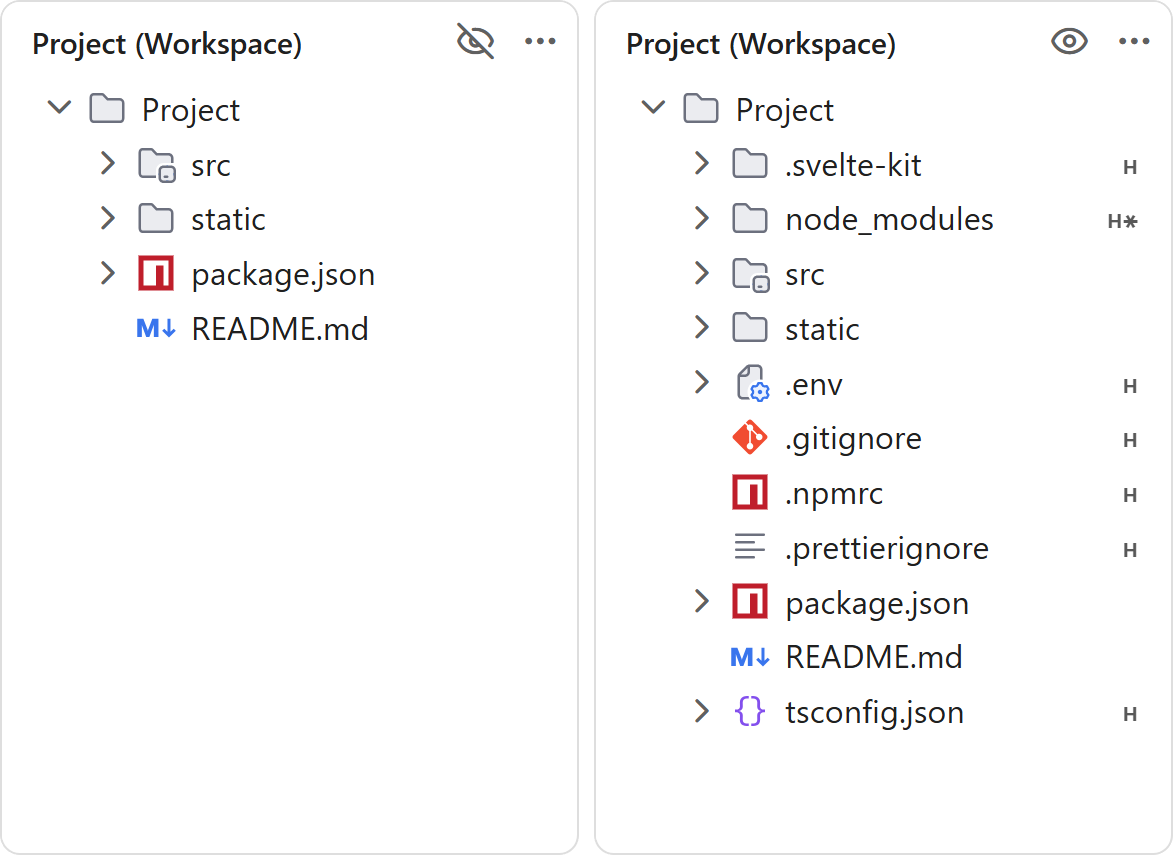
FeaturesShow or hide excluded files and foldersClick the eye icon in the Explorer title bar to instantly show or hide the items normally hidden by your
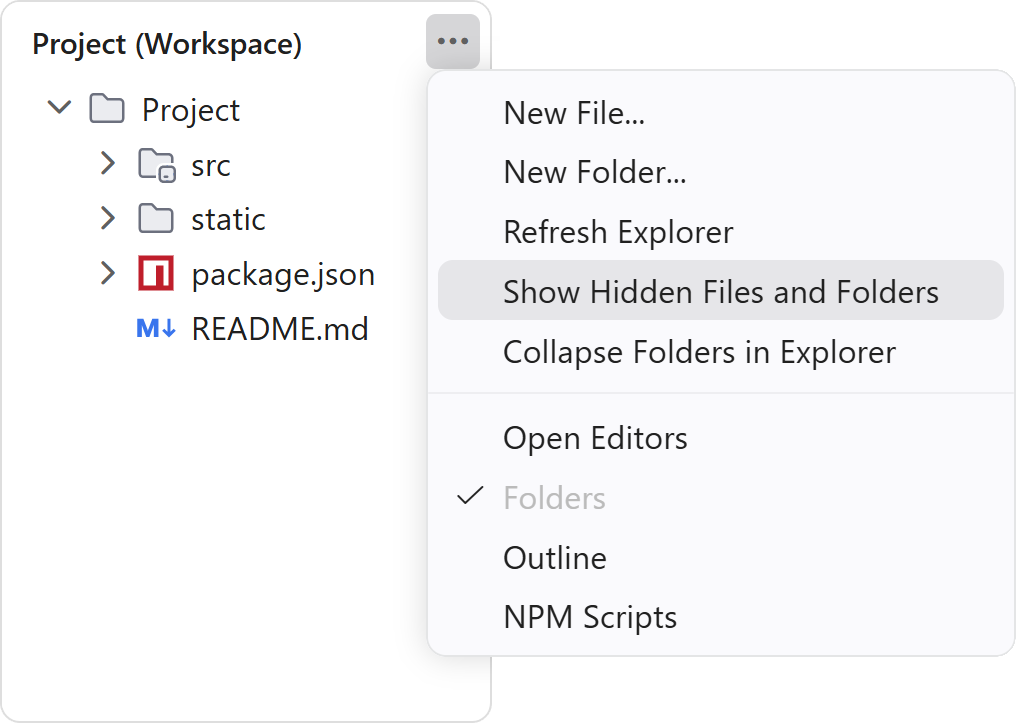
The same action is also available from the Explorer view's More Actions (
Spot hidden items at a glanceWhile hidden items are shown, each one gets a badge:
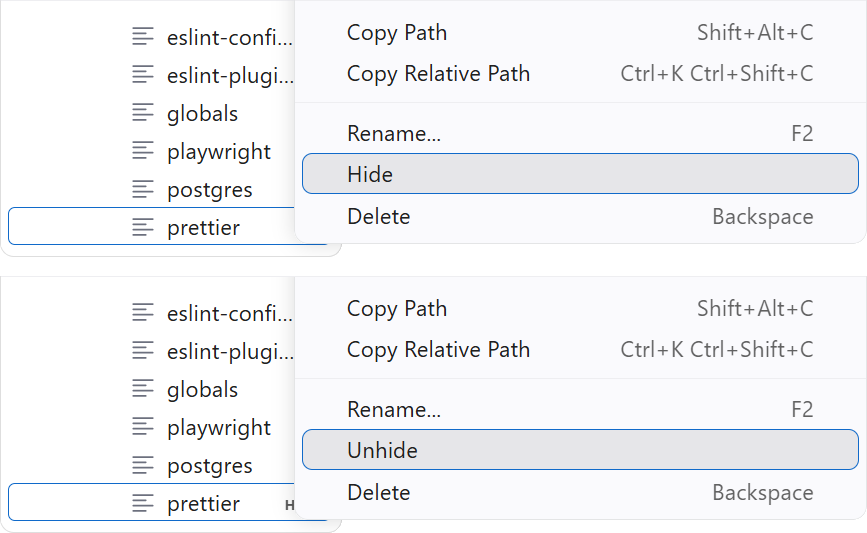
Hidden items are also faded, so they never get confused with the rest of your project. Both cues can be turned off independently — see Settings. Hide or unhide from the context menuRight-click any item in the Explorer and use Hide / Unhide to add or remove it from
Unhide is disabled for items hidden by a matching pattern rule, since removing the rule would affect every item it matches. CommandsAvailable from the Command Palette (
Show and Hide only appear when they apply, so the palette never offers the state you are already in. Settings
Badges require Under the hoodNothing is hidden behind your back: the extension drives the very same Showing saves the effective excludes — user, workspace and folder scopes combined — then flips every pattern to Hiding puts the saved values back and drops anything already provided by VS Code's defaults or your user settings, so no redundant entry piles up in your workspace file. When nothing workspace-specific remains, the Badges and colors come from a file decoration provider that answers per resource as the Explorer paints rows, so nothing is precomputed for files you never scroll to. Commands come in two flavors: the palette ones above, and dedicated ids for the Explorer surfaces — InstallationSearch for Visibility in Explorer in the Extensions view ( FeedbackFound a bug or have an idea? Open an issue. LicenseMIT © Olivier Cuenot |