OrielJS
The Oriel framework in your editor. TypeScript already checks your route names, Inertia
pages and validated data; OrielJS covers the strings Oriel reads at run time, where a typo compiles and fails later:
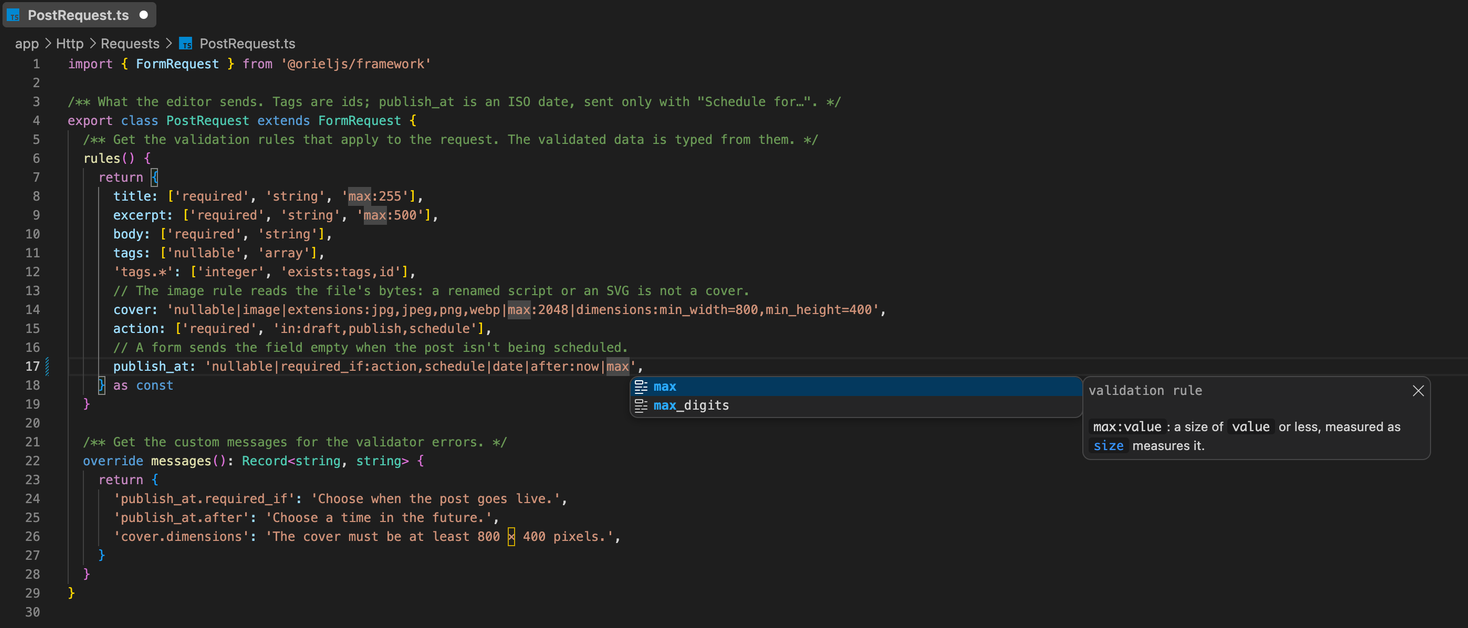
- Validation rules in
rules(), request().validate(), Validator.make() and a Live component's
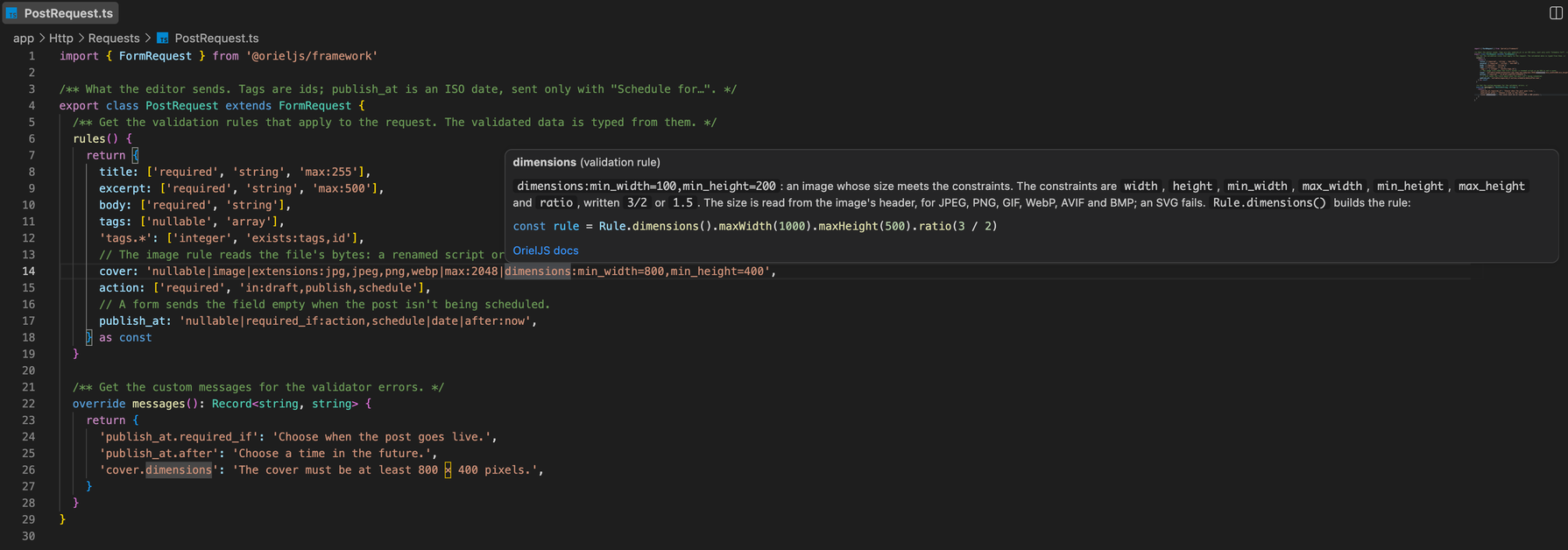
this.validate(): rule names complete after | and in array items, a hover shows the rule's docs, and an unknown
rule is underlined.
config('…') keys and the typed getters (Config.string('…'), …): every key of your merged config, with its
value and the file it comes from; go to the key in config/.env('…') names from .env and .env.example. A hover says whether .env sets the name and shows
.env.example's value, never .env's.- View names in
view('…'), View.make('…'), a mailable's views and Live layouts: completion, go to the file,
and a warning for a view that doesn't exist.
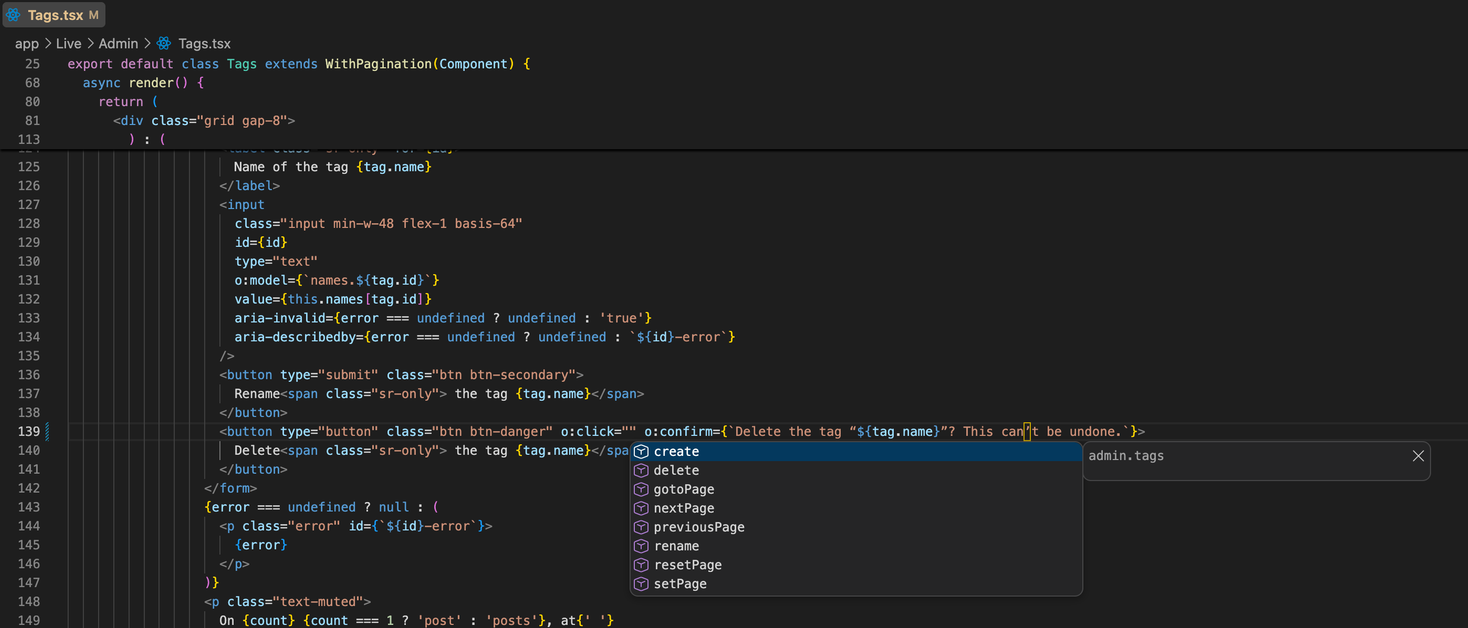
- Live's
o: attributes: o:click="…" completes the component's actions and o:model="…" its public
properties; go to the method, and a warning for one the component doesn't have.
route('…') and inertia('…'): a hover shows the route's URI, methods, middleware and action, or the page
file; go to the route's .name('…') or the page component.
Every hover ends with a link to the matching page of the docs.
It also keeps the generated types fresh (oriel route:types and oriel inertia:types run after you change routes,
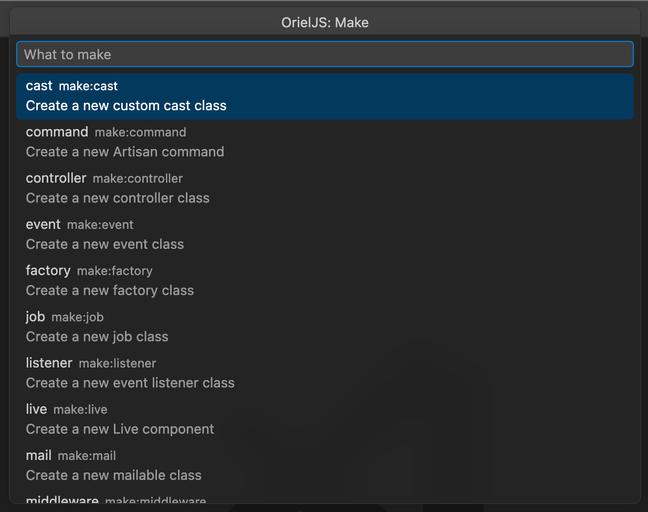
controllers or pages), puts the oriel CLI in the command palette (OrielJS: Make…, OrielJS: Run command…,
migrate, serve, test, route list), and adds snippets for controllers, models, migrations, form requests, Live
components, route groups, mailables and notifications.
Documentation: https://orieljs.vercel.app/docs/installation
Commands
| Command |
What it does |
| OrielJS: Make… |
Pick a make:* generator, give the name, tick its options (-m, -c, --resource, …); the files it creates open |
| OrielJS: Run command… |
Any oriel command, with its arguments and options, in the OrielJS terminal |
| OrielJS: Migrate, Migrate fresh (with seeders) |
oriel migrate; oriel migrate:fresh --seed, after you confirm |
| OrielJS: Serve with watch |
oriel serve --watch, in a terminal of its own |
| OrielJS: Run tests, Route list |
oriel test, oriel route:list |
| OrielJS: Open docs |
Pick one of the pages your app's version of the docs has, and open it on the docs site |
| OrielJS: Read the app again |
Runs oriel ide:info now |
The commands run with your app's runtime: bun oriel … in an app with a Bun lockfile, else node oriel …. The status
bar shows whether the types are up to date, and when the app couldn't be read (a syntax error mid-edit, say): the last
good information stays in use, and the OrielJS output has the error.
Settings
| Setting |
Default |
|
orieljs.runtime |
auto |
node or bun to choose what runs oriel |
orieljs.types.autoGenerate |
true |
Run route:types and inertia:types after routes, controllers or pages change |
orieljs.diagnostics.enabled |
true |
Warn about unknown rules, views, and Live actions and properties |
orieljs.appPath |
"" |
The app's folder inside the workspace folder, when it isn't the folder itself (one or two folders down, such as apps/web) |
Each folder of a multi-root workspace is an app of its own.
Requirements
- An Oriel app on 0.1.0-alpha.9 or later (an
oriel file and @orieljs/framework in package.json). On an older
version you get rule names and their docs, view and Live names from your files, and snippets.
- VS Code 1.90 or later, or an editor built on it (Cursor, VSCodium, Windsurf).
Workspace Trust
OrielJS learns about your app by running oriel ide:info, which boots it. It does that only in a trusted workspace.
In restricted mode it runs nothing from the app: rule names and docs come from the installed framework, view and Live
names from your files, and there are no warnings until the workspace is trusted (they need the app's own list of
rules, views and actions).
Feedback
Status: early alpha, like Oriel. Report a problem or an idea to orieljs.team@gmail.com.
License
OrielJS is open-source software licensed under the Apache License 2.0 (Apache-2.0; see LICENSE and NOTICE). The
Oriel name and logo are trademarks; see TRADEMARKS.md.
Website: https://orieljs.vercel.app
| |

