
Write code on your laptop. Run it on real hardware. Ship it as a signed app.
The official VS Code extension for Orbit OS — build apps for Raspberry Pi, Arduino UNO Q and other ARM64 embedded Linux devices in Go, Python or Java, without flashing, SSH or a deploy loop.
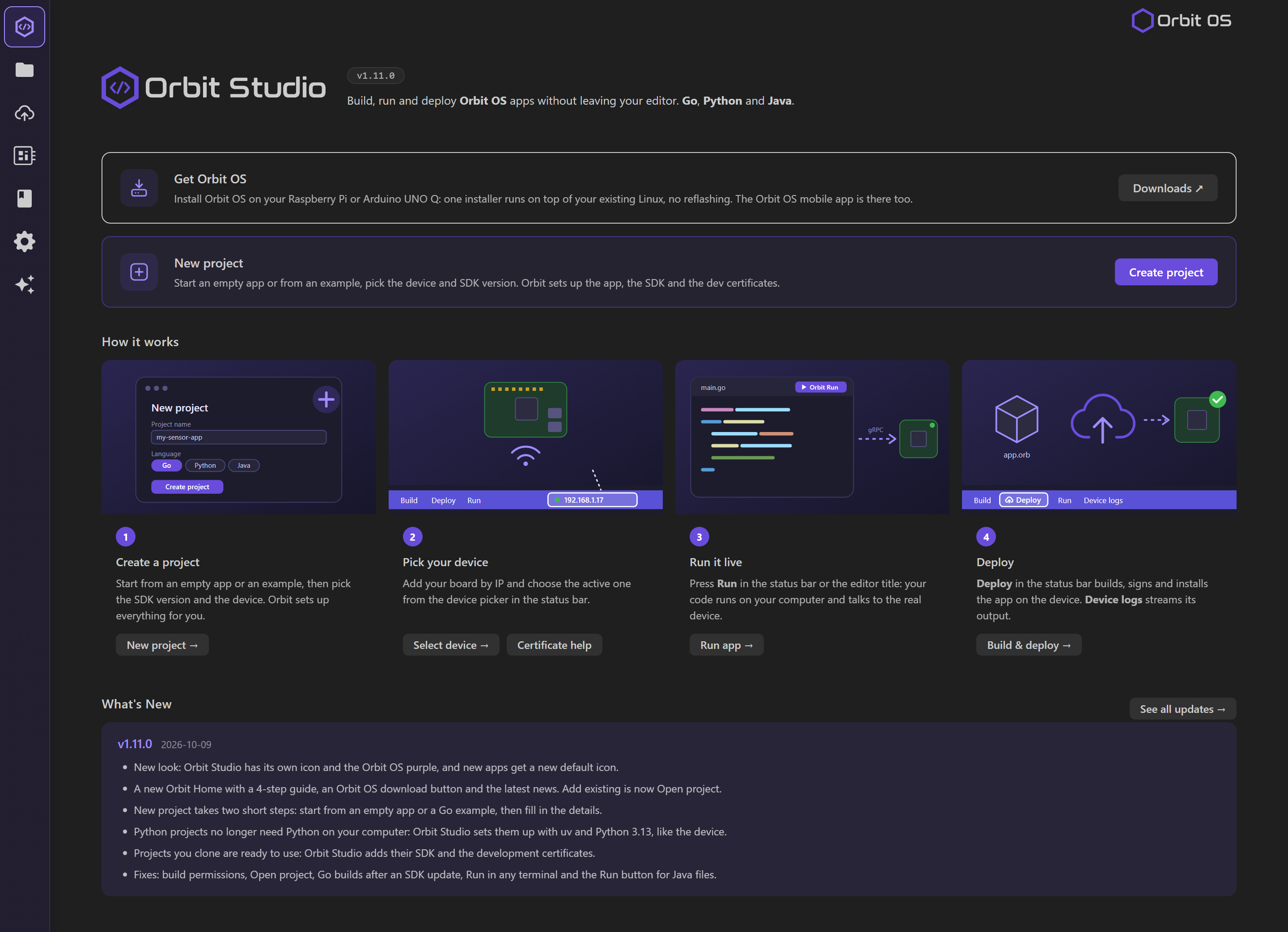
Why Orbit Studio
- Real-time development on real hardware. Your code runs on your laptop and calls the device's GPIO, I²C, UART, SPI, PWM, camera and AI APIs over the network. Change a line, run again — no packaging, no flashing.
- One-click deploy. When it works, Orbit Studio compiles, packages and signs your app as an
.orb and installs it on the device.
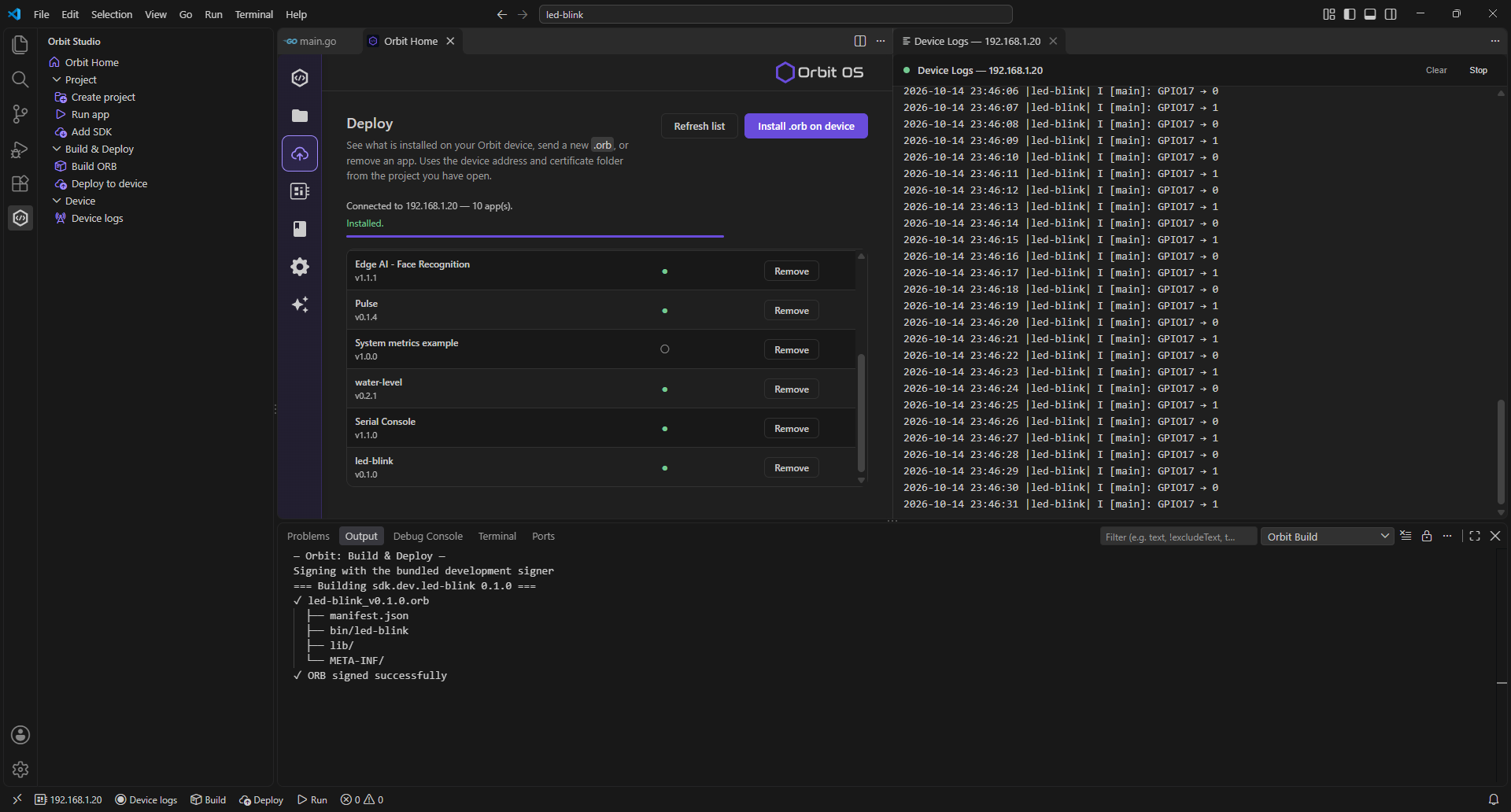
- Live device logs. Stream logs from every app on the device into VS Code, filtered by app, tag and level.
- No setup chores. Project scaffolding, SDK versions and certificates are handled for you.
How it works
1 · Create a project
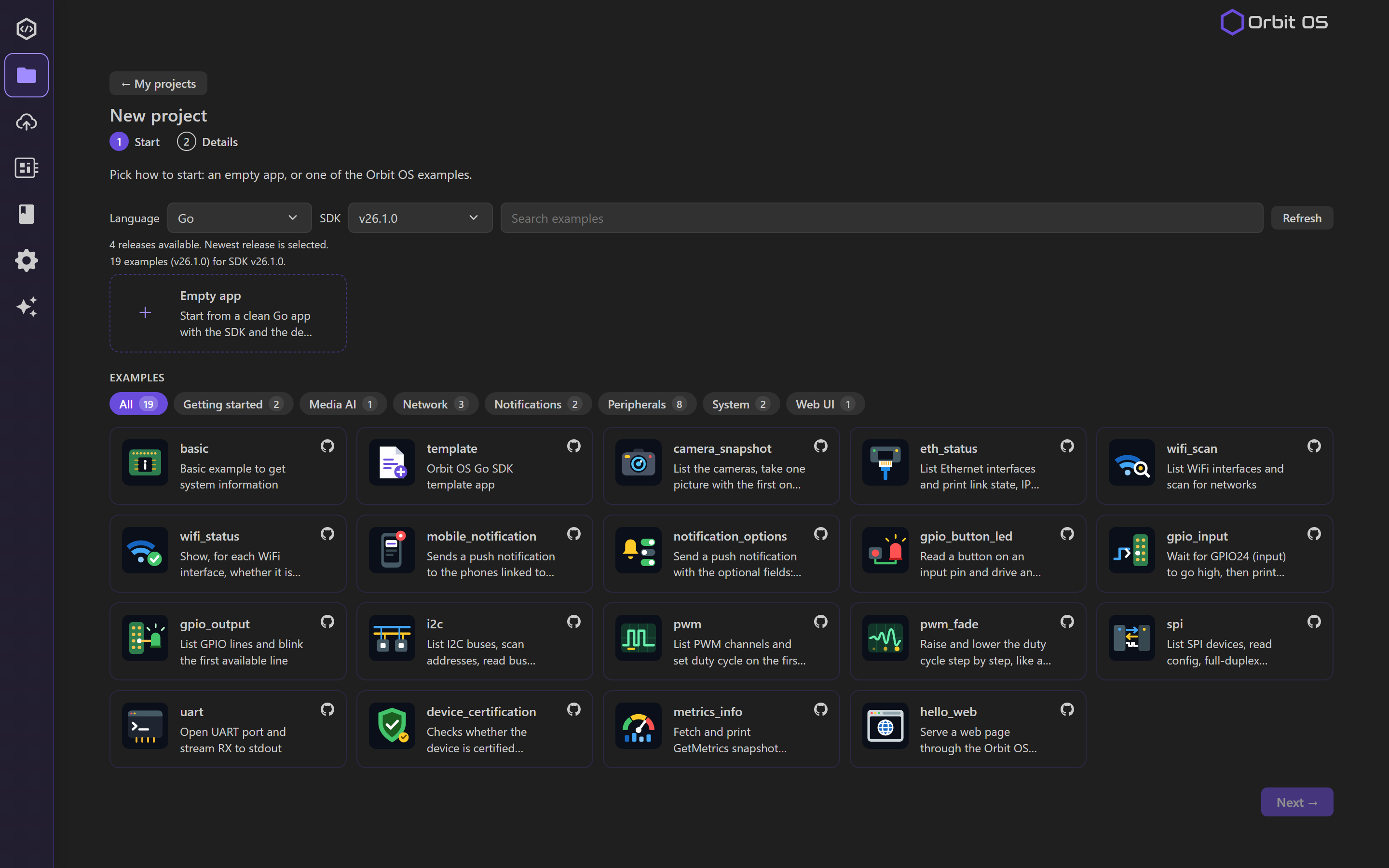
Start from an empty app or one of the Orbit OS examples, then pick the SDK version and your device. Orbit Studio scaffolds the app, the SDK and the dev certificates.
2 · Pick your device
Add your board by IP and choose the active one from the device picker in the status bar. Inspect device shows each board's status at a glance.
3 · Run it live
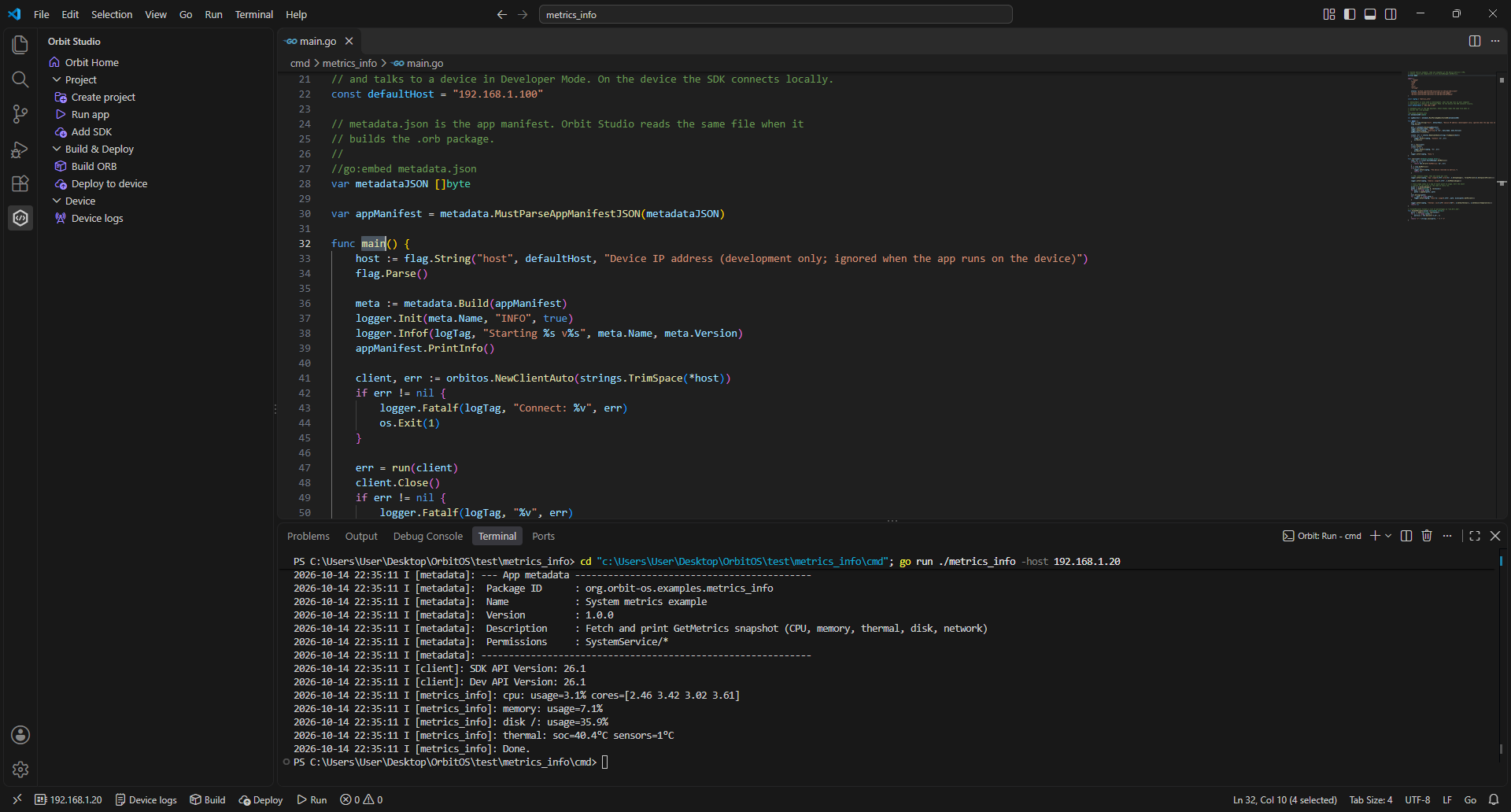
Press Run in the status bar or the editor title. Your code runs on your computer and talks to the real hardware over an authenticated (mTLS) connection.
4 · Deploy
Press Deploy in the status bar. Orbit Studio builds, signs and installs your app on the device as an .orb; it starts automatically and Device logs streams its output back to VS Code.
Features
|
|
| Projects |
My projects list and a two-step New project (Go, Python, Java): start from an empty app or, for Go, from an example of orbit-os-sdk-examples-go |
| Run |
▶ in the editor title bar, status bar or Command Palette — runs against the selected device |
| Build & Deploy |
Build .orb, deploy, or both in one click; see installed apps, install or remove them |
| Devices |
Add devices by IP and name them; Inspect device shows their status, sets the active one and opens the device's web UI inside VS Code |
| Logs |
Live device logs in the Output panel, filtered by app, tag, level and text |
| SDK |
Choose the SDK version per project; downloaded and wired up automatically |
Get started
- Install Orbit OS on your device — free for any use, installs on top of your existing Linux, no reflashing.
Community Edition (ARM64): Raspberry Pi 3 / 4 / 5 / Zero 2 W, Arduino UNO Q and other ARM64 embedded Linux devices.
→ Install guide
- Enable Developer Mode on the device: Settings → System → Security.
- Open Orbit Studio from the Activity Bar → My projects → Create new project → pick a language and your device's IP.
- Press Run, then Deploy.
Toolchains: Go (go on your PATH) · Python 3.13 through uv: Orbit Studio installs uv for you if it's missing, and uv brings Python, so none is needed on your computer · Java (JDK 17+ on your PATH). Windows, Linux and macOS.
Languages
| Language |
Status |
| Go |
✅ Supported |
| Python |
✅ Supported |
| Java |
✅ Supported |
| C++ |
Planned for Q4 |
Links
Orbit OS · Install guide · SDK reference · App Store · Forum
The Orbit OS Community Edition is free for any use. SDKs are open source (Apache-2.0).

