Skip to content
| Marketplace
Sign in
Visual Studio Code>Linters>BreakGuard (Preview)New to Visual Studio Code? Get it now.
BreakGuard (Preview)

BreakGuard (Preview)

OpsConverge

|
11 installs
| (1) | Free
PREVIEW: Detect breaking TypeScript changes and suggest safe fixes.
Installation
Launch VS Code Quick Open (Ctrl+P), paste the following command, and press enter.
Copied to clipboard
More Info

🛡️ BreakGuard

⚠️ Preview

BreakGuard helps you detect breaking TypeScript API changes and understand
what will break, where it breaks, how to fix it, and how to validate the fix — before you commit or open a PR.

BreakGuard is an editor extension for VS Code–compatible editors (VS Code, VSCodium, Cursor, etc.).


🔑 Key Features

  • 💥 Detects breaking changes in TypeScript APIs
  • 📍 Shows exact affected call sites
  • 🌊 Analyzes downstream dependencies
  • 🧪 Identifies and runs impacted tests
  • 🛠️ Safe autofix suggestions with diff preview
  • 📊 Confidence scoring for fixes
  • 🧩 Works with monorepos and path aliases

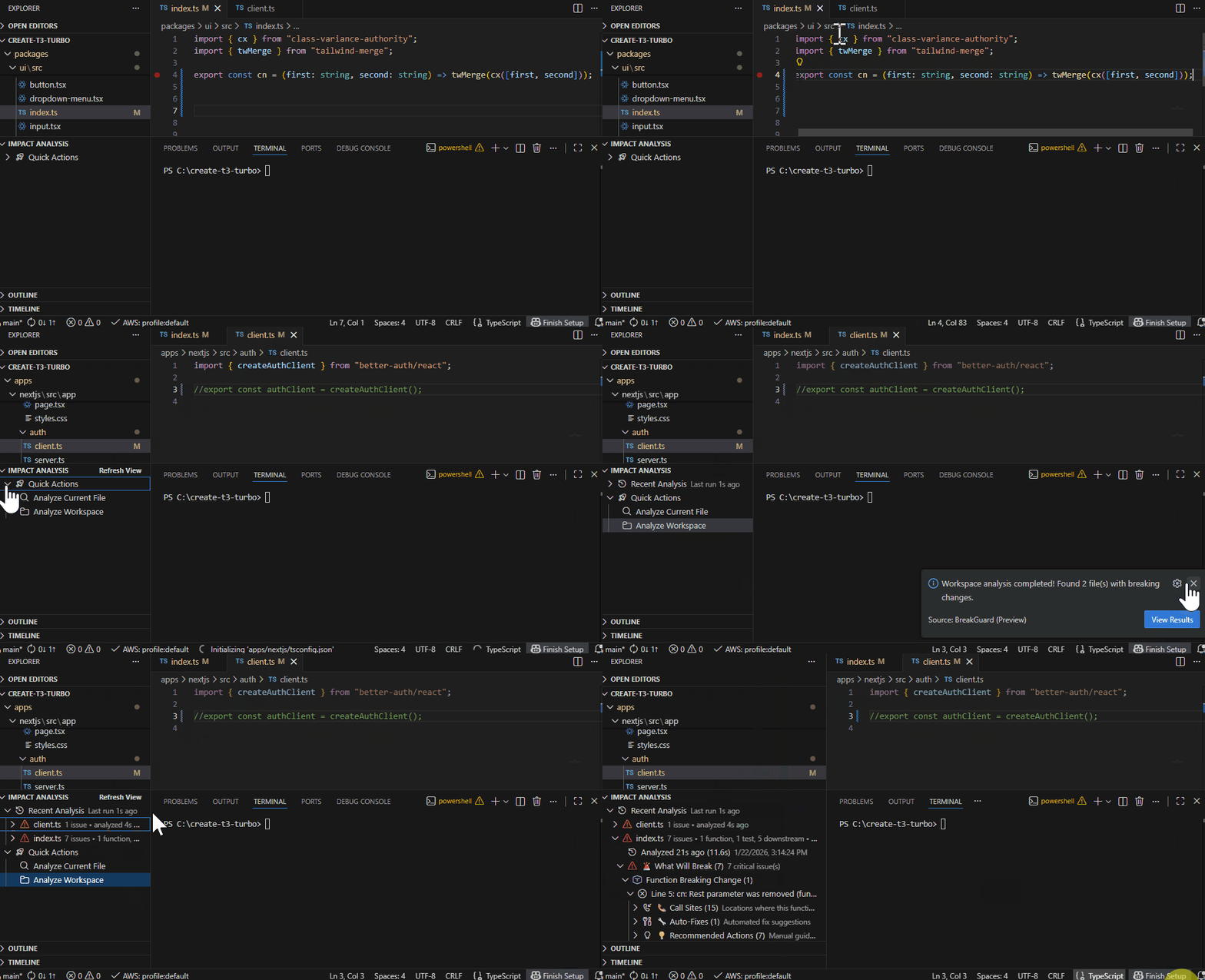
🧭 Workspace Impact Analysis (May take some time)

⚠️ Temporary limitation (Preview):
If you run Workspace Impact Analysis immediately after another analysis,
a window reload is currently required to ensure accurate results.

Analyze all relevant changes across your workspace to understand impact before you commit.

This is ideal when:

  • refactoring shared utilities
  • modifying exported APIs
  • working in monorepos or multi-package repos

Workspace impact analysis


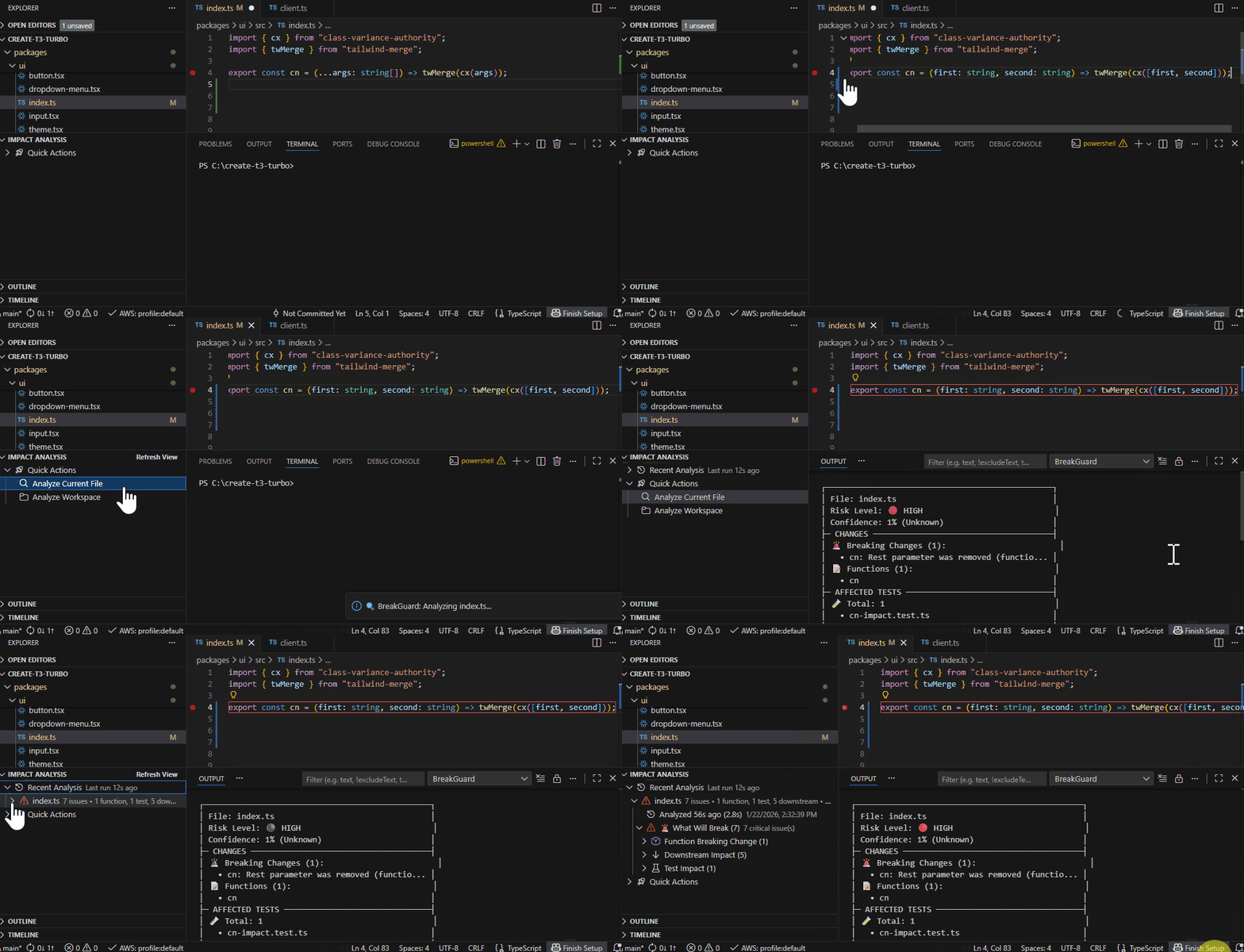
⚡ File-Only Analysis (Fast Feedback)

File-Only Analysis runs the analysis on the currently open file for fast feedback while editing.

Use this mode when:

  • you want quick signal while coding
  • you’re iterating and don’t need a full workspace scan yet

💥 Breaking Change Detection

Detects breaking API changes such as signature updates, removed exports, and type incompatibilities.

Breaking change detection


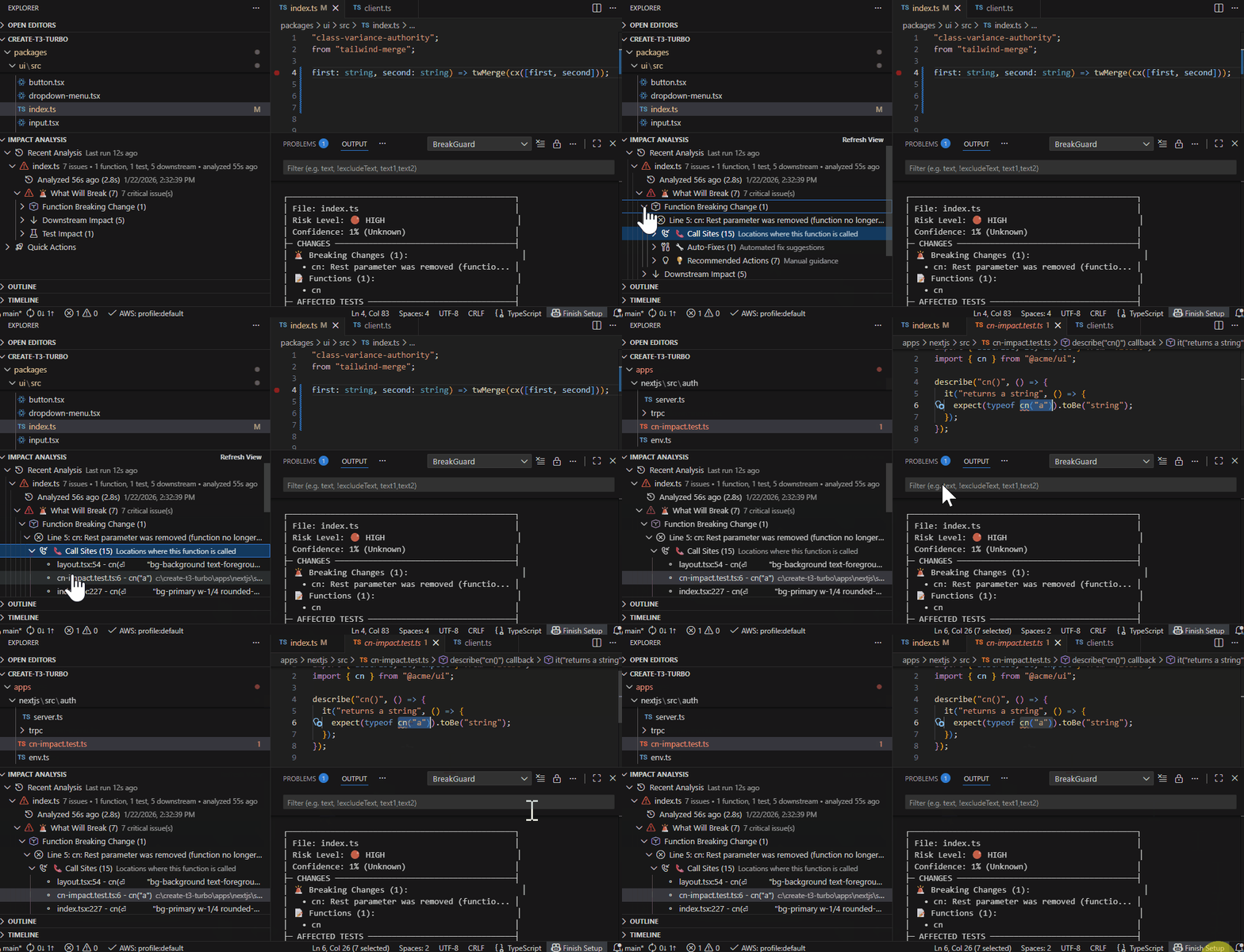
📍 Call Site Identification

Shows exactly where a changed API is being used.
Click a call site to jump directly to the affected line.

Call site identification


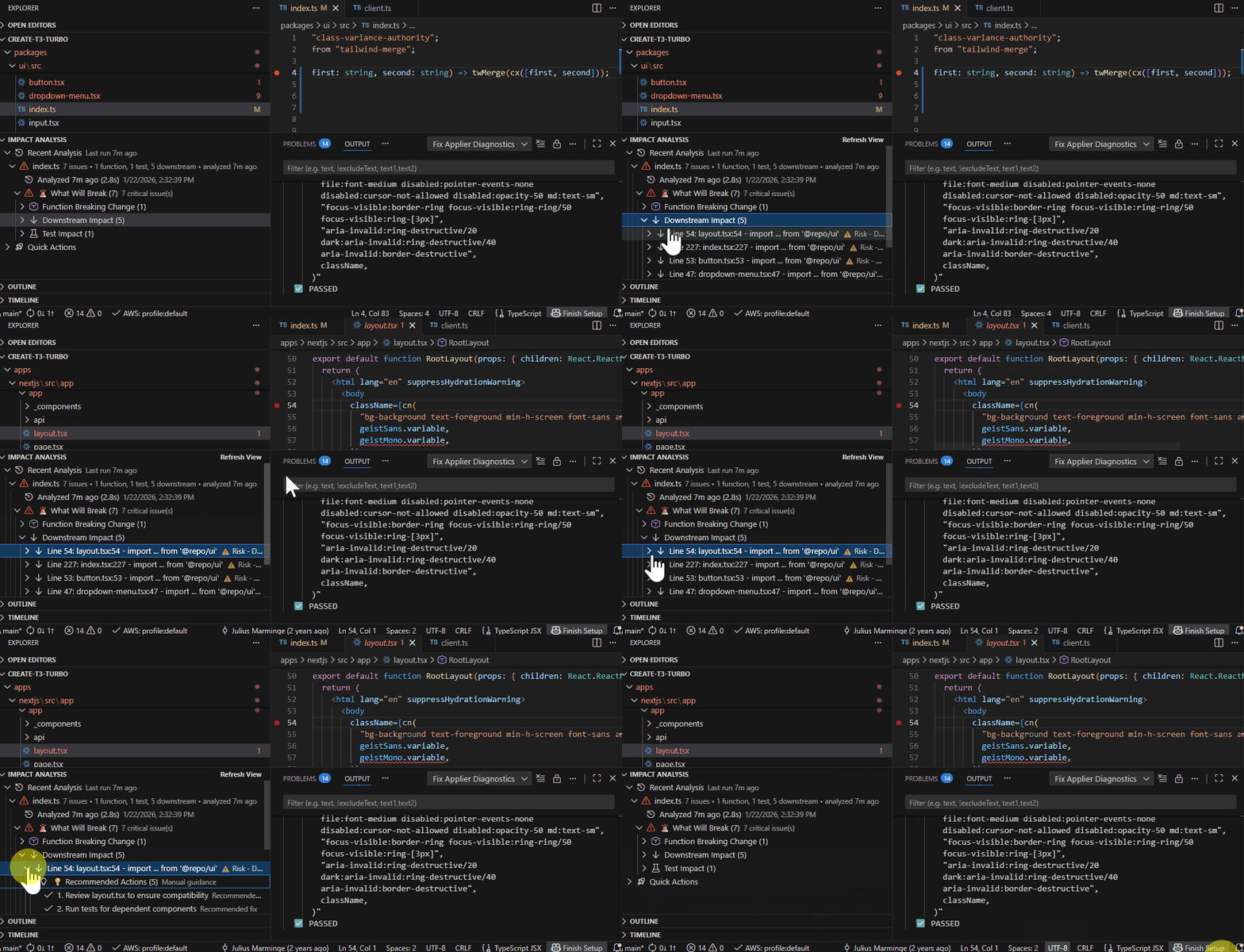
🌊 Downstream Impact Analysis

Identifies files and modules that depend on the changed API so you can see the ripple effect across your codebase.

Downstream impact


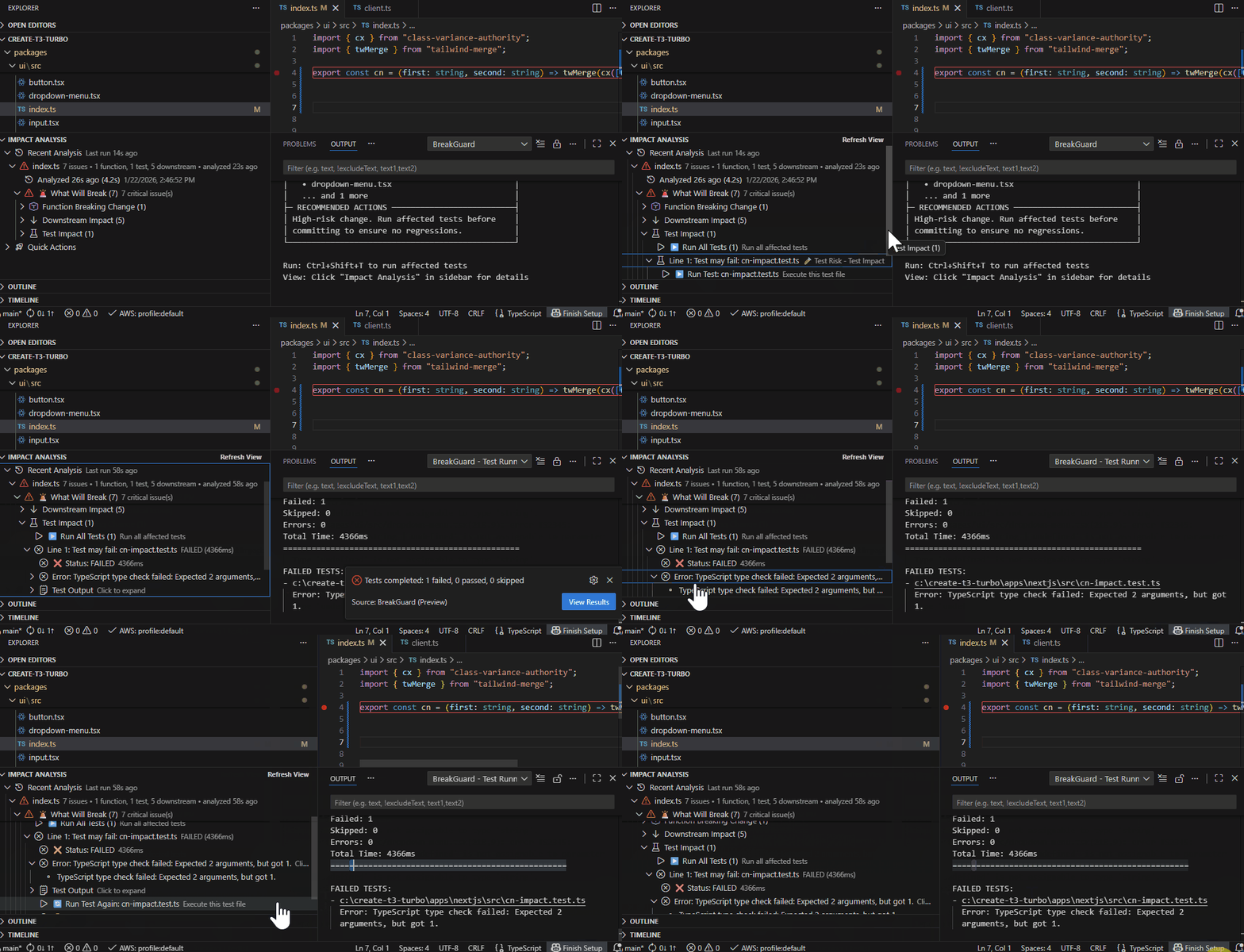
🧪 Test Impact Detection & Execution

Highlights tests that are likely affected and lets you run impacted tests directly from the editor.

Test impact detection is best-effort and based on static analysis.

Test impact


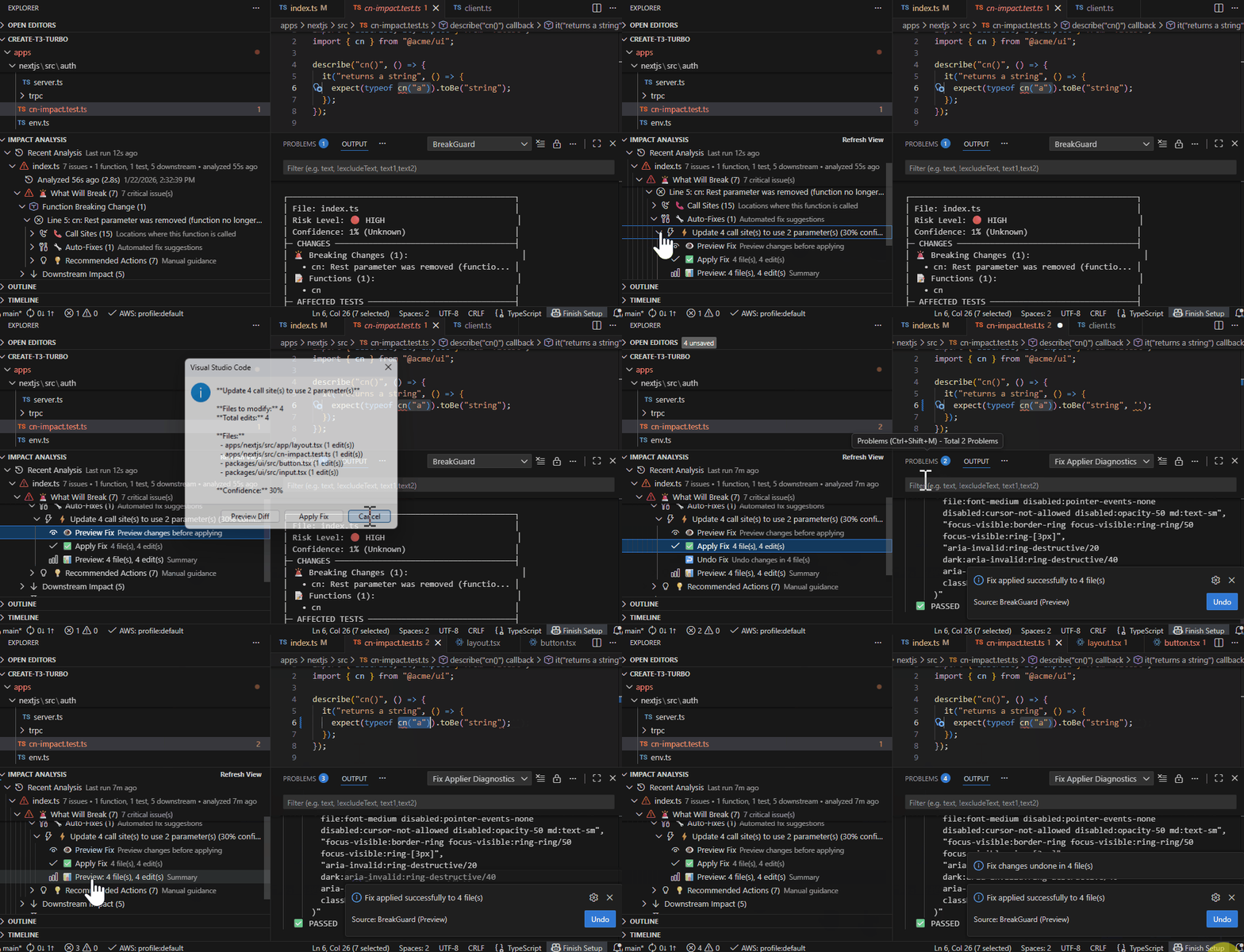
🛠️ Autofix Preview

Suggests safe fixes for common breaking changes and lets you preview diffs before applying.

Autofix preview


▶️ Typical Workflow

  1. Make a breaking change
  2. Save the file
  3. Run BreakGuard: Analyze Workspace or Analyze Current File
  4. Review call sites, downstream impact, and impacted tests
  5. Run tests, preview fixes, and apply safely

🔗 Install

  • Open VSX: https://open-vsx.org/extension/opsconverge/breakguard
  • VS Code Marketplace: https://marketplace.visualstudio.com/items?itemName=OpsConverge.breakguard

🚧 Preview Notes

  • False positives or missed impacts may occur in edge cases
  • Autofix confidence is experimental — always review diffs
  • Designed to complement (not replace) CI and existing tests

💬 Feedback & Support

  • 🐞 Bugs & feature requests: https://github.com/OpsConverge/breakguard/issues
    (public support repo; source code is maintained privately)
  • 💬 Quick feedback: BreakGuard: Send Feedback
    https://forms.gle/ooa8fSWEe1r6bLsB7

BreakGuard (Preview) — safer TypeScript breaking changes, with validation 🛡️

  • Contact us
  • Jobs
  • Privacy
  • Manage cookies
  • Terms of use
  • Trademarks
© 2026 Microsoft