Laravel Pint for VS Code






This extension is NOT official from the Laravel team. Take a look into the official project.
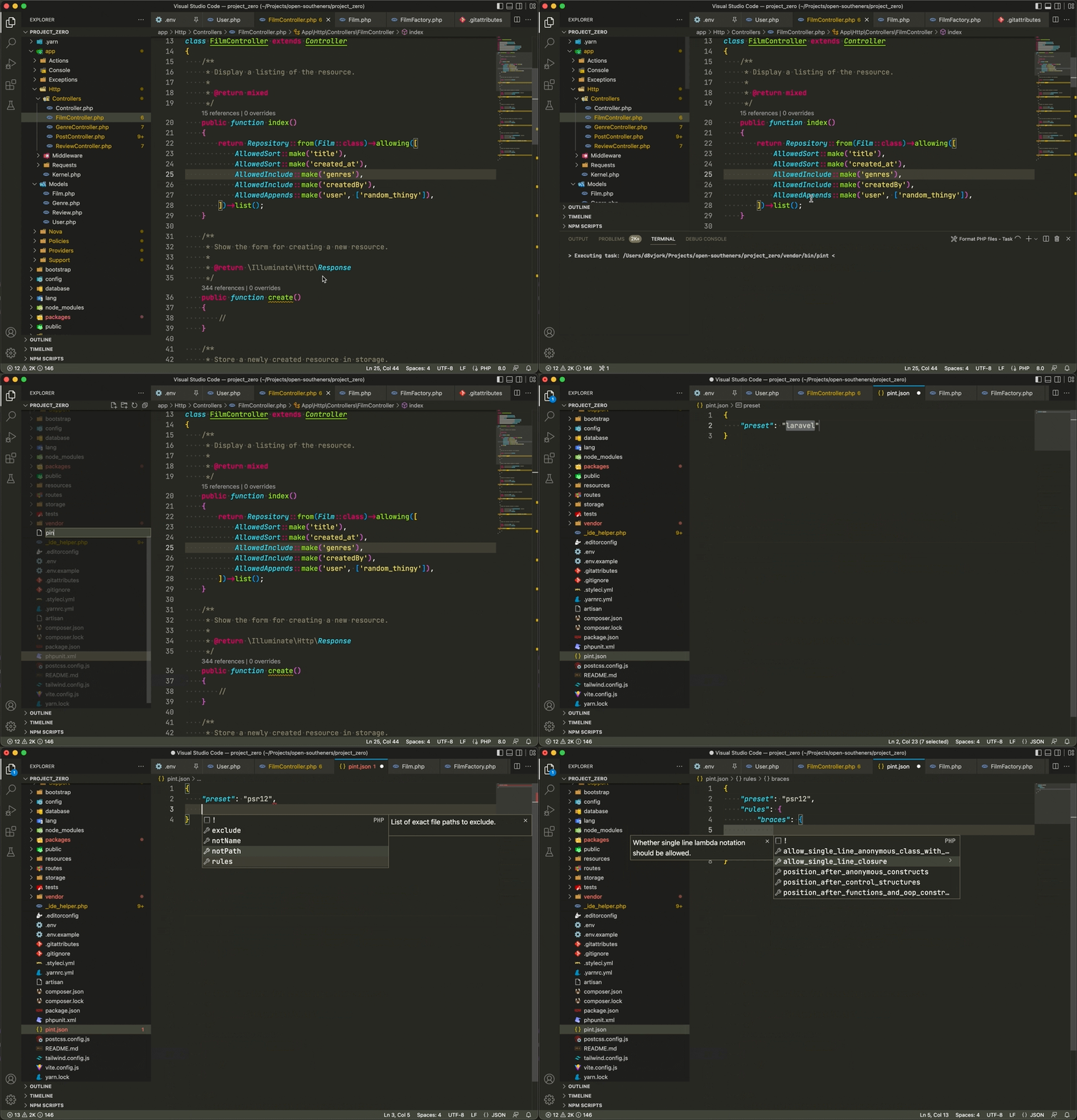
Integrates Laravel Pint into your VSCode projects for automatic code formatting.
Getting started
- Install the extension (it will automatically enable only for PHP files when the extension is enabled)
- Run the following command in a terminal or console at your project's path:
composer require laravel/pint --dev
- Finally, save any file and it will format it for you (remember to set up). Or press
Ctrl + Shift + P on Windows/Linux (Cmd + Shift + P on Mac OS) and type "Format document using Laravel Pint" this will format the current opened file.
Features
pint.json autocompletion and validation- Formatter for PHP and Blade files that uses Laravel Pint locally, globally, through plain Docker containers, or within Docker using Laravel Sail
- Format workspace files command to format all current active workspace PHP and Blade files
Blade formatting is opt-in: enable laravel-pint.formatBlade (per workspace folder) to format *.blade.php files and include them when formatting the workspace. It requires Laravel Pint 1.30.0 or newer, which formats Blade through Prettier, so Node.js must be available wherever Pint runs (including Docker and Sail containers). The extension checks that the resolved Pint executable supports --blade and skips Blade files with older releases.
Docker
If your PHP project runs inside a regular Docker container instead of Laravel Sail, enable laravel-pint.runInDocker and configure:
laravel-pint.dockerExecutablePathlaravel-pint.dockerContainerNamelaravel-pint.dockerContainerRootPath
The extension will execute Pint through the configured container CLI and map workspace paths into the configured container root. Use docker on macOS/Linux when it is available on PATH, docker.exe/docker.cmd or an absolute Docker path on Windows, or a Docker-compatible CLI such as podman.
Partners

License
Logo (icon) is property of Laravel Team or Laravel Pint project.
This project is open-sourced software licensed under the MIT license.

