A local ABAP application server inside VS Code. No SAP or ADT connection needed.
open-steamgate
Start a bundled ABAP runtime, explore its OData services, run ABAP Unit, and open local Fiori apps. The extension carries its own system seed and builds it on first start.
Quick start
Install open-steamgate from the VS Code Marketplace, or install the downloaded .vsix with Extensions: Install from VSIX....
Open the OSD Activity Bar view and select Start. The first start builds the bundled system; later starts reuse its cache.
Try the services in the tree, or open an ABAP project such as osg-demo as a workspace layer.
VS Code 1.101 or newer is required. The system runs locally on desktop or in a Remote-WSL or Remote-SSH workspace. It does not need a SAP or ADT connection.
What works
Start and stop the local server; inspect its services and generation in the OSD tree.
Run ABAP Unit in Test Explorer; check, activate, and run ABAP files with familiar keys.
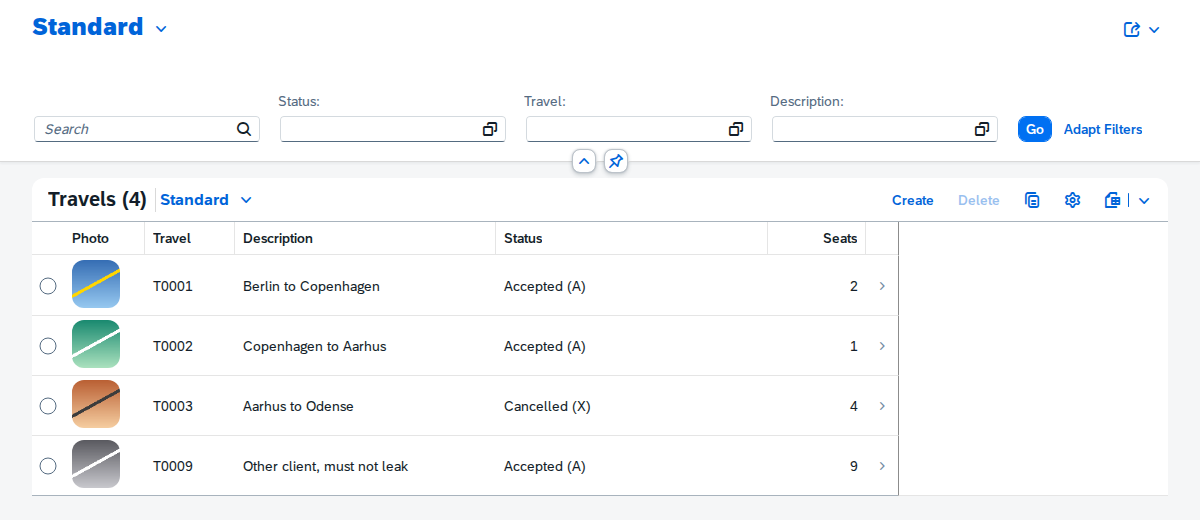
Open local OData and Fiori apps, inspect short dumps, use SQL notebooks, and debug ABAP through VS Code's Node debugger.
Add an abapGit-style workspace layer over the bundled source.
Current limits
Portable AMDP support is limited. HANA-specific SQLScript needs HANA, and some methods are not portable to SQLite.
Warm rebuild requires upstream transpiler fixes #1900 and #1921 to be released. Until then activation uses the cold build path.
The Marketplace build has no browser extension entry. The separate web gateway probe remains a development experiment.
The extension is MIT licensed. Bundled dependency declarations and licence review items are in THIRD-PARTY-NOTICES.md inside the VSIX.