NuclearLang for VS Code
 · Website · Source
NuclearLang (.nuc) is a minimal language written by AI agents and read by people. A Rust transpiler turns it
into the code an expert would write: Dart and Flutter, TypeScript, or Python. Its framework, Synapsis, gives you
three platforms written once: mobile, backend and web.
This extension is the whole studio. It brings the language server, a workspace of your projects, run and debug for
every platform, and the tools: Nuclear Builder, HTTP Connections, Nuclear Atlas, Nuclear Monitor and the devices.
Install NuclearLang first (the compiler, the language server and the AI services):
curl -fsSL https://nuclearlang.github.io/install.sh | sh on Linux and macOS,
irm https://nuclearlang.github.io/install.ps1 | iex on Windows.
The extension runs the nuclear that the installer puts on your machine.
The Nuclear workspace · Ctrl+Alt+N
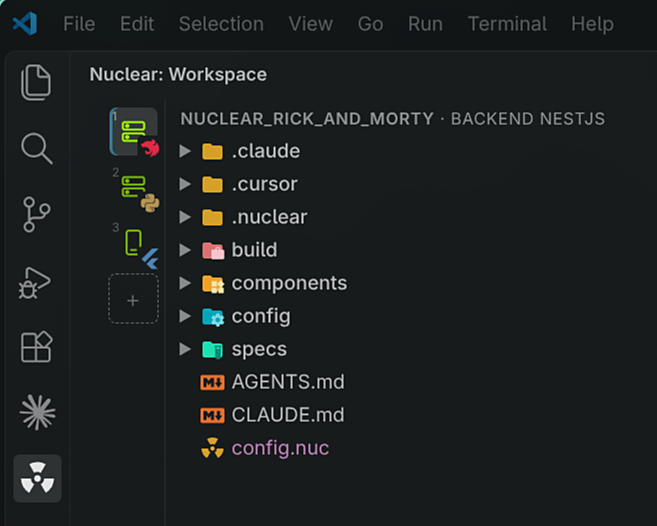
Your workspace is one business project: a folder with your backend, your web app and your mobile apps, and a file
.workspace/workspace.nuc that says which apps belong to it. Each app is a tab, with its platform and dialect on the
tab. Select a tab and you get its files and its actions.
- Your workspace, always there: the editor remembers your recent workspaces, whatever folder VS Code has open.
Create one, add its apps (
+), rename or remove them from the strip, or ask your agent: Do it with me by chat
opens Nuclear Atlas with the request ready, and the agent asks you before each change.
- A tab per app:
Ctrl+1 … Ctrl+9 jumps to one, Ctrl+Alt+O opens any other project as a tab.
- The actions of its platform are in the title bar, each with a key. Mobile has Run, Debug, Hot reload and Device.
Backend has Serve, Debug and API. Web has Serve, Device and Debug. Every platform has Build (
Ctrl+Alt+B), Test
(Ctrl+Alt+T) and Check (Ctrl+Alt+C).
- New with Synapsis: a new project, component, screen or use case comes from
nuclear new, nuclear make and
nuclear gen. You never start from an empty file.
The language server
Write .nuc and the compiler checks it while you type.
- Live diagnostics with quick fixes: the compiler's own errors, each with the exact fix one click away.
- Completion and hover from the platform's words and its type definitions.
- Go to definition, find usages, rename across the project.
- Semantic colors and code metrics above each function.
- Show Generated Code: the Dart, TypeScript or Python of the
.nuc, beside it, updated on save.
Run and debug in .nuc · Ctrl+Alt+R · Ctrl+Alt+G
- Run a mobile app on a device, or Serve a backend or a web app. Saving a
.nuc rebuilds the project and
reloads it.
- Backend scripts, like npm's: the explorer's Nuclear Scripts view has a ▷ for each command of a backend
project (run, test, build, check, install, migrate), and Run Task… has them too.
- Breakpoints and steps on the Nuclear line:
F10, F11 and Shift+F11 step through the .nuc, not the
generated code.
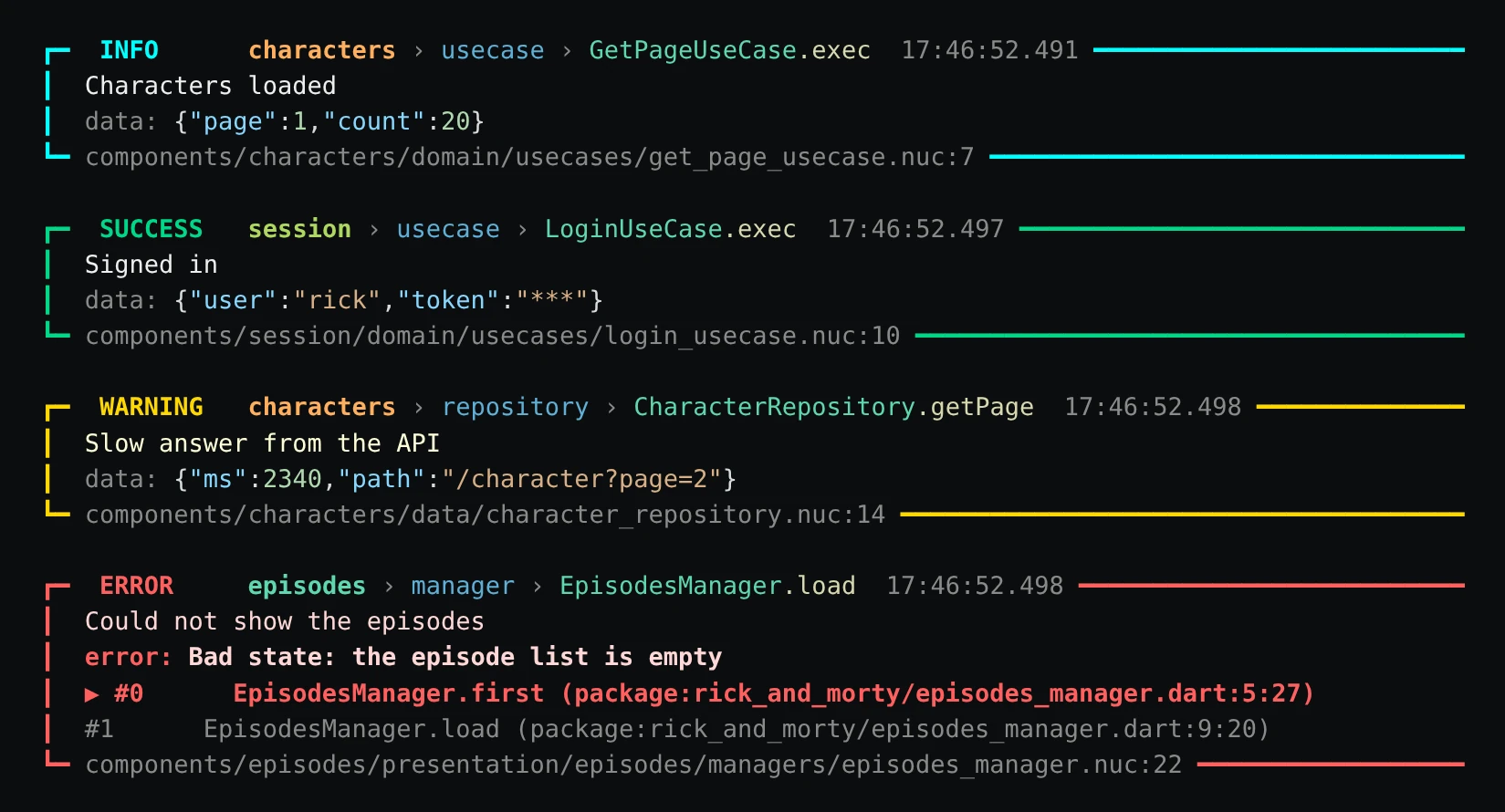
- Logs you can read: each line shows the component, the kind and the method, its data with the secrets masked, and
the
.nuc file and line it came from.
The devices · Ctrl+Alt+V
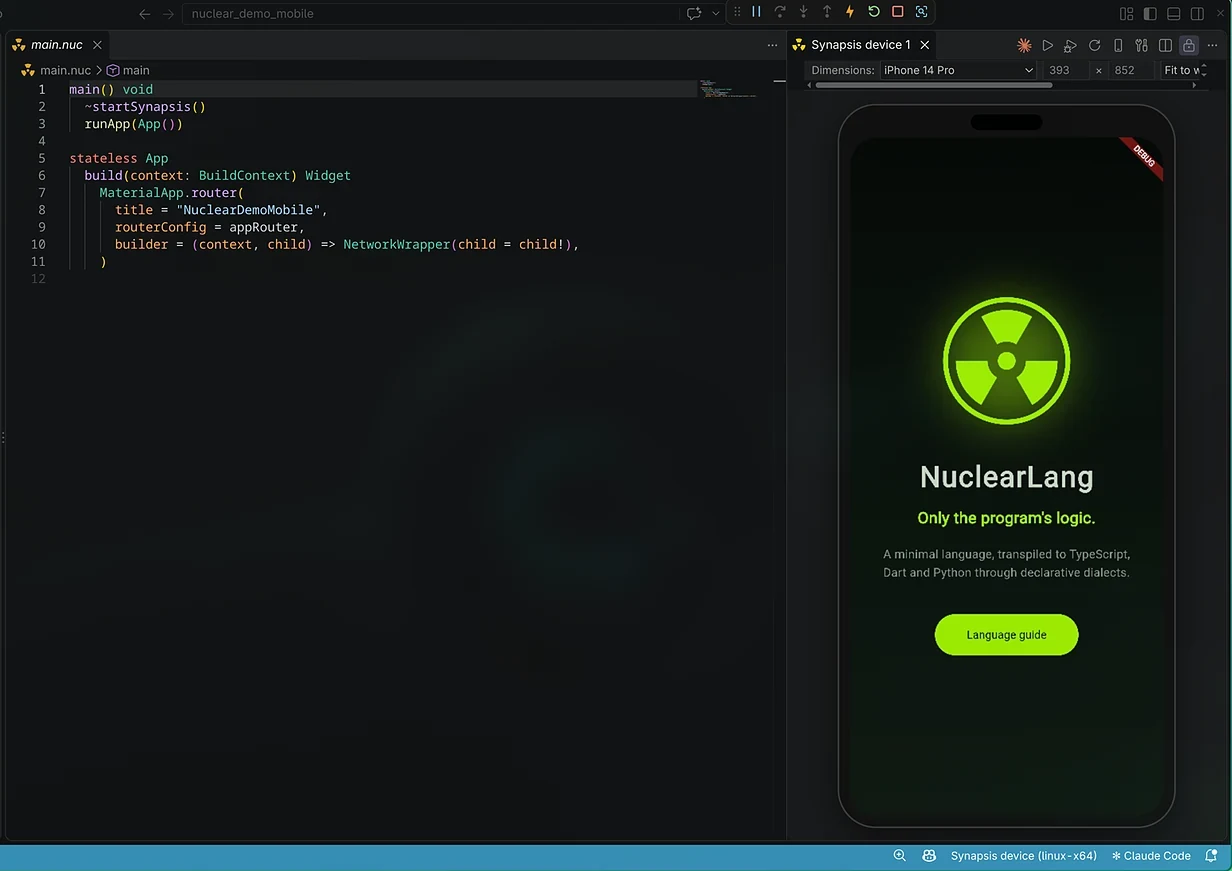
Your app inside the editor, beside its code, with no emulator to install.
- Mobile: the Synapsis device, with iPhone, Pixel and tablet frames, hot reload, and debug.
- Web: the web device, with desktop, tablet and phone sizes, its console and its network.
HTTP Connections · Ctrl+Alt+H
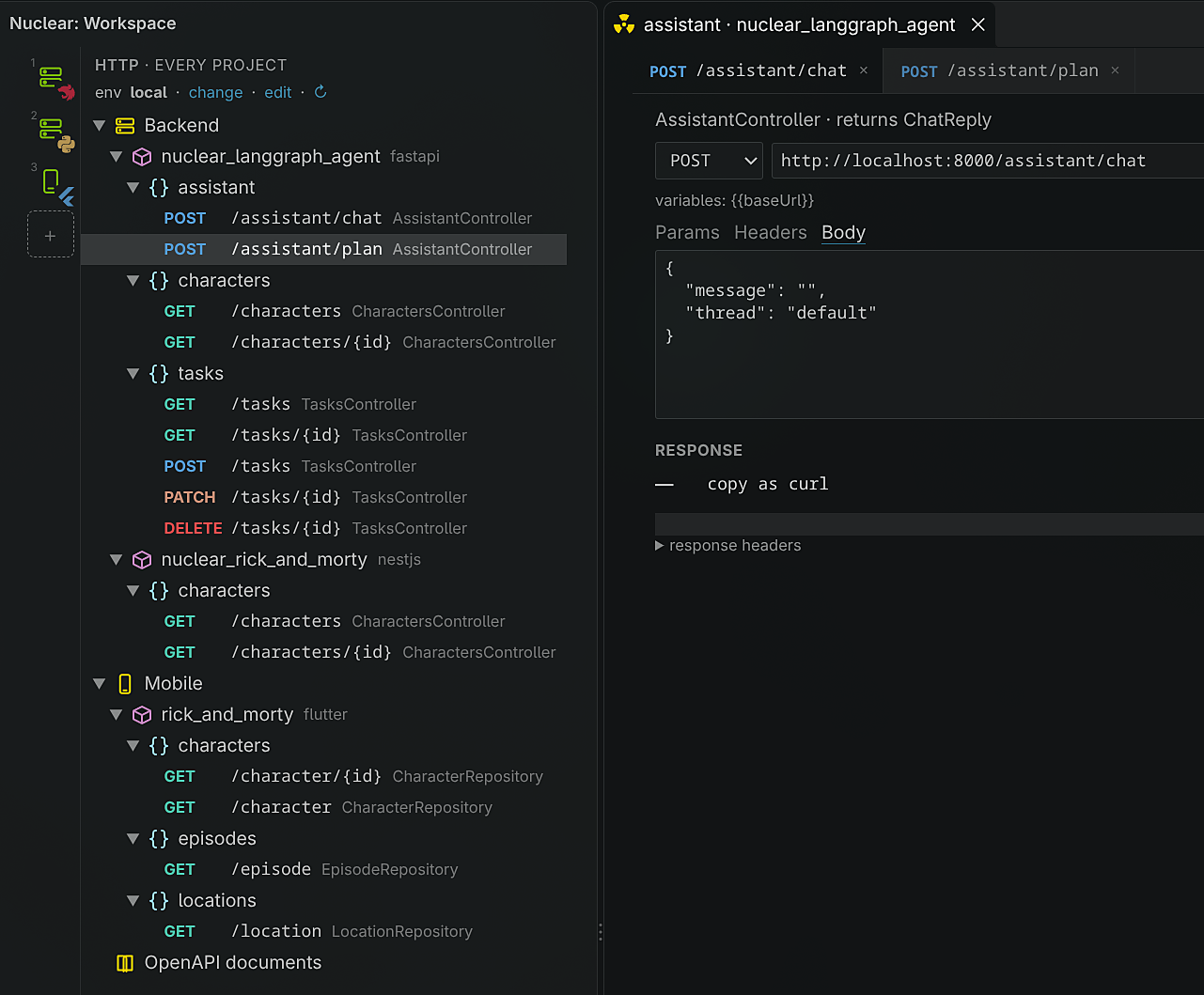
An HTTP client that already knows your API: every route of every backend project, found by itself.
- Split by platform, project and component: no collection to write by hand.
- A tab per request, with environments.
- HTTP, REST and WebSockets.
Nuclear Builder · Ctrl+Alt+P
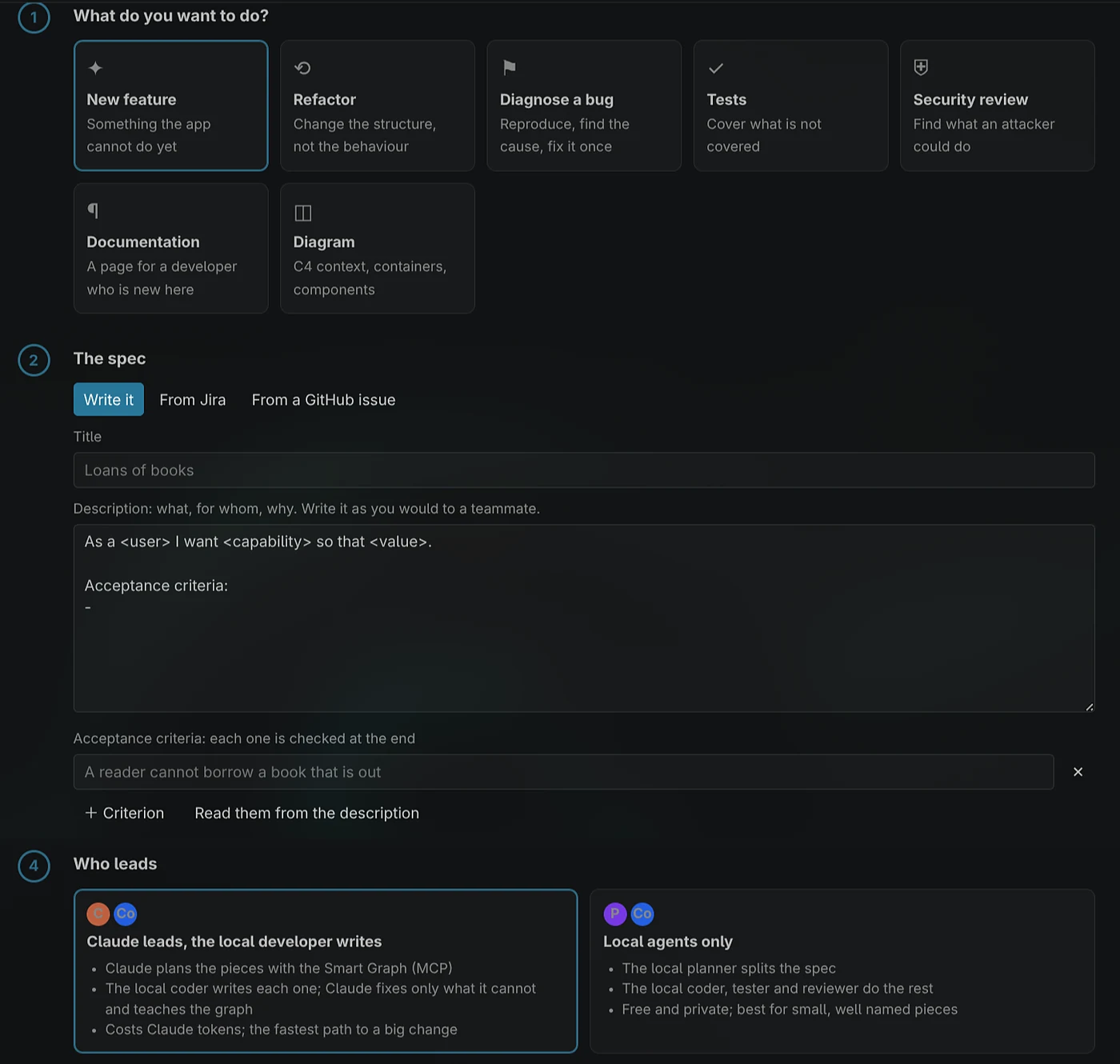
From a spec to a deploy. You write what you want, or import it from Jira or GitHub, with its acceptance criteria.
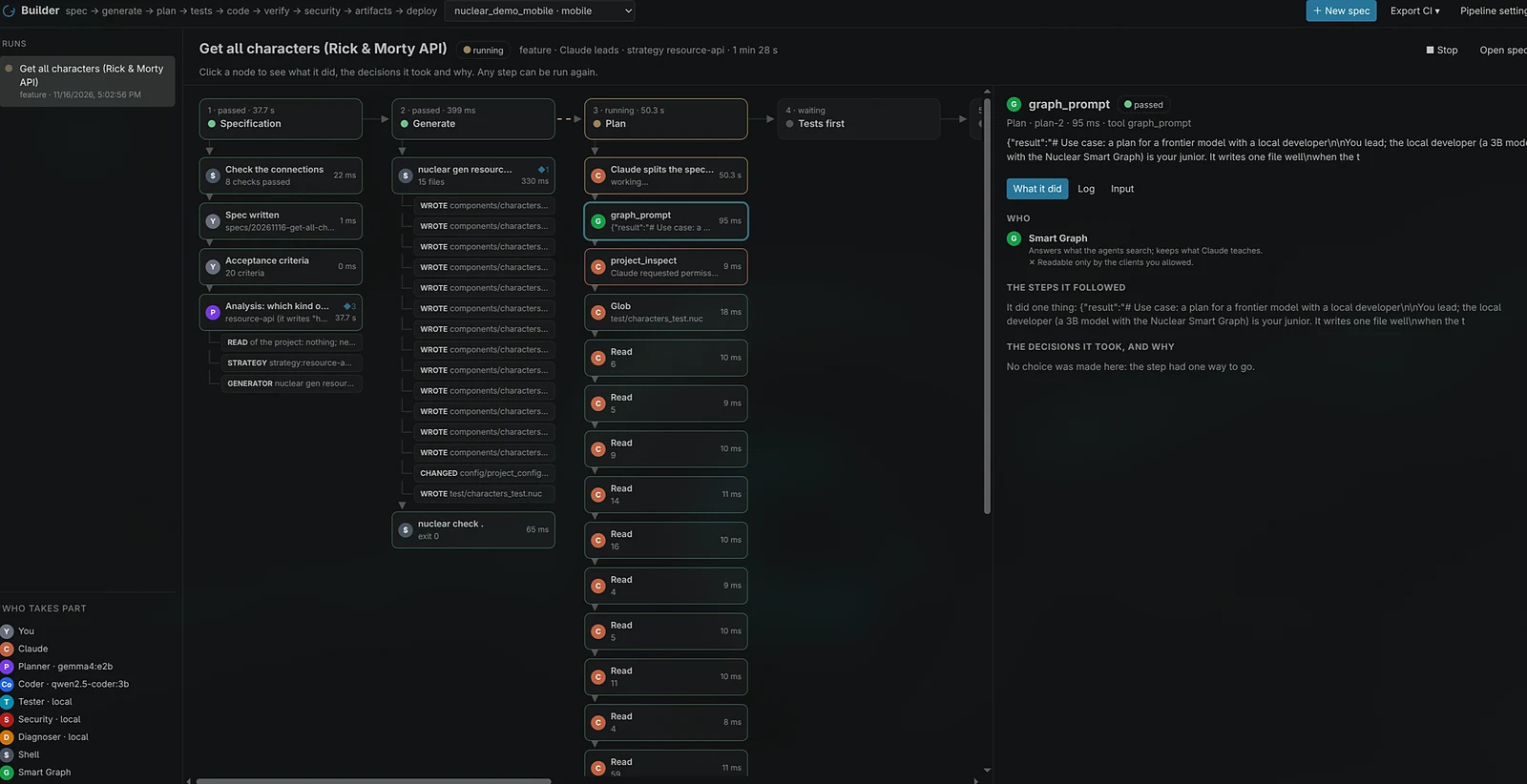
- Loop engineering: spec, plan, tests, code, verification and deploy, each step with who did it and what it
produced.
- Your team: Claude Code, Codex, Gemini CLI, Cursor, OpenCode, Grok Build or a model through an API as members (
Ctrl+Alt+E), and the reports
of every run (Ctrl+Alt+K).
- The tools first: the code comes from
nuclear gen and the transpiler, and the acceptance criteria are checked
at the end.
Nuclear Atlas · Ctrl+Alt+A
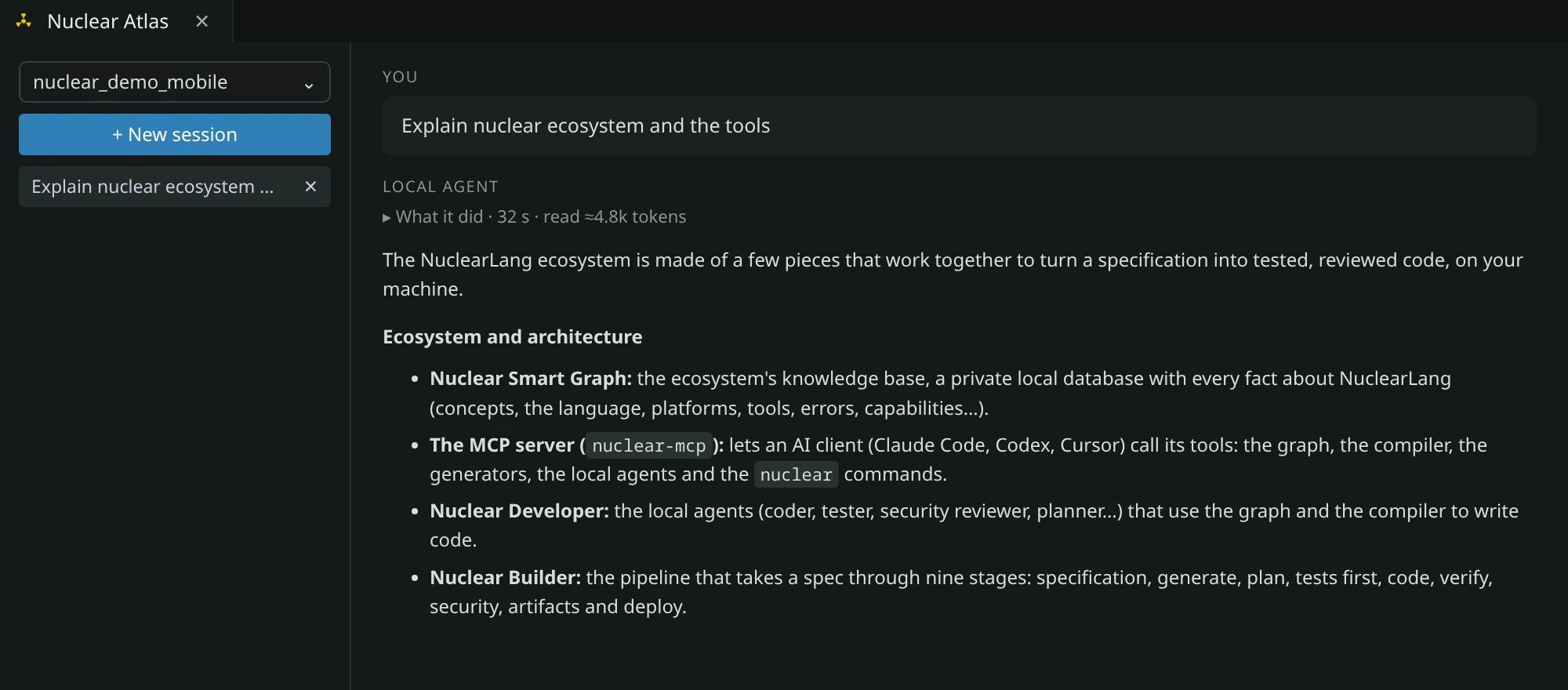
A chat about your project and Nuclear, answered by the agent or provider you pick (Claude Code by default) over the
Nuclear Smart Graph, the knowledge base of the language, its platforms and your projects.
Nuclear Monitor · Ctrl+Alt+F
The running app, function by function: the time, calls, connections and memory of each Nuclear function, as bars.
Settings and the AI services · Ctrl+Alt+S
- Every setting on one page, in English and Spanish.
- The AI services set-up: the Smart Graph, the MCP server and Nuclear Chat, the work done by the agents and
providers you already use.
- Integrations: Jira, GitHub, and the MCP server for Claude Code, Cursor, Codex and Grok Build.
The Chernobyl themes
Chernobyl and Chernobyl Soft: vivid, radioactive colors, with file and folder icons. Preferences: Color
Theme → Chernobyl.
Start
- Install NuclearLang (the line at the top), then this extension.
- The welcome page opens (
Ctrl+Alt+W later): create your workspace, add its apps, take the tour. Each step can be
done by chat with your agent.
Ctrl+Alt+N opens the workspace. Press Ctrl+Alt+R to run.
Learn more
| |

