A lightweight Visual Studio Code extension that allows you to translate text without leaving your workflow.
API Configuration
This extension uses a secure method to store your API key.
The key is not exposed in the standard settings UI and is stored using VS Code secure storage.
Set API Key
Open Command Palette:
Ctrl + Shift + P
Run:
Translate: Api Key
Enter your Google Cloud Translation API key
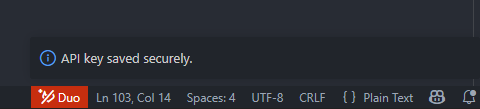
The key will be stored securely and used for subsequent requests
Features
Translate selected text
Translate entire lines under the cursor
Set a preferred target language
Keyboard shortcut support (Alt + Shift + T)
Secure API key input via Command Palette
Supports 100+ languages
Usage
Translate Selected Text
Select any text
Press Alt + Shift + T
Choose a target language
The translated result will be displayed
Translate Line Under Cursor
Place the cursor on a line
Run the command:
Translate line(s) under the cursor
The translation will be inserted below the current line
Preferred Language
To speed up your workflow, you can define a default target language:
Run: Set preferred target language
Or configure it in VS Code settings
Extension Settings
Setting
Description
vscodeGoogleTranslate.preferredLanguage
Default target language
API Limits and Pricing
This extension uses Google Cloud Translation API. Usage is subject to Google Cloud quotas and pricing.
Free Tier
Up to 500,000 characters per month (free)
This free tier resets every month and does not expire (Google Cloud)
Pricing
Standard translation (Basic / NMT):
$20 per 1,000,000 characters (CostGoat)
Pricing is calculated based on the number of characters (including spaces)
Request Limits
Recommended request size: ~5,000 characters per request