MagicSplit
A VS Code extension that inserts N synced tab stops at runtime — solving VS Code's inability to do dynamic multi-cursor snippets natively.
Why
VS Code snippets require hardcoded tab stop counts (${1} ${1} ${1}). There's no way to say "give me N synced cursors" at runtime. Alt+Click needs precise mouse positioning. Emmet only works in .css — not in JS/TS/JSX/TSX where CSS values are common.
Commands
| Command |
What it does |
Magic Split: Insert Inline |
N tab stops separated by space |
Magic Split: Insert Multi-line |
N tab stops on separate lines |
Magic Split: Insert with Separator |
N tab stops with a custom separator |
Magic Split: Distribute to Cursors |
Fill each active cursor with a different word |
Usage
Insert commands (1–3) — create N synced cursors:
- Place cursor where you want to insert
- Open Command Palette (
Ctrl+Shift+P)
- Run a MagicSplit command → enter N → type once, all positions update
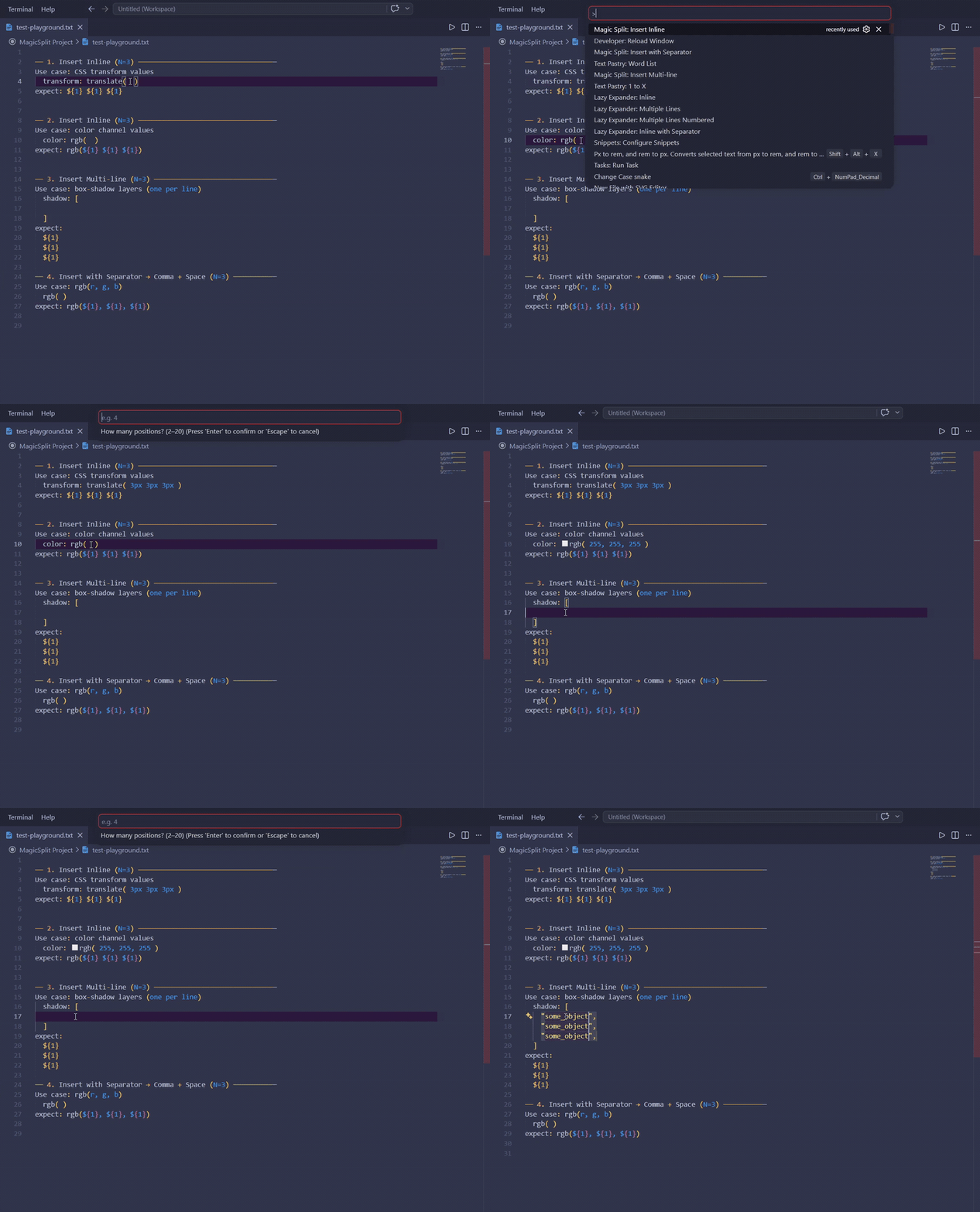
Distribute to Cursors — fill pre-existing cursors with different values:
- Place 2+ cursors with
Alt+Click
- Open Command Palette →
Magic Split: Distribute to Cursors
- Enter space-separated words (e.g.
red green blue)
- Each cursor gets its own word in order
Words > cursors → excess words are ignored
Cursors > words → excess cursors are removed
Use Cases
- CSS variable repetition:
var(--x) var(--x) var(--x)
- Color channels:
rgb(255, 255, 255)
- Box-shadow layers (multi-line)
- TypeScript union types:
"a" | "b" | "c"
- Fill different values at each cursor: select 3 spots → distribute
red green blue
Configuration
Add custom separators via magicSplit.customSeparators in settings:
"magicSplit.customSeparators": [
  { "label": "Comma + Space", "value": ", ",  "enabled": true },
  { "label": "Pipe",          "value": " | ", "enabled": true },
  { "label": "Tab",           "value": "\t",  "enabled": false }
]
Installation
Download the latest .vsix from Releases and run:
code --install-extension magic-split-x.x.x.vsix
License
MIT

