Lynx CSS
Lynx CSS adds focused VS Code language support for CSS files used in Lynx projects.
It keeps normal CSS editing familiar while helping you avoid styles that Lynx does not support.
English | 简体中文
Features
- Registers the
Lynx CSS language mode for .lynx.css, .tyss, and .wxss files.
- Reuses CSS syntax highlighting.
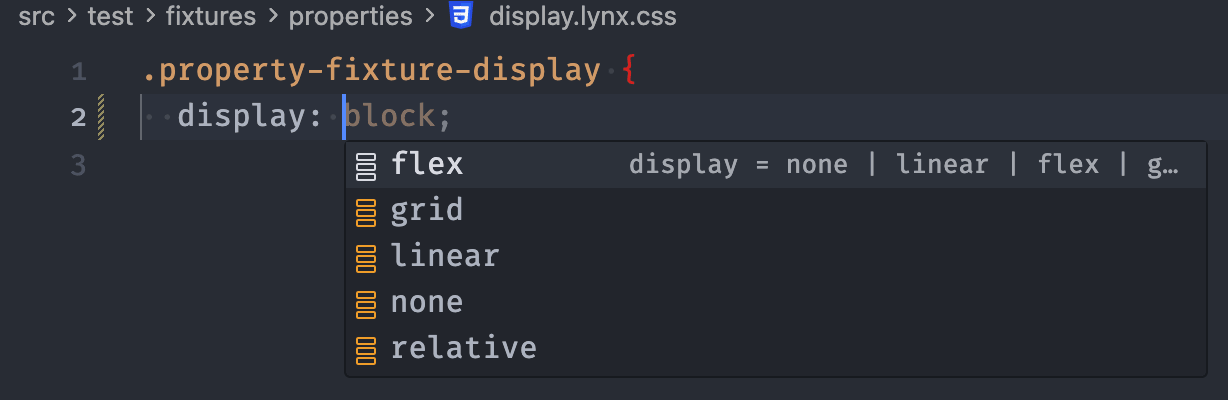
- Completes Lynx-supported CSS property names.
- Completes supported property values from the generated Lynx CSS rule set.
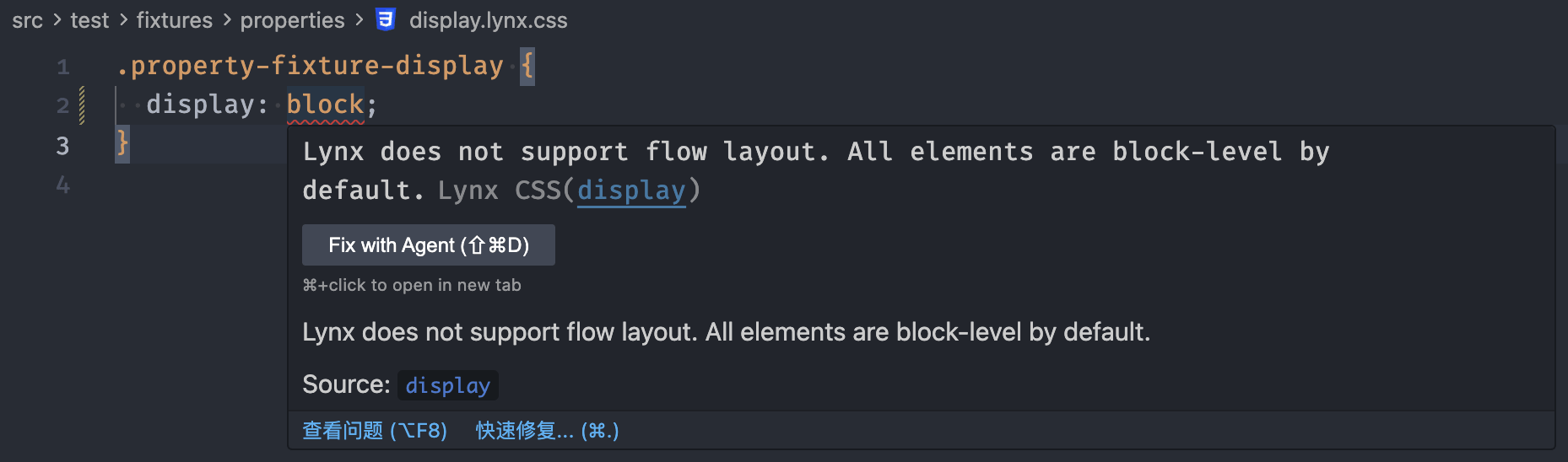
- Reports diagnostics for unsupported properties, unsupported values, unsupported pseudo selectors, unsupported pseudo elements, unsupported at-rules, and
!important.
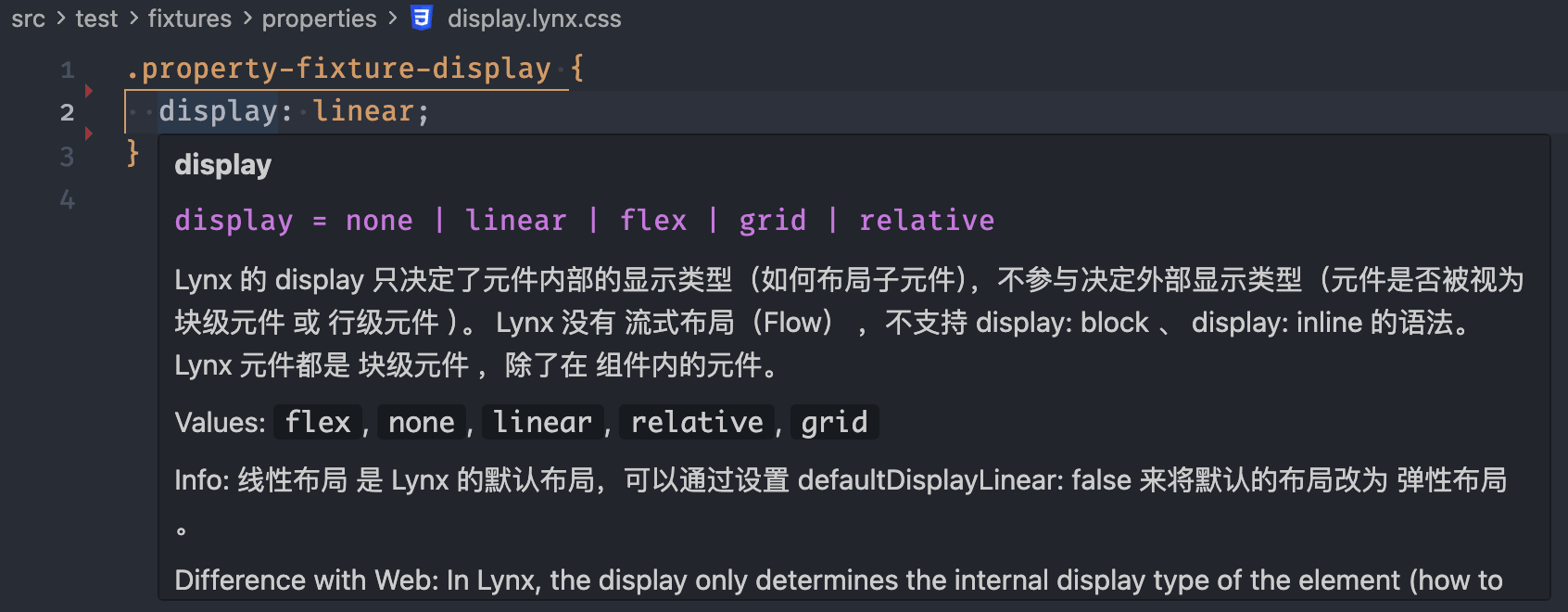
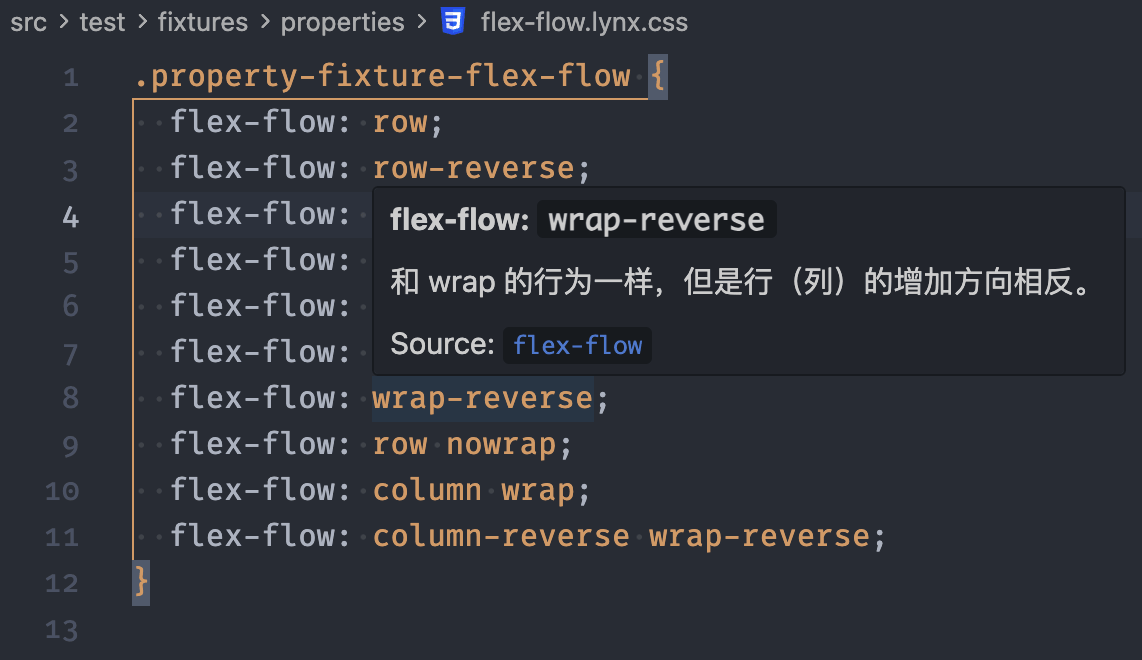
- Shows hover documentation with syntax summaries, compatibility tables, and Lynx documentation links.
- Warns when a property or value requires a newer Lynx runtime container than your configured target version.
- Supports CSS custom properties and
var(...) references.
- Supports English and Simplified Chinese UI text.
Preview
Lynx CSS provides property and value completions from the Lynx rule set:
Unsupported properties and values are reported with inline diagnostics and source links:
Hover over a property to see syntax, values, compatibility, and documentation links:
Hover over a value to focus on that value's meaning and compatibility:
Usage
Files ending in .lynx.css, .tyss, and .wxss are detected automatically.
Less files can keep the native less language mode while Lynx CSS completions, hovers, and diagnostics are layered on top. This avoids false errors for Less variables such as @color.
Example:
.card {
  display: linear;
  width: 320rpx;
  color: var(--text-color);
}
For other CSS-like extensions, map them to the dedicated lynx-css language mode:
{
  "files.associations": {
    "*.css": "lynx-css",
    "*.ttss": "lynx-css"
  }
}
Configuration
Configure Lynx CSS behavior in .vscode/settings.json:
{
  // Enable Lynx CSS diagnostics.
  "lynxCss.diagnostics.enabled": true,

  // Show inferred value rule violations as warnings instead of errors.
  "lynxCss.diagnostics.inferredAsWarnings": true,

  // Target Lynx runtime container version used for compatibility diagnostics.
  // If a property or value requires a newer runtime, it is reported as a warning.
  "lynxCss.compatibility.target": "3.6",

  // Show Clay platform compatibility details in hovers and include Clay platforms in target diagnostics.
  "lynxCss.compatibility.showClayPlatforms": false,

  // Language IDs where Lynx CSS completions, hovers, and diagnostics are enabled.
  "lynxCss.validateLanguages": ["lynx-css", "less"],
}
The compatibility target is used for runtime-version diagnostics. For example, if lynxCss.compatibility.target is 3.6, a property that requires Lynx runtime container 3.8 is reported as a warning.

