Docserve for VS Code
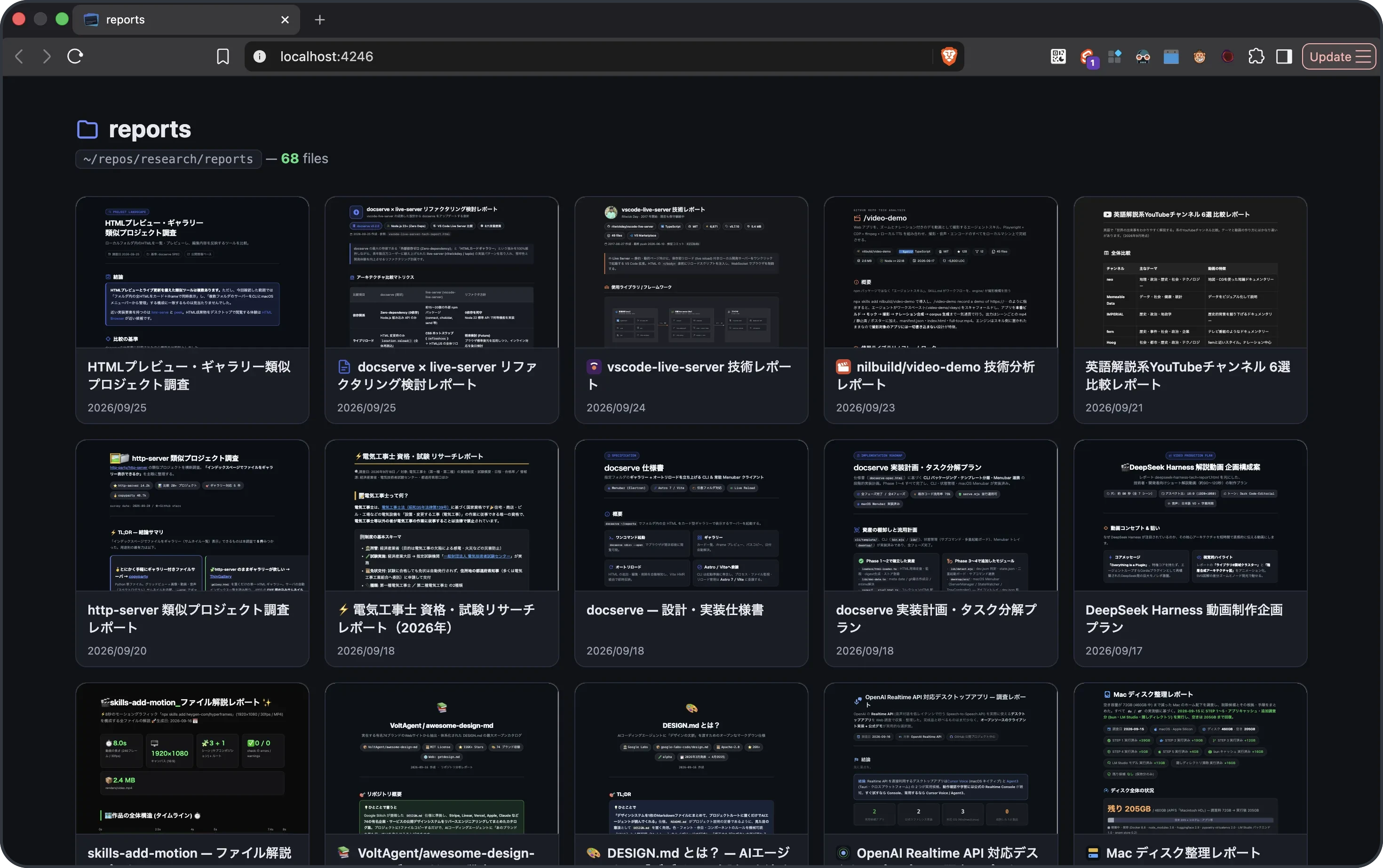
Serve a folder of HTML as a card gallery with live reload — control docserve from VS Code.
Features
- 🖼️ Open the gallery — start the server, then open the card grid in your browser
- 👀 Manage servers — see what's running, open the gallery or stop one
Commands
| Command |
Title |
docserve.open |
Docserve: Open Gallery |
docserve.stop |
Docserve: Stop Server |
docserve.stopAll |
Docserve: Stop All Servers |
docserve.list |
Docserve: Show Running Servers |
Settings
| Setting |
Default |
Description |
docserve.port |
4242 |
Preferred port passed to the CLI (falls back +1 on conflict). |
docserve.cliCommand |
npx -y @noy4/docserve |
Command used to run the docserve CLI. |
docserve.stateDir |
empty |
Overrides the docserve state dir (sets DOCSERVE_HOME). Mainly for tests. |
Requirements
- Node.js ≥ 22.12 (for
npx @noy4/docserve)
License
MIT
| |

