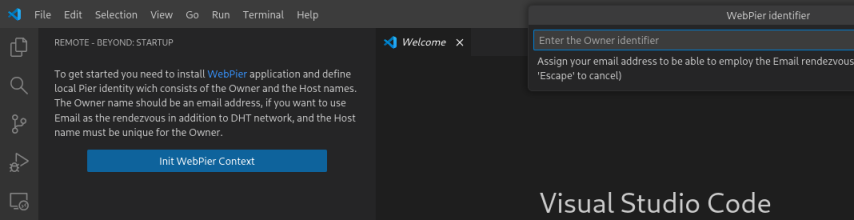
READMERemote-Beyond is a VSCode extension that provides a frontend for the WebPier application. It enables access to non-public remote services. For example, if you have a host behind NAT and want to use it as a development machine, but your VPN is not fast enough, you can use WebPier and Remote-Beyond to forward SSH from the remote host directly to your local interface. How it worksWebPier creates a direct UDP tunnel between hosts and maps the remote TCP service to the local interface, or forwards the local TCP service to the remote side. To overcome NAT, it applies UDP hole-punching with help of STUN server, and uses email or DHT services as a rendezvous for exchanging endpoints. No third-party servers are used to relay traffic, and the tunnel is obscured by default, making it secure. However, for successful NAT traversal, the NAT must realize an independent mapping policy for outgoing connections. Fortunately, this is the most common case. RequirementsTo use the Remote-Beyond extension, you must install the WebPier >= 1.0.2 application. UsingOn the first start, you will be prompted to define the local Pier identity.
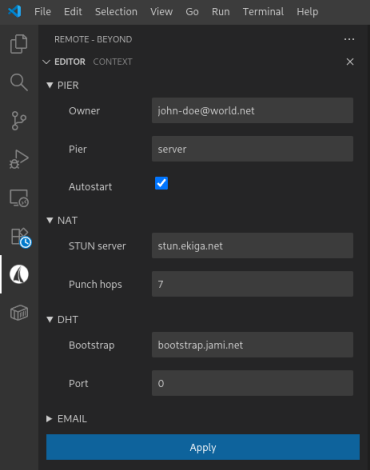
It consists of two parts. The first is an Owner identifier, which should be your email address if you want to use email as the rendezvous service in addition to DHT. The second is a Host identifier, which must be unique for the Owner. After providing the identifiers, a pair of cryptographic keys will be generated to protect rendezvous communications. By default, the Remote-Beyond context home directory is linked to the default WebPier context home. You can change it in the User scope of the VSCode configuration. You may change the context settings by the
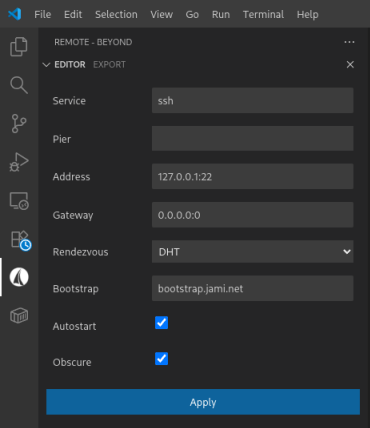
You must specify an accessible STUN server, DHT bootstrap server, or your email account as a rendezvous. Select the Autostart option if you want to start WebPier backend as a daemon on system startup. Otherwise, the backend will up and down together with the client. Create one or more export services on the server machine by the
If you haven't adopted any Pier to your server yet, leave the Pier field empty. After that, you have to create an offer for the client-side. Invoke the
Move the offer to your client machine, load it by the
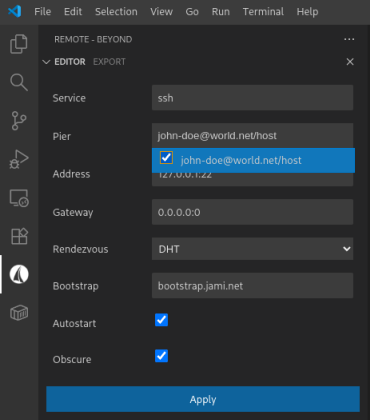
Now create a counter offer for the server machine. Move it there and load it. Finally, you must specify the adopted Pier in the configuration of services you want to export.
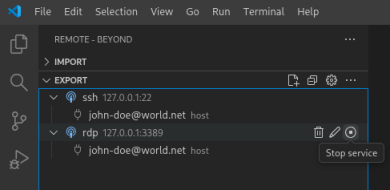
Once you have exchanged offers, you can configure services manually. Now you can manage the services by the Remote-Beyond palette commands or by buttons on the sidebar views:
Be patient, it takes some time to establish a connection through the NAT. Bugs and improvementsIf you encounter a bug and want to help fix it, create an issue in the remote-beyond repository. HomeRemote-Beyond extension repository. CopyrightMIT © Novemus |