SequenceDiagram.org
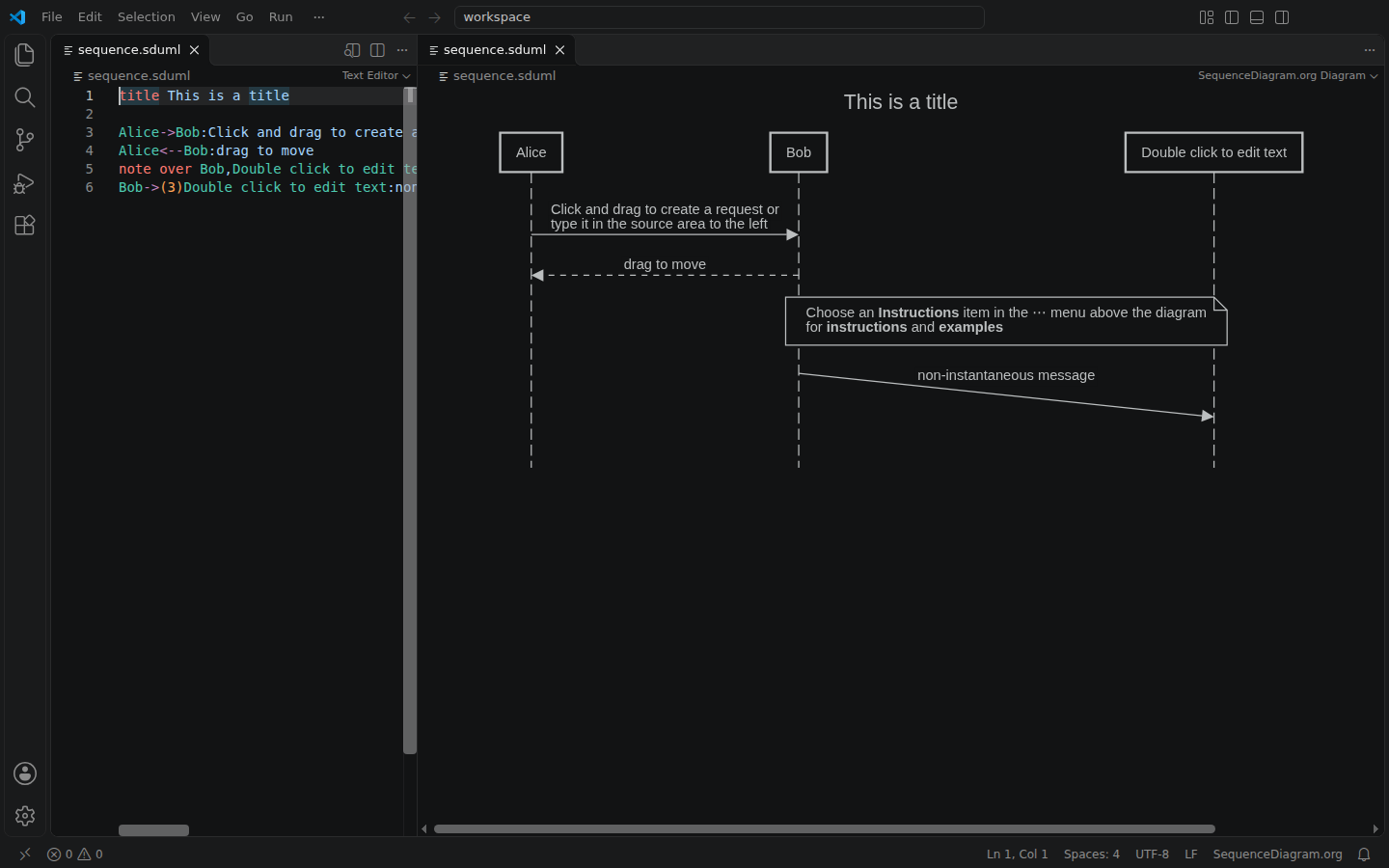
Sequence and architecture diagrams from text. A .sduml file opens in VS Code's text editor with its diagram beside
it; both are editable, and both change the one file.
Features
- Text and diagram side by side: the diagram opens beside a
.sduml file's text editor and follows every change of
its text; picking a file's text tab or diagram tab brings the other to the front beside it; closing either closes
both.
- Canvas editing: the web app's right-click menu and entry editor; a canvas edit changes the file's text.
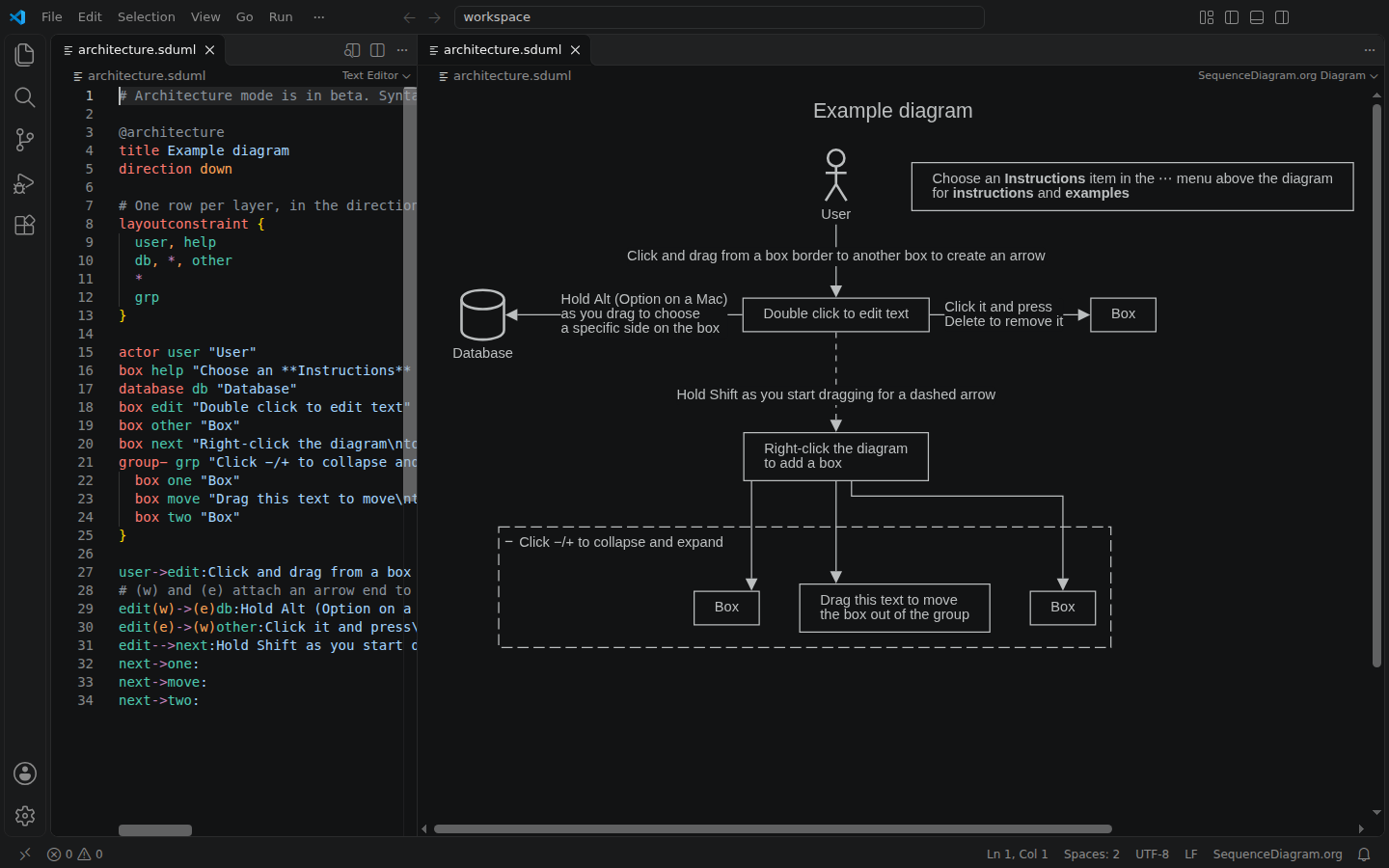
- Sequence and architecture modes:
@architecture on the first line that is not blank or a comment makes an
architecture diagram; without it, a sequence diagram.
- Highlighting: the syntax of both modes is coloured in the text editor.
- Completion: keywords, and the names and ids of the diagram while it is open.
- Problems view: syntax errors as squiggles and in the Problems view.
- Click to select: a click on an entry selects its text in the text editor and gives it the keyboard, so you can
type over it or copy it.
- Delete: deletes the clicked entry; once you type or move the cursor, Delete deletes text again.
- Export: the diagram as PNG or SVG, to a file you choose.
- New Diagram: New Sequence Diagram and New Architecture Diagram in the Command Palette, and in VS Code also in
File > New File...
- Themes: the diagram follows the editor's colour theme, high contrast included.
Desktop VS Code 1.120 or later, local and remote (SSH, WSL, containers, Codespaces). Not VS Code for the Web
(vscode.dev, github.dev).
Known limit: renaming the file, or Save As from the diagram, can leave an extra text editor where the diagram was,
with the diagram beside it; close the extra tab. Save All with an unsaved diagram open saves it to the file you choose,
then asks once more; that second dialog writes nothing, so cancel it.
Shortcuts that differ from the web app
VS Code owns the file, so undo and save are VS Code's, from the text and from the diagram.
- Ctrl+Z / Cmd+Z: undo the file's last change, a canvas edit or typing.
- Ctrl+Shift+Z / Cmd+Shift+Z, Ctrl+Y: redo.
- Ctrl+S / Cmd+S: save the file.
- Ctrl+O, Ctrl+M: VS Code's own (no Open or Presentation Mode in the diagram).
- Inside the entry editor's field, Ctrl+Z / Cmd+Z undoes the field's typing.
Commands
- Open Diagram to the Side: open the diagram beside the text (the icon in the text editor's title bar).
- Zoom In, Zoom Out: zoom the diagram.
- Toggle Shrink to Fit: fit the diagram into the editor.
- Toggle Participant Overlay: keep a sequence diagram's participants visible when their row is scrolled out of view.
- Export Diagram as PNG..., Export Diagram as SVG...: save the diagram as an image.
- Sequence Instructions, Architecture Instructions: open that mode's instructions in the browser.
- New Sequence Diagram, New Architecture Diagram: a new diagram of that mode.
The diagram's commands are in its title bar's ⋯ menu and in the Command Palette, under SequenceDiagram.org.
Settings
sequencediagramorg.openDiagramAutomatically: open the diagram beside a .sduml file's text editor, bring the two
to the front together, and close them together (default on). Off: the text editor alone; open the diagram with Open
Diagram to the Side, and each closes on its own.sequencediagramorg.highlightOnHover: highlight the diagram element under the mouse pointer (default on).
Instructions
| |

