Maestro
Conduct a team of AI coding agents in isolated git worktrees, without leaving VS Code.
Beta (pre-release). Extension v0.1.10. Built and tested: 8 packages, 1609 tests.
What it is
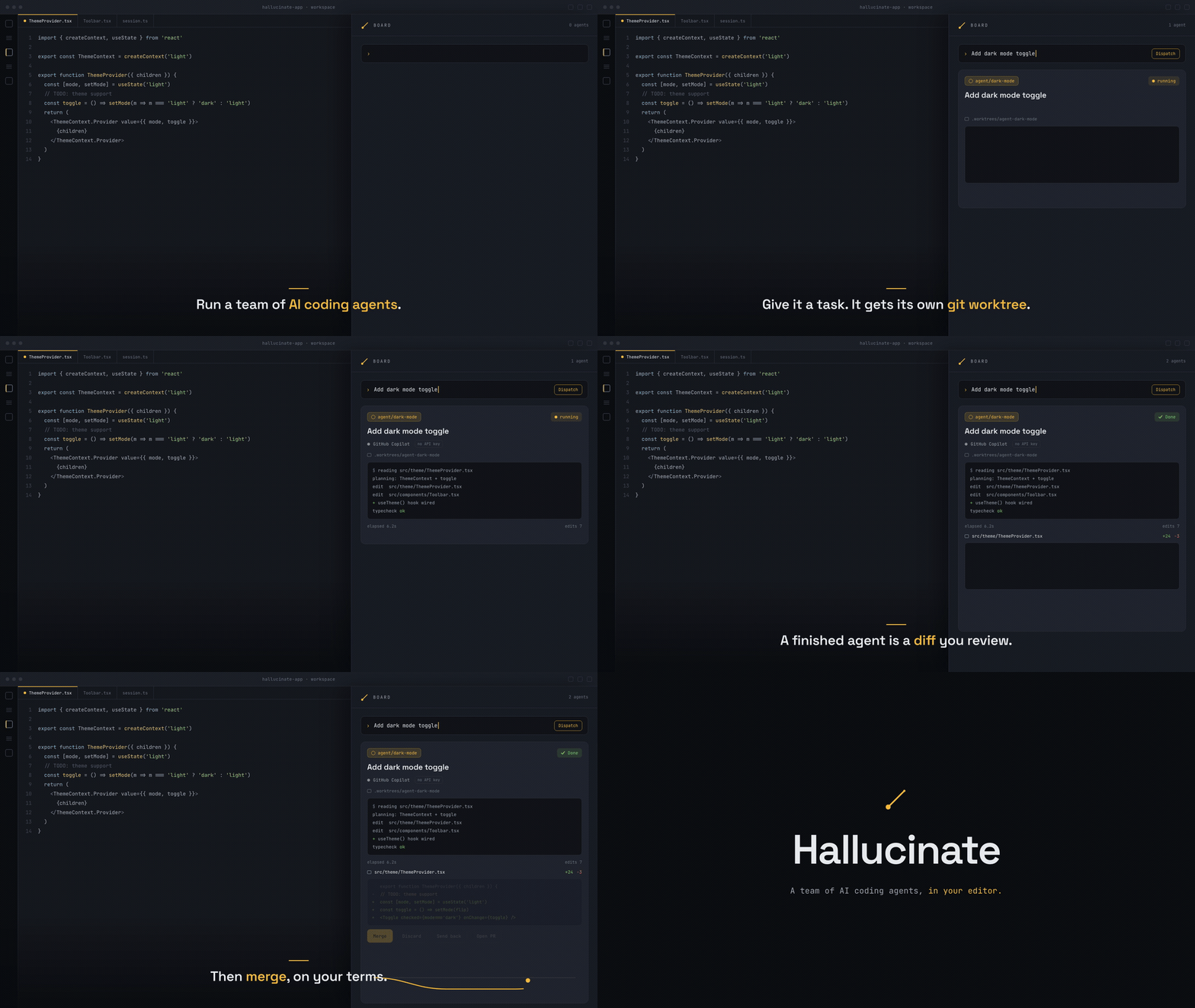
Maestro is model-agnostic orchestration for AI coding agents, living entirely in your editor. It drives your own engine CLIs (GitHub Copilot, Gemini, or any ACP engine) as subprocesses, so it reuses each tool's existing login and never touches your API keys. Every agent works in its own git worktree, and a finished agent is a diff you review before anything merges.
Features
- Model-agnostic. The orchestration brain is engine-neutral; engines plug in behind one small adapter.
- Reuses your existing login. Each engine runs as its own CLI subprocess, so Maestro never touches your API keys.
- Two engine families: GitHub Copilot CLI and any ACP engine (drives
gemini --acp --stdio).
- Real isolation. By default every agent works in its own
git worktree on its own branch, so parallel agents never collide.
- Review before merge. A finished agent is a diff to review, not a surprise commit. Merge, discard, send back with feedback, or open a PR.
- Copilot fleet teams. A Copilot-led team can run as one shared session that dispatches named teammates in-context, for one combined diff.
- Editor-native. The board, the agent library, and diff review all live in one VS Code panel.
Requirements
The engines are separate tools you must already have installed. Maestro drives them; it does not bundle them.
- VS Code
^1.90.0.
- A git repository open as your workspace folder.
- At least one engine CLI on your
PATH:
- GitHub Copilot CLI (
copilot), which needs an active Copilot subscription, or
- Gemini CLI (
gemini) for the ACP engine.
git, for the worktrees each agent runs in.gh (the GitHub CLI), only if you turn on PR mode.
Getting started
- Open a folder that is a git repository.
- Click the Maestro icon in the activity bar to open the Conducting Board.
- Dispatch an agent: pick a role, write the task, and send it. The agent gets a fresh worktree and streams live on the board.
- When it finishes, open the diff and Merge, Discard, or Send back with feedback. With PR mode on, open a pull request instead.
Roles, teams, and skills live in a .conductor/ directory in your workspace, which Maestro scaffolds on first run.
Links
| |

