Reactive silent scanner for build-time malware in your workspace. A Noctis security product.
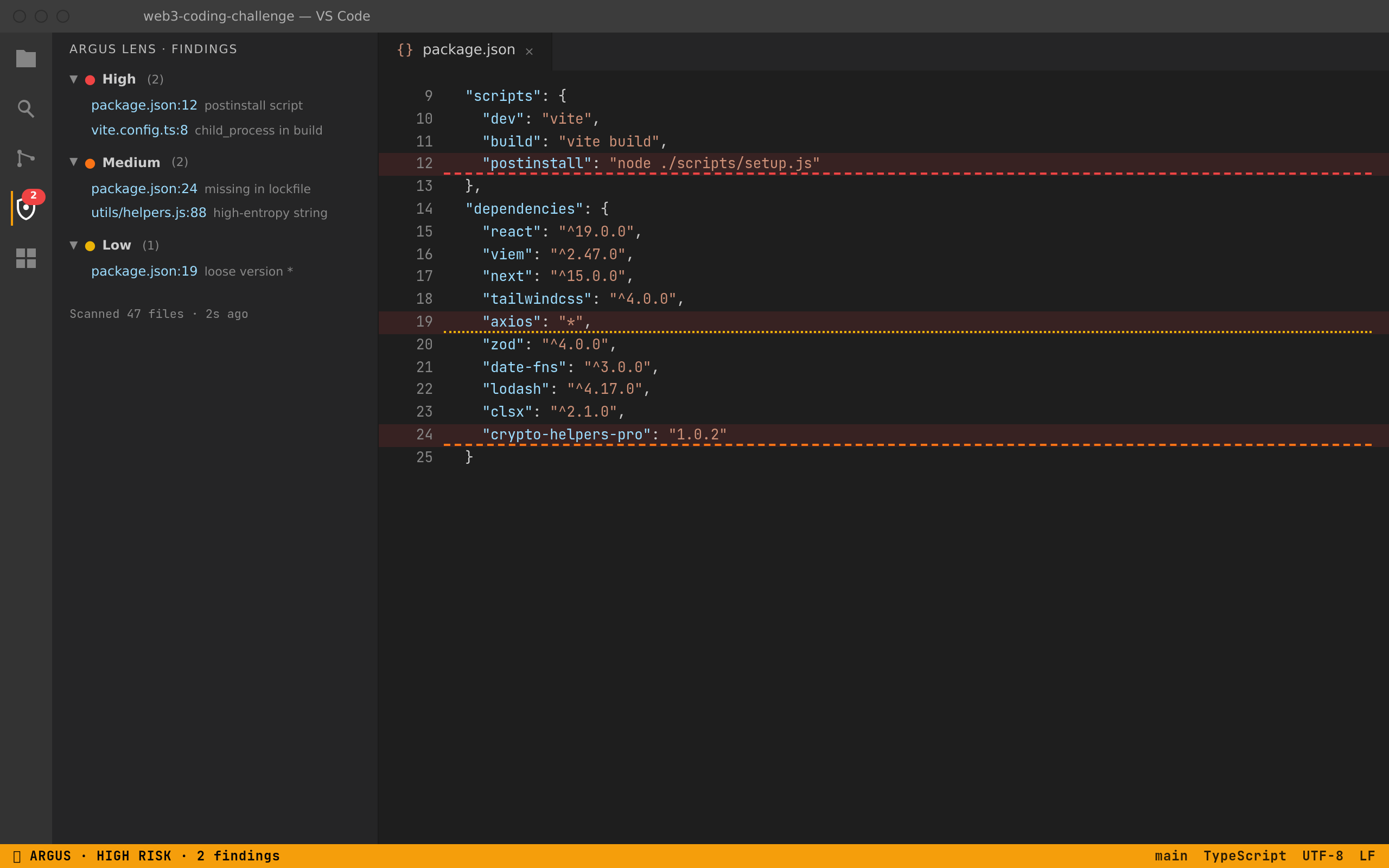
Static analysis catches the patterns that show up in supply-chain attacks like the Contagious-Interview lures — obfuscated postinstall scripts, dependencies declared in package.json but missing from the lockfile, child_process calls hidden inside vite.config and similar build configs, high-entropy strings in source.
What you see
Status bar (bottom right): persistent verdict — clean, amber 2 medium, or red HIGH RISK.
Diagnostics: squiggles in the editor + entries in the Problems panel for every finding, with file, line, and evidence.
Activity bar (shield icon): side panel listing findings grouped by severity. Click a finding to jump to file:line.
File explorer badges: amber/red badge next to filenames with findings, so you scan the tree at a glance.
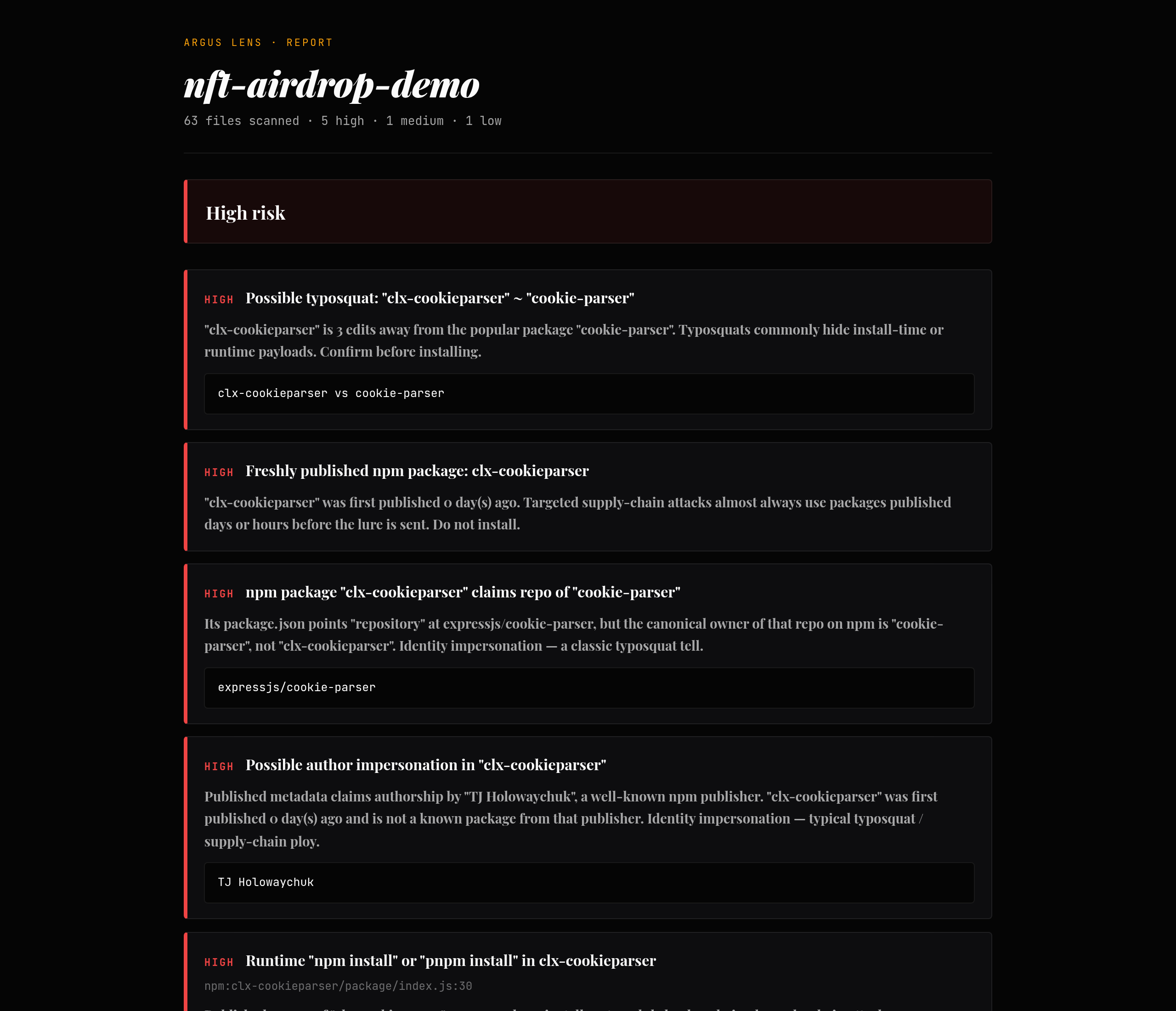
Full report: command Argus Lens: Open full report opens a Noctis-styled webview with the complete scan.
What it never does
Run npm install, build, or any script from the workspace.
Open modal dialogs or take focus during your work — only one warning toast on first HIGH detection per session.
Send anything to a server. The scan is fully local. Only the optional npm registry enrichment makes outbound requests (read-only metadata for suspicious packages).
Settings
setting
default
meaning
argusLens.autoScanOnOpen
true
Scan the workspace when it opens.
argusLens.autoScanOnSave
true
Re-scan when manifests, lockfiles, or build configs change.
Commands
Argus Lens: Scan workspace
Argus Lens: Open full report
Argus Lens: Clear findings
Why "Argus Lens"
Argus Panoptes is the hundred-eyed watcher of Greek myth. The Lens is the one eye you keep on every repo you open.