Skip to content
| Marketplace
Sign in
Visual Studio Code>Programming Languages>MicroPython StudioNew to Visual Studio Code? Get it now.
MicroPython Studio

MicroPython Studio

niwantha33

|
429 installs
| (1) | Free
MicroPython Studio for VS Code — write, deploy, and live debug - MicroPython, CircuitPython, and XBee on real hardware
Installation
Launch VS Code Quick Open (Ctrl+P), paste the following command, and press enter.
Copied to clipboard
More Info

MicroPython Studio - VS Code Extension

Supporting MicroPython, CircuitPython & XBee - Local Private AI Assistant

[!IMPORTANT]

Major Migration (v1.0.0): A live, bytecode-level debugger for MicroPython on the Raspberry Pi Pico 2 W. Set breakpoints, step through code, inspect named locals, view the call stack, and use conditional breakpoints — all on a running board, over USB, with a VS Code UI. No JTAG. No sys.settrace. No print-debugging.

Major Migration (v0.9.0): We have transitioned from standard mpremote subprocesses to a custom, high-performance mps backend. This migration resolves critical serial port conflicts and "COM port busy" errors on dual-CDC devices like the Raspberry Pi Pico 2 W.

MicroPython CircuitPython XBee

project

project

wizard


🐝 Now with full Digi XBee MicroPython support! Create projects, upload files, and run scripts on XBee3 modules — Zigbee, DigiMesh, Cellular, Wi-SUN, and BLU — all from VS Code.

A powerful IDE extension for MicroPython development with hardware integration, device management, and seamless workflow tools.

Features

Setup

# Feature How to Use What Happens
1 Setup Virtual Environment Command Palette → Setup Environment .venv created, mpremote installed
2 Create New Project Status bar MPS vX.X → Create New Project Project folder + device.cfg created
3 Open Existing Project Command Palette → Open Existing Project Workspace opens, device.cfg detected

Connection

# Feature How to Use What Happens
4 Auto-detect device (USB) Connect board via USB + click Refresh Status bar shows COM port
5 Auto-detect device (Wi-Fi) Set webrepl_enabled=true in device.cfg Status bar shows Wi-Fi IP
6 Manual port override Command Palette → Update Device Port Port updates in status bar
7 Port picker — USB vs Wi-Fi Click device status bar button QuickPick shows USB + Wi-Fi options
8 WebREPL terminal Click status bar WebREPL button Terminal panel opens, shows >>> prompt

Run

# Feature How to Use What Happens
9 Run on Host (mount mode) USB connected, target=Host, click Run Script runs via mounted folder
10 Run on MCU (USB) USB connected, target=MCU, click Run Script executed on device via serial
11 Run via Wi-Fi Wi-Fi port selected, click Run Script runs over WebREPL
12 Right-click Run script Right-click .py → Run on MCU Console Script runs in terminal
13 Stop running script Click Stop button during run Device soft reset, >>> prompt returns
14 Switch Host / MCU target Click Host/MCU toggle in status bar Label updates, next run uses new target

File Upload

# Feature How to Use What Happens
15 Upload single file Right-click .py → Upload Current File File copied to / on device
16 Upload folder Right-click folder → Upload Folder to Device /foldername created + all files uploaded
17 Upload folder with subfolders Right-click folder with nested subdirs Subdirs created first, all files uploaded correctly
18 Upload — overwrite protection Upload folder that already exists on device Shows conflicting files, asks Overwrite? Y/N
19 Upload entire project Command Palette → Upload Project to Device All main/ files copied to device root

Device File Explorer

# Feature How to Use What Happens
20 Browse device files Expand Device Files panel tree Files and folders listed
21 Read file from device Click a file in the tree File contents open in editor (read-only)
22 Delete file Right-click file → Delete File Confirm dialog, file removed, tree refreshes
23 Delete folder (with contents) Right-click folder → Delete Folder Confirm dialog, folder + all contents removed
24 Rename file/folder Right-click → Rename Rename items directly on hardware
25 New folder Right-click folder → New Folder Create subdirectories on device
26 Upload to specific folder Right-click folder → Upload to This Folder Select and upload files directly into that directory
27 Refresh tree Click refresh icon in panel header Tree re-reads device filesystem

Tools

# Feature How to Use What Happens
25 Open REPL Shell Click Shell in status bar mpremote interactive REPL opens
26 Compile to bytecode Right-click .py → Compile to Bytecode .mpy file generated
27 Generate flowchart Right-click .py → Generate Flowchart Flowchart panel opens
28 Install package (mip) Command Palette → Install Package Package installed on device via mip
29 Flash firmware Click Flash in status bar Firmware selection + flash to device
30 Download firmware Command Palette → Download Firmware Firmware downloaded locally
31 Private AI Assistant Click Hubot icon in sidebar Private, local AI helper (Ollama)

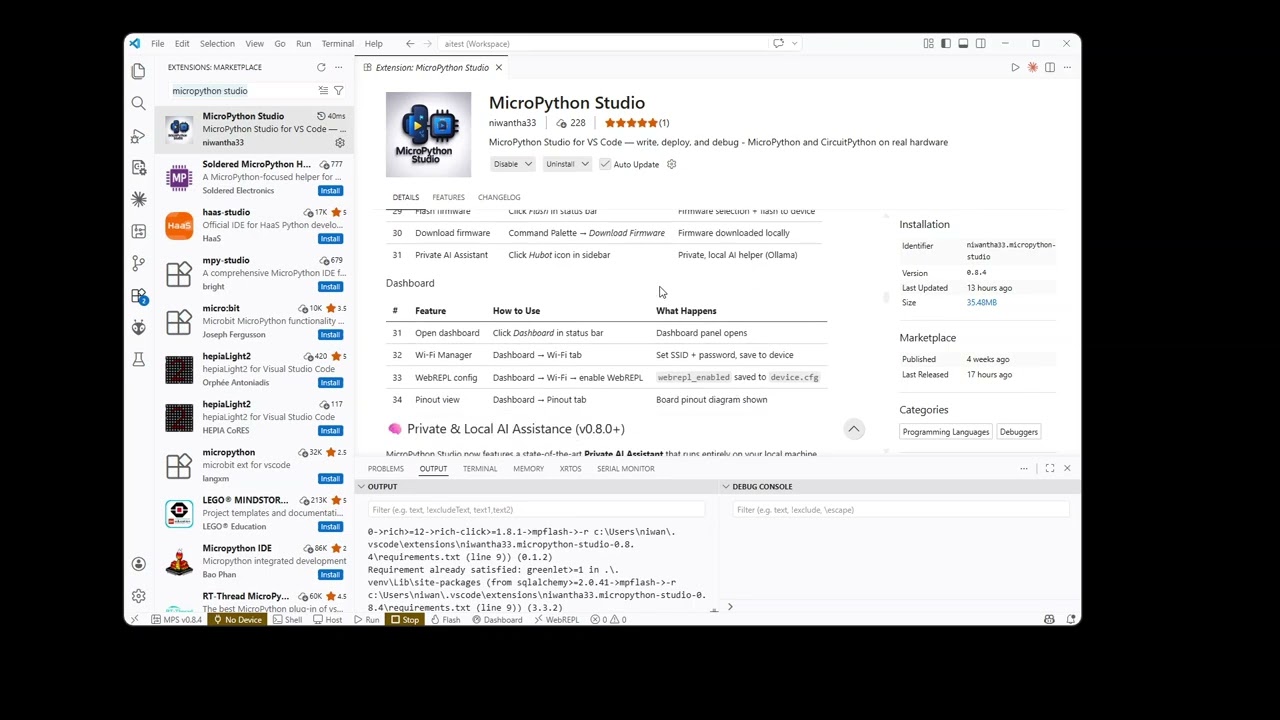
Dashboard

# Feature How to Use What Happens
31 Open dashboard Click Dashboard in status bar Dashboard panel opens
32 Wi-Fi Manager Dashboard → Wi-Fi tab Set SSID + password, save to device
33 WebREPL config Dashboard → Wi-Fi → enable WebREPL webrepl_enabled saved to device.cfg
34 Pinout view Dashboard → Pinout tab Board pinout diagram shown

🧠 Private & Local AI Assistance (v0.8.0+)

MicroPython Studio now features a state-of-the-art Private AI Assistant that runs entirely on your local machine.

  • 100% Private: Your code never leaves your computer. No cloud processing, no data tracking.
  • Context Aware: The AI automatically sees your active file content and understands your connected device (Port, Firmware, Config).
  • Ollama Powered: Uses high-performance local LLMs like gemma4 (Google's latest), qwen2.5-coder, and more.
  • MicroPython & CircuitPython Expert: Specialized in embedded Python development.

[!TIP] To get started, click the AI Assistant icon in the sidebar. The extension will automatically check for Ollama and help you set up the model.

Requirements

  • VS Code: Version 1.75.0 or higher
  • Python: 3.7+ installed and available in PATH
  • Hardware: MicroPython-compatible device (ESP32, RP2040, STM32, etc.)
  • USB Drivers: Appropriate drivers for your microcontroller

Extension Settings

The extension contributes the following settings:

  • micropython-studio.autoConnect: Automatically connect to last used device
  • micropython-studio.defaultDeviceType: Default microcontroller type
  • micropython-studio.syncOnSave: Auto-sync files to device on save
  • micropython-studio.venvPath: Custom path to Python virtual environment
  • micropython-studio.terminalMode: Preferred terminal type (PowerShell, CMD, Bash)

Known Issues

  • Windows Path Handling: Some commands require Git Bash for proper path conversion
  • Device Recognition: Certain ESP32 variants may require manual driver installation

Release Notes

0.9.0 (mpremote to mps migration)

  • New Features:
    • Major Migration: Successfully migrated all core operations from mpremote subprocesses to the dedicated MicroPython Studio (mps) backend. This provides sub-second responsiveness and absolute connection stability.
    • Advanced File Management: Added Rename, New Folder, and Upload to Specific Folder support in the Device File Explorer.
    • Professional Logging: Transitioned all terminal status logs to a clean, ASCII-only format for 100% compatibility with Windows terminals.
  • Improved:
    • Stability: Eliminated the "I/O operation on closed file" and "COM port busy" crashes common with dual-CDC devices (RP2040/RP2350).
    • WebREPL Console: Redesigned for professional focus, removing redundant file-transfer panels in favor of the unified File Explorer.
    • CircuitPython Stability: Faster and more reliable file listings via local filesystem mapping when available.
  • Fixed:
    • Resolved serial port race conditions between background telemetry and user commands.
    • Scrubbed all problematic Unicode emojis from backend processes to prevent encoding failures.

0.4.0 (Initial Public Release)

  • Core Features:
    • Project creation wizard
    • Device detection and management
    • Basic code execution
    • Virtual environment setup
  • Workspace Organization:
    • Dedicated device folder view
    • Visual workspace separation
  • Initial Device Support:
    • ESP32 series
    • Raspberry Pi Pico (RP2040)
    • STM32 boards
    • XBee 3 Modules

0.5.0

  • Fixed:
    • COM port access conflicts
    • Virtual environment setup on Windows
    • Path handling in Git Bash terminals
  • Improved:
    • Device detection reliability
    • Error messaging for connection issues
    • Workspace loading performance

0.6.x

  • New Features:

    • Circuitpython (partial support)
    • Bytecode conversion
    • Multiple device support
    • Circuitpython - (partial support)
    • Bytecode conversion - Done
    • Multiple device support - Done
    • WebREPL terminal - (partial support)
    • File upload and download - Done
    • Device file explorer - Done
    • Dashboard - Done
    • Library Install - Done
    • Pinout view - Done
  • Enhanced:

    • File sync performance
    • IntelliSense

0.7.0

  • Complete Support:
    • Full CircuitPython compatibility (USB & Web Workflow)
    • Enhanced Device Dashboard with live telemetry
    • Hardware Pinout Diagram (RP2, ESP32, STM32, SAMD, etc.)
    • High-performance File Upload/Download (Folder support)
    • Device File Explorer with Overwrite Protection
    • WebREPL Terminal for wireless debugging
    • Integrated Package Management (mip, circup)
    • Bytecode Compilation (.mpy)
  • Enhanced:
    • File sync performance optimization
    • Improved IntelliSense for MicroPython modules
    • Unified command palette and status bar integration

0.7.1

  • Added:
    • More detailed error messages and troubleshooting guides

0.7.2

  • Added:
    • Support device upload/download
    • Improved error handling for file operations
    • onclick library support for file upload/download

0.7.3

  • Added:
    • Clean Terminal UI: Automatic clearing of terminal command echo for a clean, professional execution experience.
    • Output Filtering: Silent mounting and suppression of absolute local paths from mpremote output.
    • Enable file manupulation (upload/download) via onclick library for WebREPL connections, providing a seamless wireless file management experience.

0.8.0 (Modernized AI Update)

  • New Features:
    • Premium AI Assistance: Completely redesigned UI with glassmorphism and modern aesthetics.
    • Conversation Memory: Switched to multi-turn chat history (supports Ollama's api/chat).
    • Deep Context Sensitivity: AI now automatically detects active file content and hardware environment (Port, Firmware, device.cfg).
    • High-Performance Communication: Refactored backend to use stdin data streams for large chat histories.
    • History Persistence: Chat sessions are saved and restored across VS Code reloads.
  • Improved:
    • Enhanced connection status reporting for local LLMs.
    • Modern typography (Inter) and Markdown/Syntax highlighting integration.

0.8.1 (AI Context & Stability)

  • Enhanced AI Context Awareness: Improved situational awareness by dynamically detecting project root and connected device configuration.
  • Interactive AI Code Actions: Added "Insert", "Run", "New File", and "Copy" buttons directly in the AI Chat window for a seamless coding workflow.
  • Structured Prompt Engineering: Improved AI response quality through structured context injection ([device], [filePath]).
  • Stable WebREPL: Resolved connection stability issues by enforcing mandatory WebSocket frame masking (RFC 6455).
  • Robust Boot Configuration: New boot.py template with improved Wi-Fi connectivity and a dedicated USB-detection window to prevent lockouts.
  • UI Polishing: Refined the AI Assistant interface with better markdown rendering and transition effects.

0.8.2 (Private AI & Gemma 4)

  • New: Private AI now supports Gemma 4 (gemma4:e2b) — Google's latest model, optimized for low-resource laptops (8GB RAM).
  • Improved: AI response speed — tuned Ollama parameters (num_ctx 2048, num_predict 512, num_thread 4) for faster local inference.
  • Improved: AI prompts refined — concise code-first responses with short explanations, no lengthy prose.
  • Improved: Greeting/non-code queries now receive a proper reply instead of being silently passed.
  • Milestone: 🎉 200+ downloads on VS Code Marketplace — thank you to all users!

0.8.4 (AI Model Hotfix)

  • Fixed: Resolved a bug where AI code generation would abruptly stop halfway through. Increased the num_predict token limit from 512 to 2048 and num_ctx to 4096 in both MicroPython and CircuitPython models to allow for complete, longer code responses.
  • Improved: Renamed AI models from mycoder to micro_ai (micro_ai-mpy and micro_ai-cpy) for better branding. Added automatic model re-installation logic so updates apply seamlessly.

0.8.6 (XBee MicroPython Support)

  • New: Full Digi XBee MicroPython support — create, upload, and run on XBee3 modules (Zigbee, DigiMesh, Cellular, Wi-SUN, BLU).
  • Fixed: XBee file upload — resolved EEXIST errors caused by XBee's restricted flash filesystem. Small files now upload in a single raw-REPL call; larger files use a robust delete-then-write strategy with flash-flush delays.
  • Fixed: XBee uploads now bypass mpremote cp entirely (XBee lacks os.stat), going straight to reliable serial transport.
  • Fixed: COM port labels — FTDI and CP210x chips no longer incorrectly labeled as "ESP32". Now shows actual chip type (FTDI Serial, CP210x Serial, CH340 Serial, etc.).
  • Improved: XBee project creation — dedicated board picker with all XBee3 variants, auto-configured stubs, and /flash filesystem routing.

Working with MicroPython Studio

Getting Started

  1. Install the extension
  2. Connect your MicroPython device via USB
  3. Set up the development environment: Ctrl+Shift+P > MicroPython: Setup Development Environment
  4. Create a new project: Ctrl+Shift+P > MicroPython: Create New Project
  5. Update your device port: Ctrl+Shift+P > MicroPython: Update Device Port
  6. Start coding and use MicroPython: Run Script on Device to execute

Key Commands

Command Description
MicroPython: Setup Development Environment Initialize the Python virtual environment and install dependencies
MicroPython: Create New Project Start the new project wizard
MicroPython: Open Existing Project Open an existing MicroPython project folder
MicroPython: Update Device Port Select or update the COM port / Wi-Fi connection
MicroPython: Run Script on Device Execute current script on the device
MicroPython: Stop Running Script Stop the currently executing script
MicroPython: Open Device Shell Open an interactive REPL shell
MicroPython: Upload Current File to Device Upload the active file to the device root
MicroPython: Upload Project to Device Upload your entire project to the device
MicroPython: Mount & Run on Device Mount local folder and run directly on device
MicroPython: Refresh Device Files Refresh the device files tree view
MicroPython: Start Debug Session Start a debug session on the device

Acknowledgements

MicroPython Studio is open source (MIT License) and builds on the following open source projects:

Library Author License Role
mpremote MicroPython project MIT Device communication, file transfer, REPL
websocket-client websocket-client contributors Apache 2.0 WebREPL Wi-Fi connection
term.js Christopher Jeffrey MIT Terminal emulator in WebREPL panel
FileSaver.js Eli Grey MIT File download in WebREPL panel
MicroPython WebREPL MicroPython project MIT WebREPL client (modified for VS Code integration)
CircuitPython Adafruit Industries MIT CircuitPython firmware and runtime support
circup Adafruit Industries MIT CircuitPython package management and library installation
adafruit-ampy Scientific Hackers / Adafruit MIT CircuitPython file execution via serial REPL
CircuitPython Web Workflow Adafruit Industries MIT Wi-Fi file access and REPL via HTTP/WebSocket API
xbee-micropython Digi International MIT XBee MicroPython typehints, stubs, and libraries
esptool Espressif Systems GPL-2.0 ESP32 firmware flashing
pyserial pyserial contributors BSD Serial port communication and device detection

A special thanks to AI development tools. This project has been a work in progress for approximately three years, and many complex implementation hurdles seemed insurmountable. AI tools provided the critical support and breakthroughs needed to finally bring these concepts to life and complete the project.

All bundled files retain their original license headers.


For More Information

  • MicroPython Documentation
  • Extension GitHub Repository
  • Contributing Guide
  • Code of Conduct
  • Submit Issues
  • MicroPython Community Forum

Support & Contact

Have a question, found a bug, or need help getting started?

  • Email: niwantha33@gmail.com
  • GitHub Issues: github.com/niwantha33/micropython-studio/issues

Enjoy developing with MicroPython, CircuitPython and XBee! 🚀


License

License: MIT

This project is licensed under the MIT License — see LICENSE.md for full details.

XBee MicroPython typehints and libraries are sourced from Digi International's xbee-micropython repository, also under the MIT License. All third-party dependencies retain their original licenses as listed in the Acknowledgements section above.

  • Contact us
  • Jobs
  • Privacy
  • Manage cookies
  • Terms of use
  • Trademarks
© 2026 Microsoft